




Adobe Stock panel now in After Effects (Beta)
Rolling out now in the After Effects Beta, starting with CCD Beta build 27.0.044
What is it?
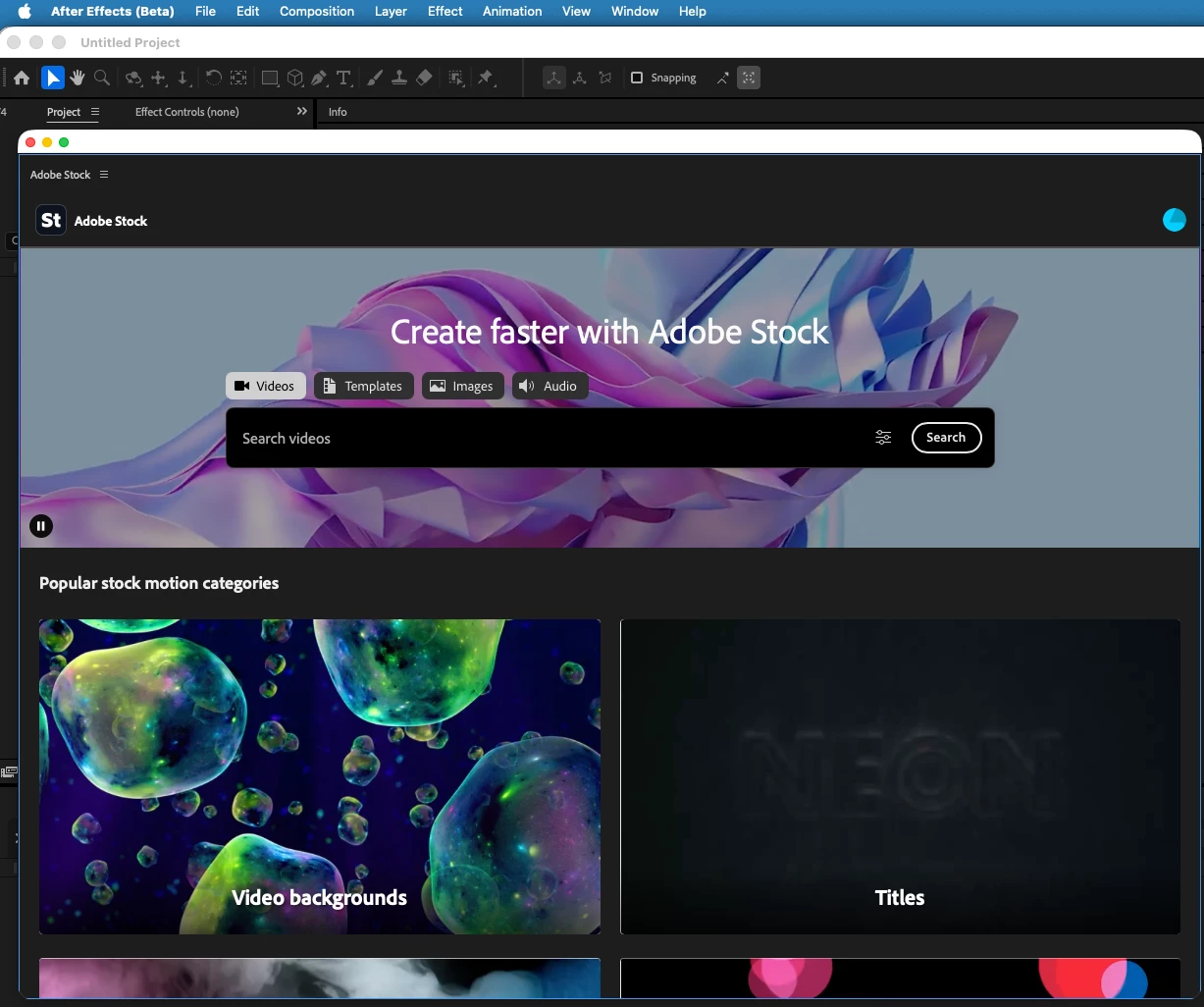
We're excited to share that the Adobe Stock panel is now available in After Effects (Beta). Search the full Adobe Stock library, preview assets, and bring them straight into your project without ever leaving After Effects.
What's New?
Until now, getting Stock content into an After Effects project meant using the Libraries panel with Adobe Stock selected as a sub-category and searching for the required assets or jumping out to your browser, downloading, and importing by hand.
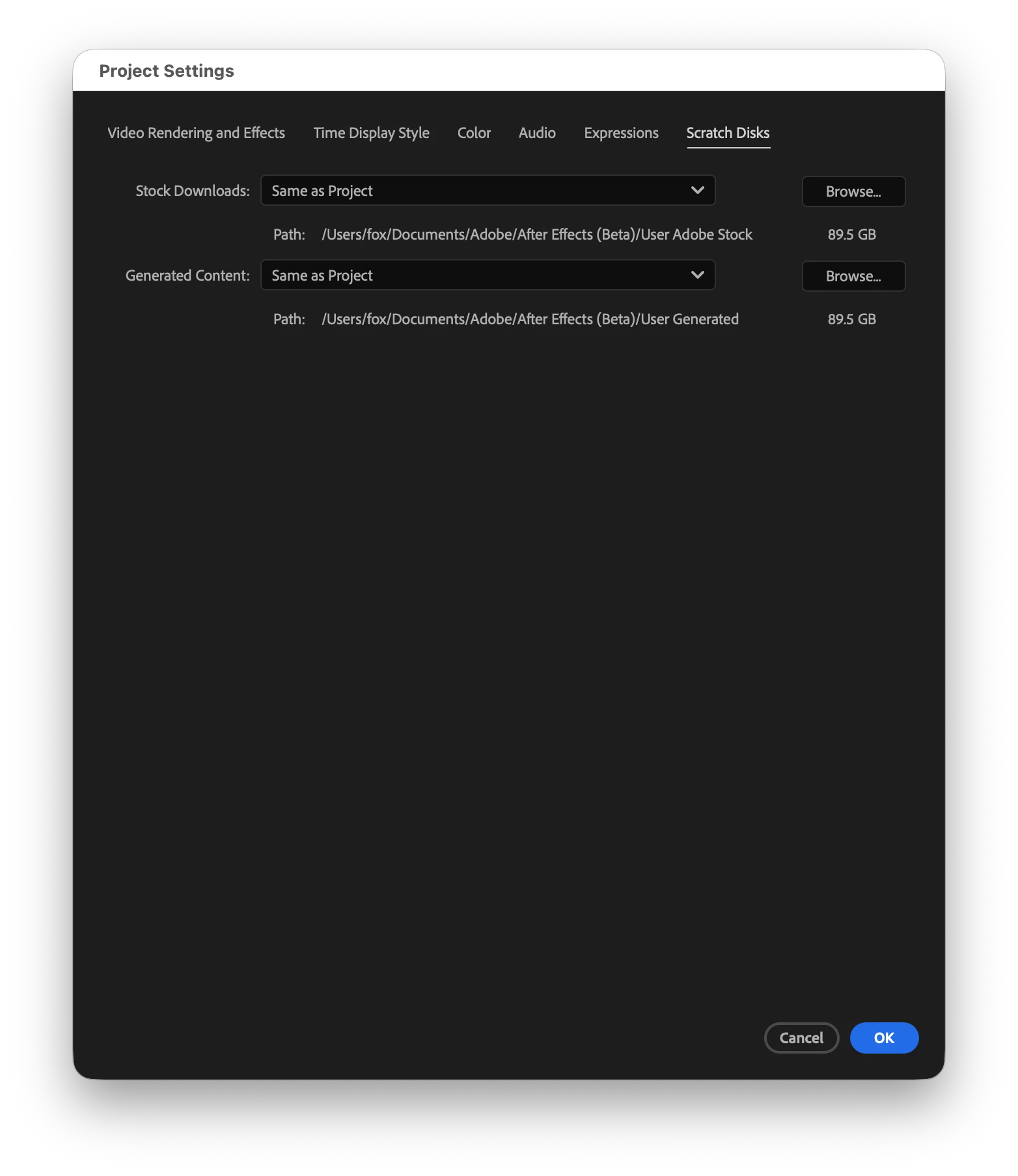
The new Stock panel with a better search experience now brings that whole loop inside the app. Find what you need, add it to your project, and it downloads and lands right in your Project panel, ready to use. You can also choose where downloaded assets are saved from the Project Settings in the new Scratch Disk tab, so they stay organized alongside the rest of your footage.
Caveat: All images, videos, and audio files are downloaded to the project panel. Templates such as .aet and .mogrt files are downloaded to your scratch disk path and will be available for import into the project. We are improving this experience in the near future. See the note below.
What Can You Search for and Download?
This panel covers the content in Adobe Stock that motion designers actually reach for and allows for them to be downloaded (per the licensing needs) and used in After Effects.
Templates
- Motion Graphics templates (.mogrt): Customizable graphics templates you can open and edit right in After Effects.
- After Effects templates (.aet): Full project templates that open as a new, untitled project, so you never overwrite the original.
Note: Template file types download to your scratch disk path and need to be imported into the project manually to account for them being essentially zipped files.
Source files and media
- Pre-rendered video: Stock footage, motion backgrounds, and overlays.
- Images, vectors, audio: Photos, scalable vector graphics, audio files.
What's Coming Later?
If you've used the Adobe Stock panel in Premiere, a couple of things aren't in After Effects (Beta) just yet:
- Drag and drop - In Premiere, you can drag an asset from the panel straight into your project. For now in After Effects, adding an asset brings it into your Project panel. Drag-and-drop is on the way.
- Preview licensing - Licensing a watermarked preview directly from the panel is coming in a later update. We'd love your feedback on how you'd want this to work.
How to Access the Panel?
- Make sure you've installed After Effects Beta 27.0.044 or later.
- In AE (Beta), go to Window > Adobe Stock to open the brand search experience with Stock.
Give Us Your Feedback!
Tell us what works, what's clunky, or what's missing for your workflow. Thanks!
 AdChoices