



AE Beta 27.0x14 - Native Fullscreen Support on macOS
After Effects Beta now supports native fullscreen on macOS. Click the green button in the top-left of the window to expand AE into its own fullscreen Space — complete with menu bar auto-hide and Mission Control swipe support, just like other native Mac apps.
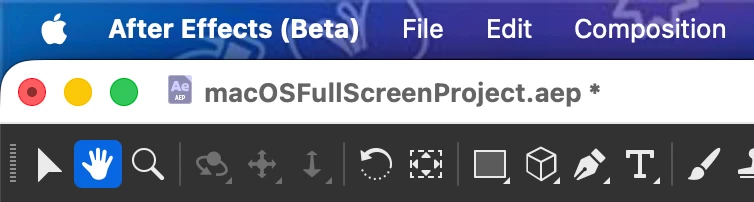
We've also cleaned up the title bar to match macOS conventions:
- Now shows just your project filename instead of "After Effects - filename."
- Cmd-click (or right-click) the filename to get the standard macOS path popup, letting you jump straight to any folder in the project's file path.
- Unsaved changes are now reflected with the native "edited" indicator alongside the existing asterisk.
- Click-drag the project icon (when a project is saved) to access the underlying project file for drag-and-drop.
Let us know if this is working for you.
 AdChoices