



AE Beta 27.0x7: Text animators now keep combining marks attached to their base characters
Starting in the AE Beta 27.0x7, we've changed how text animators handle combining marks — the tone marks, vowel signs, and diacritics that sit above, below, or around a base character in scripts such as Thai, Arabic, and many Indic languages.
Scope of the change
This affects the per-character text animator properties:
- Scale
- Skew
- Rotation
- Tracking
- Variable Font axes that change a character's width (not only an axis literally named "Width" — any axis whose effect widens or narrows the glyph)
What used to happen
When you animated one of these properties on text containing combining marks, each glyph/mark was positioned independently. As the base character moved, scaled, rotated, or changed width, its marks did not travel with it and they drifted away from the character they belong to, so the mark could end up detached and floating over a neighboring character.
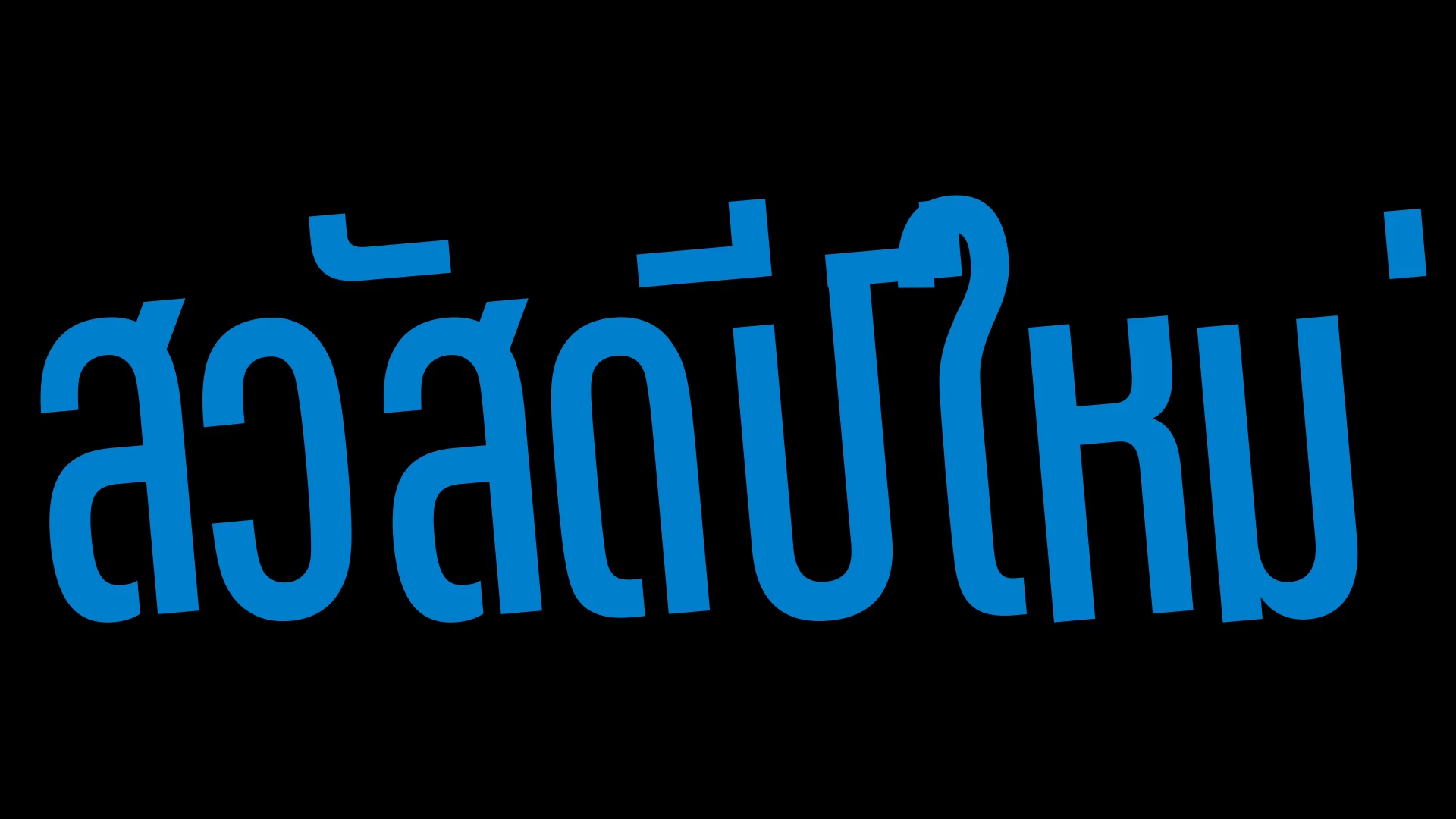
What happens now
Marks are now grouped with their base character and transform as a single unit. As you animate, the whole cluster (base plus its marks) scales, rotates, skews, tracks, and changes width together, so marks stay correctly positioned on the character they belong to.
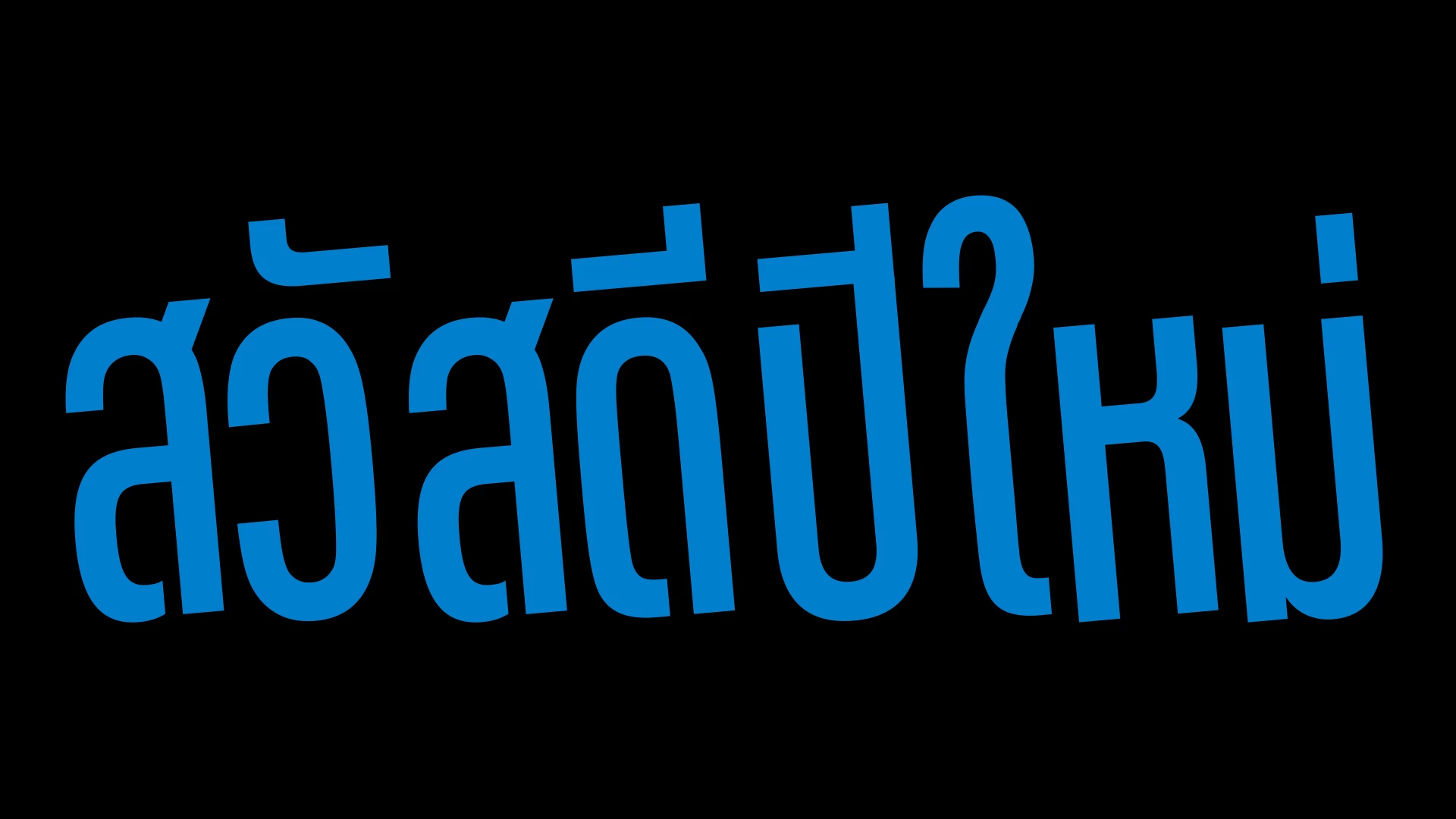
We'd love your help testing
If you work in Thai, Arabic, Indic, or any other script that uses combining marks, please try your text animators with these changes and let us know how it looks — especially any case where a mark still lands in the wrong place, or where text that used to look right now doesn't.
A note on the old behavior
This change ships in the 27.0 Beta starting with Build 7. There is currently no option to switch back to the previous rendering. If that's something you think you still need, let us know. Otherwise, non-Beta releases such as 26.3 continue to use the older rendering approach if you need it.
 AdChoices