




Auto-Save, upgraded: consistent backups and one-click crash recovery
Rolling out now in the After Effects Beta, starting with CCD Beta build 27.0.044.
We have made two meaningful upgrades to the After Effects auto-save, now in Beta. Your backups now happen on a consistent schedule, and recovering after a crash takes one click instead of digging through a folder.
What's updated:
- Never-saved work is covered: Auto-save now runs for untitled projects, so a project you haven't saved yet can still be recovered. We have also improved to have cleaner file names on auto-save.
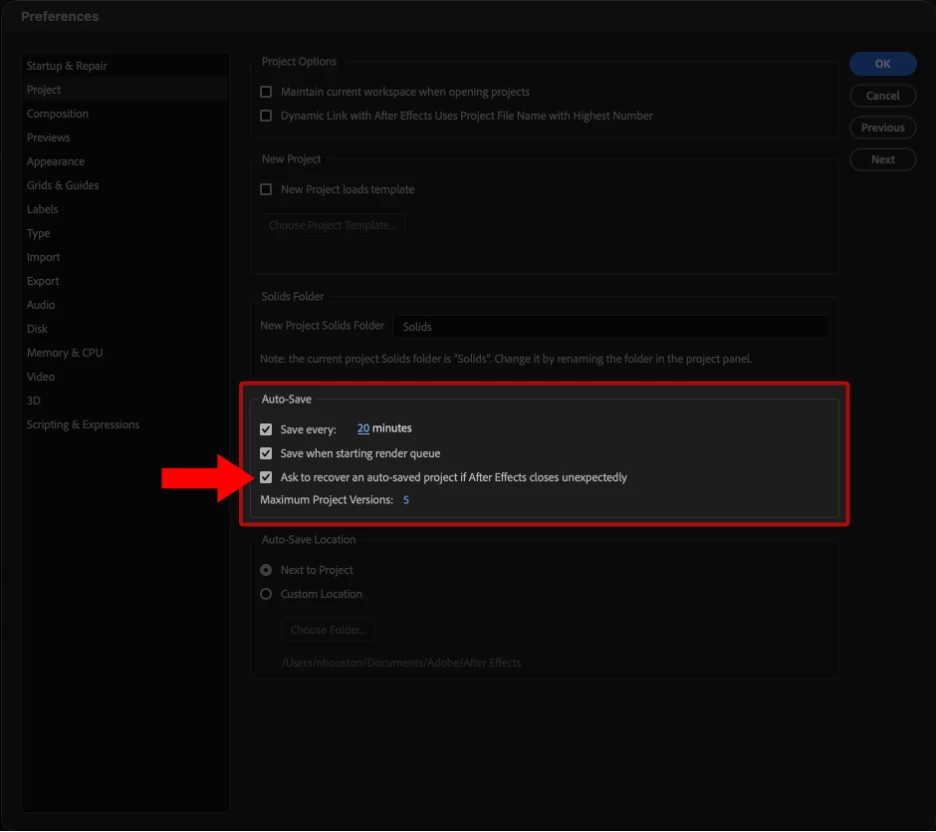
- Auto-save on a consistent clock: Auto-save now fires on a fixed interval measured from your last auto-save and is not reset every time you save manually.
- One-click crash recovery: After a crash, After Effects will now offer to reopen your most recent auto-save. This helps in reducing the need to try navigating to the Auto-Save folder by hand.
- Recovered Projects protect your original: An opened auto-save now opens as an untitled “Recovered Project,” so your first Save creates a new file instead of overwriting anything.
Auto-save on absolute time
Before, the auto-save timer reset every time you saved manually. If you are working on a large project and save often which most of our careful artists do, the auto-save rarely fired. This set us up with having no trail of backups to fall back on if your working file became corrupted.
Now the timer runs on its own cadence: one auto-save per interval which is measured from the last auto-save regardless of when you last saved by hand.
| When auto-save fires | Before | Now |
| Timer resets on | Every manual Save | Every auto-save |
| If you save often | Auto-save rarely fires | Auto-save keeps a trail and creates consistent snapshots |
Caveat: because auto-save no longer waits on your manual saves, it may fire shortly after you've saved yourself.
If you need control over it and consider it as being interruptive you can change the interval or turn auto-save off under Auto-Save preferences (Mac: After Effects > Settings > Auto-Save; Windows: Edit > Preferences > Auto-Save).
Recovering after a crash
Prior Experience: Crash leads to a relaunch. User would have to navigate to the Auto-Save folder and open the file that is the newest.
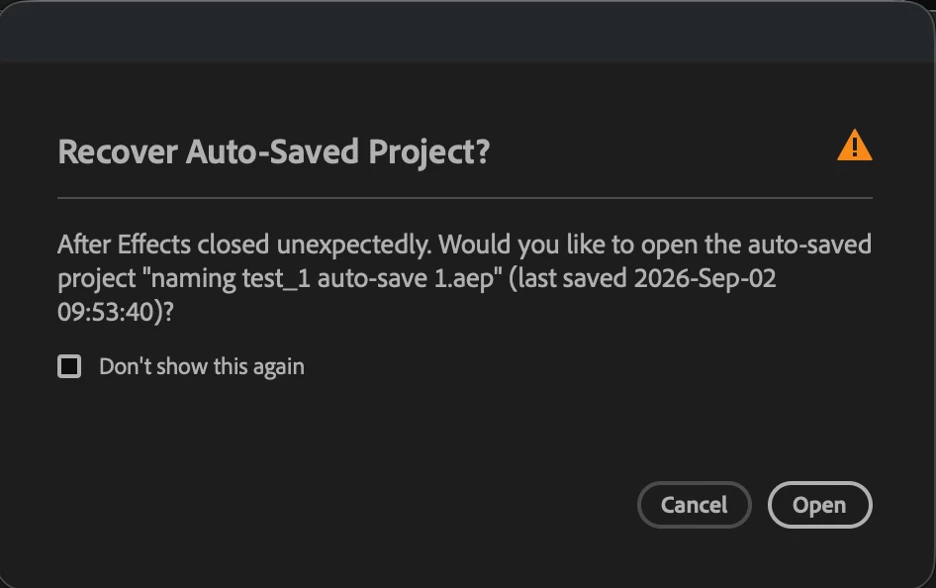
New Improved Experience: Crash leads to a relaunch. After Effects will now prompt you to reopen your most recent auto-save automatically and the user will have to click to open.
An untitled project that is opened on crash recovery would not show in the Recent Projects.
As a user if you were to open from whether the prompt, File > Open, a double-click, or the Home screen then it opens it as a “Recovered Project.”
Your first Save opens Save-As, pre-pointed at the original's folder with the name “Recovered <original>,” keeping the original .aep or .aepx extension.
Once you do a real Save, the file becomes a normal project again and shows up in Recent Projects as usual.
Mac vs Windows:
On macOS, click Reopen in the “After Effects quit unexpectedly” dialog that gets prompted.
On Windows, reopen After Effects and the recovery prompt appears once it's running.
Real-world scenarios
Scenario 1: You save constantly, then a file corrupts
You save every couple of minutes out of habit. Mid-session, your .aep won't reopen. Because auto-save now runs on absolute time, you have a fresh backup from minutes ago, you open it, save it as a new file, keep working.
Scenario 2: After Effects crashes on an untitled project
You are working on a comp you never got around to saving. After Effects crashes. On relaunch, it offers the untitled auto-save. You accept, hit Save, and name it for the first time.
FAQ
Q: Can I recover a project I never saved?
Yes. Untitled projects are now auto-saved, so they can be offered back to you after a crash.
Q: Will auto-save interrupt me more now?
It can fire on its own schedule, even right after a manual save. If that's disruptive, adjust the interval or disable auto-save in preferences.
Q: Will these auto-saves open in older versions of After Effects?
No. The projects saved by this version don't open in older ones.
A couple of limitations
- Auto-save preferences apply to local projects, not cloud or Team Projects.
- This is a Beta feature and we want your feedback if you hit anything unexpected.
Tell us how it's working
This is live in the After Effects Beta now. Try crashing on purpose (we won't judge), recover a project, and let us know whether the flow felt obvious.
 AdChoices