



Feature Focus: Quick Offset: stagger your layers just by dragging them
Edit: Aug 17, 2025 — Quick Offset is now released in the official release of After Effects 25.4
Great news for After Effects users! Starting with version 25.4. build 50 of After Effects Beta, we're excited to introduce Quick Offset - an efficiency feature that makes staggering your layers and keyframes in your timeline much easier.
What's New
Quick Offset makes it easy to move each layer in your selection — and keyframes across multiple layers — with just a simple keyboard-modified drag. Just select several layers — or keyframes on different layers — and hold down CMD+OPT on Mac / CTRL+ ALT on PC while you drag your selection in the timeline to watch as your layers (or keyframes) distribute themselves across the timeline under your mouse cursor. Creating cascading and overlapping animations was much more work than it needed to be, Quick Offset makes it much simpler now.
What it does:
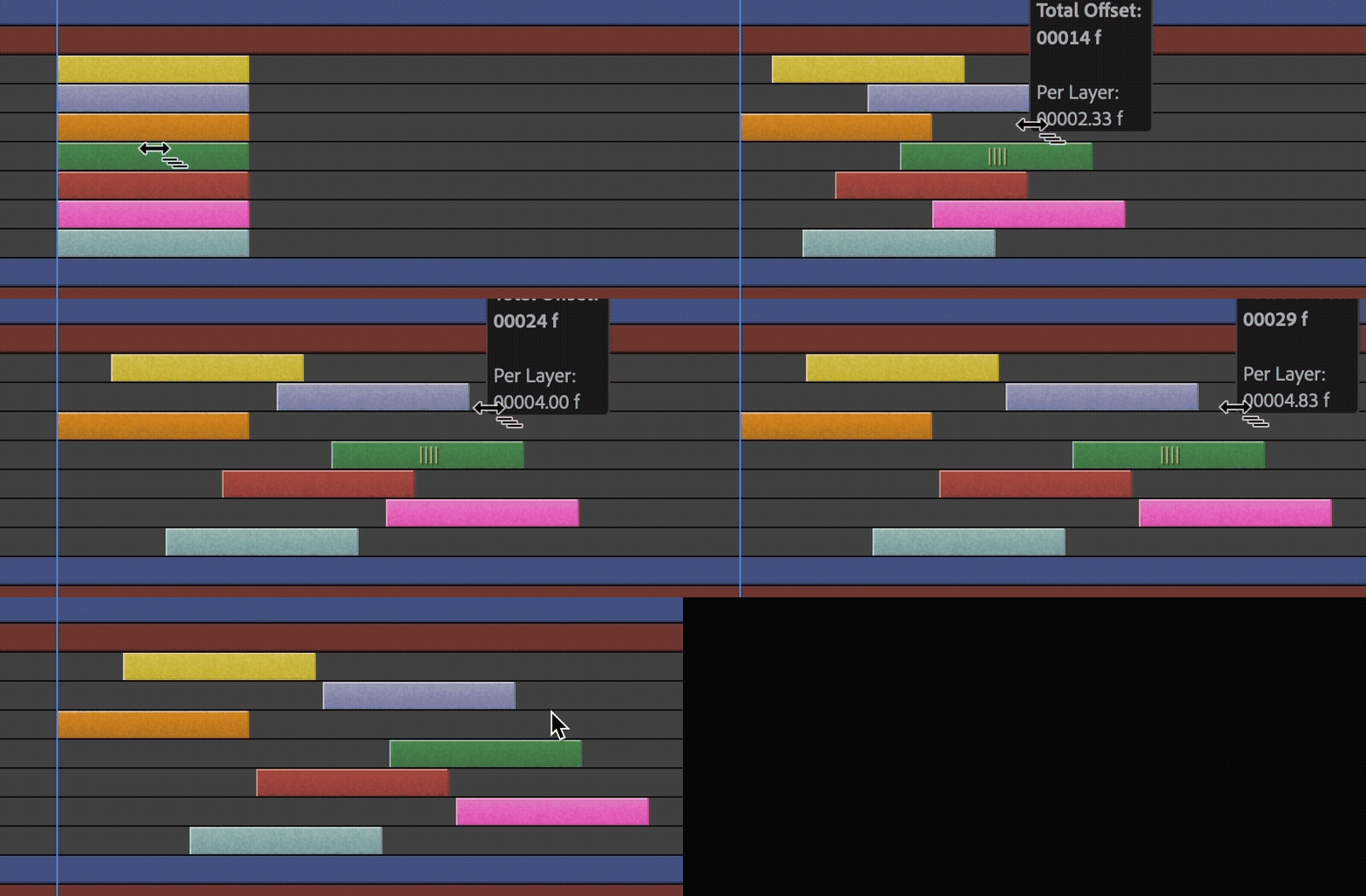
Layer offsetting: Select multiple layers in the order you want to offset, hold CMD+OPT (Mac) or CTRL+ALT (PC), and drag left or right to move the last layer selected. All the other selected layers in between will distribute themselves in between in the order that you selected them — that's it!

Get Creative with Selection Order: Selecting layers in a random order can quickly add interest and variation to your timeline!
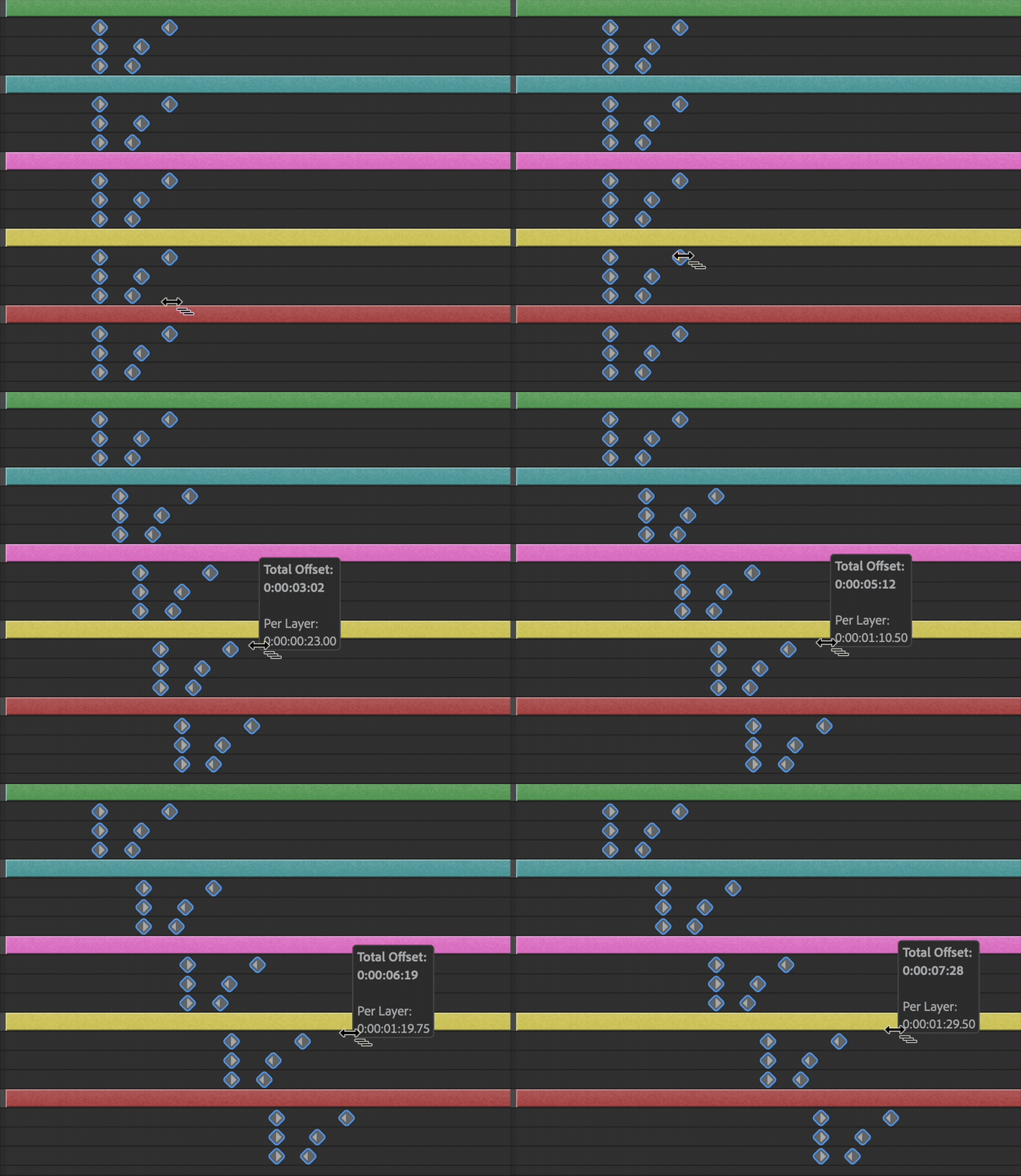
Works with keyframes too: Offset keyframe timing while keeping your animations intact. Groups of keyframes on each layer will stick together as you stagger them across the timeline.
- Visual feedback: See exactly how much you're offsetting as you drag.
- Any selection order: Pick layers in whatever order works for your animation.
- Precise timing: Fine-tune beyond whole frames for smoother results.
We Want Your Feedback
Quick Offset is all about making your daily work a little easier. We'd love to hear how it's working for you:
- Is it saving you time on staggered animations?
- What situations are you finding it most useful for?
- Any ideas for making it even easier to use?
- Are you satisfied with the way the layers are timed in the composition after using Quick Offset?
Drop your thoughts in the comments — your feedback helps us make After Effects better!
Known Issues and Feature Limitations
- Only linear offsets are currently supported, each layer will be offset in time by the same amount.
- If you marquee a selection of keyframes, the offset order will not consider the direction you selected them; it will just use the layer order in the composition.
- To make extremely smooth animations, staggered layers and keyframes will start on subframes.
Try Quick Offset with these other features currently in Beta
Alt/Opt+Drag to Duplicate Layers
Set keyframes on a layer, Alt+Drag on PC / Opt+Drag on Mac to create duplicates all over your comp, then use Quick Offset to stagger them to quickly create a cascade of animations.
Quick Set Anchor to snap anchor points
Select one or more layers, and click the Anchor Point icon in the Properties Panel to reveal a Quick Set Anchor dialog to snap the anchor point to the corner or center point of your layers, or use the shortcut Shift+Tab to bring up the dialog right under your mouse!
We can't wait to hear what you think of Quick Offset!
 AdChoices