




Frame.io V4 panel now in After Effects (Beta)
What is it?
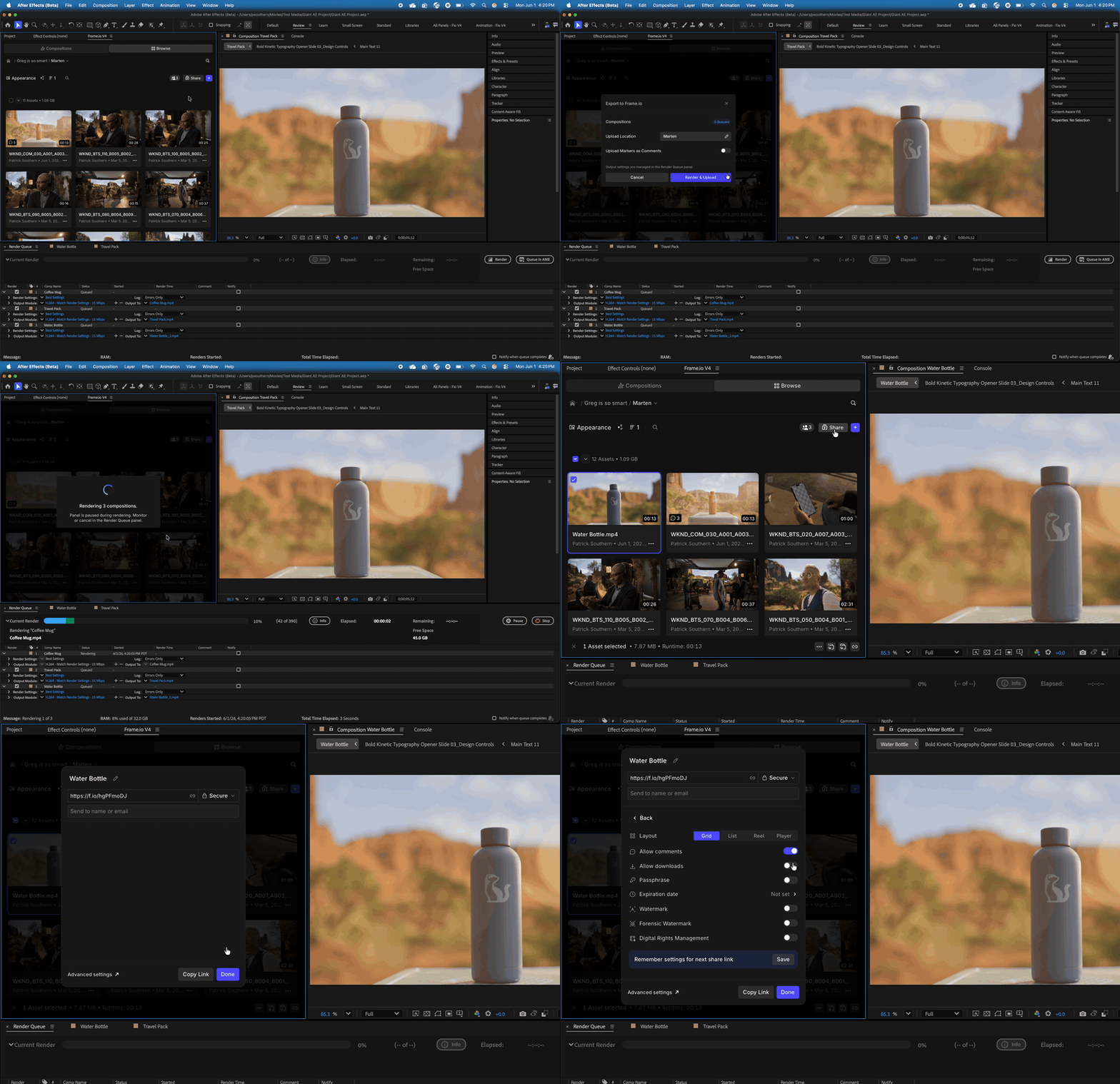
Hey friends! We’re pleased to announce that the new Frame.io V4 panel is now available in After Effects (Beta). Render, upload, share, comment, and manage feedback without ever leaving After Effects.
What’s New?
Unlike the Review with Frame.io panel, the new Frame.io V4 focuses on uploading from the Render Queue, rather than requiring users to set render settings from within the panel itself. Upload one or many comps to the same place in Frame.io at once!
What’s Coming Later?
If you’ve used our new Frame.io V4 panel in Premiere 26.2 or later, there are a few features in that panel, but are not yet available in After Effects (Beta).
- Playhead sync - Today, clicking a comment will jump the After Effects playhead to a comment. In Premiere, you can also sync playhead scrubbing between Frame.io and Premiere bi-directionally. It’s not in After Effects today, but we know it’s important to you.
- Asset import - Today, you can use Frame.io drive to make assets local and drag them straight into your After Effects project. We’d love to hear from you all whether you miss having an import button in After Effects, or if you prefer using the new Frame.io Drive method.
How to Access the Panel?
- You must be on a Frame.io V4 account
- Make sure you’ve installed After Effects Beta 26.5.0 (Build 16) or later.
- In AE (Beta), go to Window > Frame.io V4
- Log into Frame.io
Give Us Your Feedback!
Comment below what you like, what you find frustrating, or what just outright keeps you from getting work done. You can also drop us direct feedback by clicking Submit Feedback in the account drop-down of the home page in the Browse tab.
 AdChoices