



Layers as Materials - Now Available in After Effects Beta
Version 27.0x41 of After Effects Beta introduces support for Layers as Material Sources.
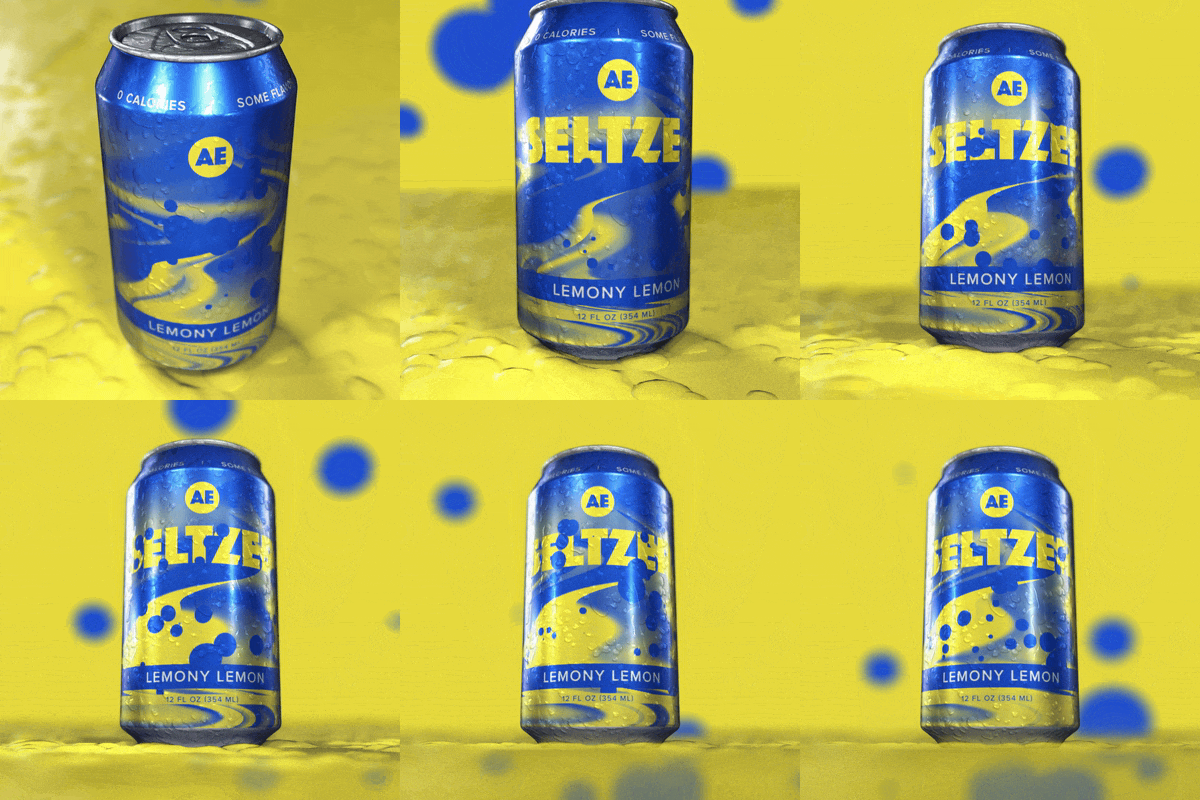
You can now apply layers — animated pre-comps, solids, images, and videos — directly as 3D materials on parametric meshes, 3D models and 3D text and shapes when using the Advanced 3D renderer. No more round-tripping through other apps or baking out intermediate textures: animate your 2D content and your 3D scene together, in the same project. We’re also changing how materials are applied so that you don’t have to scroll through big lists of material assignment slots when you only want to tweak part of a model.
Getting Started
Select a parametric mesh, 3D model, 3D text, or 3D shape, then open the Material dropdown in the Timeline or Properties panel and choose any eligible layer to use it as the base color source. Once assigned, you can fine-tune the look using new intrinsic material streams — Opacity, Roughness, Metallic, Emission Color, Emission Intensity, and Ambient Response — all keyframeable and expression-friendly just like other default material properties. You can even mix layer-based and Substance 3D materials on objects with multiple material assignments.
We'd love your feedback on:
-
How intuitive the material source dropdown is to find and use (including the new search/filter options for Comps, Footage, and SBSARs)
-
Whether the exposed scalar properties (Roughness, Metallic, etc.) give you enough control
-
Performance with animated compositions as sources, especially in interactive preview
-
Any crashes or unexpected behavior when copying, pasting, or duplicating layers/comps with material assignments
Known Issues and Feature Limitations
-
Decals (applying a layer to only part of a model rather than the full surface) are not supported in this first version — full-model/assignment texture wraps only for now.You can work around this somewhat by precomposing a material and adding the “decal” to the precomp.
-
Some edge cases (e.g., circular references between layers used as materials) can cause a crash. Avoid assigning a layer as a material source to itself via another layer
Please give this new functionality a try and let us know how it's working for you!
 AdChoices