


Community Manager
May 20, 2026
News

New in AE Beta: Color Labels for Effects!

  • May 20, 2026
  • 6 replies
  • 203 views

If you’ve been on recent After Effects Beta builds, you might’ve noticed the Effect Control Panel getting a little tidier: things like GPU Acceleration and Camera Aware have moved to the right side of the effect header, and Reset is a proper button instead of plain text. Today we’re excited to tell you why.

As of build 26.5x7, After Effects allows you to assign color labels to individual effect instances on a layer. 


When you add an effect (or open a project that already has effects), you’ll see that familiar small grey square next to the effect name. 
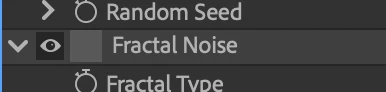
 

Click it and you get the same kind of label menu you already know from elsewhere in AE. 
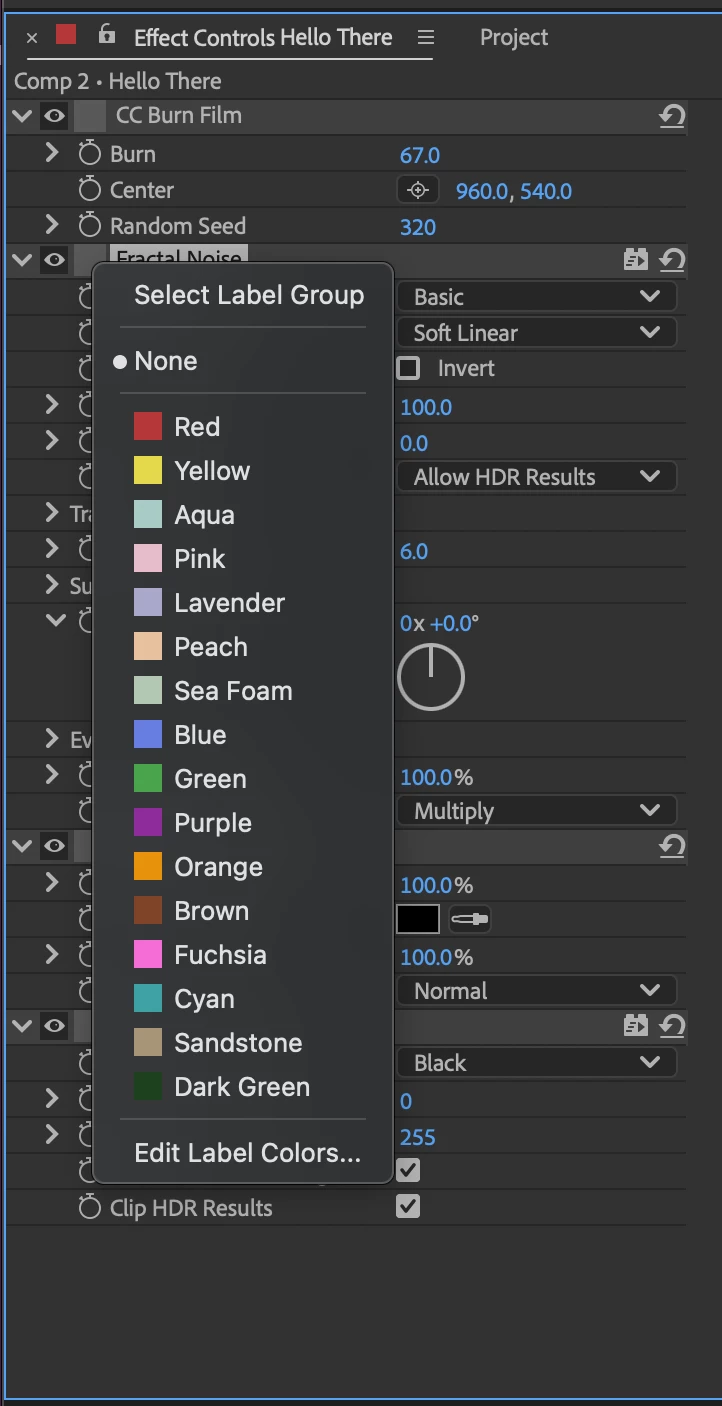
 

Upon applying an effect, each effect’s default label is None, but you can tag effects however it helps your workflow, same idea as layers or keyframes.

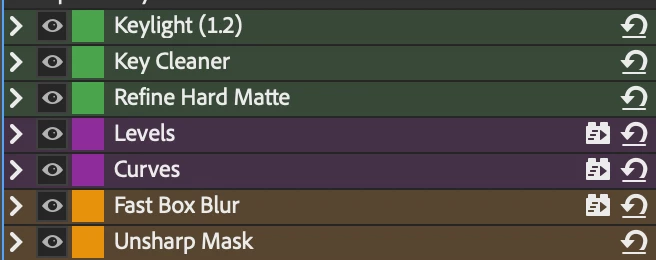
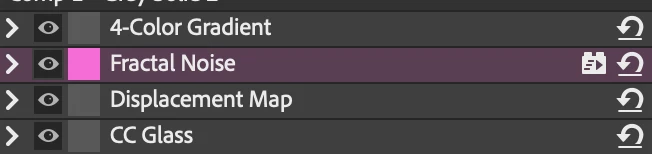
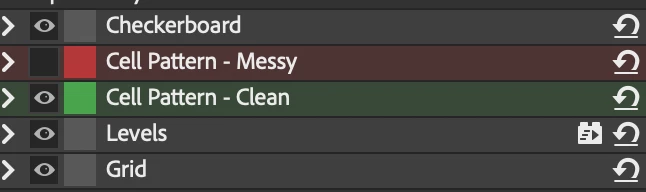
In addition to the familiar square swatches, we've also added (optional) background tinting: the effect row can get a subtle background wash that follows the label color you picked. We've found this to be very helpful when you have a lot of effects and a small Effect Controls Panel.
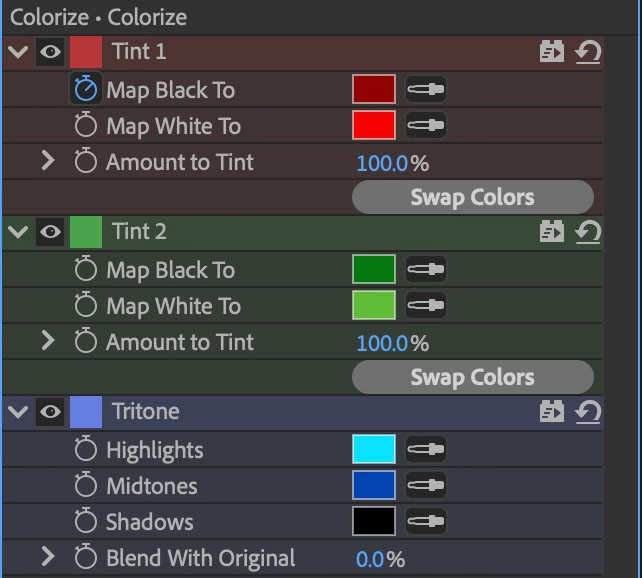

Showing the label swatch and using the label color for that background tint are two separate things, and both are optional. You can turn each on or off from the Effect Controls panel menu. So you can run swatch-only, tint-only, both, or neither (if you want zero label UI at all).
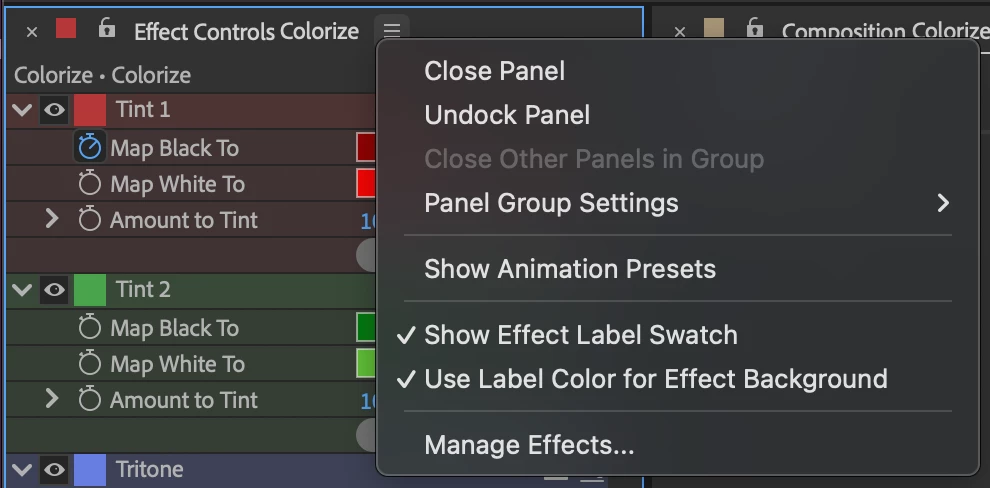

Got 5 keying effects, 3 color correction effects, and 2 finishing effects?
Got a single effect in the middle of a stack you want to easily find or point out to a teammate?
Do you need to identify which version of effects settings your producer signed off on?
 

FAQ

I didn't read the above but I really don’t like the background color! Turn it off in the Panel menu!


I didn't read the above but I really don't like the swatch? Turn it off in the Panel menu!


I turned off the swatch but the background color is still applied! Either turn off the background color visibility or turn the swatch back on and set the label to none. If you're interested in other ways of changing the Effect Label, please let us know.


Do the Labels that are applied to effects in the Effect Control Panel show up/can be changed in the Timeline? Not right now, but tell us how you'd like that to work and how it would help you?


I went to turn off the wash or the background color and I saw this Show Animation Presets option, what's that all about? That has been there for years! It will display a row at the top of each effect that will search your presets folder for any saved presets that only use that effect and show them here. You can use the dropdown to choose from all your matching presets and the left and right arrows to browse through them. Try saving a bunch of Fractal Noise presets, they'll be right there every time you apply Fractal Noise.


Known Issues

At the moment, using shortcuts for effect color labels does not work, we expect that to be fixed shortly.

Please give this new feature a try and let us know what you think!!

    6 replies

    Mike Choo
    Inspiring
    May 21, 2026

    I would love to see this follow into the timeline, to give the same advantages for easy identification in busy comps.

    If swatches were added to the timeline, then ​@sskaz ‘s suggestion makes a lot of sense, or using the same layout as for mask colour swatches next to the effect’s name in the timeline would be consistent and familiar.

    I would guess that having options to choose whether swatches/backgrounds are shown in the effects panel and timeline as individual choices would be best - some users will like a combination, or just one or the other.

    Given how visually dense things can end up, this is such a good advancement for usability. The camera aware / reset effect icons are neat as well 👍🏾

    sskaz
    Inspiring
    May 20, 2026

    Hey, this is pretty rad.

    Do the Labels that are applied to effects in the Effect Control Panel show up/can be changed in the Timeline? Not right now, but tell us how you'd like that to work and how it would help you?

    I would love to see this carry over to the timeline. It would be a great way to quickly navigate the timeline when you have a ton of effects.


    How would it work: Uhh basically the same? A more vibrant row for the effect name and the subdued color for all the controls, that stretches across the entire timeline panel. Controls to turn bits on/off


    Would the label swatch icon also be in the Timeline? There’s a dedicated label column already, but since the Timeline indents controls in a funky way, it might look strange to see [swatch] [arrow] [EffectName]. Maybe the swatch icon is between the arrow and effect name like in the new EC panel.

    Here’s a quick mockup using emoji. Even though the swatch is not in the timeline label column, it does line up nicely with the layer icon (star in this case) and has the bonus side effect of aligning the effect name with the layer name.


    Tao1022
    Participant
    May 20, 2026

    does this apply to project panel too?


    Paul Slemmer
    Known Participant
    May 20, 2026

    This is very cool! I can appreciate the organization that this will yield, especially considering that colors are saved with effect presets!

    A couple points of feedback:

    1. If you turn swatches off, there is no UI for changing label colors at all. This makes the "swatches off / background on" combo essentially unusable unless you switch swatches back on temporarily.
    2. The swatches are larger on effects than they are on layer labels. Consistency there would be nice, and the smaller swatches on layer labels create a more aesthetically pleasing/usable experience, so I would match that.
    3. I think it is very important that all data represented in the effects panel is also represented in the timeline, so effects with label colors on should have some visual representation in the timeline. Whether that's just swatches and colorizing the effect name rows, or a background only on the left, or the whole background all the way across the timeline deserves some testing.
    4. While nice for discoverability, having the swatches on by default feels unnecessary and visually "in the way," especially since they all default to None. My vote is for the default to be swatches off & background on.
    5. It might be nice to be able to define default colors for each effect in the Effect Manager (eg. Fill is always red, etc.) similar to how layer types have default colors. Maybe even having defaults per category could be nice?

    Great work on this! I can’t wait to get * c o l o r f u l *

    RobBarrett
    Community Expert
    Community Expert
    May 20, 2026

    Exciting! This isn’t something I’ve ever considered needing, but I can see straight away how this might be helpful, when handing off a project, in making it clear to a client which effects they should and shouldn’t touch.

    On that note, if I turn these on, what happens when someone else on a different computer opens that same project? Do their Effects panel preferences take precedence, or will they see it with whichever settings the project was saved with?

    A8hi
    Participant
    May 20, 2026

    Very cool!!