



New in After Effects Beta: After Effects AI Assistant
Hello everyone!
The rumors are true: we’ve brought a native AI Assistant to After Effects and it’s now here in beta! Update to the latest beta build (7 or above), restart After Effects, and open the panel from the icon in the header bar or via “Window” > “Assistant.”
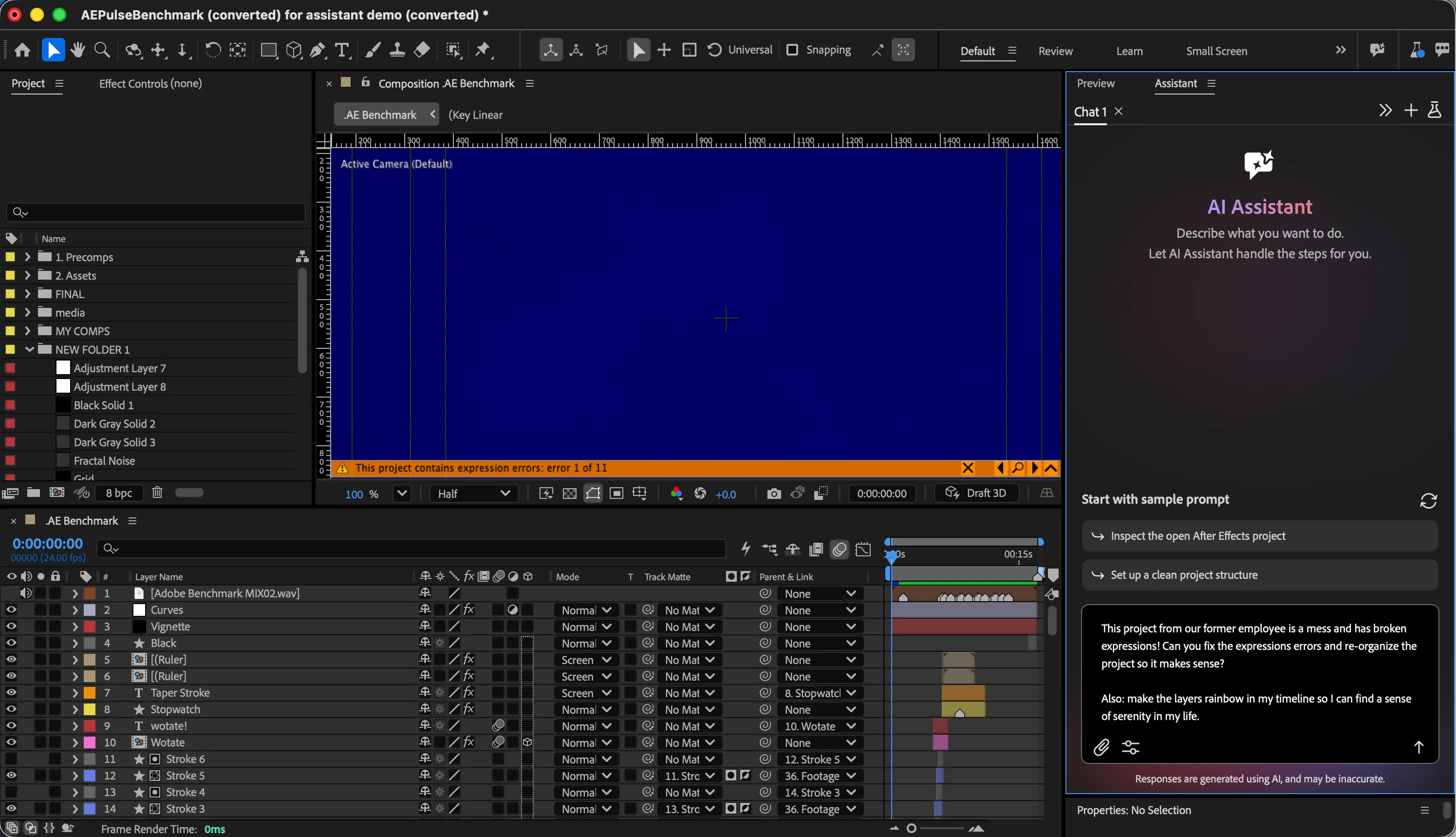
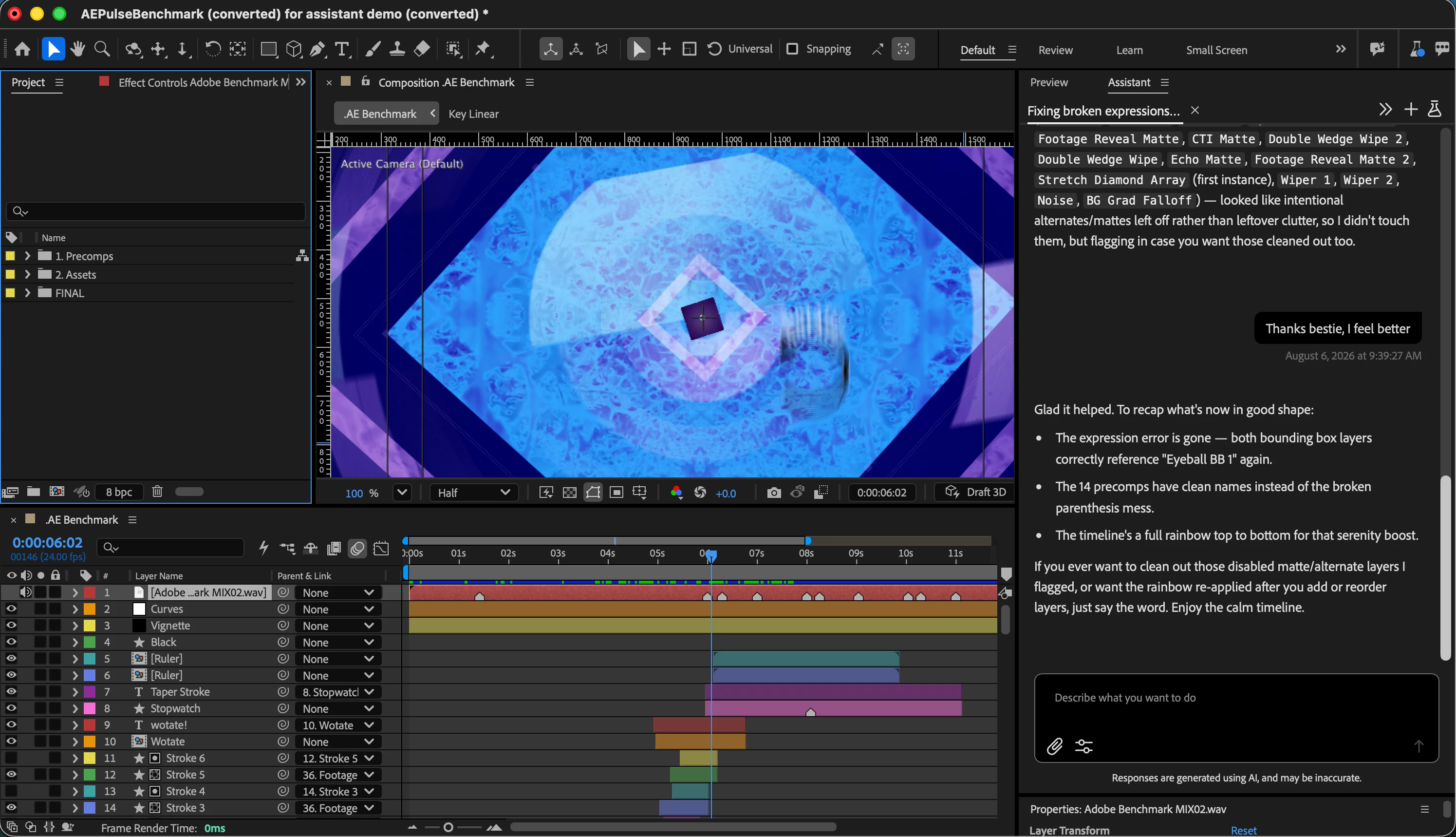
First, what this is and isn't. The Assistant is not here to replace you as the artist. Our north star for the Assistant is for it to do the tedious work that takes away from the joy of creating (think expression troubleshooting, reorganizing a project you inherited from a contractor who didn't follow your team's project organization guide, manually checking the spelling in your text layers...)
So while you can point the Assistant at a wide range of workflows and get varying success rates, we've deliberately made it best at two things right now: project organization and expressions.
Ask it to explain, restructure, rename, and color-code your project: handy for anything that's gotten away from you, whether it's a legacy file or work you've inherited. And give it your expressions: have it read one back to you, write a new one from a plain-language description, or track down why one's throwing an error. These two workflows are where we've spent the most engineering time, so they're where it'll feel most polished right away.
People have also been pushing the Assistant well beyond project organization and expressions, and it's worth trying:
- Give it a whirl with spell checking or even translating your text layers.
- Hand it a plain-language ask and it'll build an entire expressions rig, not just fix a broken line.
- We've also had some success generating multiple aspect-ratio versions of a comp.
- You can also generate images and video directly from Firefly (and its supported models) in the Assistant. Generation won't consume credits for now – we’ll let you know when that changes.
Tooling and skills are landing in almost every new build, so expect rapid improvement over the next few weeks. I (or a member of our team) will make regular updates here as new functionality comes online!
A Couple of Answers to FAQs
We do not train on your content. Any information we collect is used for analytics only, so we can make informed decisions about the product roadmap. We follow Adobe's published privacy and data collection policies. Chat content is held only temporarily for bug investigation.
For those working under NDA: the Assistant includes a project vision tool, but it can only see a single screenshot of a single frame, so it can understand what's in your comp window. It's only used when needed by the Assistant, not during every conversation. Please use your own discretion when you consider whether using the Assistant is appropriate for NDA work.
On pricing: the beta is free, including Firefly generations. There is a daily limit you may hit, along with a separate weekly threshold. We'll share news on a pricing plan for the full release as soon as we have it.
Known issues right now
- (RESOLVED) 8/11/2026: We have discovered an issue where the Assistant was able to view folders outside of the project directory. This is not expected behavior and we are modifying tooling to prevent this.
- (RESOLVED) The Assistant works best in English at this current moment. You can converse with the Assistant in any language, but we encountered an issue with other languages when it tries to use its tools. We have a fix for this already in the pipeline, so I’ll let you know when it lands -- likely next week.
- (RESOLVED) Speed. We are still in the process of optimizing tooling/processing efficiency. We expect this to improve on a regular basis and will post updates here as they come.
- (RESOLVED) Reference uploads aren't fully online yet. The Assistant will accept JPG and PNG references, but broader support (including implementing the references into context) is still coming online.
- (RESOLVED) Scripting requests and some project-panel actions (renaming project items, toggling proxies) are still being tuned — the Assistant can be overly cautious and decline things it should just do. Tell us when you hit that by marking the interaction with a thumbs-down.
- The Assistant should be able to generate scripts for you but not execute them. Please let us know how the script generation experience is going as you try it out.
- Everything the Assistant does lands in the standard undo stack, though undo currently runs one action at a time rather than grouping a whole request.
- We've heard some early requests for voice input/prompting -- let us know if this is something you'd like to see and how you'd ideally want to experience it.
- The panel is opt-in instead of opt-out: how do you feel about that. Do you want it in a default workspace in the future?
Feedback and bug reports are always welcome — use the thumbs up/down “Provide Feedback” link, or this form: https://forms.office.com/r/Jr6kyrssHb. This is a much earlier beta than we’ve historically done: we wanted you to give your feedback at the exact stage where you can shape what gets built next.
 AdChoices