Community Manager
April 3, 2026
News

New in Beta: Modernized Effect Controls Panel

  • April 3, 2026
  • 1 reply
  • 166 views

New in After Effects Beta 26.3x34: Modernized Effect Controls Panel 


After Effects has a long and storied history, and a lot of today’s UX still sits on a legacy framework. That foundation has made it harder than we’d like to fix bugs, ship new ideas, and keep panels feeling fast. We have been reimagining what’s under the hood for the Effect Controls Panel to make the experience easier to evolve, more reliable, and genuinely better to use. 

With that in mind, we have been working to modernize the underlying framework of the Effect Controls Panel. We are essentially rebuilding it from the ground up. This is the first stage of a larger project to modernize the UX framework of After Effects. 
 

What is changing? 

For now, the panel will look nearly identical to the existing version and retain all current behavior and functionality. However, this architectural shift allows us to deliver incremental improvements to the AE user experience moving forward. 

You may already notice a few subtle changes: 

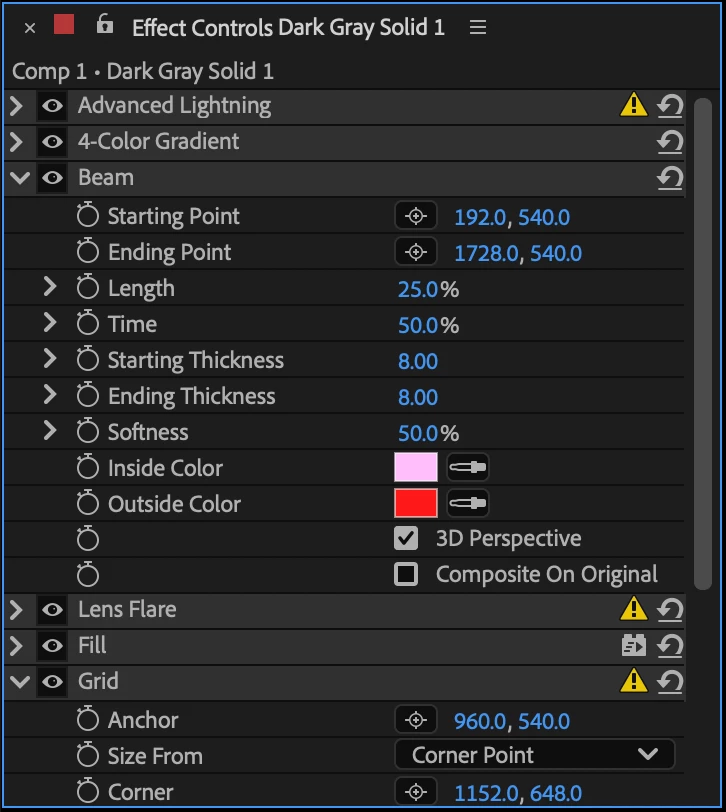
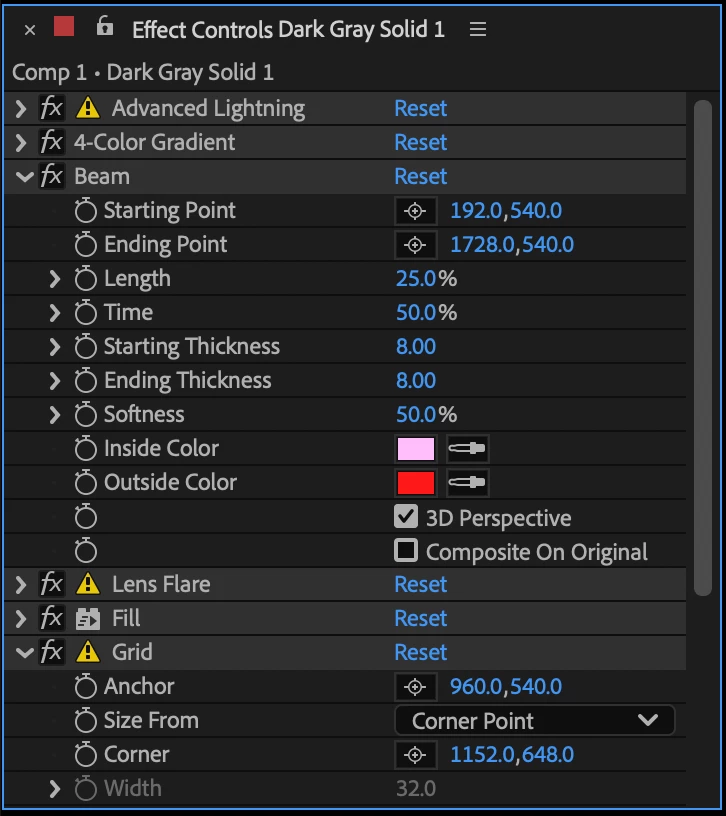
  • We've changed the effect visibility icon to match the familiar eyeball used everywhere else in the ecosystem. 
  • We've consolidated informational icons to the right-hand side for a cleaner experience! And all of the informational icons now have tooltips to further explain what they’re indicating. 
  • We’ve changed the "Reset” command to an icon button. 
Existing Effect Controls Panel


New Effect Controls Panel


Known Issues 

  • Empty panel after workspace switch: Resize the panel or apply a new effect to refresh the display.
  • Checkbox actions: If clicking a checkbox doesn't register correctly, ensure the effect is selected in Effect Controls Panel first. 


Documentation and Feedback 

The existing documentation remains accurate and can be found under the Effect Controls Panel section here: Adobe Help: Effects & Animation Presets 

Our goal is for the experience to be identical to the previous version and while we have worked hard to preserve every piece of functionality, we need your help to ensure we haven't missed anything. Keep an eye out for any layout issues or things that aren't working as you'd expect, and please let us know if you encounter any bugs or performance regressions so we can address them quickly. 

    1 reply

    Shebbe
    Community Expert
    Community Expert
    April 7, 2026

    I do not know what the future plans are, but I can share some thoughts on this.


    “ We've changed the effect visibility icon to match the familiar eyeball used everywhere else in the ecosystem.”


    What does this mean? Adobe's ecosystem? AE’s ecosystem?  A layer can be hidden with an eye icon which makes sense. Effects in isolation also makes sense but disabling effects on the layer switch or on an individual effect means the same but now they’re different icons? Making the layer FX switch an eye too wouldn't make any sense. Premiere also still uses FX icons for it unless it’s planned to change that as well. But also there it wouldn't make sense because the clips would still have the FX icon on the right side and program monitor global FX Mute.


    So I doubt this actually helps or is at all necessary.


    Then some more thoughts on current design and future development.

    Overall there is a lack of information presented to the user. The ideal would be that all of it is visible rather than hidden for sake of ‘clean UI’. Especially for professionals this matters.


    1. Control layers that are not able to influence the pixels directly are treated as ‘things that can be turned off’. There should be a new design that can distinguish pixel manipulation effects from data only ‘effects’. A Slider Control for example shouldn't have a visibility switch.
    2. You can not at all times see what the supported/working bit depth is of an effect, only a warning when the project depth is higher than what it supports. Ideally the bit depth icon is always displayed.
    3. Warning icons require a click into pop-up window to read the information. This info or a shorter version of it on mouse over tool-tip would remove the need to click on it to understand what the issue is.
    4. The new format right aligns additional effect info icons but they themselves aren't in fixed columns so it’s still appearance varying.

    It would be welcome if the above are solved in a more elegant and clear manner. Here is an idea of what it could look like. The slider data icon is just to get the point across but can be a nicely designed icon.