



New in Beta: Proportional Scrubbing for values in the timeline
We’re excited to announce that as of After Effect Beta 26.2x25, the blue text property values in your timeline (you know, the ones that you can drag on to change*) has a fun new capability, and we're calling it Proportional Scrubbing.
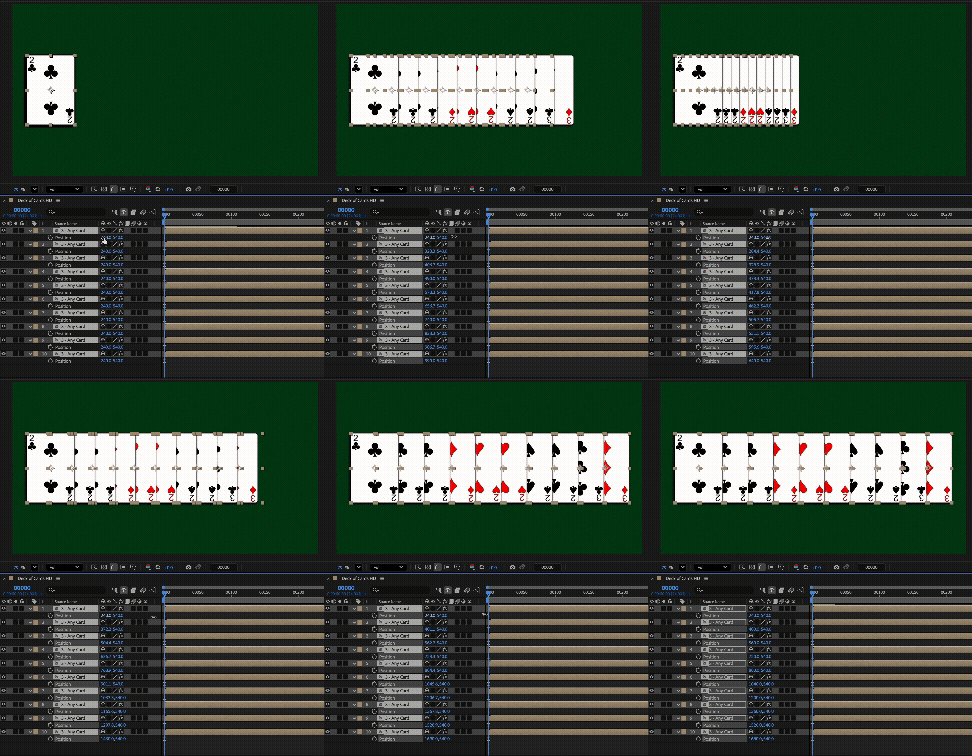
You’ve probably selected a bunch of layers and then scrubbed on the Position X property to mass move them all left or right at the same time, or scrubbed on the Rotation property to rotate them the same amount. Now, with Proportional Scrubbing, you can select a bunch of properties across multiple layers and affect them differently — all at the same time.
To use Proportional Scrubbing, simply select a bunch of layers in the order you want to affect them (from least to most) and hold Cmd+Opt on a Mac or Ctrl+Alt on a PC while you scrub the blue text values of any of your selected layers.
Instead of just applying the same value change to all layers, the first layer you selected's property value won't change at all, the last layer's property value will change the full amount you drag, and all other layers in between will get a proportionally distributed value based on their order of selection. Hold shift to increase the value change by 10x.
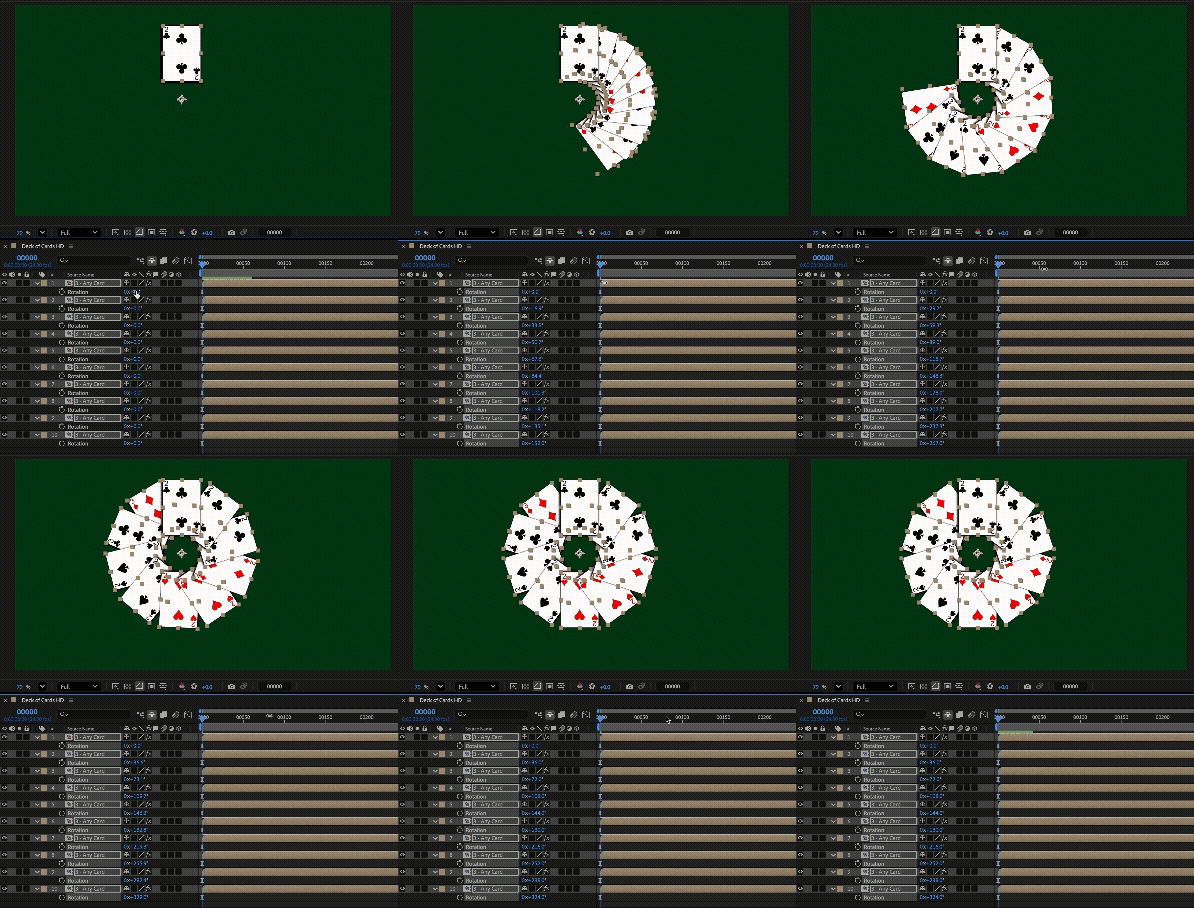
And it doesn't just work for the basic layer properties. You can select any property — shape layer properties / effect properties / anything across multiple layers and Proportionally Drag on any one of them and the change will distribute itself across the layers, as always, in selection order. (At the moment, you do have to select the individual properties. We recommend using the Timeline search field to reveal the properties across layers and then marquee select (i.e. drag a box around) the shown properties across your timeline stack.)
Please let us know what you think of Proportional Scrubbing and how it works for you!
FAQs and Notes
This sounds really complicated, will I enjoy it? If you're familiar with dragging on the blue text in the timeline we think you will immediately intuit how Proportional Scrubbing works. And you may just find it to be very fun to use.
Does it matter which layer's blue text I scrub on? No, dragging on the first layer selected or the last or any other in between will have the same effect.
Does it work in the properties panel? At the moment, no. But please let us know if you have interest in that.
How does it work with keyframes? Just about how you'd expect. If a property is keyframed at a different time, it'll add a keyframe. If there's a keyframe at the frame you're on when you make a change, it'll modify it. And if some of your selected layer's properties are keyframed and some aren't, it'll do the right thing to each one.
How does it work across mixed selections? The entire path to the property needs to match, so if you have Camera Lens Blur and Fast Box Blur, you can’t Proportionally Scrub the Blur Radius property across those layers. Similarly with dragging the position Z value for a selection that has some 2D and some 3D layers.
* PS. Technically the blue text is called “Hot Text”, but we know you probably just know it by color and not this term so that’s why we call it that here.
Edit: We’re excited to let you know that Proportional Scrubbing was released in After Effects 26.3. Thanks for all your feedback on this!
 AdChoices