



New in Beta: Variable Font Filter in the font picker (26.3x46)
Since we introduced Variable Font Animation in After Effects, a lot of you have been exploring weight, width, slant, and custom axes in the Timeline and Properties panel. One thing we heard clearly is that it’s still hard to spot which fonts in the menu are actually variable when you have a huge library.
Today we’re shipping an update that adds a variable font filter right in the font popup, so you can narrow the list to variable fonts only and get to the right face faster.
What it does
The font popup now includes a filter control that, when enabled, shows only variable fonts. Turn it off anytime to return to the full list (same as your other filters and favorites behavior).
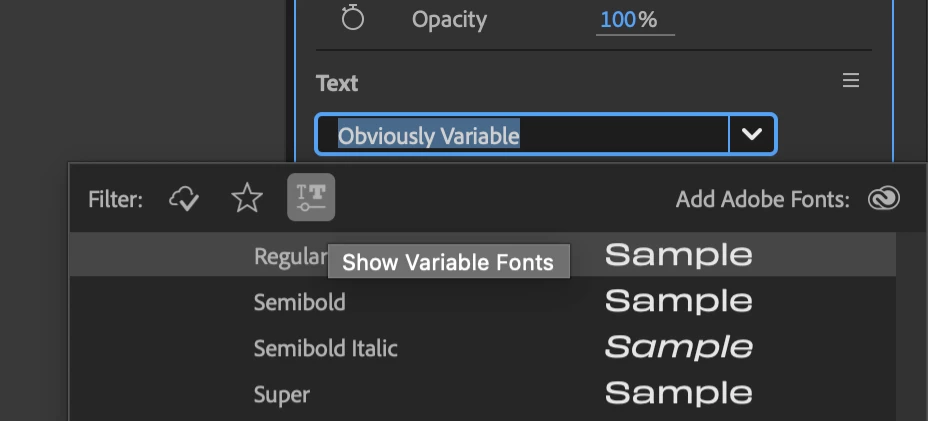
Where to find it
- Open the font control anywhere you already choose a typeface (for example, the Properties panel or Character panel font picker—the same font popup you use today).
- Use the new variable font filter so the list shows only fonts that expose variable axes.
- Choose your font as usual; disable the filter when you want to browse all fonts again.
We’d love to hear whether this speeds up your type workflow and if anything still feels missing in how you browse fonts. Drop a comment below.
 AdChoices