HARSHA37720720vlqr
Community Manager
Community Manager
Nov 2, 2026 10:57 PM UTC
News

Smoother Layer Control interaction in After Effects

Rolling out now in the After Effects Beta, starting with CCD Beta build 27.1.0.028.

Layer controls are how you grab, move, and align your work, so they should keep up with you. We’ve been tuning how After Effects calculates and draws them, and the results are now available in beta.


What’s new


Smoother text and shape editing

Enjoy more responsive layer controls and less lag as you drag to make adjustments. Mask outlines draw faster on Windows and macOS, and previews keep up better with your changes as you edit shapes.

We tested these changes on heavy shape-layer and heavy mask outline comps by comparing builds with and without them. Layer controls drew noticeably faster in those projects, and the demo video above shows the difference. 


Where you may notice it
 

You’re most likely to observe these improvements in comps that were already hard to work in with layer controls on: many shape layers, masks with detailed outlines, or a mix of shapes and text that you’re lining up by hand. In those projects, layer controls should keep pace with your cursor more closely as you drag, and mask outlines should redraw with the layer more promptly.

Your results depend on what’s in your comp and on your hardware. Simple comps were already fast, so you may not see a comparative difference there.


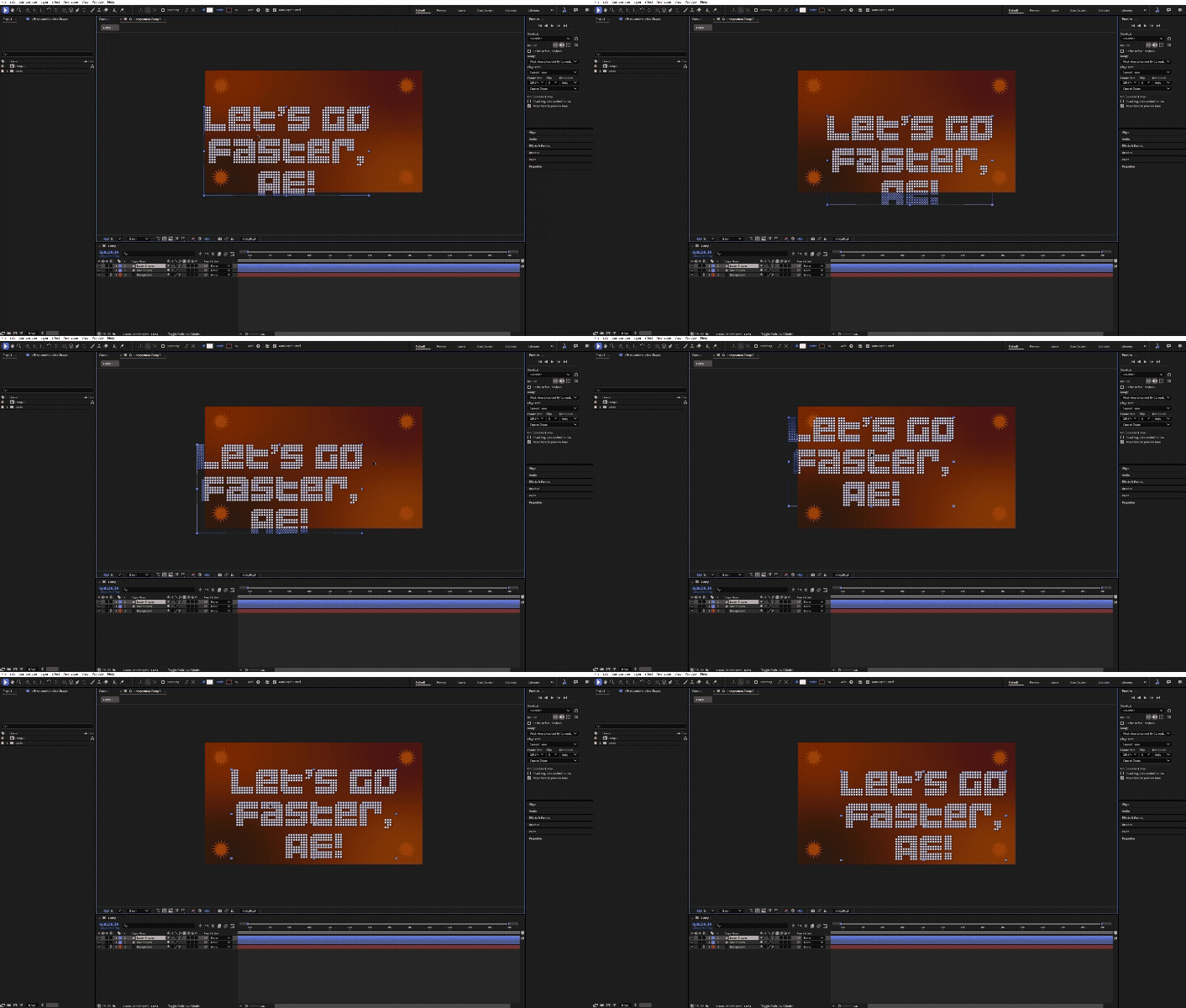
Before:
Dragging shape layers with layer controls on, BEFORE these improvements. Same project, same machine.


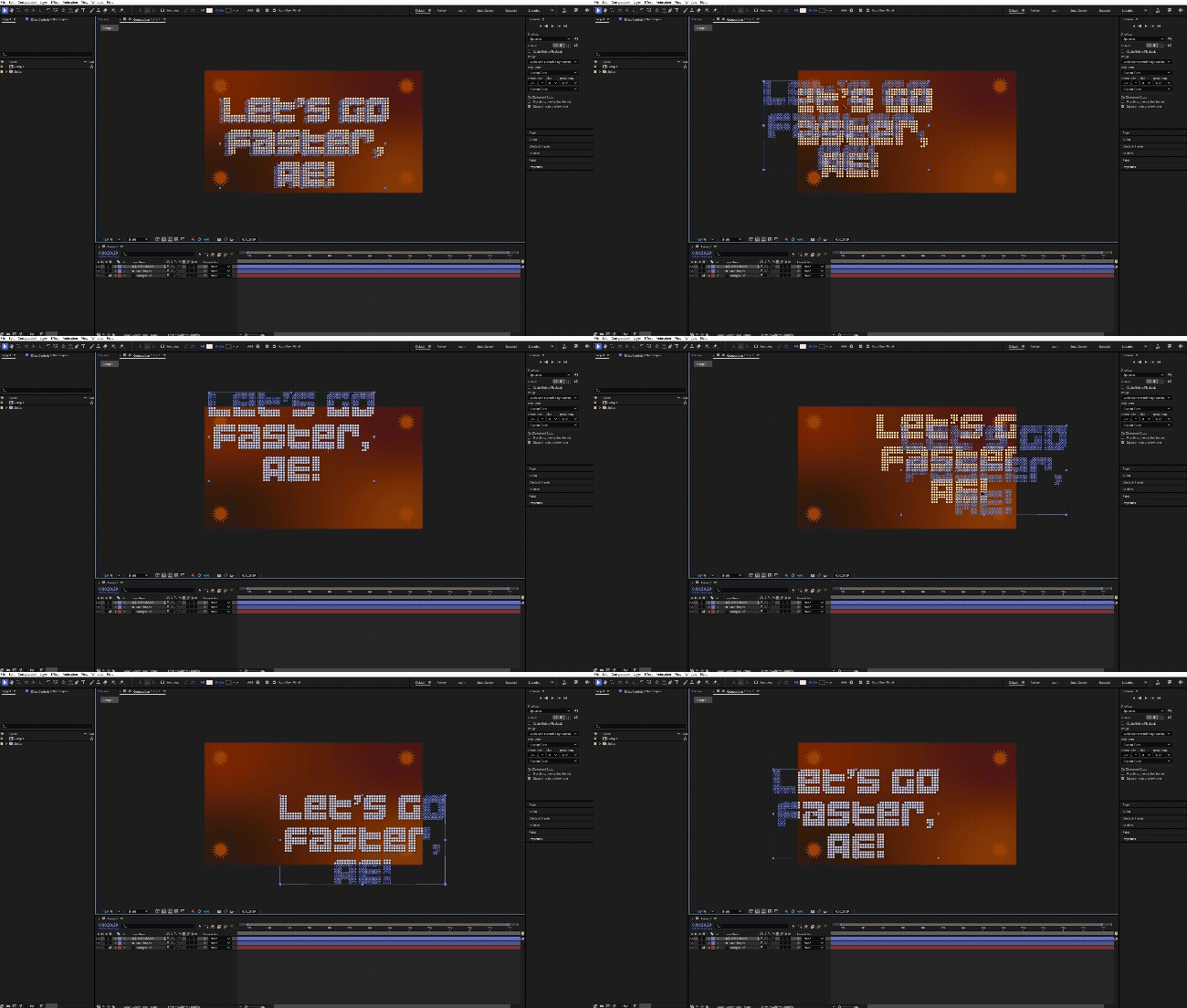
After:

Dragging shape layers with layer controls on, AFTER these improvements. Same project, same machine.


FAQ

Q: Do I need to turn anything on?

No. These improvements are part of the beta build, so you don’t need to update any settings.

Q: Will layer controls look different?

They shouldn’t. Controls should sit exactly where they did before. If you see misaligned controls, tell us.

Q: Will this speed up every project?

These improvements focus on layer controls and shape interaction, so they won’t speed up every part of a project. If a comp still feels slow, send it to us. Real projects help us decide what to look at next.

Q: Will this change how my final renders look or how long they take?

Your output shouldn’t change. We ran pixel-verification tests to confirm it matches. These improvements target interactive work.


Try it and tell us what you think

These improvements are included in After Effects 27.1.0.028 beta. Try them on your own projects and tell us:

  • Which projects improved the most
  • Anything that looks wrong or out of position
  • Instances when the projects are still slow

    3 replies

    Shebbe
    Community Expert
    Community Expert
    Nov 3, 2026 10:02 AM UTC

    ​Hi ​@HARSHA37720720vlqr ,

    Better late than never… these improvements were much needed for day to day interaction with the software.


    I just tried it on my Win machine and I do not see any discernible performance difference between the Beta and release version 26.3. I’m on Beta 27.1.0 (Build 30). Is it supposed to be in there?


    My setup is 7 shape layers in an HD comp with each containing about 5 rectangles and 4 polystars. Performance is terrible in both. Duplicating the shapes into the same shape layer and only moving that is a little bit better performance but still a severe lag. Not real-time by any means and again exactly the same performance in both beta and release.

    ​

    Translate
    HARSHA37720720vlqr
    Community Manager
    Community Manager
    Nov 3, 2026 4:26 PM UTC

    Hi ​@Shebbe, 

    Thanks for testing this so quickly. This is exactly the kind of feedback we’re hoping for, and we’d like to try reproduce what you are experiencing with the performance in Ae and the potential reasons to why you’re not seeing a difference.

    One of our engineers replicated the project from your description and we don’t observe the lag to begin with. We created a project with 11 layers, each with 8 stars and 8 rectangles to push a bit on your project detail description and simulate. 

    To reproduce what you’re seeing on our side, could you kindly share:

    1. Your project, if you’re comfortable sharing it.
    2. Your system details: GPU model and driver version, CPU, RAM, display resolution and scaling, and the number of monitors (if applicable).
    3. A short screen recording of the lag with layer controls visible, showing how you’re moving the shapes. 
    Translate
    Shebbe
    Community Expert
    Community Expert
    Nov 4, 2026 9:39 AM UTC

    Hey ​@HARSHA37720720vlqr ,


    Wanted to make sure I was on the right beta before getting in to details but I guess I was.

    Find attached the project file and two videos. The grey background is beta and black 26.3.


    I installed the 35 build today to see if anything was different but it’s the same.


    Win specs:

    2x 4K displays, 100% scale (no scaling)

    Win 11 25H2 / R9 5950X / 128 RAM / RTX 3090Ti - 617.42 Studio Driver


    I also tested on a Mac Studio M1 Ultra today. The overall performance was significantly better but not real-time. Most importantly, the performance on mac between beta and release was also identical. Manipulating a single layer did stick pretty close to the cursor but still a slight elastic band effect. With them all selected performance was about twice as fast as on Windows but still not good enough for a 60hz display. When I duplicated all layers once, the performance was as bad as Windows.


    Mac specs:

    M1 Ultra / 128GB RAM / OS 26.6.2 / same display setup, no scaling


    Translate