




Creative Cloud Desktop v6.11 has been released!
We are pleased to announce the release of Creative Cloud desktop app version 6.11! The update is being delivered gradually over the coming days, so it may take a little while to appear for your account.
Top features in this release
1. Home 2.0 enhancements
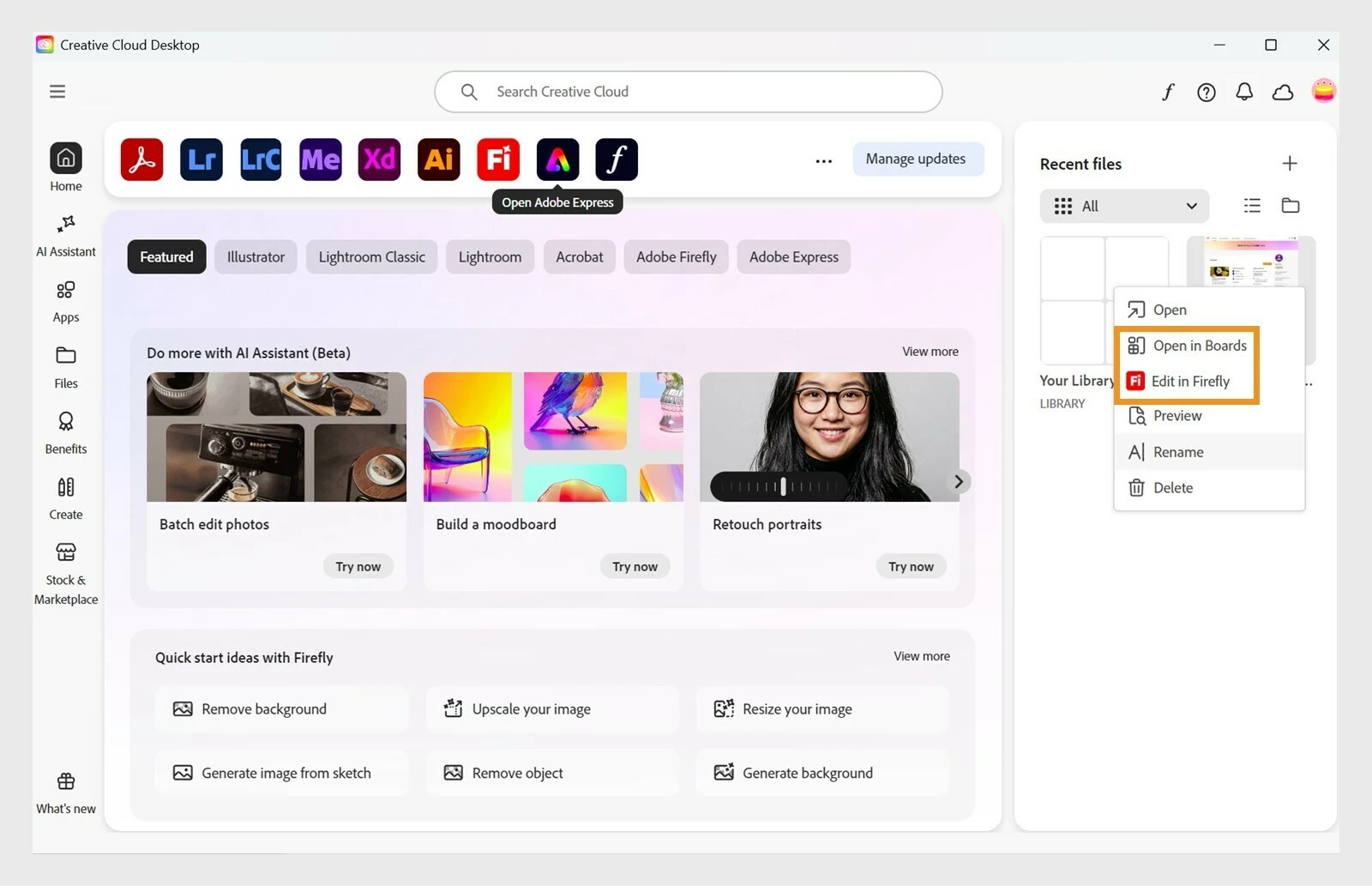
Image files in Recent files now include "Edit in Firefly" and "Open in Boards" options that take you straight to the web so you can keep working. If Recent files are empty or hidden, you can upload an image right from Home to start editing in Firefly, and you can browse the new Firefly Community Gallery in the Apps hub.
2. File enhancements
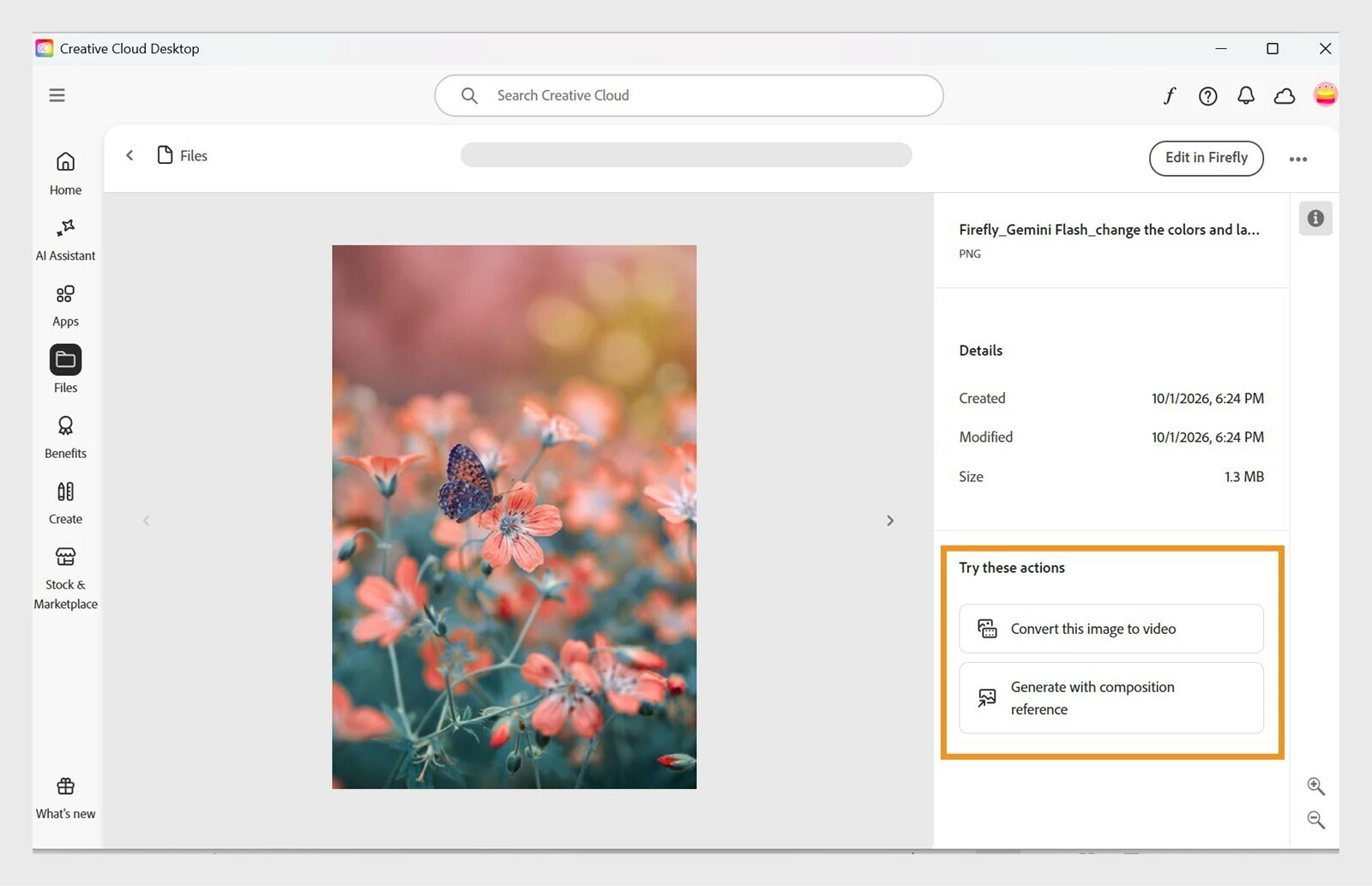
Open an image in the one-up view in Files and you'll see suggested actions, such as converting the image to video or generating a composition reference. You can also now choose and change the default folder used for local storage.
3. Refreshed Benefits tab
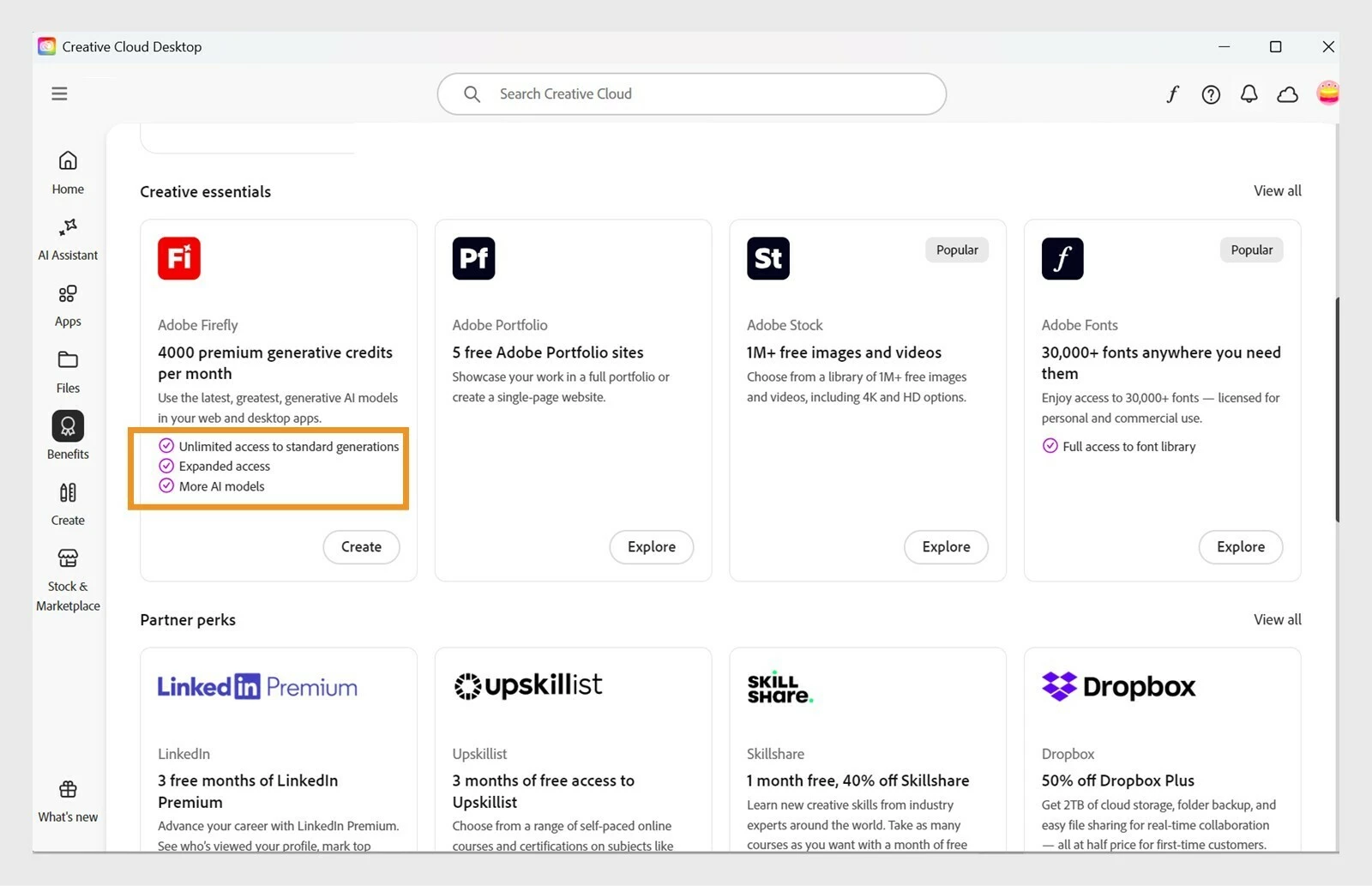
The Benefits tab has a new look, with indicators showing which perks are included in your plan. Free users will see an upgrade option, and lapsed users will see an option to restart their plan.
Additional updates
- Rosetta support update for Apple Silicon users: the "Open in Rosetta" option is hidden, and the tooltip now reads "Apple silicon"
- Browser-based re-authentication for policy-based enterprise accounts
- AI Assistant M2.5 support, including UI changes and tools management
- Bandwidth optimization for app auto-updates
- New notifications for MAX 2026 registration and keynote reminders, and for Photoshop generative AI credit usage
- In-app survey touchpoint expansion
- Accessibility improvements, bug fixes, and other technical enhancements
Need help?
If you encounter an error during the update, please start a new discussion in the Download and Install Community. For more on diagnosing errors, see this guide.
Which of these updates are you most looking forward to trying? Let us know in the comments below. We'd love to hear your thoughts!
 AdChoices