
What’s New: Simpler Sign-In with IdP-Initiated Login for Adobe Enterprise Users

We’re excited to announce the release of IdP-initiated login for Adobe Enterprise users. This enhancement adds support for IdP-initiated authentication as an additional SSO flow, alongside the existing SP-initiated login, giving organizations more flexibility and a smoother sign-in experience for their users.
Overview
With IdP-initiated login, users can launch Adobe apps directly from their IdP portal (such as Azure AD, Okta, or Google) with a smoother, one-click experience. This reduces login friction, standardizes enterprise workflows, and improves overall usability.
This feature is:
- Supported for both new and existing SAML directories
- Available for all SAML identity providers
- Fully additive and does not impact existing SP-initiated login flows
Admins can also optionally configure RelayState to control where users land after signing in, such as Adobe Home, Adobe Express, Experience Cloud Home, Workfront, or Adobe Experience Manager.
Why this matters
This update significantly improves both the user experience and IT administration experience by providing:
- Faster, simpler access to Adobe apps directly from the organization’s IdP.
- Reduced login friction and fewer support tickets.
- A login experience consistent with other enterprise SaaS applications.
- Better support for environments using Azure, ADFS, Google, and other federated systems. Cleaner deployments in education and enterprise environments where IdP app launchers are widely used.
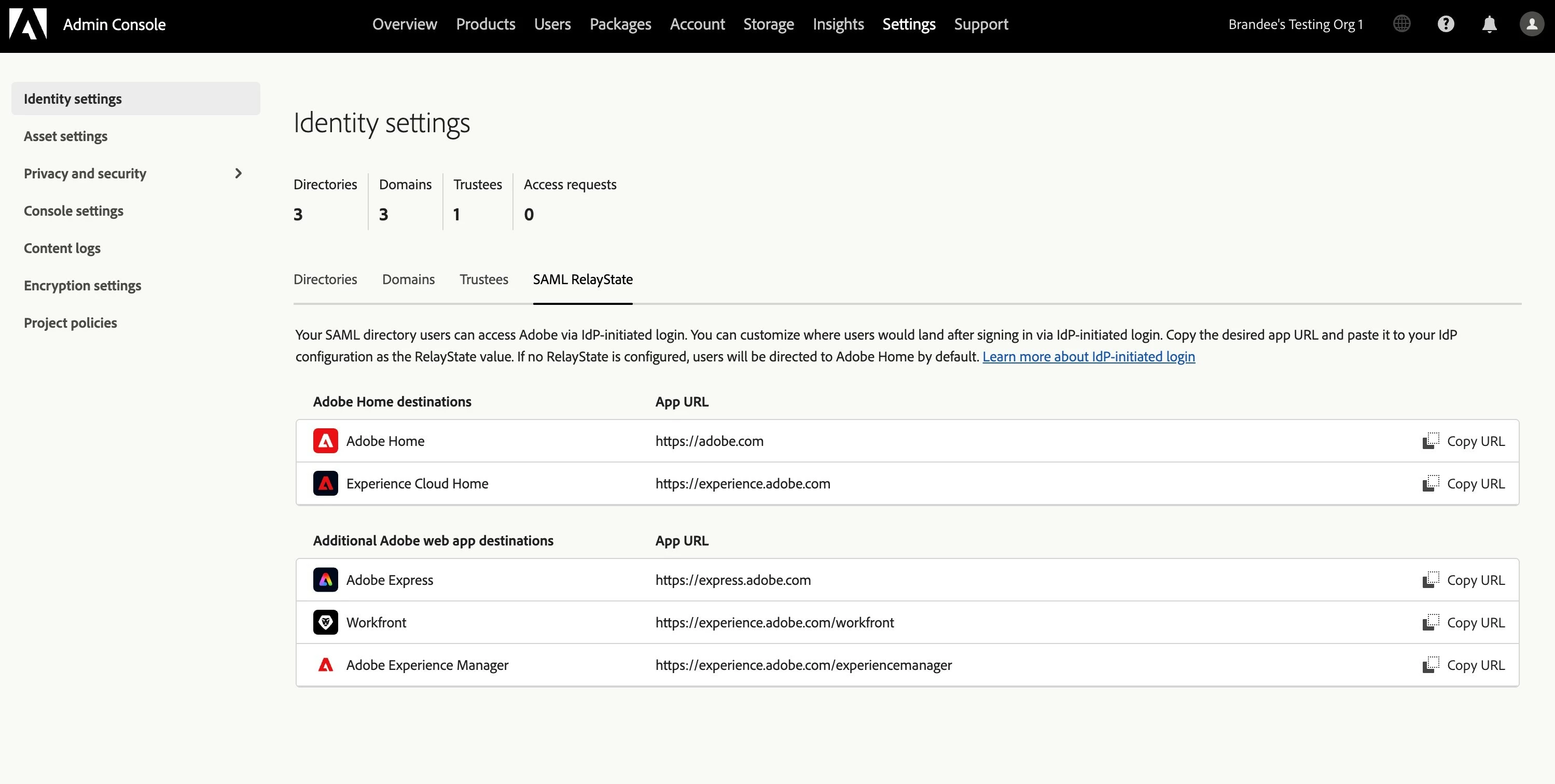
How to Find It
Go to Adobe Admin Console Identity settings section > SAML RelayState to customize where users land after signing via IdP-initiated login.
For a step-by-step guide, visit our documentation: IdP-Initiated SSO Login for Adobe Enterprise users
Have feedback or encountering issues? Let us know by posting in the thread below, we’d love to hear from you!
Quick Links
- Authenticate your users with Google Federation
- Create a directory for SAML-based identity providers
- Authenticate your users with Microsoft Azure
- Configure Microsoft AD FS for use with Adobe SSO
If this was helpful, please click the ‘Like’ icon in the bottom left corner of this post. Your feedback helps us improve the experience. Thank you!
Stay Informed! Explore All the Latest Updates & Releases on Our ICYMI Page!
Have questions? Click 'Reply' below to ask.


 AdChoices