




Illustrator 28.7.1 | Enhanced Contextual Task Bar, More Languages in Retype and more

Hello everyone,
We're excited to announce that Adobe Illustrator's latest update (version 28.7.1) is now available for download via Creative Cloud Desktop. This release introduces an enhanced Contextual Task Bar, support for Japanese, French, and German languages in Retype, and other enhancements inspired by your feedback!
You may also visit the links to access comprehensive lists of all the features and bug fixes that are available.

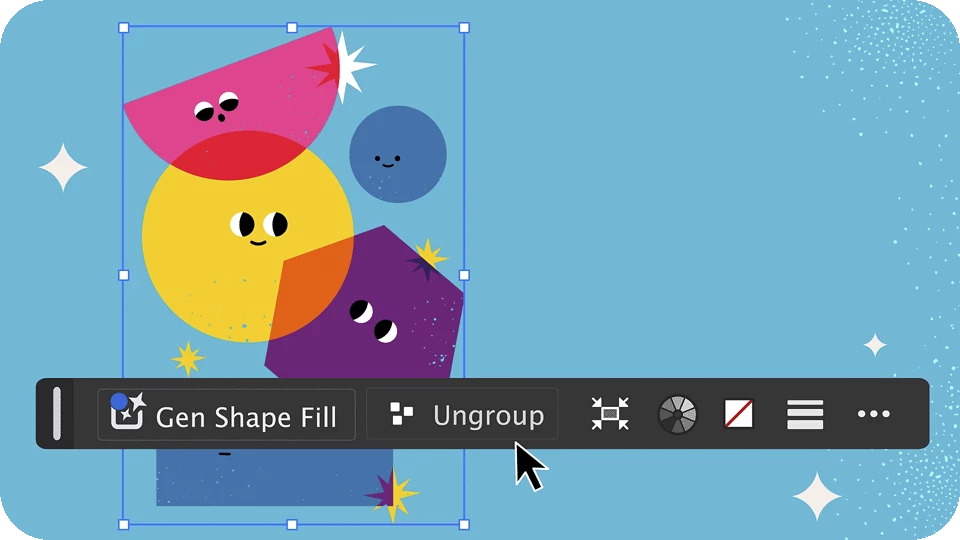 |
Enhanced Contextual Task BarThe dynamic and improved Contextual Task Bar brings the most relevant actions directly to your workspace based on the object or tool you've selected, enabling you to achieve your creative goals more quickly. This feature helps you explore various creative possibilities from a blank canvas and discover exciting workflows tailored to your selected object, whether it’s a path, shape, text, image, or a combination of these. The Contextual Task Bar is also available for basic shape tools (Rectangle, Ellipse, Polygon, Star), Artboard, and Type tools. Learn more about the Contextual Task Bar. |
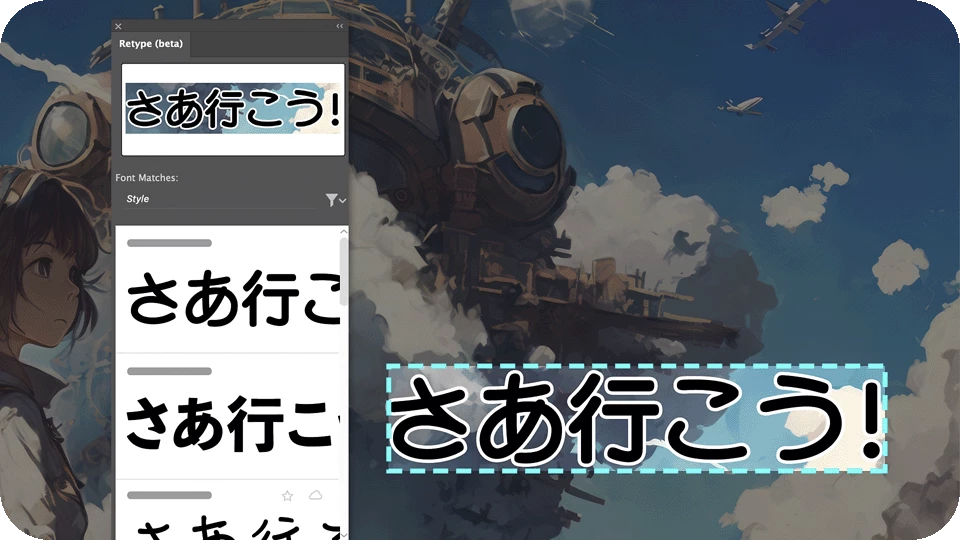
More Languages in Retype (beta)Retype now lets you identify and edit the fonts of Japanese, French, and German text used in images and outlined text. |
|
Discover improvements based on your feedback
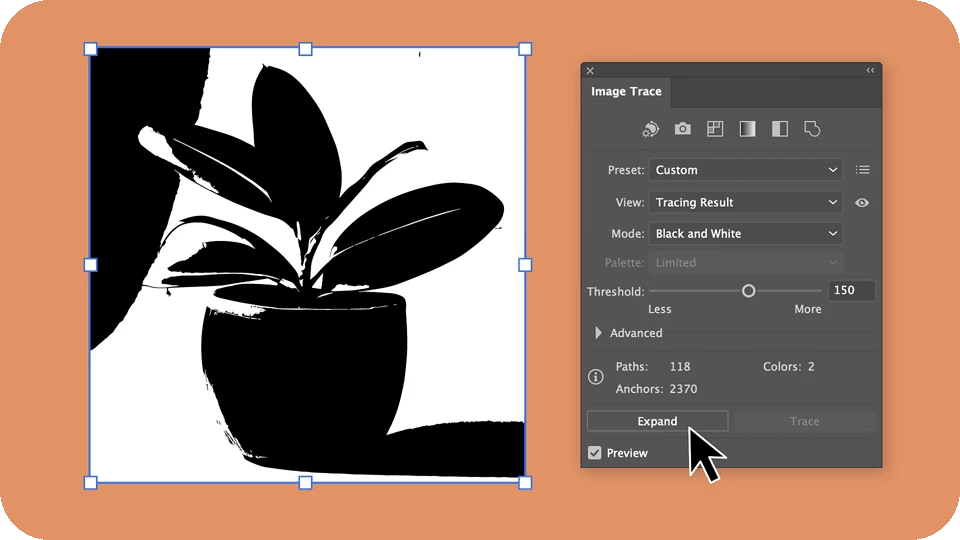 |
Expand traced images with easeYou can now effortlessly expand traced images straight from the Image Trace panel. |
Save custom document presets for future useWhen you create custom document presets for your design needs, you can save them and access them easily later. Find out more about creating and saving custom document presets. |
 |
Fixed IssuesIllustrator v28.7.1 also includes several improvements and bug fixes, including:
|
|

See What's New for more information on the latest features. To help us have focused discussions, create separate posts for feedback on features related to this update.
Thanks,
Anubhav
 AdChoices