



Co-edit InDesign documents in real time: now available in InDesign (Beta) 22.1

We're excited to share that Co-editing is now available in InDesign (beta) version 22.1.
Co-editing lets several people work on the same InDesign document at once. Changes sync automatically and appear in real time, with no saving, refreshing or sending files back and forth.
What's new
- Real-time co-editing of shared cloud documents (INDDL files).
- Two roles. Editors can make layout and text changes in InDesign (beta) desktop. Copy editors can edit text on the web in InCopy on the web (beta).
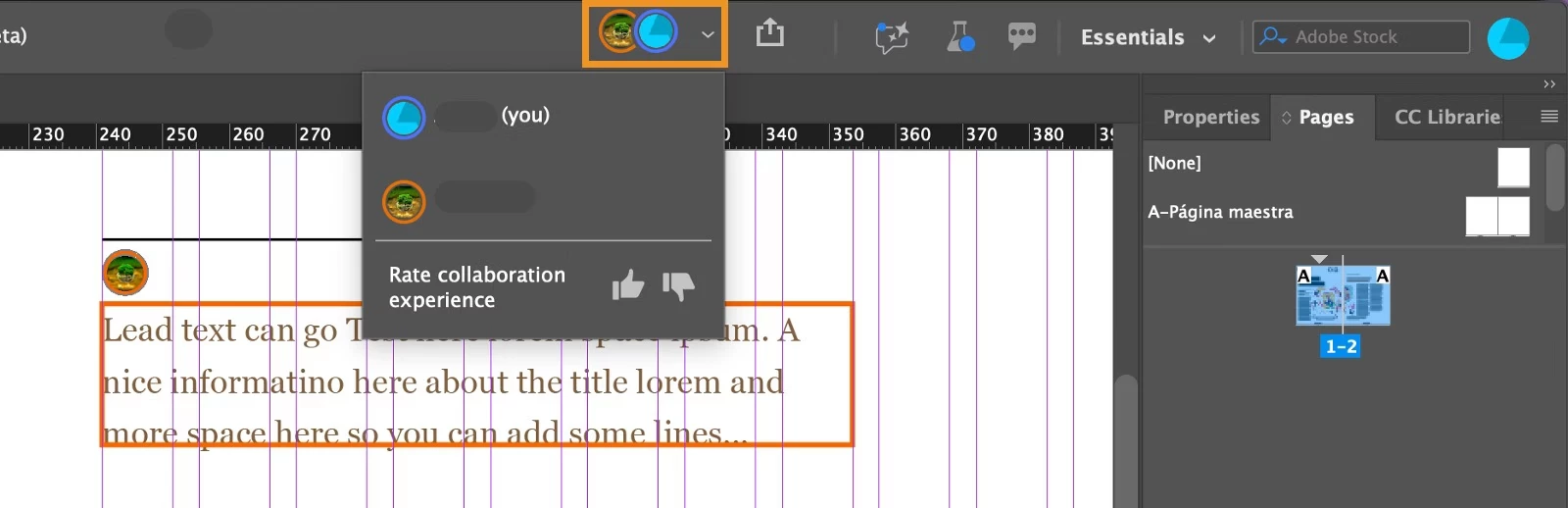
- A presence icon next to Share shows who is working in the document.
- Text frames lock while someone edits them, and you see an alert if you try to edit a frame in use. Images and shapes aren't locked, so several people can work on them at once.
Which role should I choose?
- Editor : full editing tools in InDesign (beta) desktop. If an Editor opens the document on the web, they get the same text-only tools as a Copy editor.
- Copy editor : text editing on the Google Chrome web browser. They do not require desktop build and can perform text related changes in the browser. For Copy editors, a free Adobe ID is sufficient to access the documents on the web. For more information, click here.
Note: The Copy editor can create a free Adobe ID using the steps here.
How to invite collaborators
- Install InDesign (beta) version 22.1. For steps on installing the Beta version, see this guide.
- Open your document and select the Share icon, or choose File > Invite to Co-edit.
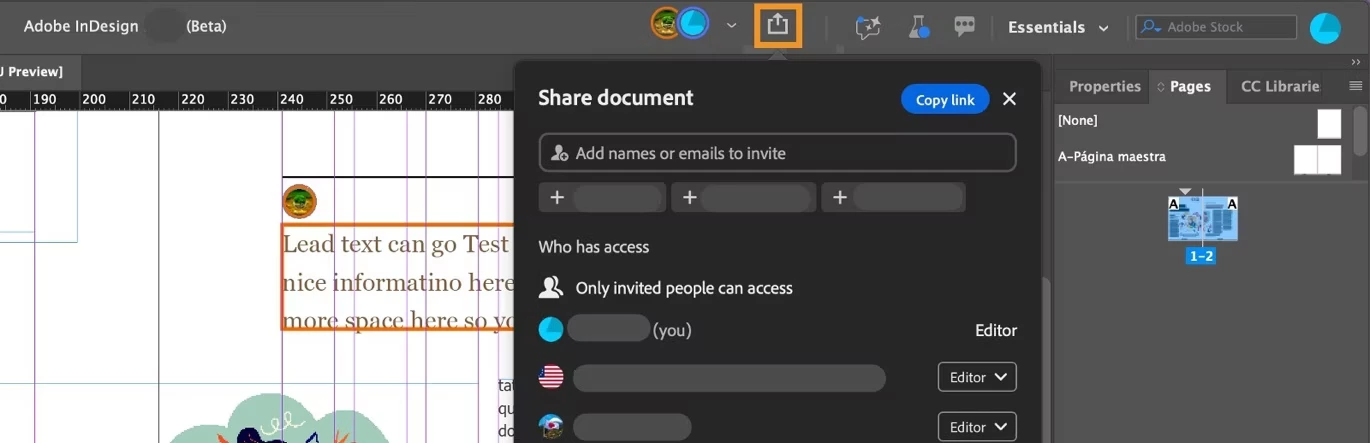
- If the file is saved locally, the Collaborate in real-time (beta) dialog appears. Keep or change the file name and select Continue. The document is saved as a cloud document (INDDL).
- In the Share document dialog, enter names or emails, pick Editor or Copy editor for each person, add an optional message, then select Invite as editor. Collaborators need an Adobe ID to receive the invite.
You can also select Copy link to share it for web editing. You can change a collaborator's role at any time, and find shared documents in Your files on the InDesign (beta) home screen. For collaborator, the files will be visible under the Shared with you section of the InDesign (beta) home screen.
Tip for Editors opening documents on the web
Allow Local network and Apps on device in your browser's site settings, so InCopy on the web (beta) can detect InDesign (beta) and show the Open in InDesign button. Until you do, you'll see Get InDesign instead. Full steps are in the help article.
Full guide: Co-edit InDesign (beta) documents in real time
Tell us what you think
Co-editing is in beta and your feedback shapes it. Select the presence dropdown next to your avatar and choose the thumbs-up or thumbs-down icon.
Note: Co-editing is currently only available in English (International) and English (North America).
If you hit issues, sharing your CECLogs folder helps us troubleshoot; this help article explains how.
How will you use co-editing: layout teams, copy review, or something else? Share your workflows and questions in the comments below.
 AdChoices