

nikunj.m
Legend
March 11, 2026
Sticky

InDesign 21.3 (Beta) - Introducing Generate Text!
  • March 11, 2026
  • 12 replies
  • 726 views


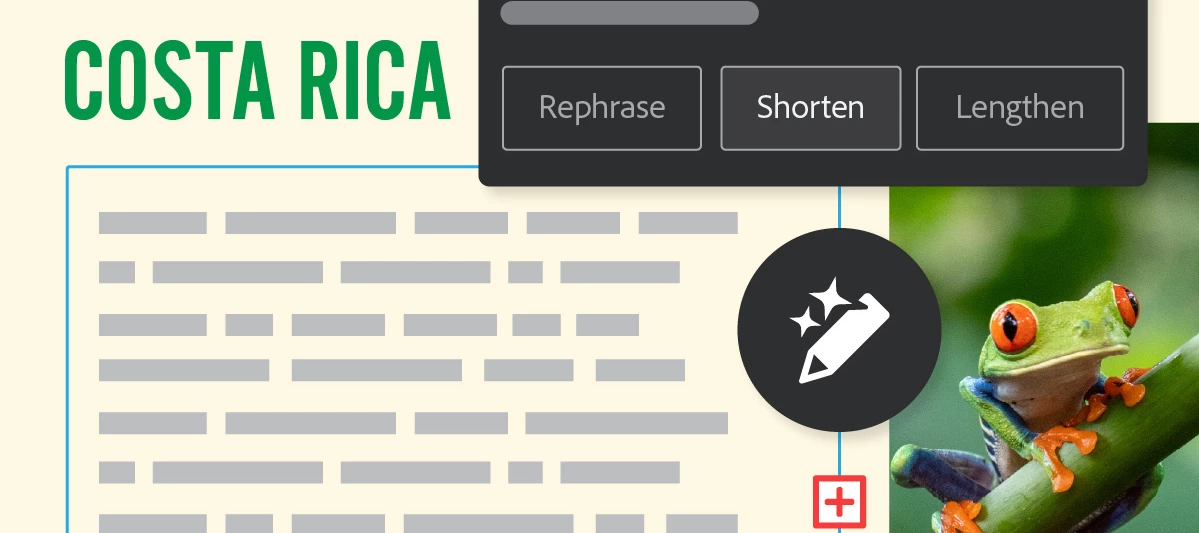
Hey there, folks! We’re excited to introduce a new feature in Adobe InDesign (Beta). Generate Text is an AI-powered feature that helps you quickly create new content or refine what you already have—whether you want to rephrase, shorten, lengthen, or change the tone of your existing text, all directly within Adobe InDesign (Beta). You can learn more about the feature here.


Start transforming existing text or creating new content:

  1. Start by opening any document in the InDesign (Beta) app. 

  2. Highlight any text or position the cursor within a text frame to encompass the entire story.

  3. Navigate to the Contextual Task Bar (Window > Contextual Task Bar) and select Generate Text to bring up the Generate panel. Alternatively, you can access the Generate option via Window > Generate, the right-click menu, or from the Quick Actions section in the Properties panel by selecting Generate Text.

  4. In the Prompt field, type a description of the output you're aiming for and click Generate. If you wish to refine existing text, choose Rephrase, Shorten, or Lengthen, and specify the tone by selecting Formal or Casual.

  5. Explore and choose from the generated variations in the Generate panel, with a preview available within your document.

  6. To finalize, select Done or click anywhere outside the Generate panel to apply the selected variation and replace the original text. Keep in mind that once committed, you won't be able to view other variations.


Try InDesign (Beta) now

Excited to start using Generate Text InDesign (Beta)? Click here to get started! 


We’d love to hear from you

Explore the latest features and share your feedback here.


For information about the latest features in Adobe InDesign (Beta), click here

    12 replies

    Mike Witherell
    Community Expert
    Community Expert
    March 13, 2026

    This is potentially an “OK” idea that has its useful moment.

    The weakness of the idea is the disassociation of the human being from the message and purpose of the published content. I already notice many people are making things with AI, sending it to others, yet they have little idea what they sent forth, since they didn’t make it.

    Way better, tho, would be allowing AI/ML to go through my InDesign pages and perfect the typesetting, spelling, grammar, and physical layout work (and yet asking for permission). Those are the time-consuming things and are core purposes within InDesign.

    Mike Witherell
    Pradeep V
    Participant
    March 19, 2026

    Thanks Mike for your feedback and insights. The list of ideas that you have mentioned are great and things that we are considering as part of further enhancements. We would request you to try the feature (if not already done) as it is part of the Beta release and it helps  us to know how this feature works for you.

    Community Expert
    March 13, 2026

    I’m totally against this feature. The entire point of using InDesign is that designers are working with approved, supplied copy text that has already been written, edited, and signed off. Our job is to design and lay it out, not rewrite it.  Features that generate, shorten, or lengthen copy blur the line between a professional layout tool and a word processor. In many publishing, corporate, and regulated environments, altering text inside the design stage simply isn’t allowed. Copy changes need to go back to the writer or editor, not be modified by a design tool.  Turning InDesign into something that rewrites content undermines established workflows and risks introducing unapproved text into finished layouts. Designers need precision and control over layout not AI that changes the message.

    Colin Flashman
    Community Expert
    Community Expert
    April 23, 2026

    I think the feature was added to keep up with every other application out there that has integrated AI. Let’s face it, it’s inescapable at the moment - it’s in email, word processing, spreadsheets… 

    I think there are hundreds of use-cases for InDesign and “designers are working with approved, supplied copy text” is just a portion of this. What suits one person won’t always suit others.

    That said, I agree with earlier poster Barb Binder’s comment: “I would much prefer to see resources devoted towards taking care of issues that are already in play – bug fixes, variables that can’t break across columns, cells that can’t break across pages, page number labels that update in the Pages panel when you hide spreads, etc”. 

    I’ve stated elsewhere that for my workflow, adding this type of AI is akin to painting flames down the side of my late 90s toyota wagon - it looks nice, (subjectively) but no-one asked for it, it doesn’t make the car go faster, and doesn’t fix the oil leak or faulty drivers door lock.

    If the answer wasn't in my post, perhaps it might be on my blog at colecandoo!
    Community Expert
    April 30, 2026

    Colin, I think you’re right that this is largely about Adobe keeping pace with the broader “AI everywhere” trend, and also right that InDesign serves a wide range of use-cases.

    But there’s another angle that probably carries more weight than it seems at first. A large portion of InDesign’s professional use isn’t just “design with copy” it’s working with approved, locked content. In publishing, pharma, finance, legal, etc., the text has already gone through writing, editing, compliance, and sign-off before it ever reaches layout. At that stage, designers often aren’t allowed to change a single word, even if something looks off or doesn’t fit. Any change has to go back upstream.

    So it’s not just that AI text generation is unnecessary in those workflows, it actively introduces risk. Not because people will deliberately misuse it, but because it lowers the barrier to small, untracked changes. A quick “shorten” to fix overset text, and suddenly you’ve got copy in the layout that no longer matches the approved source. In regulated environments, that’s a real problem.

    That’s where your Toyota analogy lands well. It’s not that the feature is inherently useless there are edge cases like mockups or early drafts where it might help but it doesn’t address the core pressures most users deal with day to day. Meanwhile, long-standing issues around layout mechanics, tables, variables, XML handling, etc., are still sitting there.

    If anything, this just highlights that AI would be far more valuable pointed inward—auditing layouts, flagging inconsistencies, checking text against source, helping with styles, things that reinforce accuracy and control rather than drifting into authorship.

    So yes, different users will get different value from it. But for a significant chunk of InDesign’s professional base, this kind of feature runs against the grain of how the tool is actually used.