



📸 Lightroom Desktop 8.3 & Lightroom Mobile 10.3 are here — straight from MAX London!

The April 2025 MAX London release brings powerful updates to Lightroom on both desktop and mobile—with new ways to work smarter, faster, and more creatively.

To update Lightroom Desktop to 8.3, click "Update" in the Creative Cloud desktop app next to Lightroom. More detailed instructions for updating.
Lightroom Ecosystem: Adaptive Profiles
|
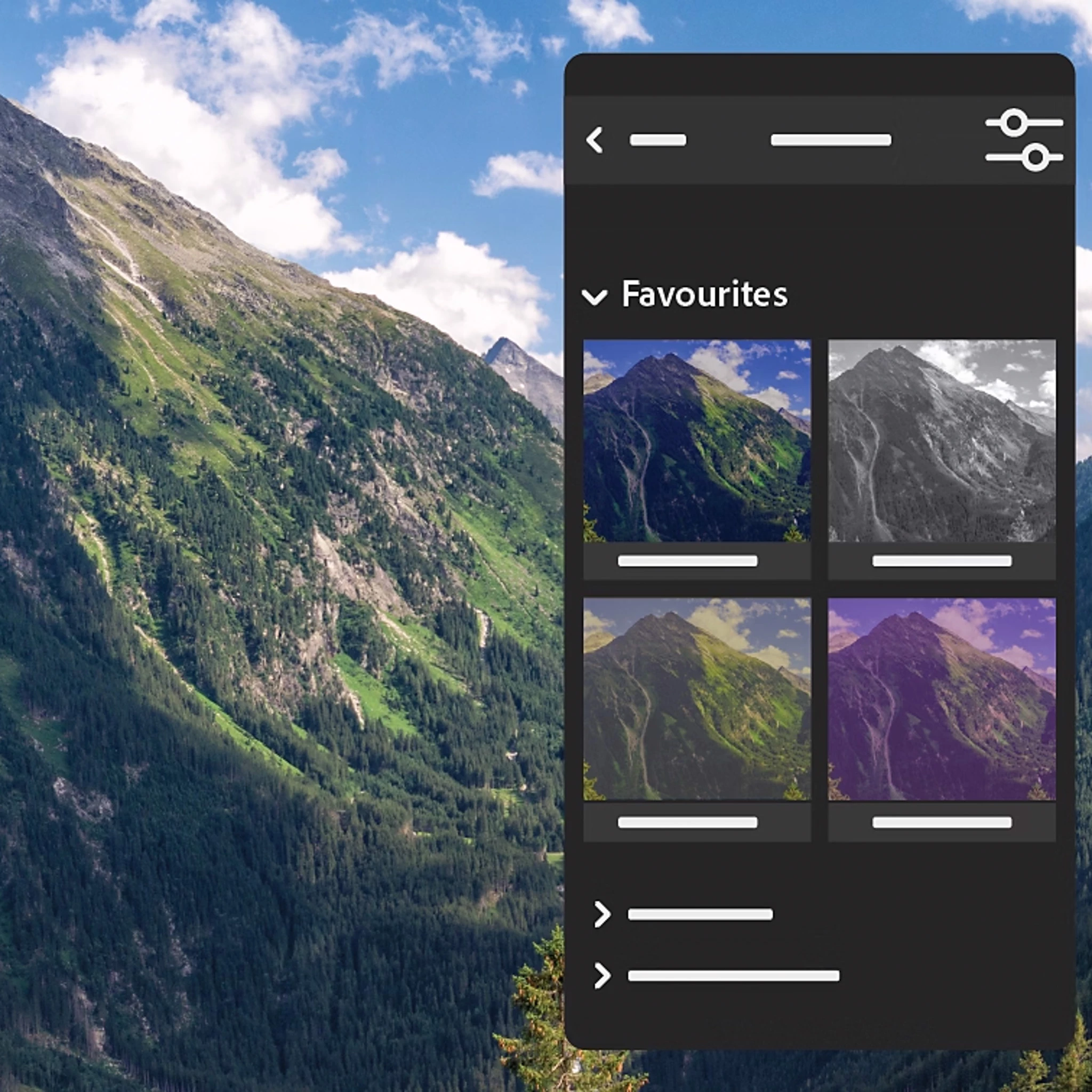
Adaptive Profiles - fully released: Adaptive Profiles are now fully released—giving your photos a beautifully enhanced, yet natural starting point. These AI-powered profiles intelligently adjust tones and colors, making your edits faster and more impactful. For best results, try them on raw landscape or cityscape images captured in HDR.
Pro tip: Use Adaptive Profiles at the start of your edit for best results! |
 |
Lightroom Desktop 8.3: Mask Like a Pro
|
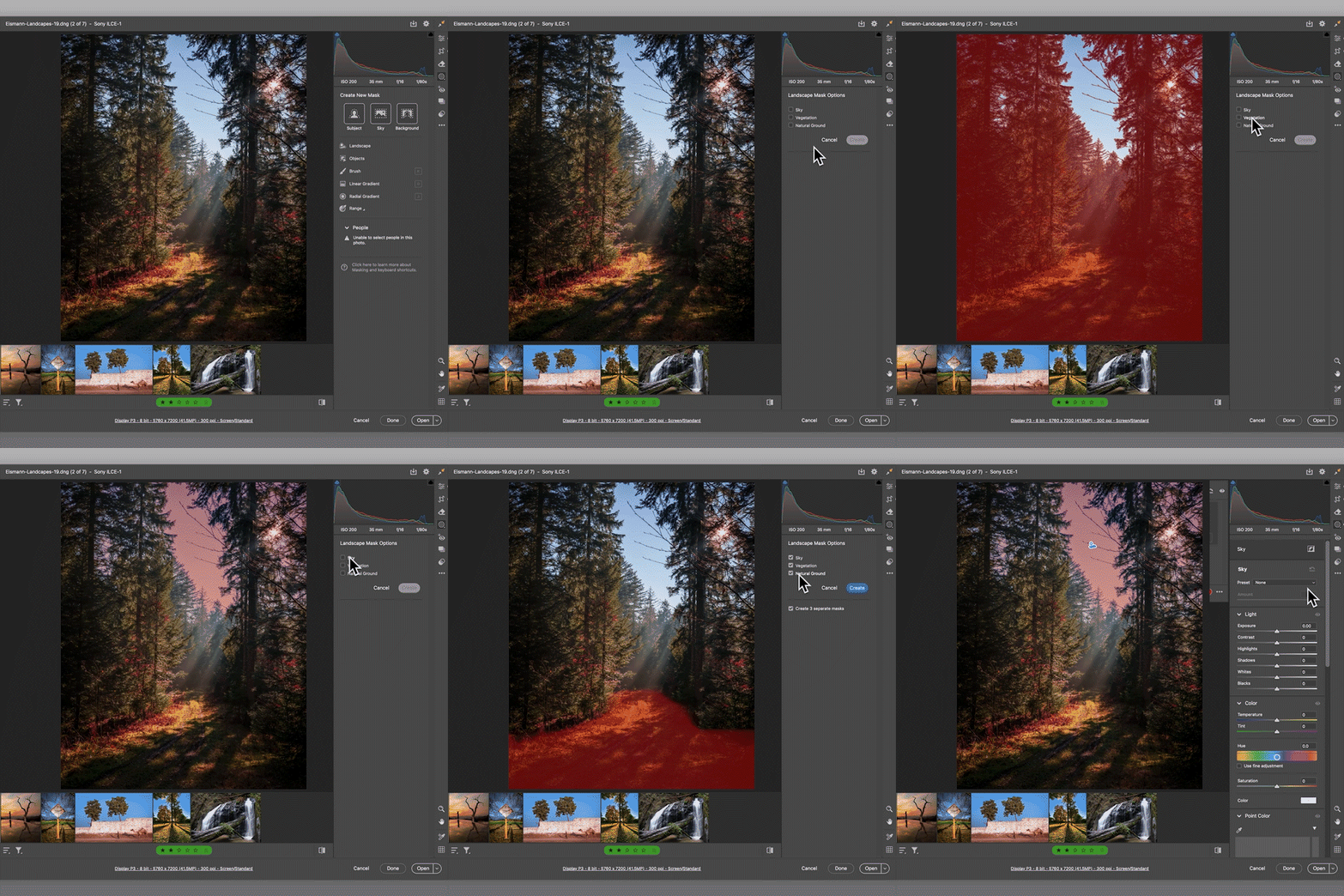
NEW! Landscape Masking: Say hello to the Select > Landscape mask — your new go-to for editing landscape photos. Lightroom automatically detects elements like sky, vegetation, and ground, creating separate masks for each. Fine-tune each part of your image with precision. Read more about it here. |
Lightroom Mobile 10.3: Power Edits in Your Pocket
|
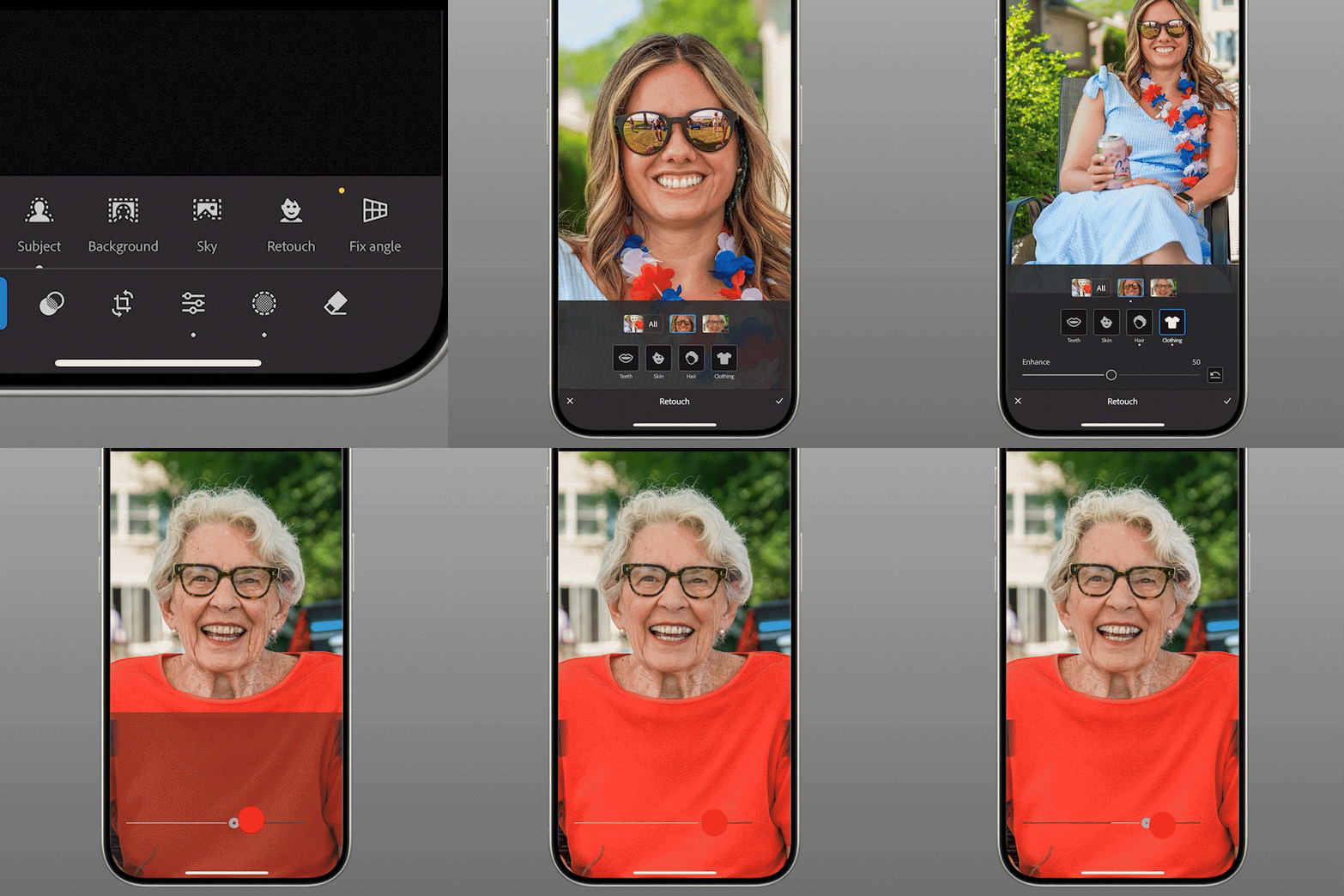
Quick Actions: Big results in seconds! With Quick Actions, you can zoom into a group photo and retouch each person, ensuring everyone has their distinct look.
|
 |
|
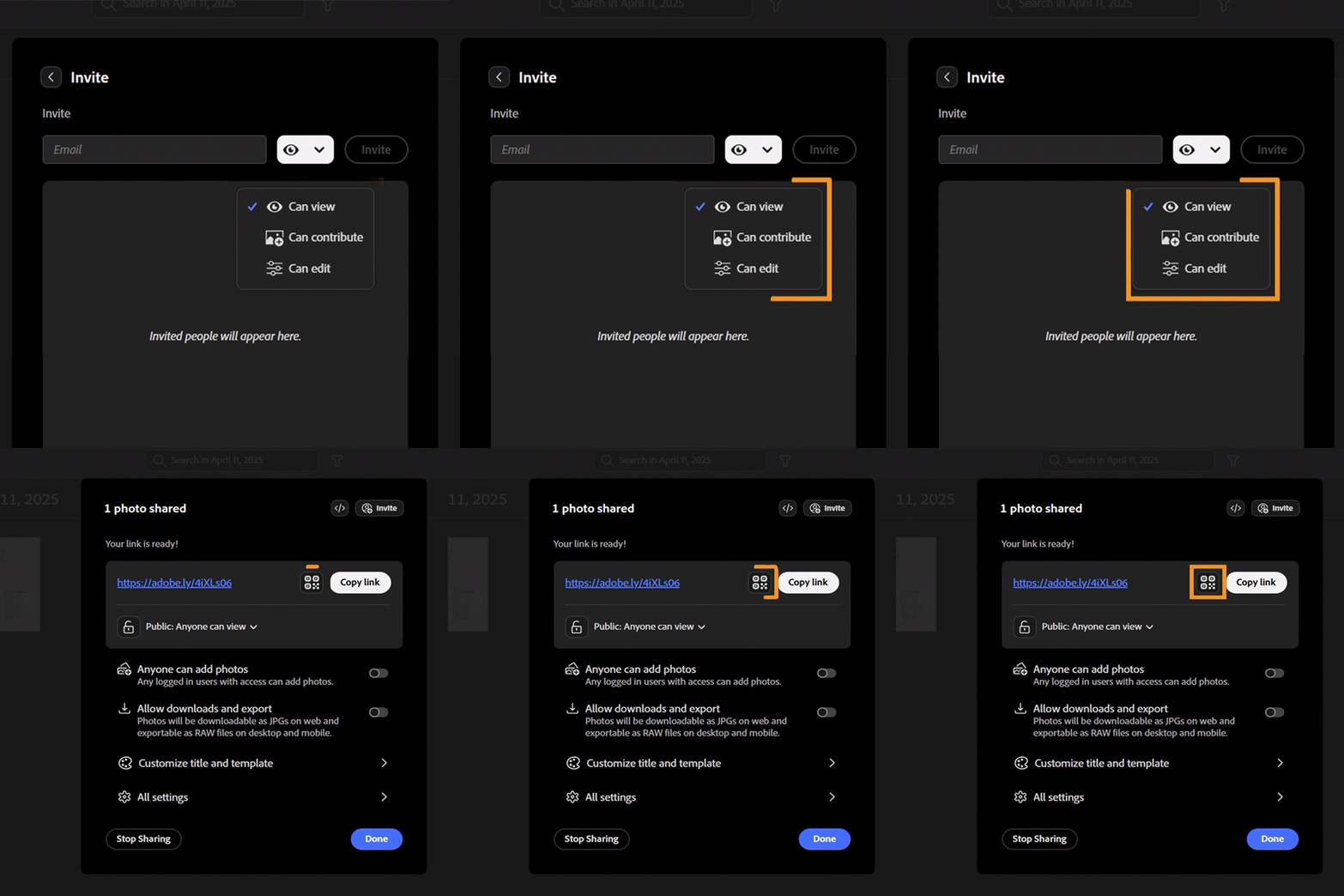
Sharing Made Simple: Create and share albums with ease! Now, anyone can contribute to albums you create and share in Lightroom. To make access even easier, share links to your photos with a QR code. |
 |

On Desktop: Open your Creative Cloud desktop app and click "Update" next to Lightroom Desktop.
On Mobile: Head to the App Store or Google Play, and download the latest version of Lightroom Mobile.
More detailed instructions for updating.
We’d love to hear from you!
Try out the new Lightroom Desktop 8.3, and let us know your thoughts. Feel free to reach out if you have any questions or need more tips!
 AdChoices