



amy durocher
Community Manager
Community Manager
September 28, 2026

Relight is now available in Photoshop Beta!
  • September 28, 2026
  • 43 replies
  • 8501 views


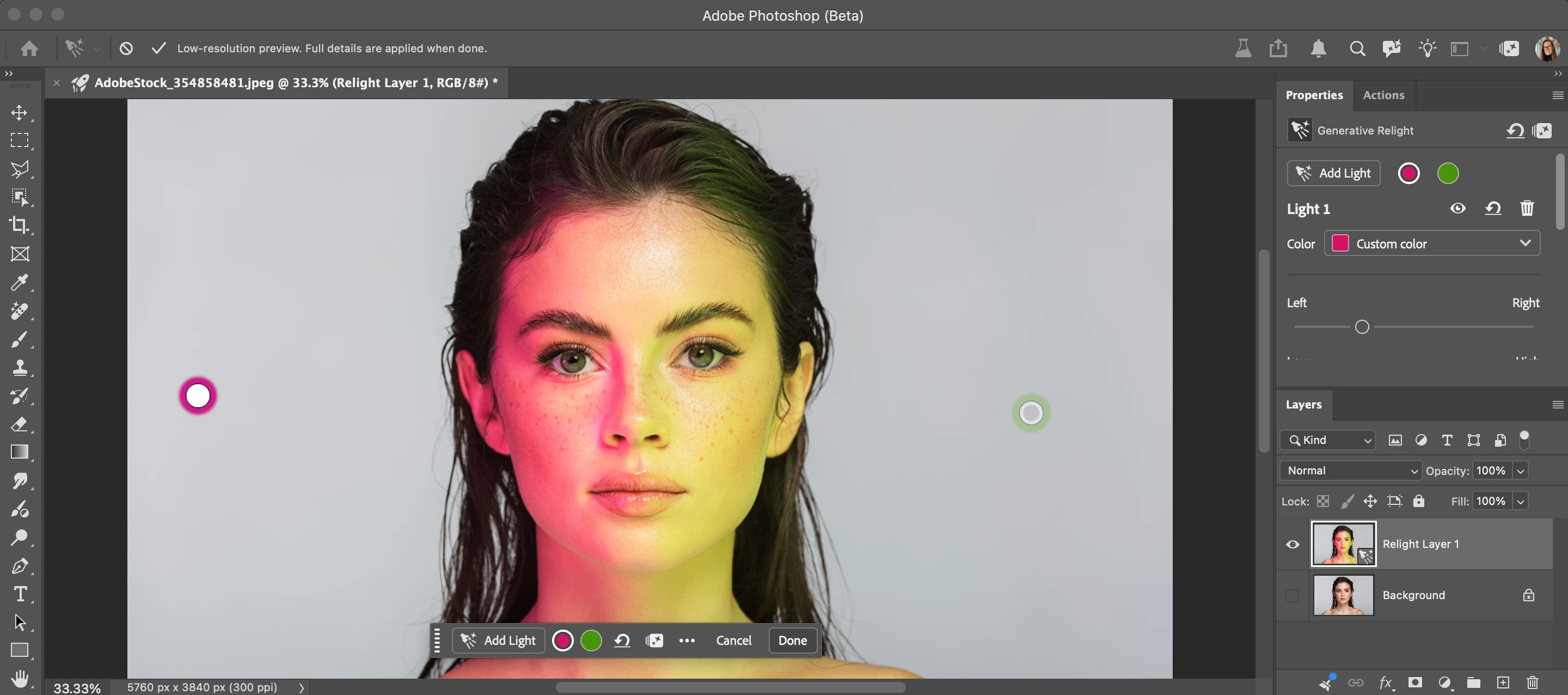
Relight is a new Generative AI feature in Photoshop Desktop that lets you add up to 3 interactive, non-destructive lights and adjust their position, intensity, color, and diffusion (Beta version: 27.12.0 20260927.m.3691 available on 9/28/26).
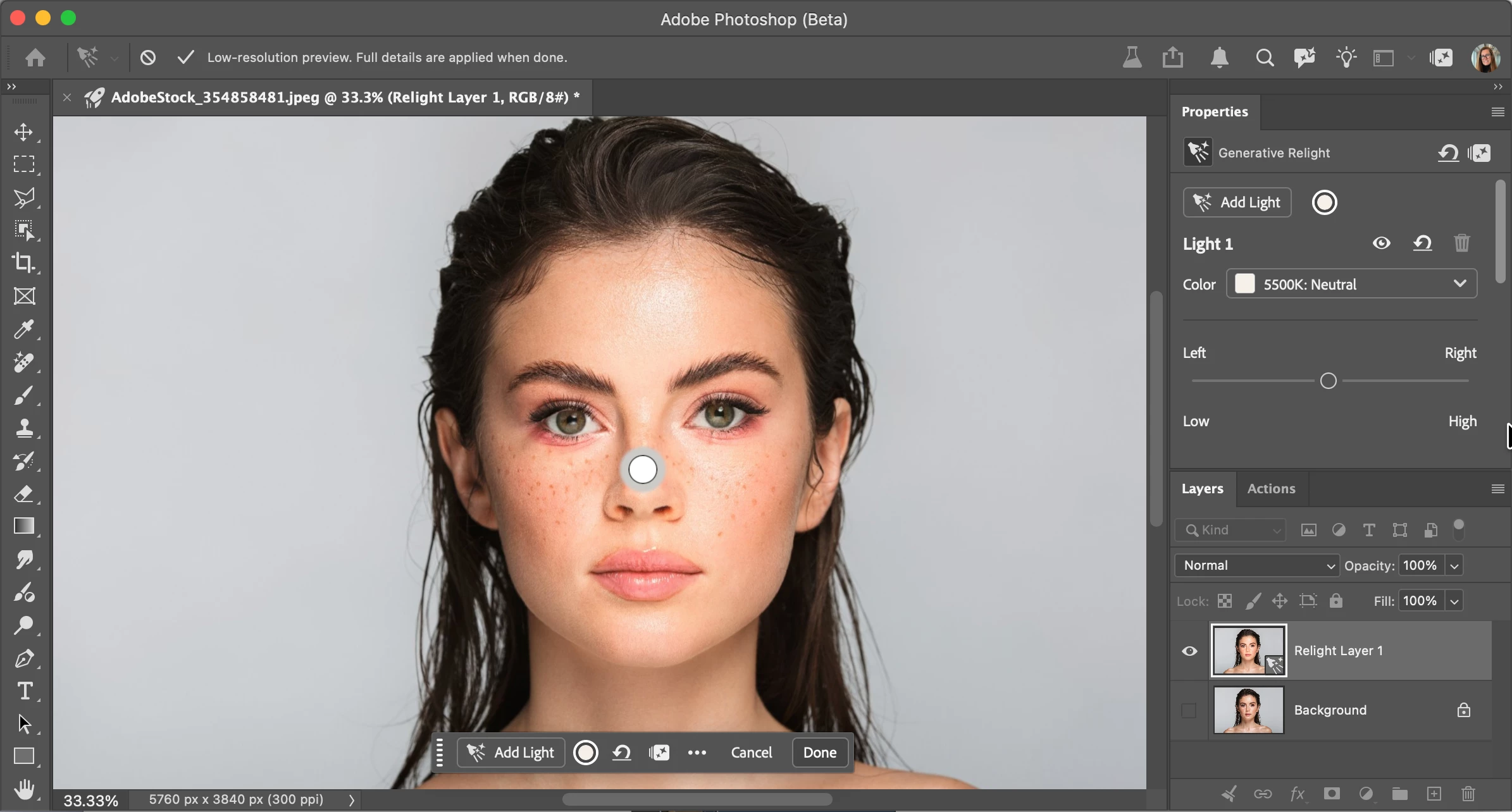
 

Relight feature with default light added in low-res preview mode. 
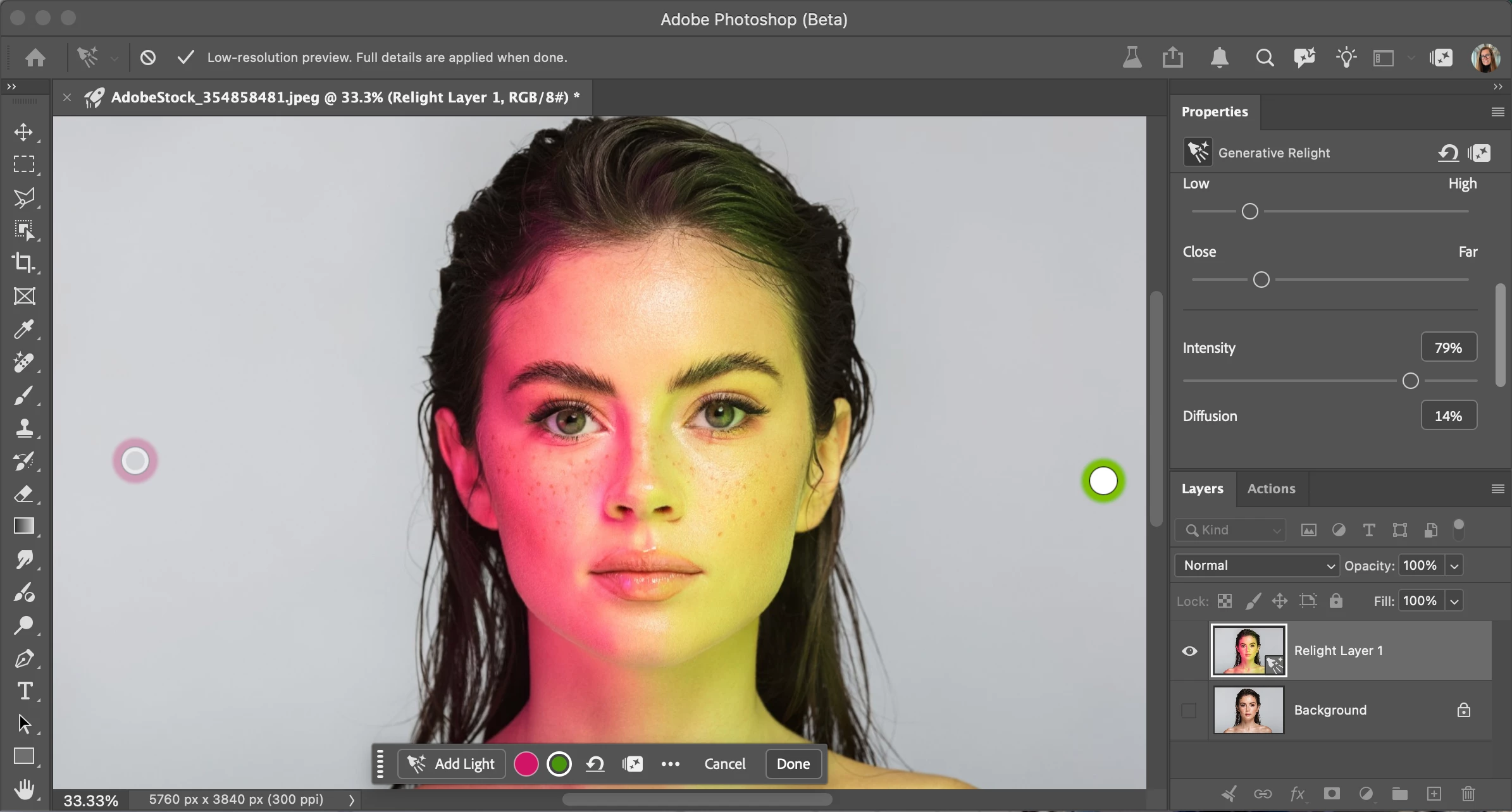
Relight feature with 2 lights added. Select done to commit (30 credits) and upscale.

HOW TO TEST

  1. Update and launch the latest Beta Build (Version: 27.10.0 202600802.m.3625) → have an active Internet connection

  2. Open or place an image

  3. Select an unlocked Pixel, Rotate Object, or Smart Object layer.

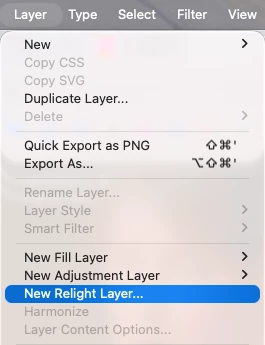
  4. Go to the app Layer menu > New Relight layer... Note you can also go to the Layers Panel flyout menu New Relight layer…
     

  5. A new default (white) light will be added in the middle of the image. You can click and drag the light around on the canvas (inside or outside the image - above the bottom edge of the image). Relight removes the existing lighting in the image and re-creates its own lighting. If you turn off all the lights, you're left with the remaining ambient or original light. Turning a light on/off enables/disables that light’s contribution, just like turning the lights on/off in a room.

    Additionally, a "Relight Layer" has been created in the Layer Panel, leaving the original pixels untouched.  
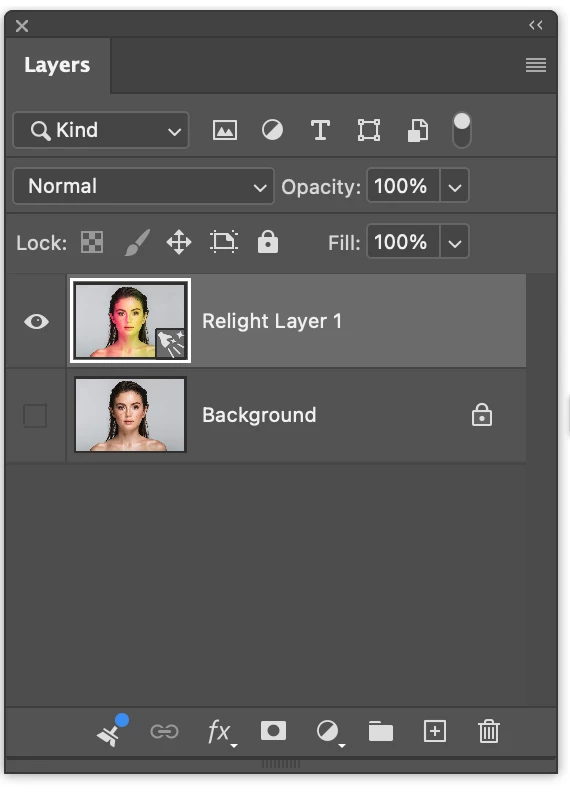
     

  6. Note while adjusting lights, you are in a low-resolution preview mode. 

  7. Select the circle light icon on the new Relight Contextual Task Bar or Properties panel to change the color or adjust any of the light properties. Note, you must have at least one light, and you can add a maximum of three lights. You can delete lights and/or turn their visibility off using the "eye" icon in the context bar or the properties panel.
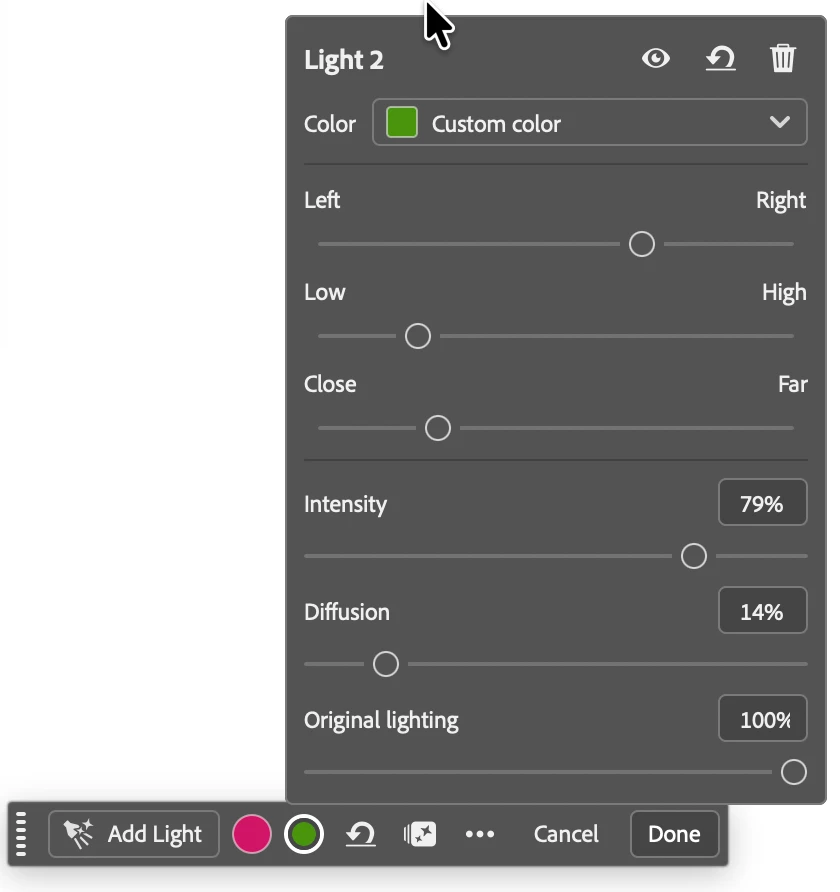
     

  8. Add more lights with the "Add lights" button. When finished updating the lights, select Done. This generates the final relight result at full input image resolution.
  9. The Relight feature costs 30 credits everytime the Done button is selected. Check your Generative Credits balance by selecting the sparkle icon in the Contextual Task bar, Properties Panel or Options Bar.
  10. Edit by selecting the layer > "Edit Relighting" or Layer > "Edit Relight Layer..."
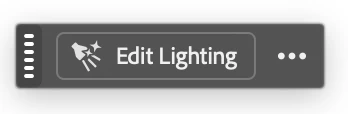
  11. The Relight feature supports Actions and scripting. 

Let us know what your think!


43 replies

Ignacio74
Participating Frequently
October 6, 2026

The truth is, it’s an impressive feature that allows for incredible effects.

That said, I believe there is still significant room for improvement before it can become a tool for professional use.

The method for positioning lights in 3D space is somewhat clunky and unintuitive, particularly when trying to place lights in front of or behind an object, or at varying depths within the scene. It would be helpful to have a virtual 3D workspace where one could visualize the light's exact position relative to other scene elements, or a visual depth indicator—similar to what is available in tools like the blur effect.

The behavior of lights within the scene also needs improvement, especially when attempting to simulate light sources embedded inside objects.

Another crucial area for improvement is the quality of the final image. In many cases, the resulting scene suffers from a noticeable loss of quality after changes are applied, particularly regarding fine details. This needs to be addressed for the tool to be viable for professional projects.

For these reasons—and given that the tool is currently in beta—I feel the credit cost should be lower. Charging 30 credits for a tool that is still under development seems excessive to me. Furthermore, a lower credit cost would allow users to run more tests, thereby providing developers with the feedback needed to improve the tool.

Participant
October 6, 2026

Hi! I’m currently using a university-provided Adobe account and I wanted to ask if there are any limitations with using Adobe’s newer AI features, specifically Photoshop Beta’s Relight feature.

I’m able to access and use the feature, but when I try to apply the result, it fails to render and returns me back to Photoshop. I’m wondering if this could be related to university account restrictions or Adobe AI feature permissions.

Are there any known limitations for student/university accounts, and is Adobe or the institution currently working on enabling full access to these features? Thank you!

Participant
October 4, 2026

Overall, I really like this feature—it’s great. I do have a suggestion, though: for the relighting feature, could you add gobos/cookies (light-shaping masks)? That way, it could cast shadows in different shapes. Also, could you support different light qualities? For example, flash and continuous lighting produce different effects. Lastly, the light distance slider isn’t very intuitive—could it be improved?

Luis5FD2
Known Participant
October 3, 2026

cool but yet another feature behind more credit money grabs. This is getting tiring now

Trevor.Dennis
Community Expert
Community Expert
October 4, 2026

This is a heavy hitting tool that needs an uber expensive server to do the computation.  US$10 buys you 2000 Generative Credits, so using this tool could cost you $0.15 cents.  Or you can ignore it.  A week ago it didn’t exist.  Now you have a choice.

We don’t know the resolution of the preview, but 1000 pixels seems a reasonable guess.  So, screengrab the preview and up-res with Gigapixel.  That would be fine for online use methinks.

Pro users are likely to have a full Creative Cloud Subscription with 4000 credits a month.  I struggle to use 4000 credits, and I consider myself a heavy user.  I literally have to dream up a video project the day before reset so as not to waste the credits. 

Photoshop is an intensely complex application with a wide range of features, and I doubt that many people use every single feature.  Use what you need, and ignore the ones you don’t

t need, or don’t want to pay for. 

onazole
Inspiring
October 4, 2026

If things keep going this way, the time will come when the subscription only lets you open Photoshop, and then every tool you use will cost you credits.

Participant
October 2, 2026

Hello,
I’m not seeing the Beta. I tried signing in and out several times. I’m using a MacBook 16 M3 Pro.
Thanks for your help!


Participant
October 1, 2026

Help!!

im running photoshop beta latest upgrade on an iMac.

the new relight is nowhere to be found its not there any help will be greatly appreciated!!!

thank you

Yukie Takahashi
Adobe Employee
Adobe Employee
October 1, 2026

Can you please try the following steps to help troubleshoot the issue?

  1. In the Creative Cloud Desktop app, sign out and then sign back in.
  2. Check for any available updates.

I suspect you may not be seeing the latest Photoshop Beta build. To verify, go to Help > System Info and confirm that you see the following version:

Adobe Photoshop Version: 27.12.0 20260927.m.3691 

If you're on an older build, signing out and back in to Creative Cloud and checking for updates should help refresh the available releases.

curt.gallery
Known Participant
October 1, 2026

It is really cool so far, needs way more control though, like brightness etc... and the ability to hide the light icon is vital, it seriously gets in the way. 

amy durocher
Community Manager
Community Manager
October 1, 2026

Thank you for the honest and helpful feedback! We have the hide the light on-canvas on our to do list...

Participant
September 30, 2026

I just downloaded the latest beta 27.12 and there is no relight in layers menu. 

amy durocher
Community Manager
Community Manager
September 30, 2026

Can you try the following step for me to help troubleshoot: In your Creative Cloud Desktop app, sign out, then sign back in. Check for updates….


I think what is happening is you are not seeing the latest Photoshop Beta build (go to Help > System Info)...you should see: Adobe Photoshop Version: 27.12.0 20260927.m.3691 5144a9c 


Participant
September 30, 2026

Ok that was the trick––Thank you!

Participant
September 30, 2026

I’ve updated my beta to 27.12 and I still don’t have the option

onazole
Inspiring
September 30, 2026

Do you have the 27.12 m 3691?

Participant
September 30, 2026

I get this pop-up after selecting New Relight Layer… from the drop down Layer menu

amy durocher
Community Manager
Community Manager
September 30, 2026

Thanks for the screenshot, I will send to the engineering team!

amy durocher
Community Manager
Community Manager
September 30, 2026

@Vince34029511mv0j

Can you go to your Help > System Info panel and copy the entire text, and email me aat: durocher@adobe.com


It will help narrow down machine, OS info etc...