




Rotate Object is now available in Beta!
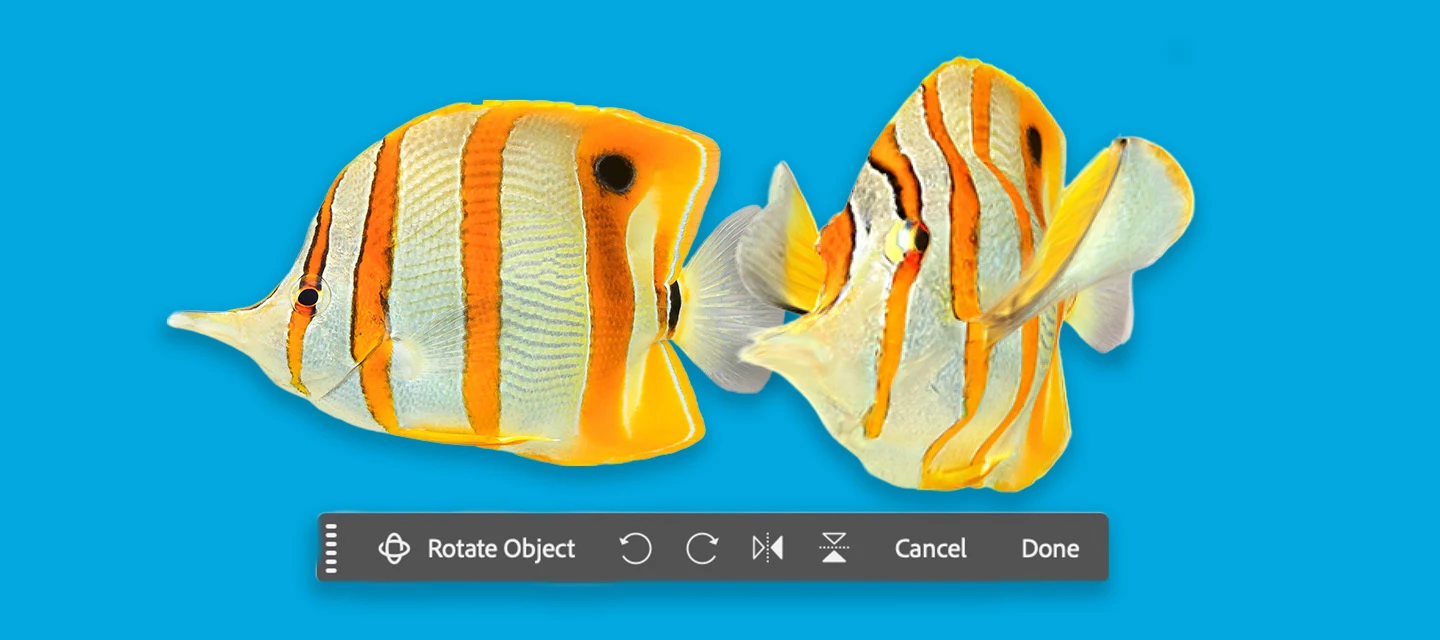
Rotate Object lets you quickly transform 2D objects into rotatable 3D images, allowing rotation (spin, tilt, dolly) from any viewpoint to match perspective and depth. (Version: 27.5.0 20260311.m.3453)
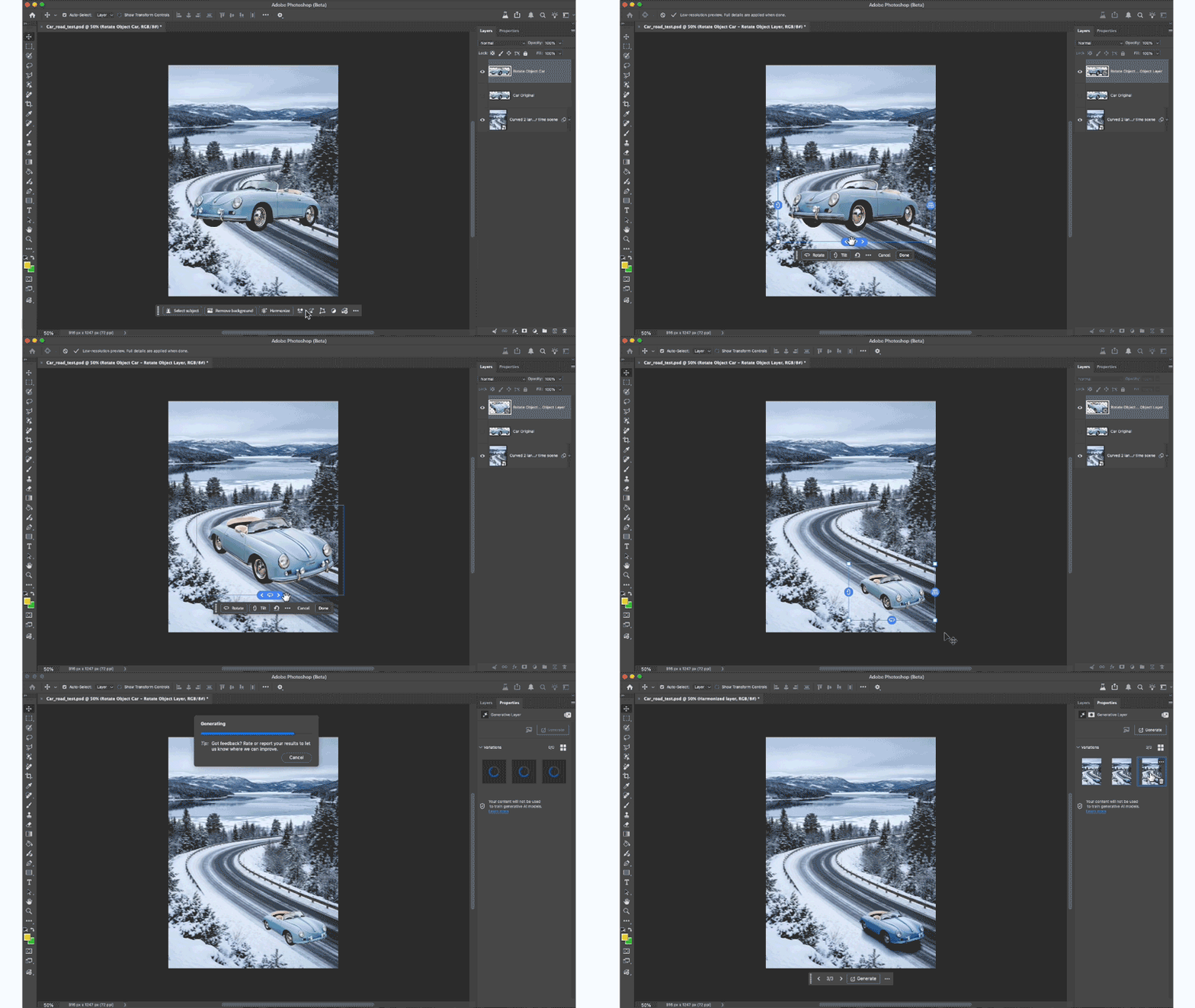
HOW TO TEST:
1. Open or place an image
2. Select a pixel layer that contains an object. PRO TIP: You may want to duplicate the layer → as the layer will be converted to a Rotate Object Layer
- Cmd + T to enter transform mode or Edit > Rotate Object
- Click the Rotate object button in the context bar - note this feature is 20 Generative Credits, the first 3 tries do not deduct generative credits.

3. After the 3D conversion is complete, the initial rotated object will be a low-res PREVIEW. The layer was converted to a Rotate object layer.
DIFFERENT WAYS TO ROTATE AN OBJECT:
-
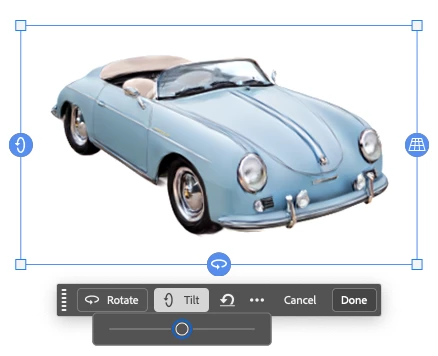
Contextual Task Bar: click to use the Rotate and Tilt sliders.
-
Click and drag the blue on-canvas controls around the object.
-
Right-click on the object and drag (on-canvas for unconstrained rotation).
-
Properties panel: enter specific values while in rotation mode.
4. After the rotation is complete, select the Done button, and the object is UPSCALED with details.
PRO TIP: Select Harmonize to blend the rotated object with the background.
5. You can select “Edit rotation” to change the rotation - select done to accept changes. (20 credits ONLY deducted on the FIRST rotation).

HOW TO PROVIDE FEEDBACK:
1. Click on the Beaker Icon in the upper right of the Photoshop application:

2. Find "Rotate Object" in the left panel, and provide YES, Rotate Object is ready to be released to the non-Beta Photoshop (full) release or NO, Rotate Object is not ready to be released to the Photoshop full release. Leave a comment if you have one...
3. Or you can leave a comment in this Beta Forum post.
 AdChoices