



Explore New Possibilities with Photoshop for ChatGPT
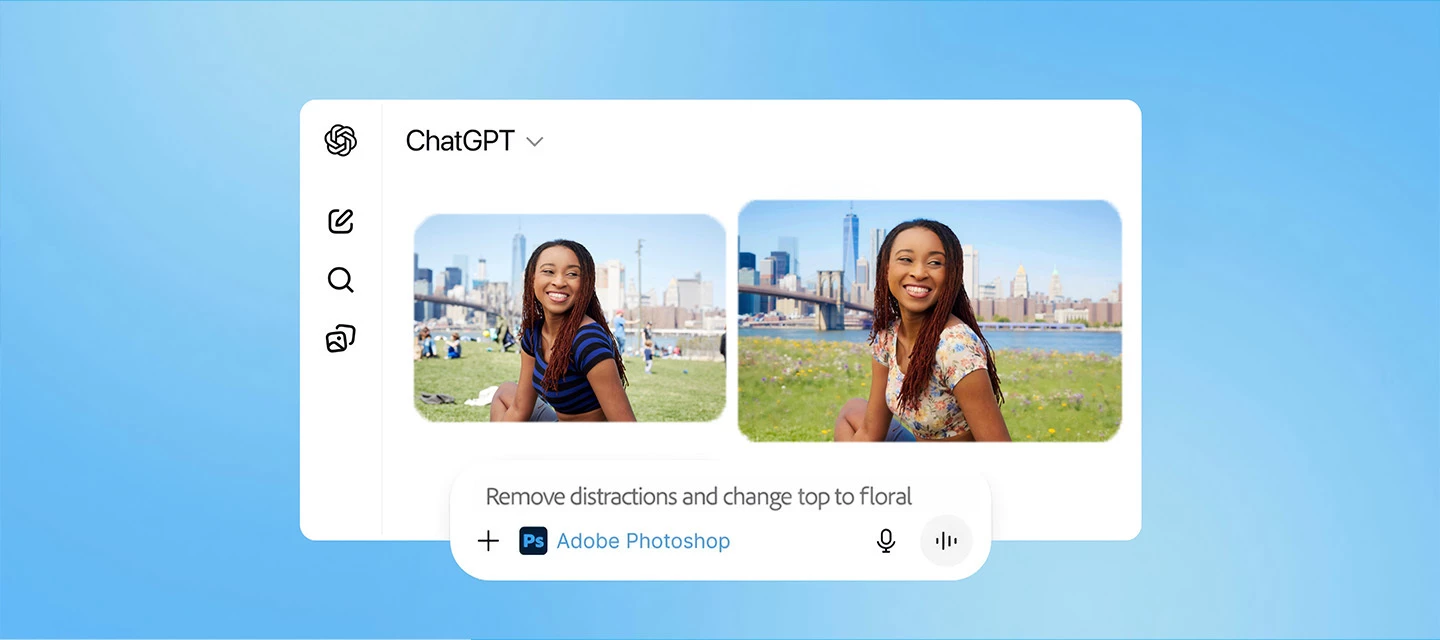
Big update for creators, Photoshop just got even more powerful inside ChatGPT.
We’ve just rolled out new updates to Photoshop for ChatGPT, and this one is a game-changer! This feature is available to all ChatGPT users, including free users!
What’s New
Until now, you could make quick adjustments to color settings, making your pictures vibrant. You can now create complete generative edits with simple text prompts, adding, removing, or replacing elements, generating entirely new backgrounds, editing specific objects or people, and adjusting lighting or color, all with a small prompt!
No more complex tools! No steep learning curve! You simply type your idea and watch it come to life. What makes this even more powerful is what happens next. Once you’re happy with your edit, you can take your image into Photoshop on web or mobile to keep refining and building on it.
Let’s dive in!
Getting started is straightforward. Open Photoshop for ChatGPT , connect your account, upload an image, and start editing with a clear, structured prompt for best results. Here are a few structured prompts for the most accurate and consistent results.
If you don’t see generative features right away, try reconnecting the Photoshop app — that usually does the trick.
No premium account needed, any ChatGPT user, including free users, can try Photoshop for ChatGPT and get complimentary daily AI edits to explore and experiment.
We'd love to hear from you
Whether you’re experimenting with ideas or working toward something polished, this update makes the entire process faster and more flexible. Give it a try and share what you create in the comments. We’d love to see what you make!
 AdChoices