Srishti Bali
Community Manager
Community Manager
September 24, 2025

Photoshop v26.11 | Collaborate Smarter, Render Sharper!

  • September 24, 2025
  • 11 replies
  • 4319 views

We’re excited to announce the release of Photoshop v26.11, with new enhancements and bug fixes to elevate your creative workflow!

 

Update the App

Download the latest version and dive into the new Adobe Photoshop features.

To update Photoshop v26.11, click "Update" in the Creative Cloud desktop app next to Photoshop. More detailed instructions for updating.


Here’s what’s new in Photoshop v26.11:

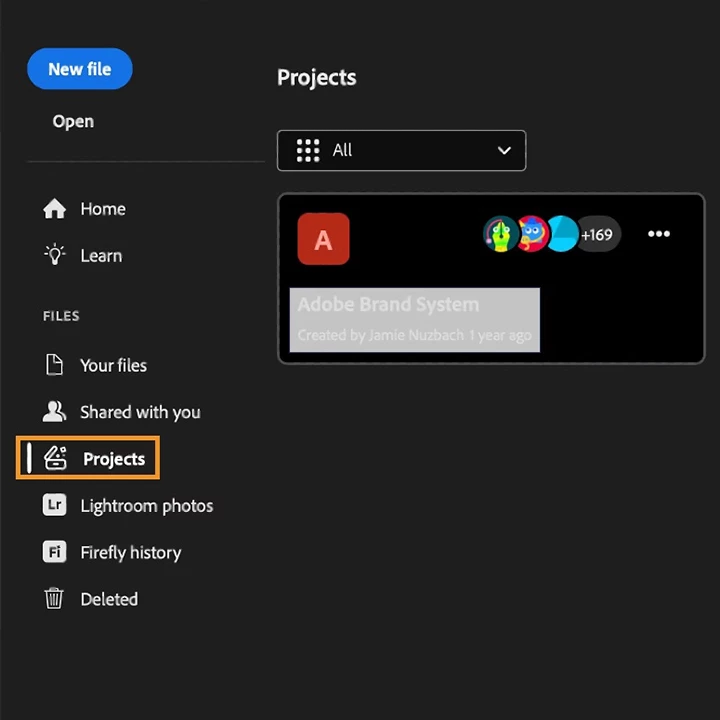
Organize, Share, and Collaborate with Projects

Say hello to Projects, a new way to work across Adobe apps. Whether you're designing in Photoshop, illustrating in Illustrator, or creating content in Adobe Express, you can now:

  • Group assets into a shared cloud-based project
  • Invite collaborators with edit or comment permissions
  • Manage files together in real time

This feature is perfect for teams working across disciplines — from social media campaigns to product launches — and ensures everyone stays aligned and productive.

Click here for more details.


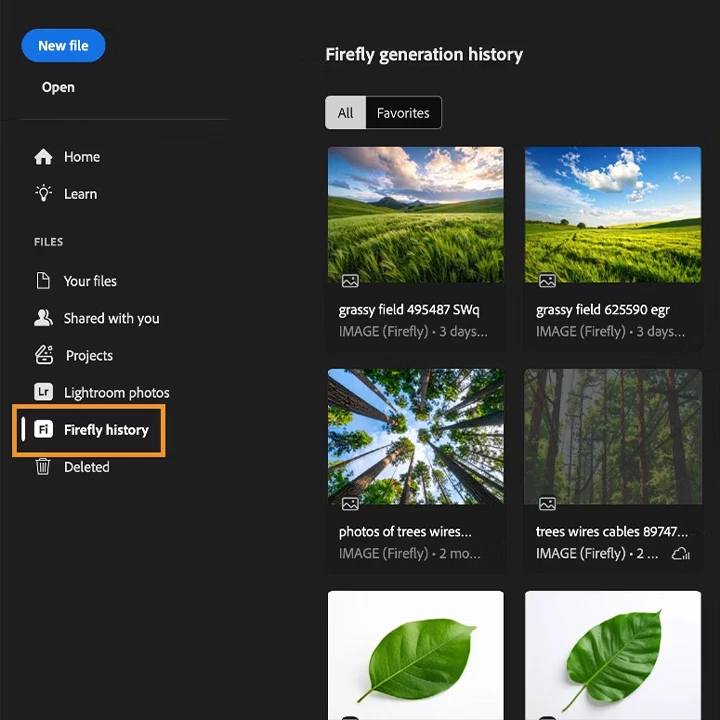
Refine Firefly generations

Access your Adobe Firefly generation history directly from the Photoshop home screen. Open any Firefly-generated image as a Photoshop document to enhance it using the complete set of Photoshop editing tools. Your original Firefly asset stays unchanged, so you can safely create and experiment with variations.

Click here for more details.


Sharper Text for Chinese, Japanese, and Korean

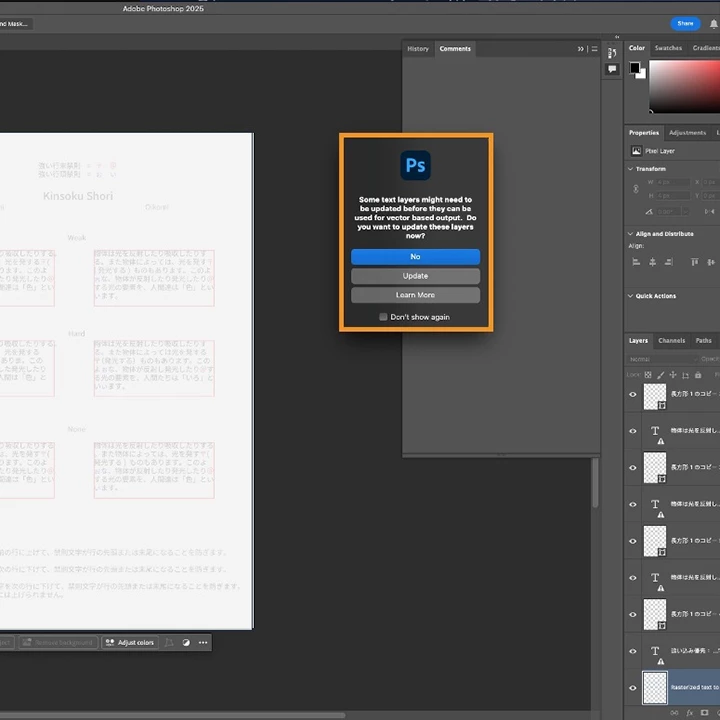
Photoshop v26.11 introduces vector-based text rendering enhancements for CJK languages:

  • Enjoy sharper, more accurate text output for Chinese, Japanese, and Korean
  • Maintain consistency across versions and fonts, even when opening legacy files
  • Ideal for designers working on multilingual branding, UI localization, or editorial layouts

This update ensures your typography looks crisp and professional, no matter the language.

Click here for more details.


Bug Fixes in Photoshop v26.11:


Update now via the Creative Cloud desktop app to take advantage of these new tools and elevate your Photoshop experience!


We’d love to hear from you!

If this was helpful, please click the Upvote icon in the top left corner of this post. Your feedback helps us improve the experience. Thank you!


We’d love to see what you’ve created and hear about your experience or feedback! Click 'Reply' below.

Click 'Follow' below to bookmark this post for easy reference.

For other questions, feel free to start a new post in the community.

    11 replies

    Participant
    October 18, 2025

    Just installed today’s update — literally the only change on my computer — and I’ve already had two complete system crashes within hours.

    On the bright side, the AI tools feel noticeably sharper 🙂

    Participant
    October 15, 2025

    PS keeps crashing and I can barely make it work.   Super frustrating...

    Participating Frequently
    October 14, 2025

    This update looks awesome! Love how it's easier to work with others now. I wonder if Delta Executor could help run some cool Photoshop scripts with this new version!

    Participant
    October 10, 2025

    Hello,

    What happens after 3 years? Will there be an upgrade, or will I have to buy the entire program again?

    Participant
    October 9, 2025

    App completely crashes immediately on iPad now. I was just in the middle of a project so that's suuuuuper cool.

    Participating Frequently
    October 7, 2025

    Her geçen gün daha da kötüye gidiyor. 26.11'de bir çok hata var. En basiti ctrl+alt+0 ya da  ctrl+0 komutları bile tutarsız çalışıypr. Şuan için en kararlı sürüm 26.5 

    Participating Frequently
    October 7, 2025

    This update looks amazing! New projects feature and faster CJK text rendering will be very helpful. Can't wait to try it — thanks for the hard work!

    Participant
    October 6, 2025

    installed the new update and now later masks arent working like they always have. I cant replaces faces on images. I add a layer mask, invert it and when I go to brush it on nothing happens. Any advice?


    Participant
    October 3, 2025

    Since the upgrade my photoshop is not working. Program issue? I seriously need to get work done and this is a problem.


    Participant
    October 13, 2025

    Photoshop 2025 not opening after update in windows 10. It is freezing in a few seconds after intial click and the software opening and showing Adobe Photosho 2025 (not responding).

    Alen Ruby
    Participating Frequently
    October 3, 2025

    Can't even open Photoshop anymore, I think it worked today at some point, now it's just freezing while opening. The last thing it does is 'Building color conversion tables...' in the opening popup while standing in a frozen state. Latest Nvidia drivers.