



davescm
Community Expert
Community Expert
July 31, 2026

Something for the Weekend – Part 264 – ‘Where there’s smoke…’

  • July 31, 2026
  • 228 replies
  • 1190 views

Thanks to all who took part in our previous ‘Fixer Upper’ challenge. As always, there were many interpretations of the image and the brief.

This week, we start out with a simple object. This Victorian pipe can be found in Adobe 3D assets. I made the wrap-around wood materials using Adobe Substance 3D Designer and then added them to the surface using Adobe Substance 3D Painter, before rendering in Blender 3D.
So, now we have our starting image. What can you make with it?

The “rules”:

  • Use the starter image as at least part of your own image entry.
  • Anything goes, as long as it meets the forum rules on decency, copyright, etc.
  • Anyone, and everyone, is welcome to have a go, whether you are a complete beginner or a Photoshop expert. This is not just for our forum “regulars”.
  • The challenge is not limited to Photoshop. Any Adobe software can be used. 
  • There are no prizes apart from the chance to practice, show off your skills, or bring a bit of humour and fun. Don't be shy, join in and have a go!
  • The starter image is made available for you to use in this forum challenge only.


To download the starter image, click it then, when the image opens in its own window, right click and choose “Save Image As/Save Target As” (or similar depending on your browser).
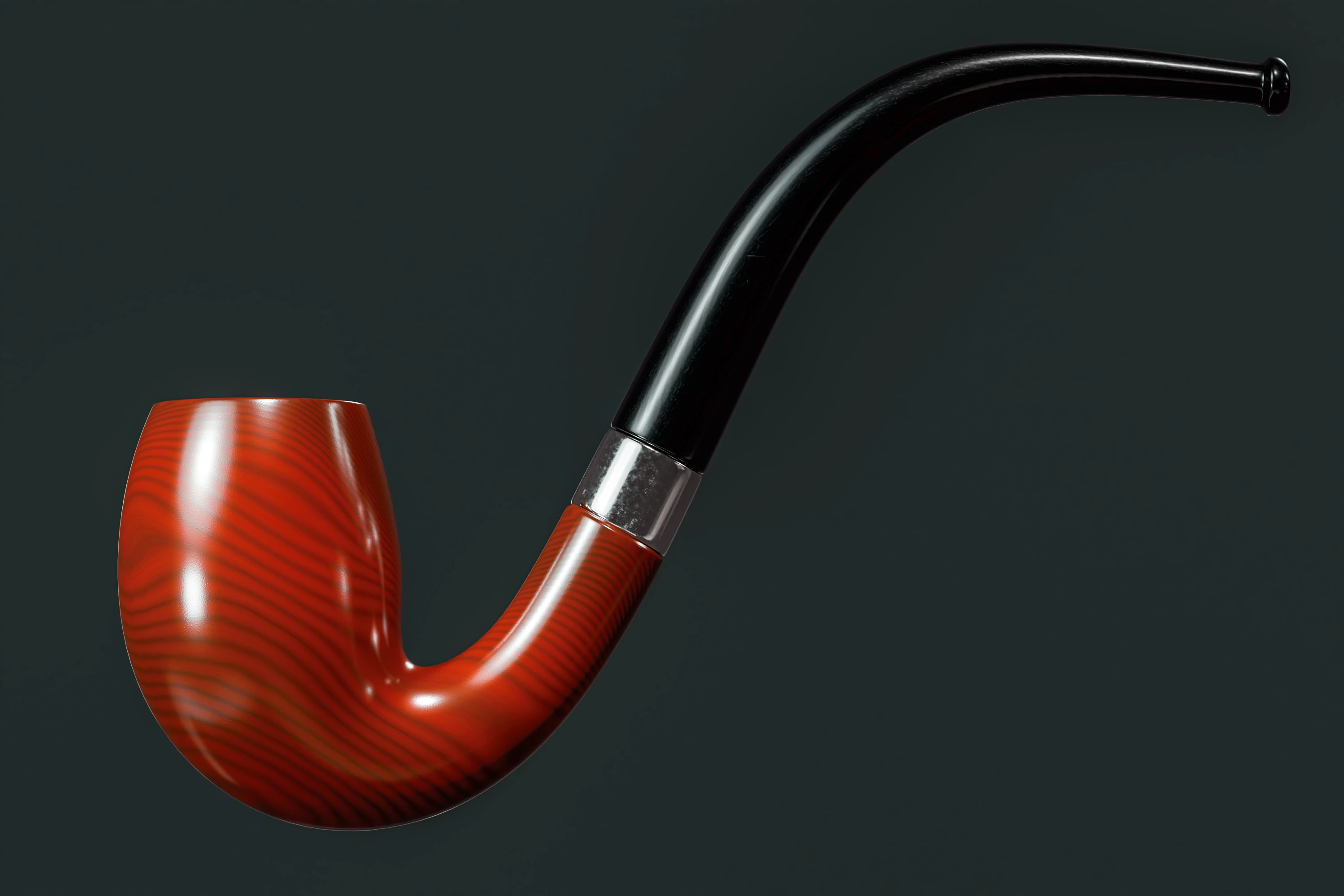
 

When posting back your image, please use the reply button in this first post and use the 'Insert Photos' icon at the bottom of the reply box. If posting a comment on someone else’s entry, then please use the reply button next to their image post.


Have fun!


    This topic is closed to new replies. Start a new post to keep the conversation going.

    228 replies

    jane-e
    Community Expert
    Community Expert
    August 7, 2026


    This is artist appreciation week: Dali, Magritte, and now Cassius Marcellus Coolidge

    Jane


    PaintedKitty
    Community Expert
    Community Expert
    August 7, 2026

    Classic! 

    JR Boulay
    Community Expert
    Community Expert
    August 6, 2026

    Smoking a good pipe during a break


    Acrobate du PDF, InDesigner et Photoshopographe
    August 9, 2026

    Chooo Chooo all aboard the Adobe train

    davescm
    Community Expert
    davescmCommunity ExpertAuthor
    Community Expert
    August 10, 2026

    Bonus points for getting in the Alston loco from SFTW227, JR. 😊
    Dave

    derekwatson
    Community Expert
    Community Expert
    August 6, 2026

    Combined with an older SFTW image…


    Derek Watson
    PaintedKitty
    Community Expert
    Community Expert
    August 7, 2026

    Venison stew with a hint of tobacco.  🙃


    August 9, 2026

    What are you brewing in the there pot ​@derekwatson ? Bit of Adobe FF magic potion?

    daniellei4510
    Community Expert
    Community Expert
    August 5, 2026

    A pipe organ.


    Adobe Community Expert | If you aren't submitting your assets in sRGB, you probably didn't read the rules.
    davescm
    Community Expert
    davescmCommunity ExpertAuthor
    Community Expert
    August 5, 2026

    Nice one ​@daniellei4510 . Wouldn't it look spectacular if it blew smoke each time a pipe was played. 😁

    Dave

    daniellei4510
    Community Expert
    Community Expert
    August 5, 2026

    Shoulda thoughta that.


    Adobe Community Expert | If you aren't submitting your assets in sRGB, you probably didn't read the rules.
    fbeaume
    Community Expert
    Community Expert
    August 4, 2026

    This is a pipe.
    😁😉🙃

    Trevor.Dennis
    Community Expert
    Community Expert
    August 4, 2026

    It reminds me of an F1 steering wheel.  I was going to illustrate what I was talking about, and spent 15 minutes creating buttons and switches before thinking that Gemini would do a better job in a fraction of the time.  I tried three prompts, being more specific each time, that it should not add content outside the original outline, but it ignored it every time.  Oh well.


    fbeaume
    Community Expert
    Community Expert
    August 10, 2026

    I think wood is too heavy for formula1 but who knows perhaps as an option for Luxury sports cars ;)

    Turtle.PSD
    Inspiring
    August 4, 2026
    RASTERFARI!   = D

    (I haven’t stopped listening to Bob Marley since #260)

    To do the animation I used Frame Animation in the PS Timeline window and puppet warped the isolated arms placed on the top later. 

    To do the guitar I puppet warped the stem (& brushed the imperfect edges), warped/transformed part of the wooden bowl and used an Adobe Stock guitar for the guitar parts with a mix of blend if and select color masking.

    Trevor.Dennis
    Community Expert
    Community Expert
    August 4, 2026

    The way I make frame animations nowadays is to use a video timeline.  You get way more options to move and manipulate objects.  The movement is much smoother with natural ease in and out, and most of all — by a significant margin — it is easier to animate multiple objects.  Anyone who has struggled with syncing a second or third object’s movement to an existing frame animation’s timeline will know what I mean.

    Start the video timeline (probably) with a 720P frame size.  Use black bars if the 16:9 aspect ratio doesn’t work. You can crop it later.

    Render the video timeline to MP4, and then run it through Handbrake and halve the FPS to 12 or 15FPS depending.

    You’ll have a 1280 x 720px 15fps mp4 file that you open back up in Photoshop.

    Crop out the black bars or whatever wasted space in the frame.

    When done, use the standard File > Export > Save for Web and output to a GIF

    The resulting GIF. if still 720 pixels tall is going to be around 12Mb.  That’s OK unless you want to upload to this forum which has a strict 5Mb limit. To get round that reduce the pixel size, and crop out whatever you can get away with, and reduce the color depth when exporting the GIF.  You’ll hardly notice 64 colors, and even 32 colors surprisingly.  Below that it will get muddy.

    You can save file size if you start the project with a less busy image.  You can remove backgrounds and have a white background.  You can use Index Color and then set it back to RGB, where it won’t restore lost fine color gradients.  You can go heavy with reduce noise — that’s a big file size saver.  Try making an image super noisy and saving to JPG — the compression has nothing to work on, and the file size will be huge for the pixel size.


    August 9, 2026

    This would be so much fun to listen and groove to… ​@Turtle.PSD 

    War Unicorn
    Community Expert
    Community Expert
    August 3, 2026
    “Random Album Cover”


    davescm
    Community Expert
    davescmCommunity ExpertAuthor
    Community Expert
    August 5, 2026

    I knew it was yours before I read the name at the top, James. I like it.
    Dave

    August 9, 2026

    What genre of music would fit this into?

    daniellei4510
    Community Expert
    Community Expert
    August 3, 2026

    Love it!

    Adobe Community Expert | If you aren't submitting your assets in sRGB, you probably didn't read the rules.
    Jill_C
    Community Expert
    Community Expert
    August 3, 2026

    It’s just way too easy with Firefly…


    Jill C., Forum Volunteer
    davescm
    Community Expert
    davescmCommunity ExpertAuthor
    Community Expert
    August 5, 2026

    Firefly might make the execution easier, but the ideas still have to come. Very clever, Jill.
    Dave

    Peru Bob
    Community Expert
    Community Expert
    August 3, 2026

    @davescm 

    To download the starter image, click it then, when the image opens in its own window, right click and choose “Save Image As/Save Target As” (or similar depending on your browser).

    When I do that in Chrome, Edge, and Firefox I only get the option to save as a .webp file.
    I’ve been doing a screen capture but lose a lot of resolution doing it that way.
    What am I doing wrong?

    jane-e
    Community Expert
    Community Expert
    August 3, 2026

    I get a .webp file, too, on macOS. I can’t open it in Photoshop directly, so I open it in the Preview app and export to .tiff. I’d love to hear what others do.

    Jane

    daniellei4510
    Community Expert
    Community Expert
    August 3, 2026

    I have both the official version of Photoshop and the beta version on my laptop. On my laptop, I have to open the .webp directly, using the Open menu. Double-clicking it doesn’t work and I’m told the file is unreadable. On my desktop, I can double-click on a .webp and the file will open in the released version but not the beta. So it’s kind of a mixed bag. 

    Adobe Community Expert | If you aren't submitting your assets in sRGB, you probably didn't read the rules.