nikunj.m
Community Manager
Community Manager
October 1, 2025

Say Hello to Adobe Photoshop Elements 2026 — Your Ultimate Creative Toolbox!
  • October 1, 2025
  • 11 답변들
  • 1199 조회


Hey everyone!

The latest version of Photoshop Elements makes photo editing simple — whether you want to make a quick fix or a custom creation. Dive right in and build skills as you go with Quick, Guided, and Advanced editing modes. Tap into the power of AI to easily enhance your photos and instantly generate all-new images, objects, and backgrounds. Add style with artistic effects, motion, and creative templates. And automatically organize your photos for easy searching and sharing.

 

Update the App

Try out the latest Features and Enhancements in Photoshop Elements 2026.


What’s new in Photoshop Elements 2026?

Bring ideas to life with generative AI - Just type a description to create basic backgrounds, detailed images, and more. 

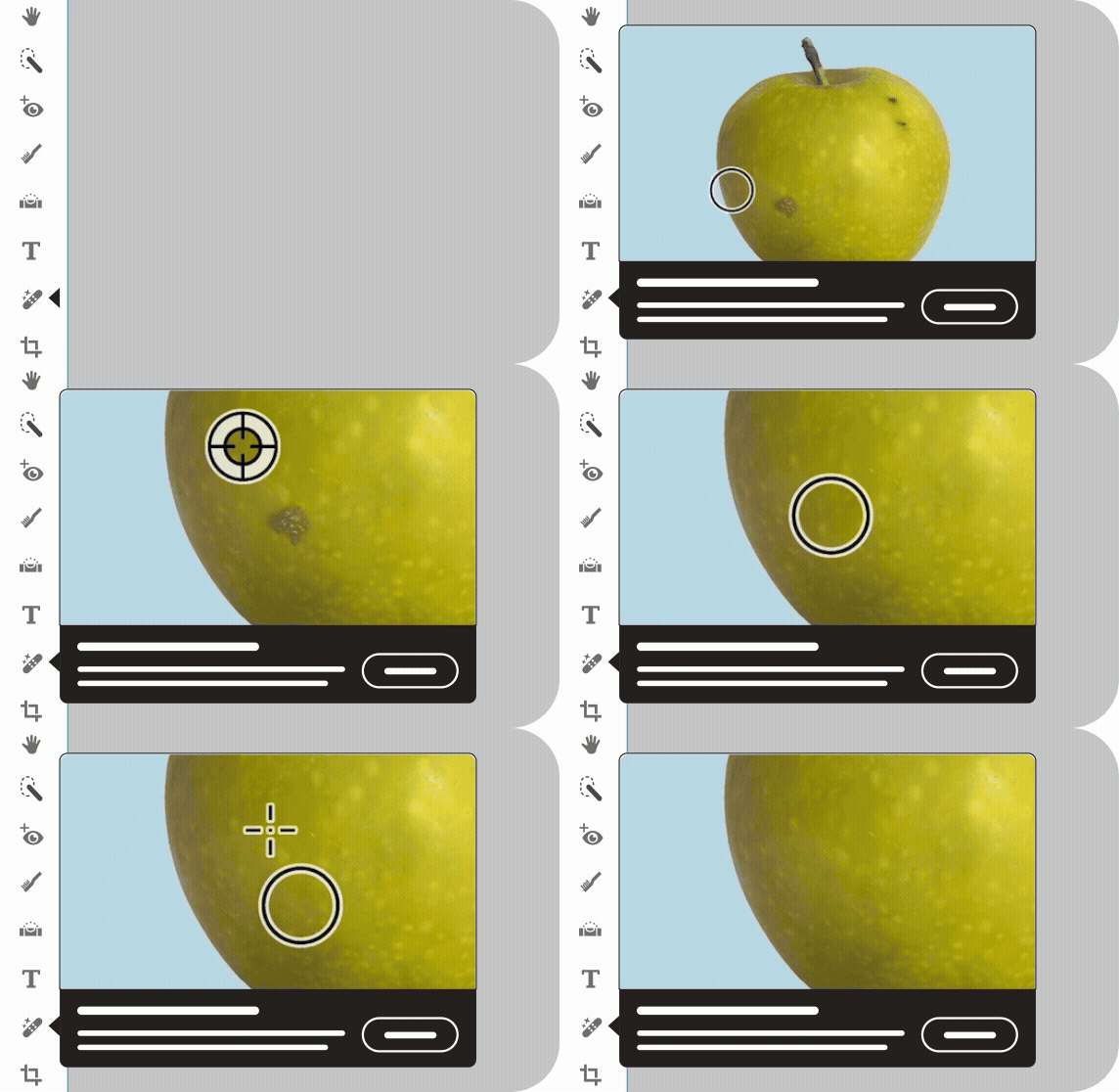
Add new elements with generative AI by brushing over an area and then typing a description of an object to see it appear.

Restore photos with the power of AIErasing scratches, creases, and wear and tear. 

Detect and remove people from photos in seconds with the improved AI-powered Remove tool. 

Easily access thousands of free Adobe Express templates for social posts, videos, cards, and more. 

Edit more easily than ever with modern crop handles, contextual toolbars that adjust based on what you’re doing, and a spell checker. 

Import mobile pics right into Photoshop Elements via QR code. 


If you have technical questions or need help getting started, check out our Learn & Support page.

We’d love to hear from you!

Try out Photoshop Elements 2026 and let us know your thoughts. Feel free to reach out if you have any questions or need more tips!

If this was helpful, please click the Upvote icon in the top left corner of this post. Your feedback helps us improve the experience. Thank you!


Have questions? Click 'Reply' below to ask.

Click 'Follow' below to bookmark this post for easy reference.

    11 답변

    Participant
    November 1, 2025

    I have just upgraded IOS to 26.01 and discovered that Elements 2025 stoped working. I then upgraded to Elements 2026 and to my surprise found ot that import from camera or phone had vanished! Usually upgrades leads to better performance and funtionallity but now Elements has taken a huge step backwards regarding seamless integration to cameras and phones. what a disapointment! Now I have to use Apple's image transfer app first and then media import to get the images into Elements. And the new functon for image transfer via QR code is also limited to 50 images per import. Not good!

    Please implement the "old" import function again in Elements.

    Participating Frequently
    October 26, 2025

    How do I unsubscribe from this discussion?!?!?

    Participant
    October 24, 2025

    I installed Elements 2026 a couple days ago and cannot see a way to set the "Zoom with mouse wheel" function that I used to have? Using Alt + scrolling is not very convenient for me.  I've looked through all of the Preferences menus and don't see it. Can we still set the zoom for mouse wheel only?

    Jeff Arola
    Community Expert
    Community Expert
    October 25, 2025

    RhoDoh,


    In the Adobe Photoshop Elements 2026 Editor go to Edit>Preferefences>General and you should see a Zoom with Scroll Wheel setting:


    Participant
    October 24, 2025

    Wie bekomme ich die alle Fotos von Photoshop Organizer 2025 auf den Organizer 2026?

    Participant
    October 14, 2025

    I want to buy Photoshop Elements 2025 as I cannot run Photoshop Elements 2026 (since my OS is Windows 10). Whenever I try to buy Photoshop Elements 2025 from Adobe, the product in my shopping basket changes to Photoshop Elements 2026 before I am asked to complete the purchase. If I buy Photoshop Elements 2026, can I use the licence to activate my trial version of Photoshop Elements 2025?

    Participant
    October 10, 2025

    The trial version opens on my Windows PC, but every dialog box is truncated (horizontally and vertically) so that most of the buttons are not usable.  Unless some significant fixes occur, I won't be purchasing this version.  

    Medha_Sharma
    Adobe Employee
    Adobe Employee
    October 17, 2025

    Hello @MP38615174sai9, can you please share your system's resolution and scaling details? Also, it would be helpful if you could post a screenshot of the dialogs where the truncation is observed.


    Regards,

    Medha 

    Participant
    October 17, 2025

    Resolution = 1920x1080.  Scale =125%.  I altered both with no change to the truncated windows.  I cannot share a screenshot as my free trial has ended and I do not intend to lose my functional 2019 version to what I experienced during the trial.  Every single dialog box was impacted though.  If you can extend my trial version I will send a screenshot.

    Participant
    October 5, 2025

    When are you going to support Windows ARM machines?

    Participant
    October 26, 2025

    Same Problem here, did you manage to get it up and running?

    hoont38944004
    Participant
    October 4, 2025

    I installed Photoshop Element 2026 on the Surface Pro 11 (ARM). After installation, it just wont open.

    During installation this message appeared.

    Participant
    October 2, 2025

    I have the same problem - I also have macOS Sequoia 15.71.

    Participant
    October 2, 2025

    I was able to get it to open and work after turned off wi-fi. Turned it back on and it still worked. Very strange.

    Jeff Arola
    Community Expert
    Community Expert
    October 1, 2025

    In addition to the above, the Adobe Photoshop Elements 2026 Editor will start if the internet is disconnected.


    With Wi-Fi on, below is as far as it gets before the crash.

    Can't even press any of the buttons on the Trial screen before it crashes.


    Without the Wi-Fi on one gets this screen and i can click Continue Offline and the PSE 2025 Editor will start and function normally even after turning Wi-Fi back on.