




Change to audio defaults in Effects Control Panel: Automatic Keyframing will default to off
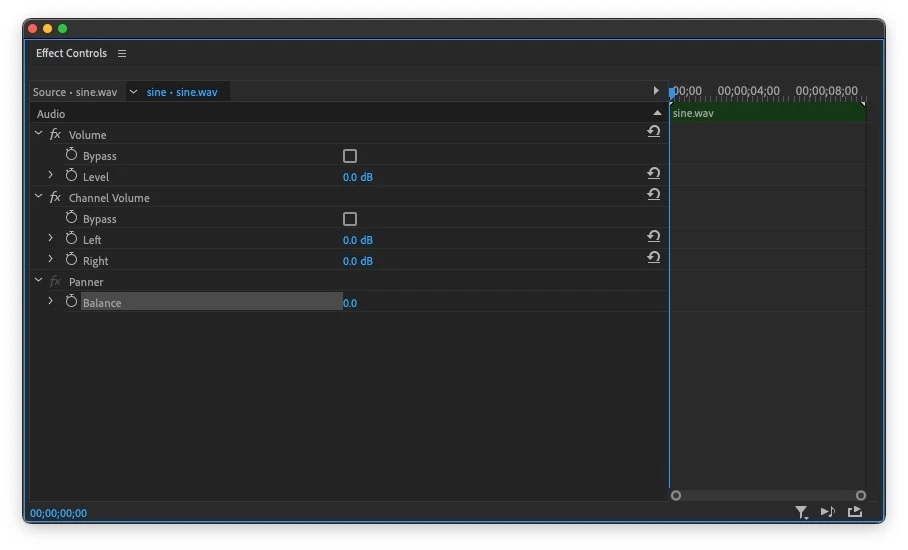
Parameters in the intrinsic audio effects including Volume, Pan, and Channel Volume previously had the time-varying parameter (also know as Keyframing) default to ON. This meant that the Timer icon next to the intrinsic audio effects was, by default, turned on. Any change made to the effect slider in the Effects Control panel resulted in Keyframes being added to timeline. This effected Volume Bypass and Level, Channel Volume Bypass and Channel Volume, and the Panner or Balance controls.
As of today's Premiere Pro beta version, the default setting for time-varying (Keyframing) will be off by default. If setting keyframes for these effects is a regular part of your workflow, just remember to click the timer to on before you add keyframes from now on. This will not effect existing projects, only new ones.
This change reflects customer feed back and also makes the Intrinsic audio effects behave like all other effects in the Effects Control Panel.
 AdChoices