



Color Mode Updates in Public Beta
Hey everyone! We're excited to share a new round of Color Mode improvements that just landed in Premiere Beta Build 27.1.59. They make everyday grading faster and more precise, with new ways to work with operations and zones, better organisation in the Clip Grid, and GoPro color space support.
This update was shaped with you. Many of the features here came directly from requests made by customers in the beta program, and we're grateful for the feedback that helps us build Color Mode together.
What’s New
- Add all Zones
The Zones context menu in the Color & Contrast operation now includes an "Add All Zones" option. When you select it, Color Mode analyses the current frame and automatically adds all of the zones it identifies, so you don't have to add them one at a time. A maximum of seven zones is currently supported.
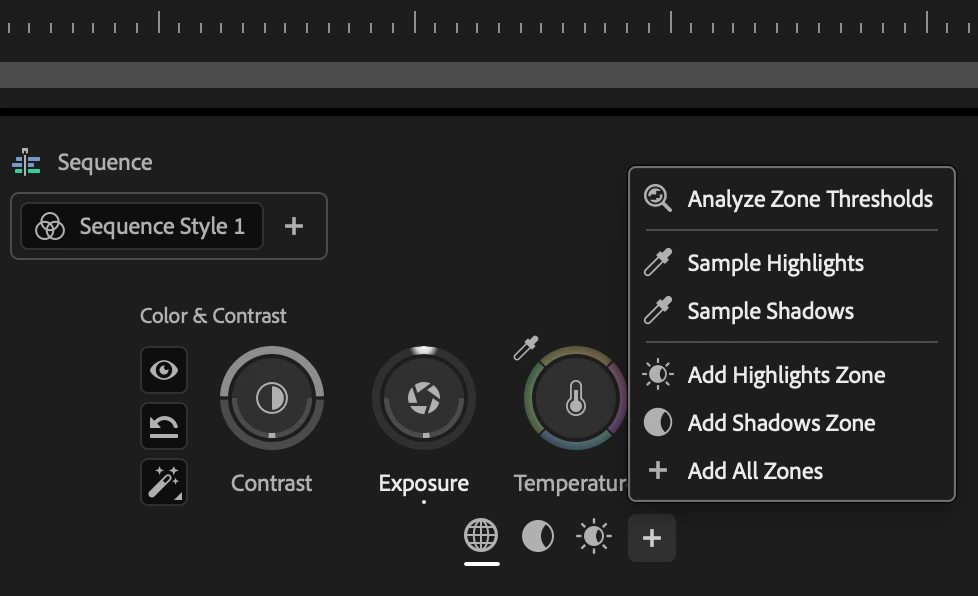
Add All Zones - Create New Groups from Clip Grid
Creating groups is now faster. Select the clips you want in the Clip Grid, right-any of the selected clips, and choose an operation you want to apply as a group from the Create Group submenu. You can also add a clip to an existing group.
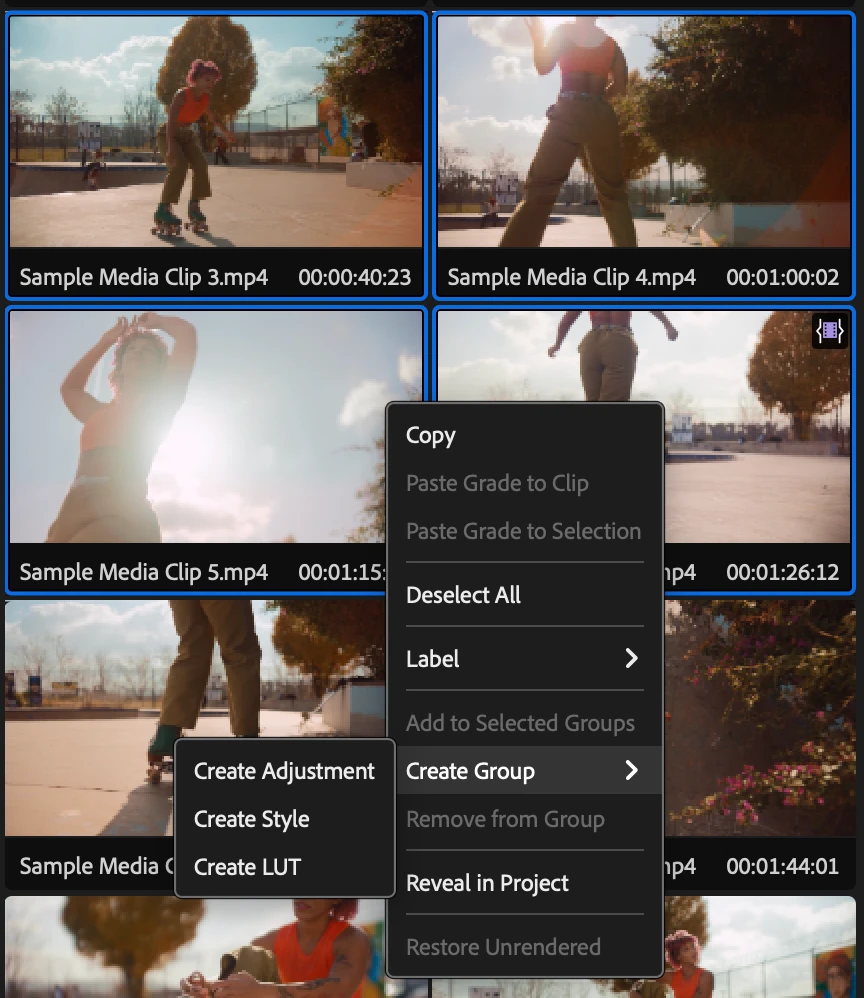
Create group from clipgrid - Drag and Drop Unassigned Masks
Masks can now be reordered within the Unassigned Masks tray using drag and drop. You can also drag masks from clip-level operations back into the tray to unassign them.
- Clip Grid Filter: By Camera Angle
The Clip Grid can now be filtered by Camera Angle in sequences using multicam media. Showing only clips from a specific camera angle, makes it much easier to navigate larger multicam projects, copy and paste operations amongst multiple clips in the same camera angle, or create custom groups for all clips in a particular camera angle.
- Option-click to Toggle
You can now toggle the visibility of any operation on or off by option-clicking it. If you’ve selected multiple operations, you can option-click any of the selected operations to invert the toggled state of all of them at once.
- GoPro Color Space Support
We’ve added support for GoPro color space in the Color Space. See override list below
- “GoPro Flat (Rec. 709)” Rec. 709, log base 113,
- “GoPro Log (Rec. 709)” Rec. 709, log base 400,
- “GoPro Log2 (Rec. 2020)” Rec. 2020, log base 600
- Clip Grid: Border for Locked Track Clips
The current clip is indicated even when it’s a locked clip that cannot be adjusted.
Give these features a try and let us know what you think. More new features are coming soon!
 AdChoices