



DISCUSS: Automatic audio device switching on Windows (DVAAU-4203099)
I'm happy to share that the automatic audio device switching that was brought to the Mac platform last year is now available in the latest public beta builds of Adobe Premiere Pro for Windows. This feature creates a new default setting, "System Default:" for your MME default input and output devices in Premiere's Audio Hardware preferences, automatically switching to whatever audio device is currently the default for Windows OS. As you plug-in USB microphones, connect bluetooth ear pods or headphones, or connect your favorite audio interfaces, if Windows recognizes these as a preferred audio device and automatically switches its internal routing, Premiere Pro will follow suit without annoying popups or requiring you to manually make the change.
For users who may prefer complete control or a dedicated audio interface for Premiere Pro, you may continue to select the specific devices for default input, default output, or both. This feature is only enabled for MME audio driver support, and is not active when ASIO or WASAPI driver models are selected.
Please give this a try in the latest beta builds and share your feedback.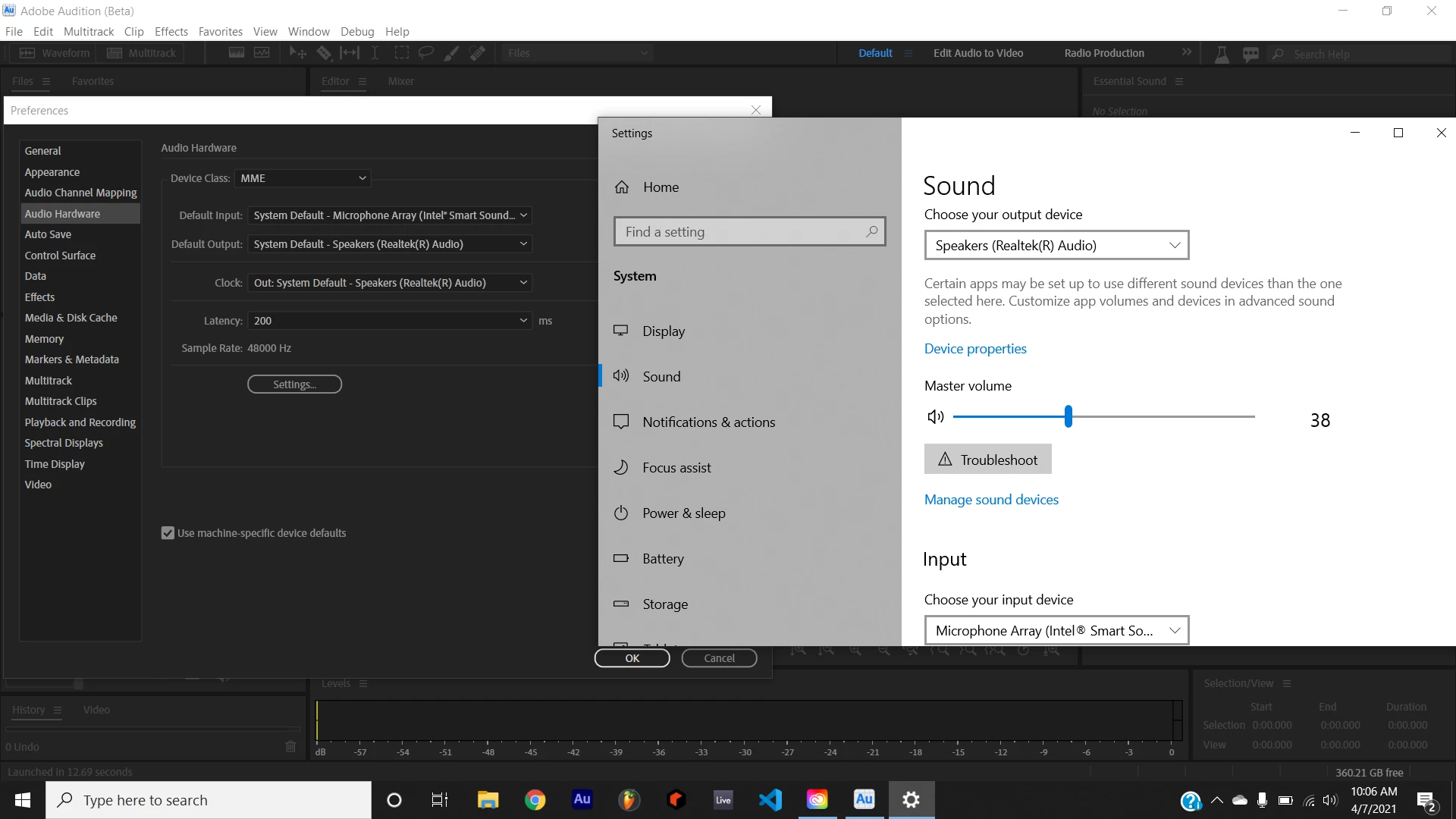
(Screenshot from Audition, but functionality will be identical in Premiere Pro.)
 AdChoices