


AnnikaKoenig
Community Manager
Community Manager
March 11, 2022
Question

Discuss: Distribute Spacing for text and shapes

  • March 11, 2022
  • 3 replies
  • 1193 views

Distribute Spacing for text and shapes 

We are happy to announce that starting with beta build 22.4x3 we have added functionality to Align and Transform in the Essential Graphics panel: Distribute Spacing. While adding these two new buttons we also rearranged the other alignment buttons to make the UI less confusing. We are looking forward to your feedback! 
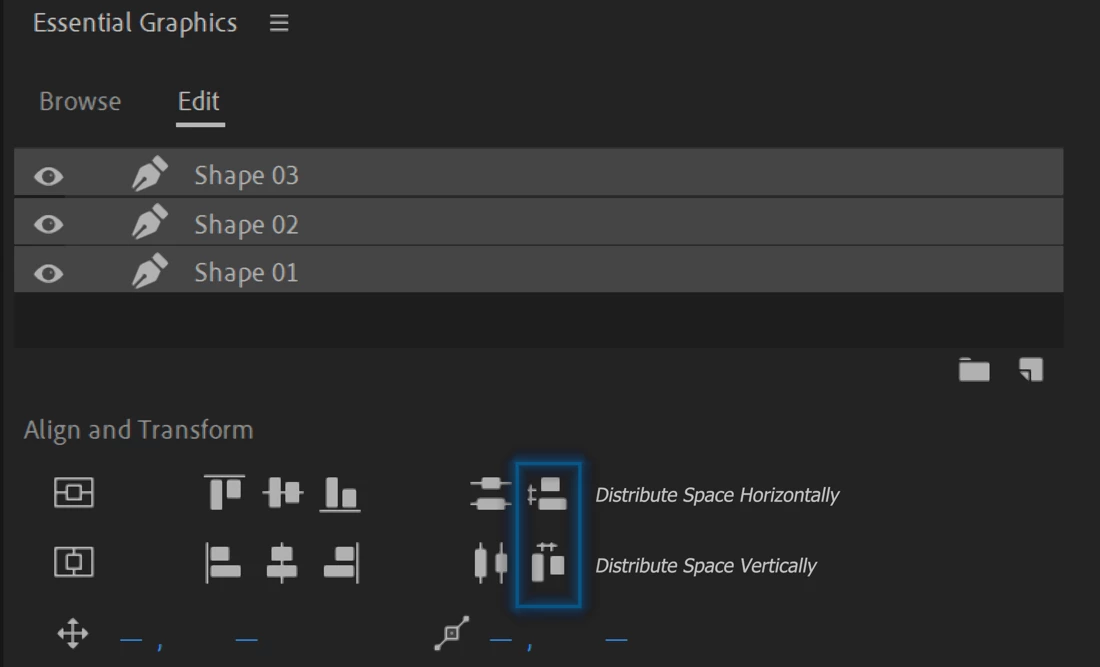


What does Distribute Space Vertically/Horizontally do? 

Distribute Spacing moves text or shape objects in the Program Monitor so that their edges are equally distant from each other. 

When distributing three objects horizontally, only the inner object will move, so that the distance to the outer objects is equally distributed. That’s why you can only use Distribute Spacing with a minimum of three objects. When selecting only one or two objects the buttons will be greyed out. 
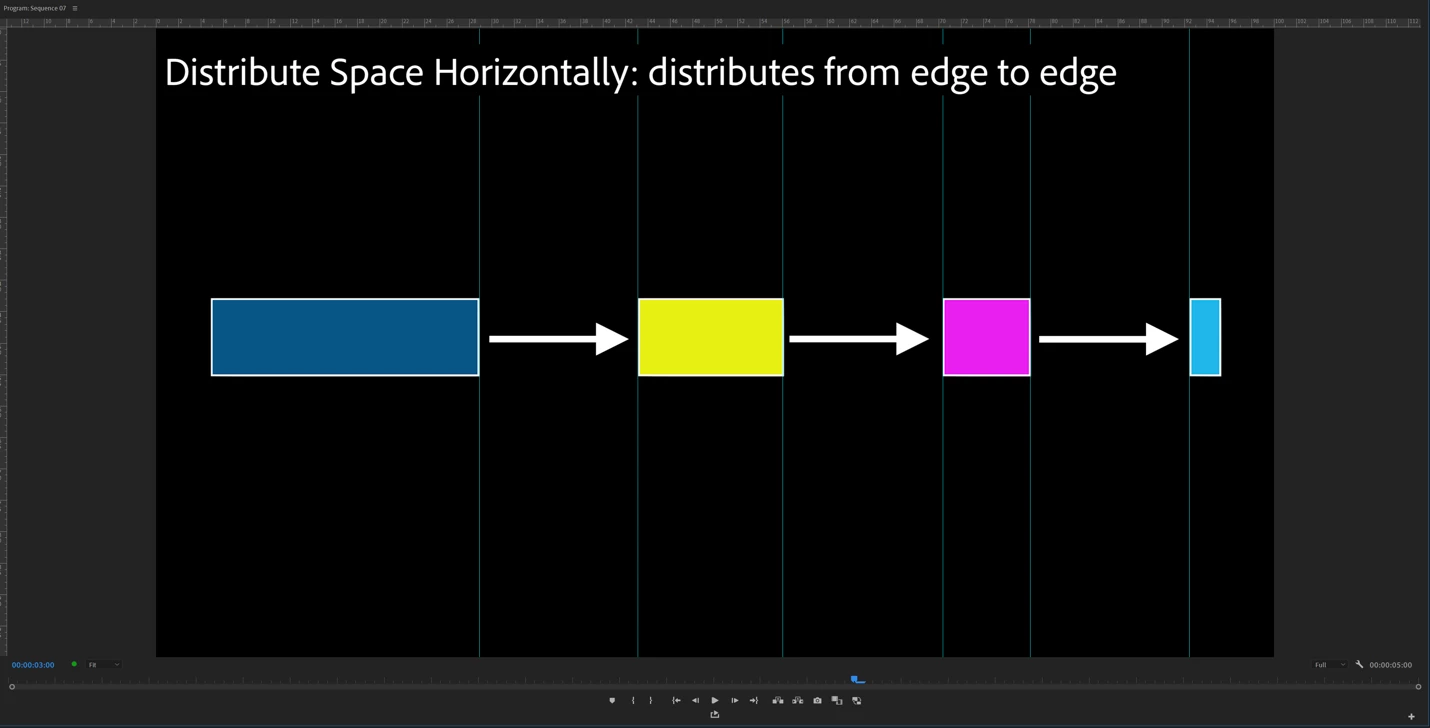


What is the difference to Distribute Vertically/Horizontally? 

Distribute (Objects) moves text or shape objects in the Program Monitor so that their centers are equally distant from each other. Distribute Spacing moves text or shape objects in the Program Monitor so that their edges are equally distant from each other.
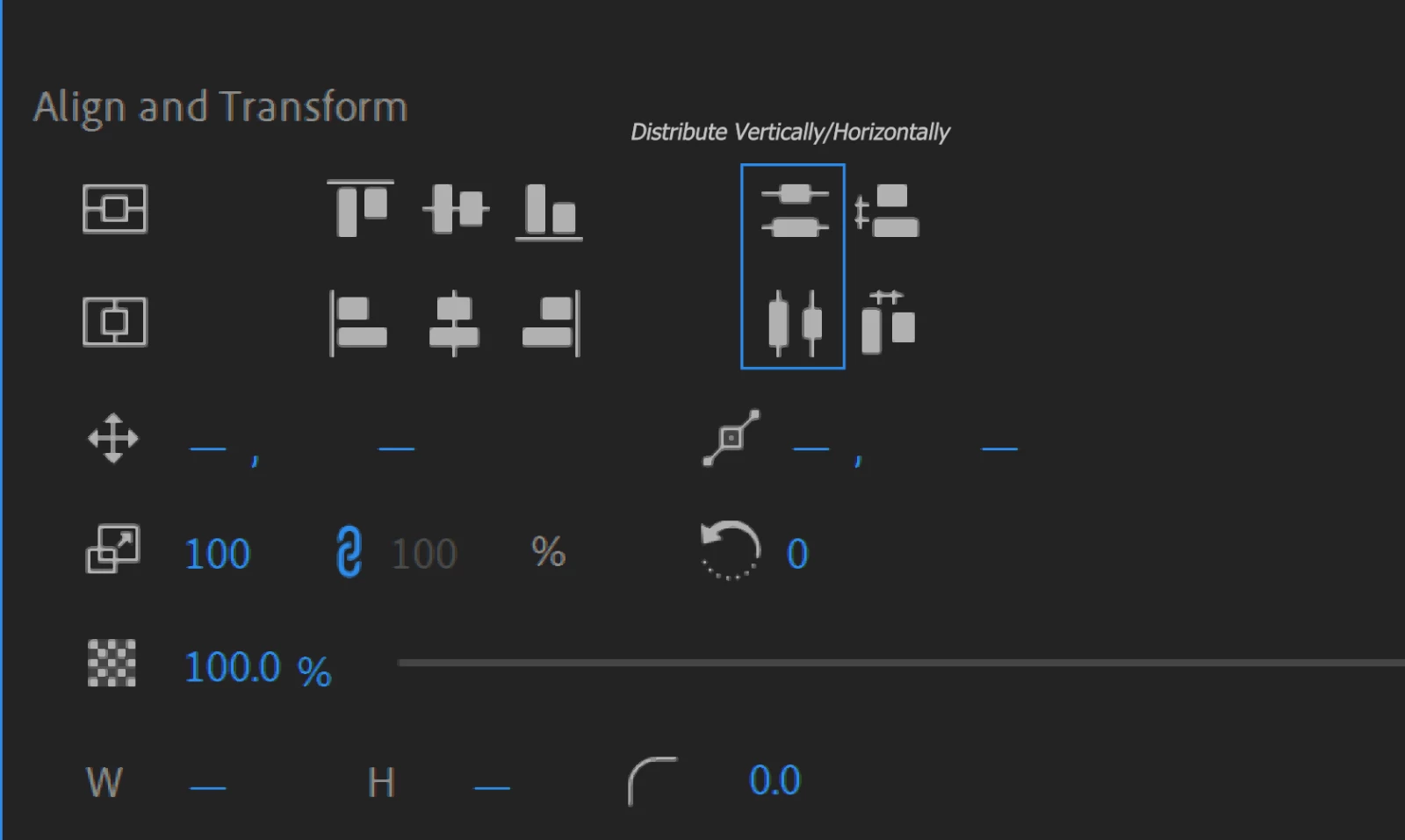
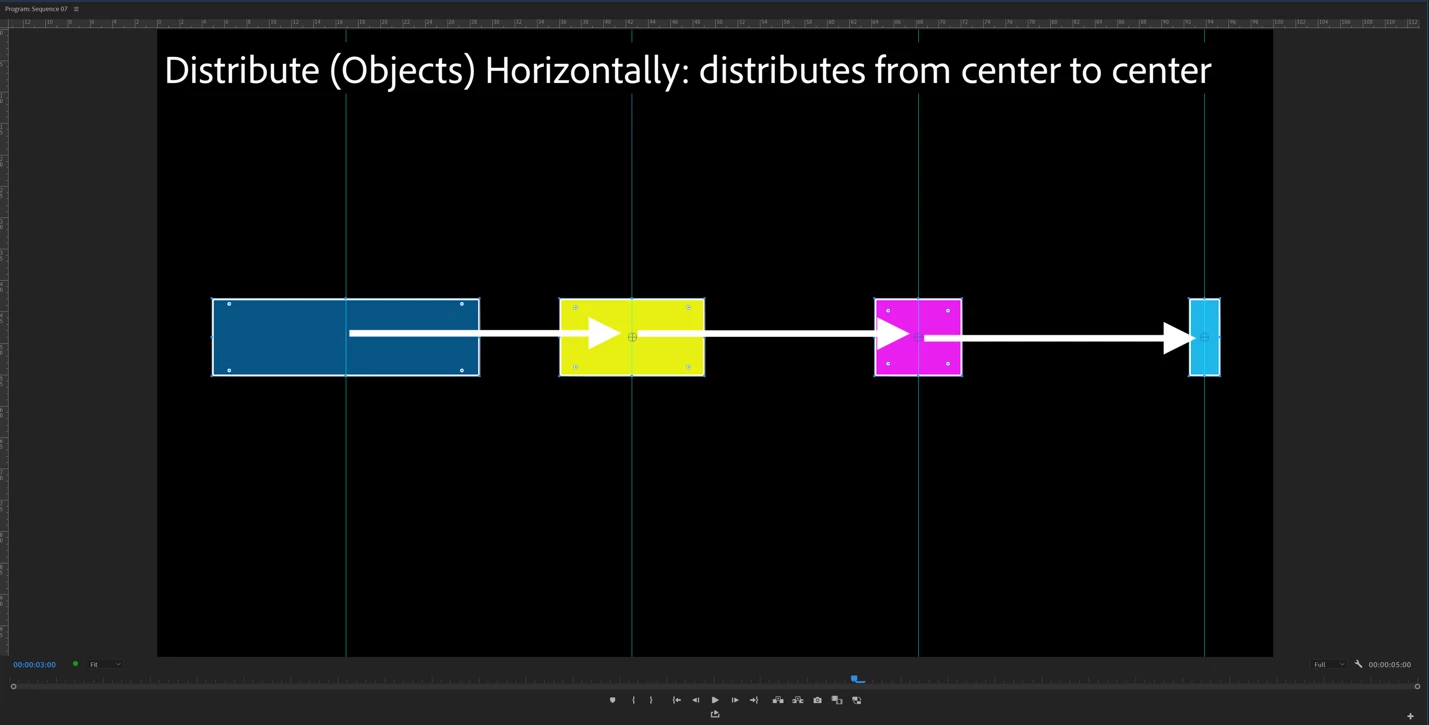


Note: If all objects are equal in size, Distribute and Distribute Spacing will give the same results. If the objects are different in width for example, then Distribute Horizontally and Distribute Spacing Horizontally will give different results. 


This topic has been closed for replies.

3 replies

Participating Frequently
April 29, 2024

Great Job!
Still need improvements i think...
As we work with multiple layers, maybe a regular layer distribution same as ps or ai? Not only inside a single layer?
The situation: I'm having problems align texts.
- Distribute Space Vertically or Horizontally buttons are greyed out, not being able to click as i select 2 text objects inside a single graphic layer. (using premiere native text tool) 

Last Premiere Build CC

Adobe Employee
April 29, 2024

Can you elaborate some more what you mean with this?
"As we work with multiple layers, maybe a regular layer distribution same as ps or ai? Not only inside a single layer?"

Do you maybe mean alignment across multiple graphics on the timeline?


And, yes, it is true that you need at least three layers to be able to distribute but this is the same way in Photoshop.

Participating Frequently
May 22, 2024

If you have a graphic layer with a shape, and another graphic layer with a shape or a text for example, not on the same "graphic clip", you can't align them. I can only do this by setting the same shapes or texts in the same graphic layer. Or am i doing it wrong haha? 

Ann Bens
Community Expert
Community Expert
March 16, 2022

Alignment section looks a lot better.

R Neil Haugen
Legend
March 14, 2022

This will be interesting to test ...


Neil

Everyone's mileage always varies ...