



Discuss : Nvidia Hardware Accelerated Encode for 10 bit 4:2:0 HEVC
We are pleased to announce that we have enabled Nvidia Hardware Accelerated Encode for 10 bit 4:2:0 HEVC!
What does this mean for you? It means that export times for your 10 bit 4:2:0 HEVC footage are significantly faster on supported NVIDIA hardware!
If you have Nvidia GPU card that supports 10 bit 4:2:0 HEVC encode on your Windows machine, you will be able to use this feature. To check NVIDIA GPU capabilities, please refer to:
https://developer.nvidia.com/video-encode-and-decode-gpu-support-matrix-new
To enable this option, select HEVC from the Format drop-down under Export Settings. Then under the Video tab, go to Encoding Settings and set Performance to Hardware Encoding.
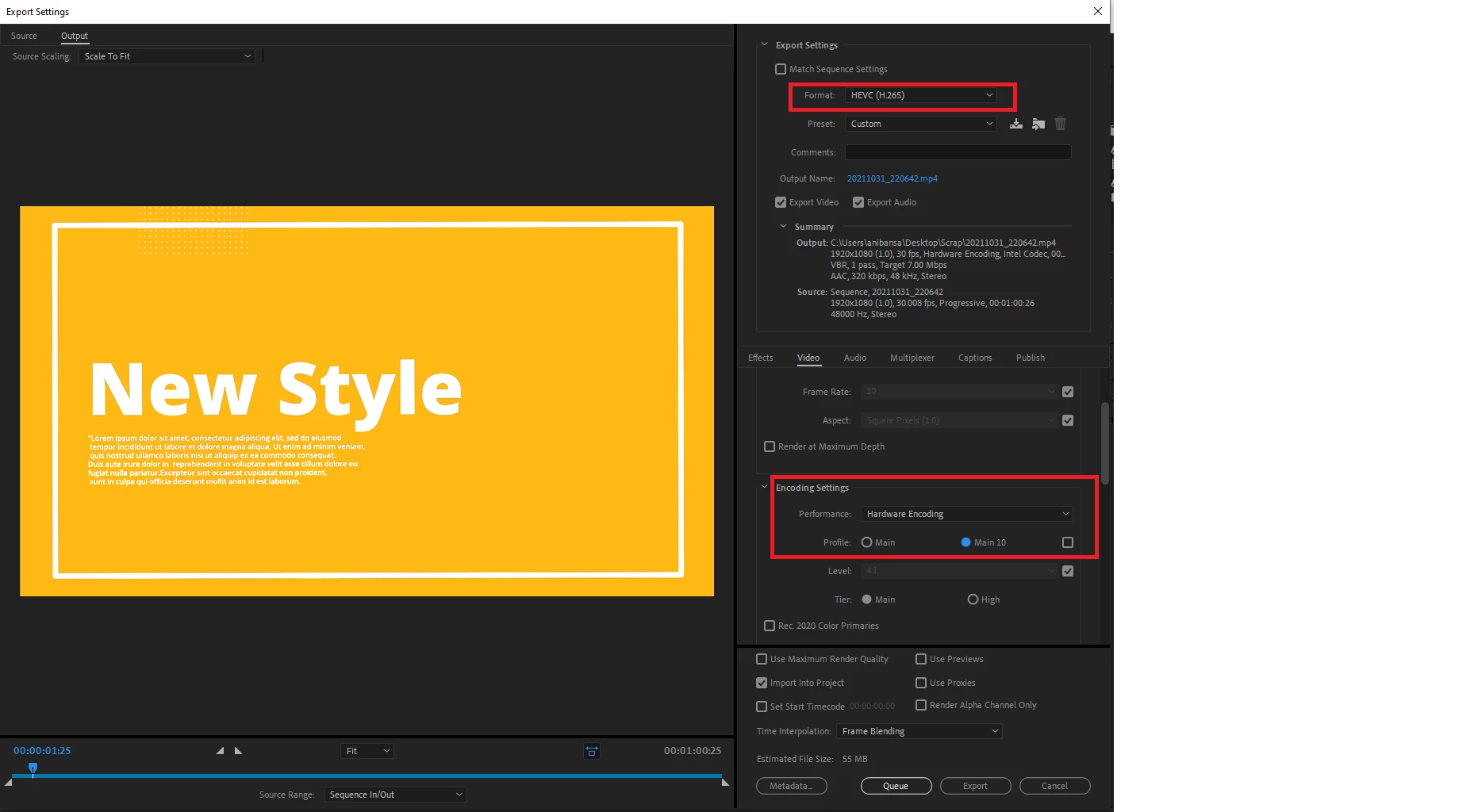
This feature is enabled in both Adobe Premiere Pro Beta and Adobe Media Encoder Beta.
Please try it out and share your feedback!
 AdChoices