



Discuss: Per-Character Text Gradients
We're happy to offer early access to a new feature for Essential Graphics > Text Layers in Premiere Pro: the ability to set Per-Character Text Gradients. We are looking forward to your feedback!
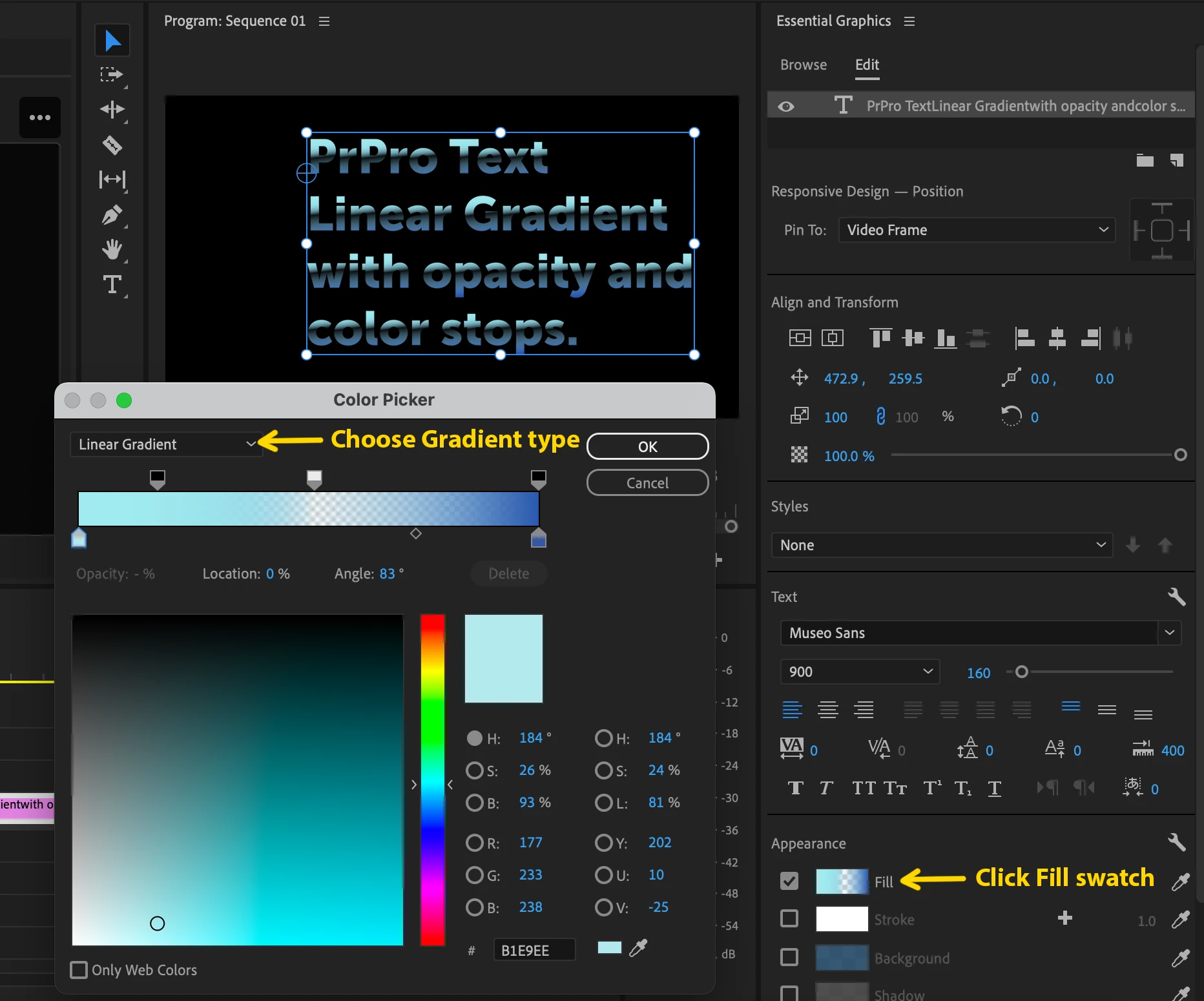
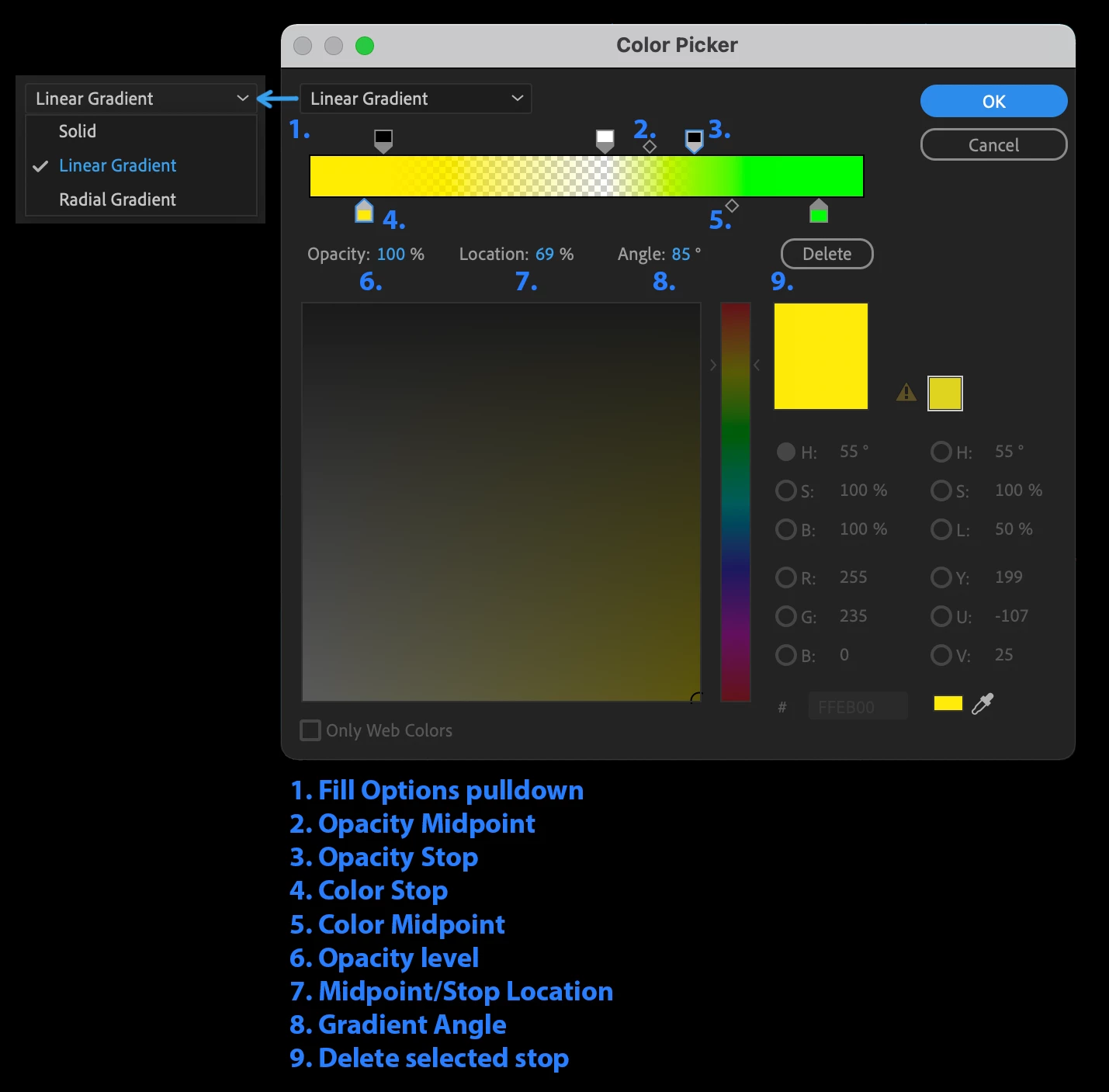
You can access this feature by selecting one or more Characters or Text Layers and then clicking on the Fill swatch in the Essential Graphics Panel. You may then choose between Linear and Radial Gradients and add color and opacity stops to achieve your desired look. You can also control things like angle and mid-points, all within the Color Picker. Please note that there is no direct manipulation for Text Gradients in the Program Monitor, but there is a live preview enabled so that you can see your changes in the Program Monitor as you make them in the Color Picker.
Here are a couple of images to help you understand where all of these controls are located. Enjoy!
Click the fill swatch to open the Color Picker:
Choose a Gradient Type and use the gradient controls:
 AdChoices