



Francis-Crossman17221443
Community Manager
Community Manager
August 12, 2022
Question

DISCUSS: Project templates in import mode

  • August 12, 2022
  • 14 replies
  • 7293 views

You can now start a new project based on a template project in import mode.  It’s common to repeat your same workflow from project to project and pros have learned that  creating a project template speeds things up when getting started and gives you a head start on organization.
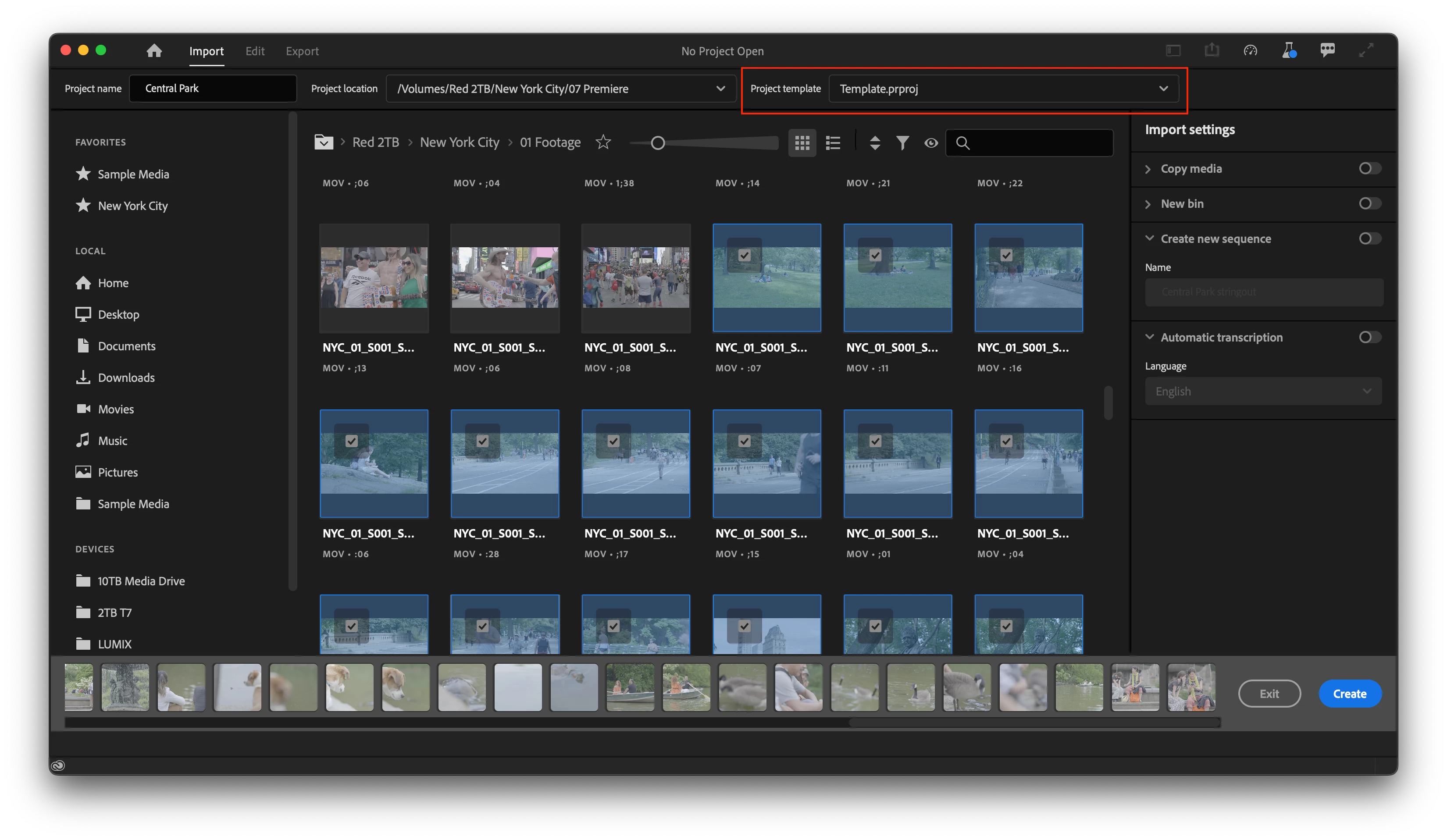
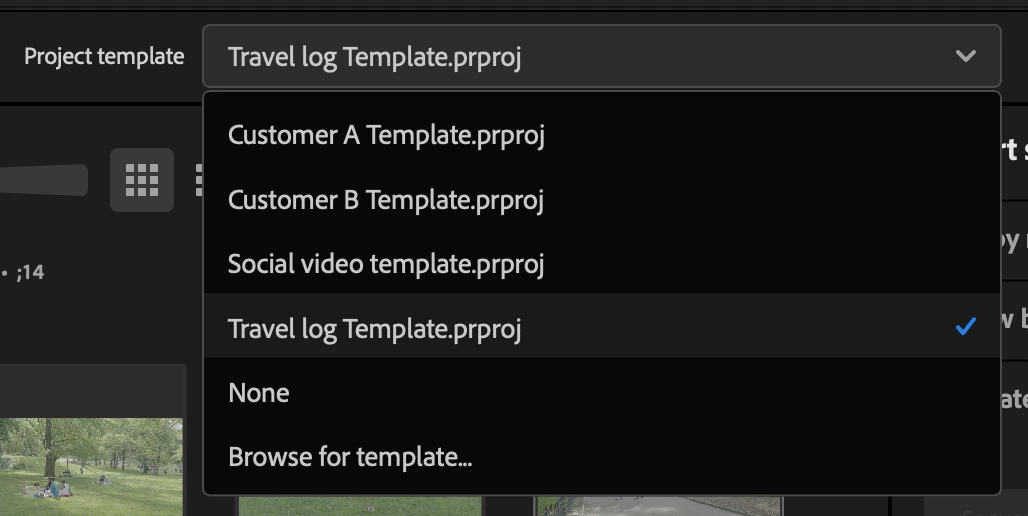
 

Any project file can be used as a template.  The entire project structure will be copied into your new project including all bins, sequences, and media.   Copying the media is handy if you have media that gets reused a lot like intros, graphics, or bumpers.  Essentially, we are creating a duplicate of the project with the new name and location.  Any media that you select during import mode will also be added to the new project, but of course you don’t have to import anything at first.


Here's how it works:

  1. Enter import mode by choosing “New project” from the home screen or File > New project.
  2. Give your project a name and location
  3. Browse for a template from the “Project template” dropdown
    - the last 5 projects will be remembered.
  4. Optional – chose some media
  5. Click “Create” in the lower right of the Import mode window


We intend to add the following features.

They’re not quite there yet, but we’re working on it so keep an eye out

  • Include a few project templates for different types of projects.
  • Create a folder location on disk where you can add project templates. This way any projects you put in this location will show up in the menu in import mode.


A few question we have for the beta community:

  1. What bin structure do you use in your projects?
  2. Do you have common sequence settings you use again and again.
  3. If you have template projects you use and would be willing to share with us, please DM me!


We want to know what you think.  Please join the conversation below.

This topic has been closed for replies.

14 replies

Known Participant
September 1, 2022

Will this new feature also give users the ability to create a default folder structure of their choice in Windows Explorer/Mac Finder?  If not, I don't see how there would be any benefit in using this vs using the free program Post Haste which does everything mentioned here in addition to creating a proper folder structure for each new project.  Unless I'm missing something?

Community Expert
September 1, 2022

Were you upset with the way it was before? Because honestly it's the same number of button clicks. Name your project, choose where to save it, click Ok. Exactly the same. I have a hard time understanding the hangup. Do you want to be able to start working without naming or saving the project first? Like what you can do with AE? Then that becomes a more general piece of feedback toward Premiere's startup - how it has always been - and not related to the Import page.

R Neil Haugen
Legend
September 1, 2022

You can start immediately editing with a current project just as before.


And in Premiere, to start a new project, you have always had to start with the New Project dialog ... type a Name, select a Location, click Create.


Period.


That. Hasn't. Changed.


Only the look of the 'box' you type the Name, select Location, click Create in has changed.


The Export dialog is different, and a right royal pain until you work to get RID of all the stupid presets you'll never use and create detailed ones that you will use. Which can take 10-30 minutes to do, but thankfully, once done it's far less annoying than it is at first.


Neil

Everyone's mileage always varies ...
Community Expert
August 12, 2022

Great to see this kind of thing coming in. I'm in the habit of duplicating the whole folder structure on disk, which includes the Project File, each time I start a new project, but I still recommend template projects all the time on various forums.

Kes Akalaonu
Inspiring
August 12, 2022

This looks pretty cool. How does this function extend to Productions?