




DISCUSS: Share for Review with Frame.io in Premiere Pro
Sharing work-in-progress for review via Frame.io is even faster and easier. Share for Review simplifies the exporting and sharing process to stakeholders for review and approval.
Frame.io is included with Premiere Pro and Creative Cloud subscriptions. Subscribers receive:
- Two Frame.io users: Share your Frame.io account with another user to stay connected from home, the office, or on set.
- Five concurrent projects: Keep your work for multiple clients organized with support for up to 5 concurrent projects.
- 100GB Frame.io storage: Enough footage to host multiple 4K HDR projects, audio files, LUTs, scripts, photos, and more!
- Camera to Cloud: Send media right from your camera into your Frame.io account over WIFI, 5G, or LTE.
Try these Share for Review actions now:
Click on the Share button in the header bar: Collaboration (Invite to Edit for Team Projects) and Sharing (Share for Review with Frame.io) are now in one place under the big blue Share button.
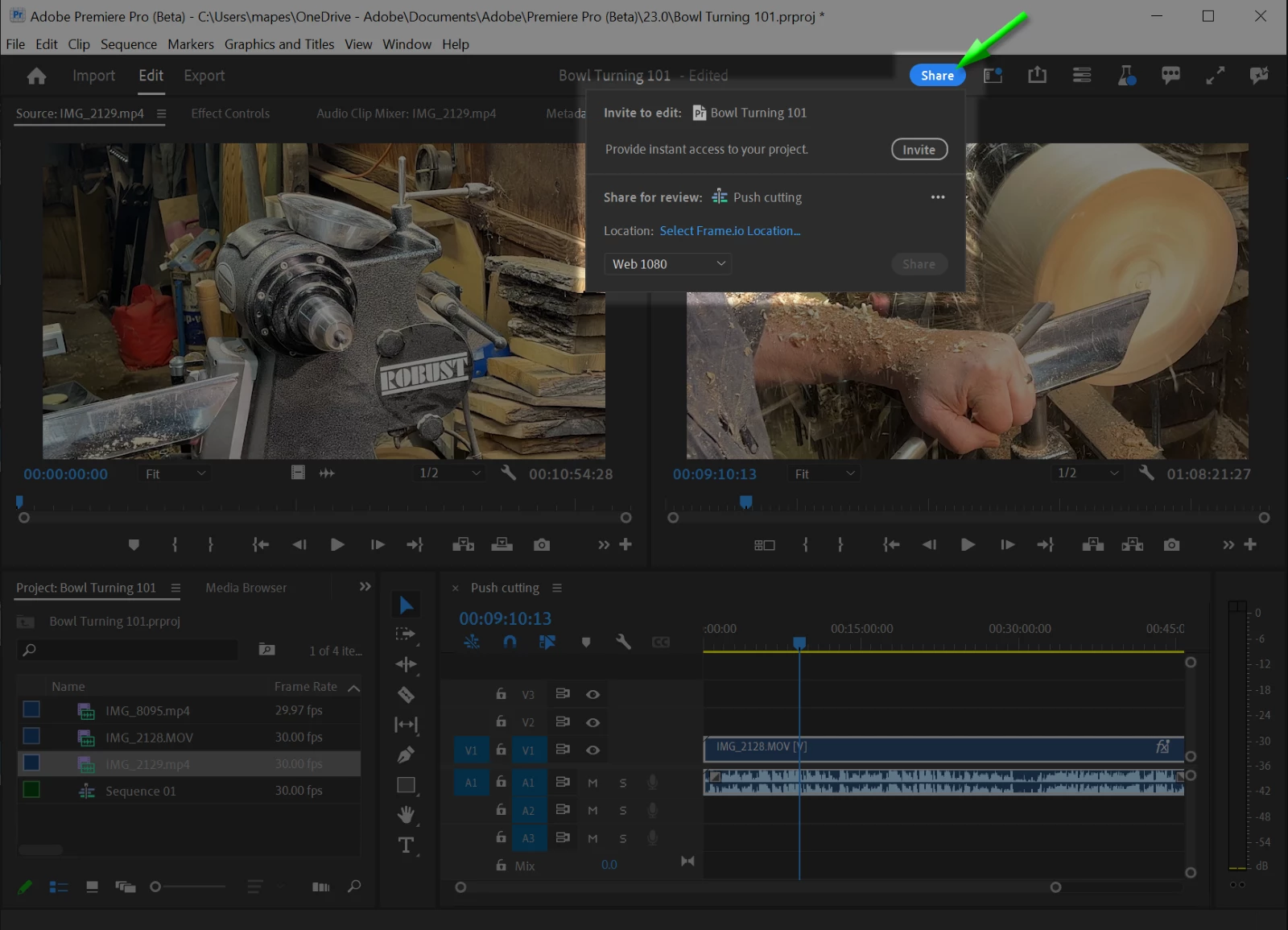
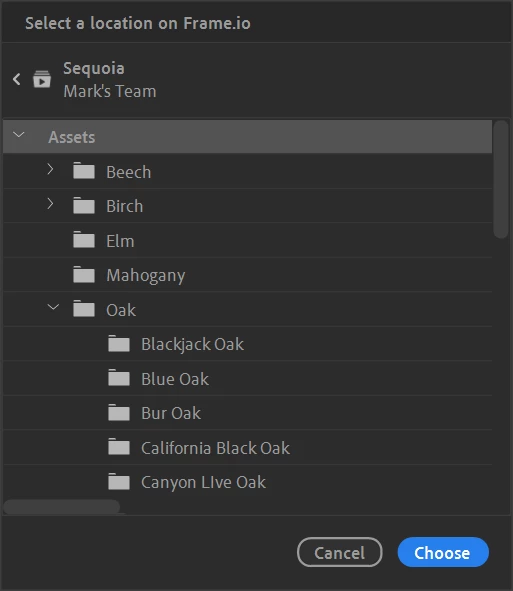
Choose a Frame.io destination: In the Share for Review section, use the location picker to choose a destination in Frame.io for your active sequence to live.
Try different presets: Check out the available presets.
Share: After clicking Share, continue working in Premiere Pro as Adobe Media Encoder exports and Premiere Pro subsequently uploads the asset to Frame.io in the background for you. The review link is available to you right away for easy copying and pasting to stakeholders.
Update Changes: After first time share, Premiere Pro will track if there are changes to the active sequence and we provide the options to push those changes to a new version on Frame.io using the same review link.
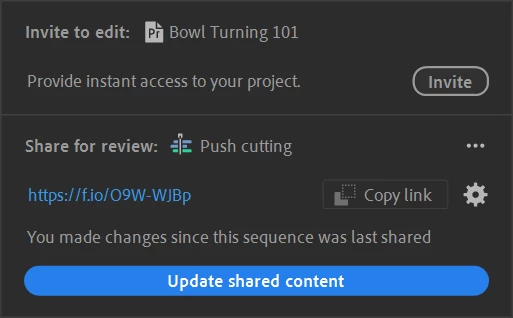
Create New Link: Share your active sequence to a new version stack (instead of pushing “updates changes” to the same review link) by creating a new link.
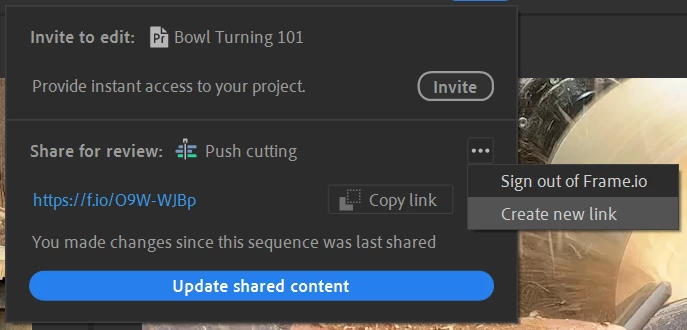
Sign Out: Sign out of an account to be able to access another Frame.io account.
We want to know what you think. Please join the conversation below.
 AdChoices