




DISCUSS: Workspace switcher improvements in the header bar

We made some changes to the header bar and received some feedback from the beta community that has now been addressed. Follow the original thread here: https://community.adobe.com/t5/premiere-pro-beta-discussions/discuss-redesigned-header-bar/td-p/12128985
There are three main issues that we believe we have solved with this change:
- Show the workspace you are currently using
- Switch workspaces with 1 click, not 2
- Retain double click to reset the workspace
Here are the options
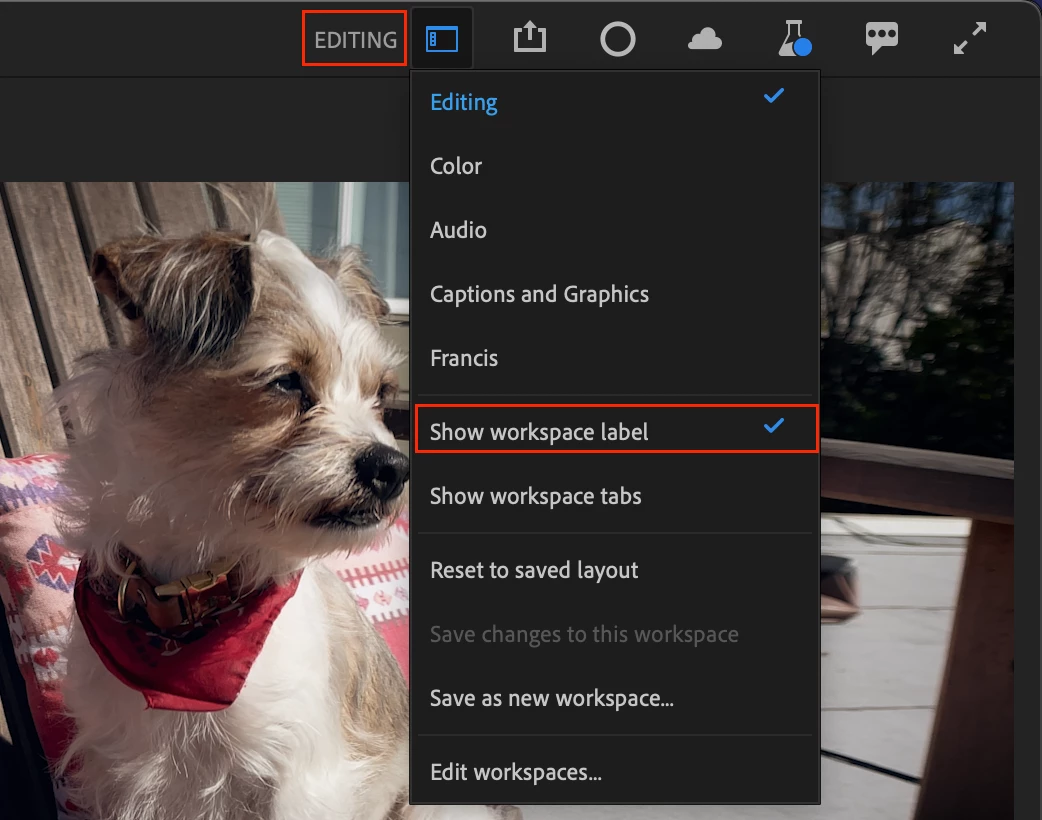
You now have two different options for showing workspace names, just the active one, or all. The default is still to not show workspace name.
Show workspace label
- Just shows the active workspace name
- Change workspaces from the dropdown menu
- Double click workspace label to reset to saved layout
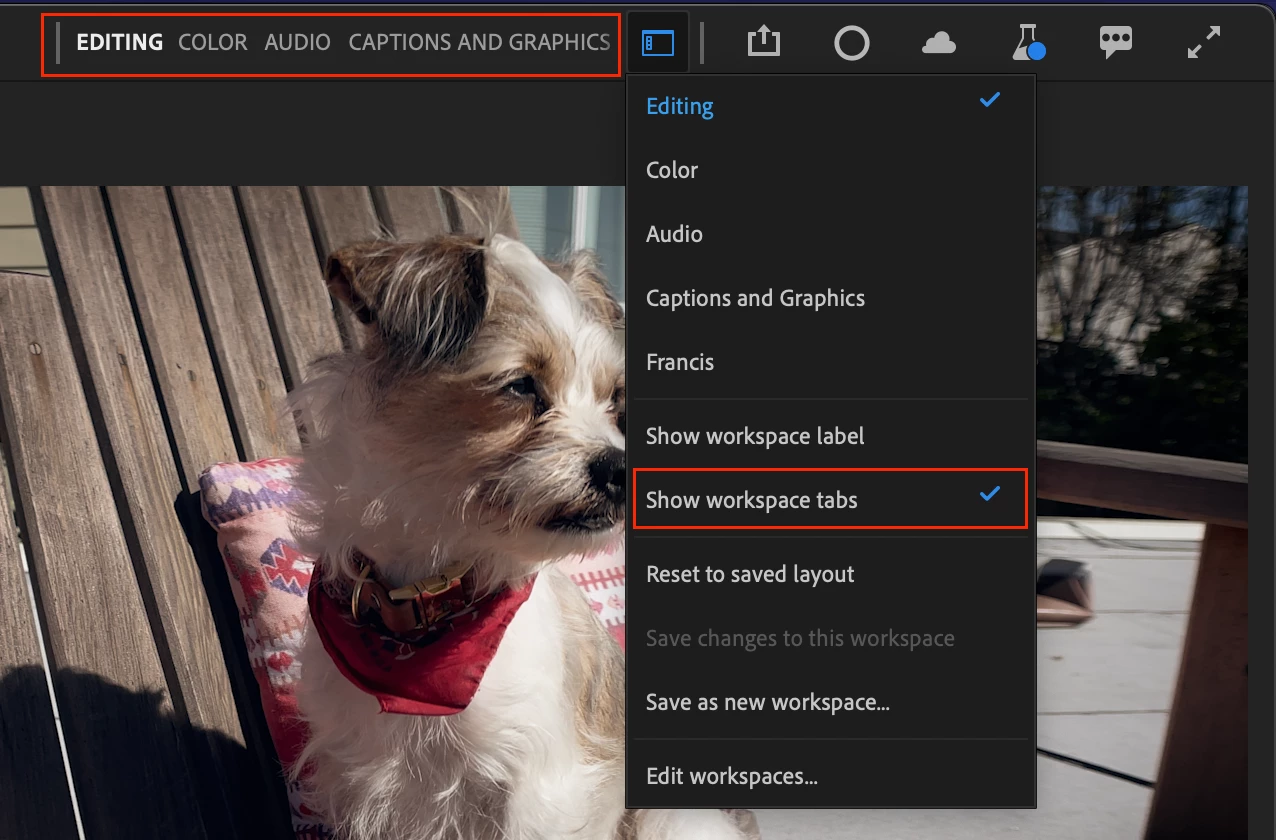
Show workspace tabs
- Show all your workspaces in a compact view
- The active workspace is highlighted
- Click on a workspace to activate it
- Double click to reset
- Scroll the view left and right
- Drag the left divider bar to expand the area to show more workspaces
- If you select a workspace from the dropdown or Window menu, the active workspace will scroll into view

Pro tip
If you are like me, you probably only use 3 or 4 workspaces (mine are Editing, Audio, Color and Captions & Graphics and a custom workspace.) You can reduce the number of workspaces that show up in the list by choosing “Edit Workspaces” and dragging the ones you don’t use to below the “Do Not Show” line. You can also drag the workspaces into the order you want, maybe based on the way you typically make your way through a workflow.
We want to know what you think. Please join the conversation below.
 AdChoices