AnnikaKoenig
Community Manager
Community Manager
October 14, 2020
Question

Feature Focus: Media Replacement for MOGRTs and Essential Properties

  • October 14, 2020
  • 11 replies
  • 9066 views

Today we’d like to offer you early access to a much-requested feature for Motion Graphics templates and Essential Properties (formerly Master Properties) in After Effects: the ability to replace images or videos in your motion graphics. We are looking forward to your feedback! 


You can create multiple variations of a template with different media, enabling a wide array of new uses for MOGRTs, from news and social graphics to animated slideshows and customizable logo templates.

To get you started here a very simple MOGRT which contains a logo and a background to replace: https://www.dropbox.com/s/wib8o2d13pdd9ad/Miami%20Moon%20Intro.mogrt?dl=0


Important: Different than with other beta features, you will need to manually enable Media Replacement through the new Beta menu.

The reason behind this is that enabling this feature in Premiere Pro will cause Beta projects to be incompatible with the current shipping release. This is not the case for After Effects. If you want to try out Media Replacement in Premiere Pro but want to later make sure not all projects are incompatible, you can disable the feature after using it through the Beta menu. After restart new projects will be compatible with releases of Premiere Pro 2020 again.


To create a Motion Graphics template with replaceable media in After Effects:
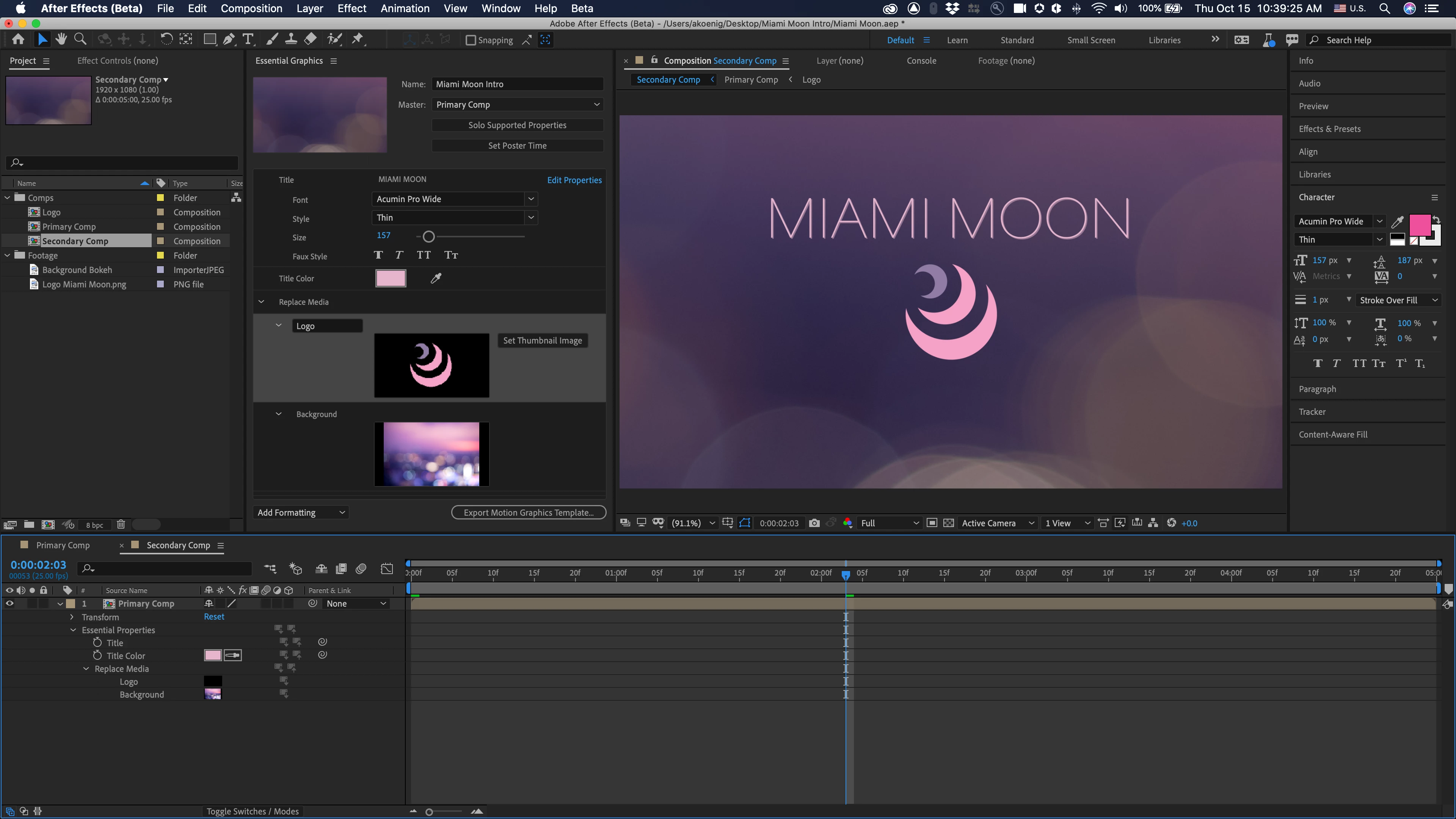
1. Drag the layers you want to make replaceable to the Essential Graphics panel.
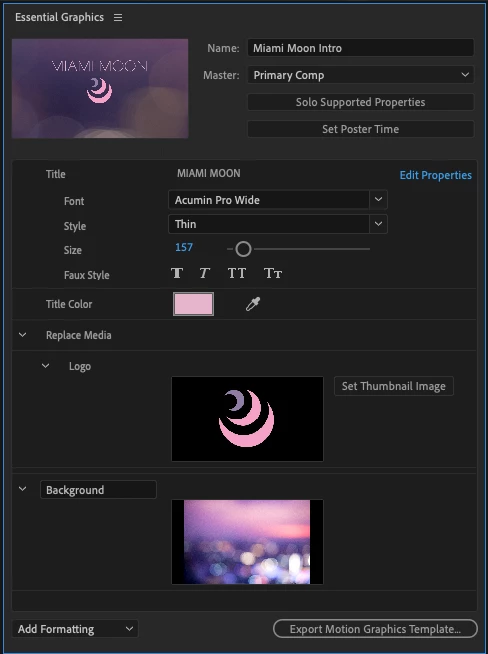
2. Export the template as a Motion Graphics Template.

Optional: To reduce the file size of your template, you can right-click on the thumbnail in the Essential Graphics panel and replace it with a thumbnail or placeholder.


Note: The Media Replacement feature will not work with MOGRTs that require Dynamic Link.


To use Media Replacement features in After Effects with Essential Properties: 
Note that this part of the feature is still in active development and may bake existing issues into the projects themselves. Project files may become invalid after bug fixes.
1. Drag the layer you want to make replaceable to the Essential Graphics panel.

2. Nest your composition inside another composition.
3. Twirl down to the media’s Essential Properties in the timeline.
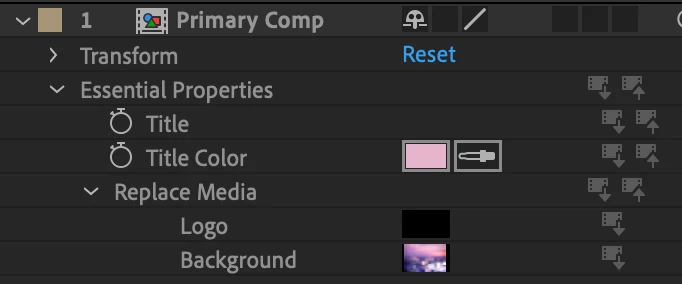
 

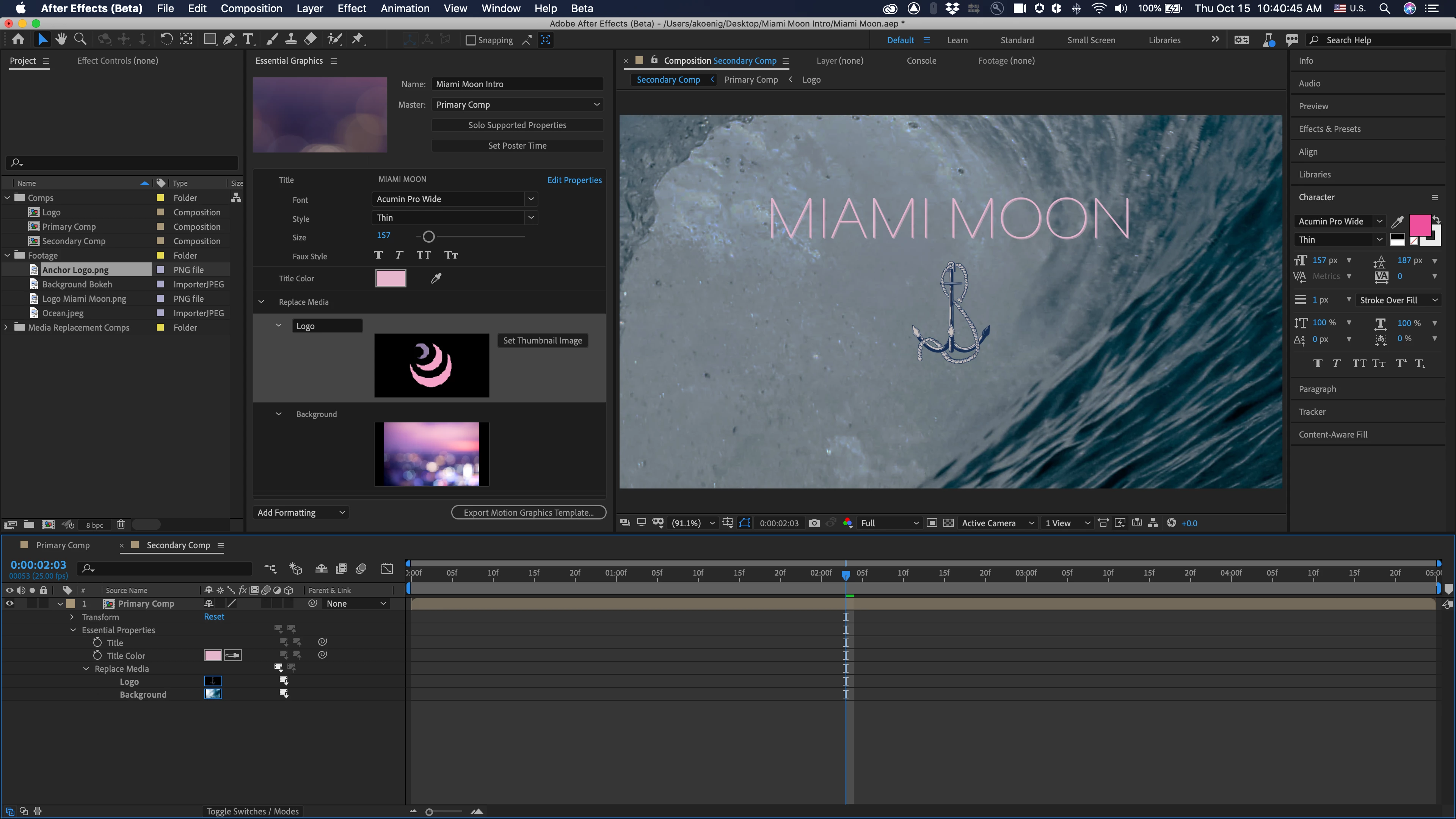
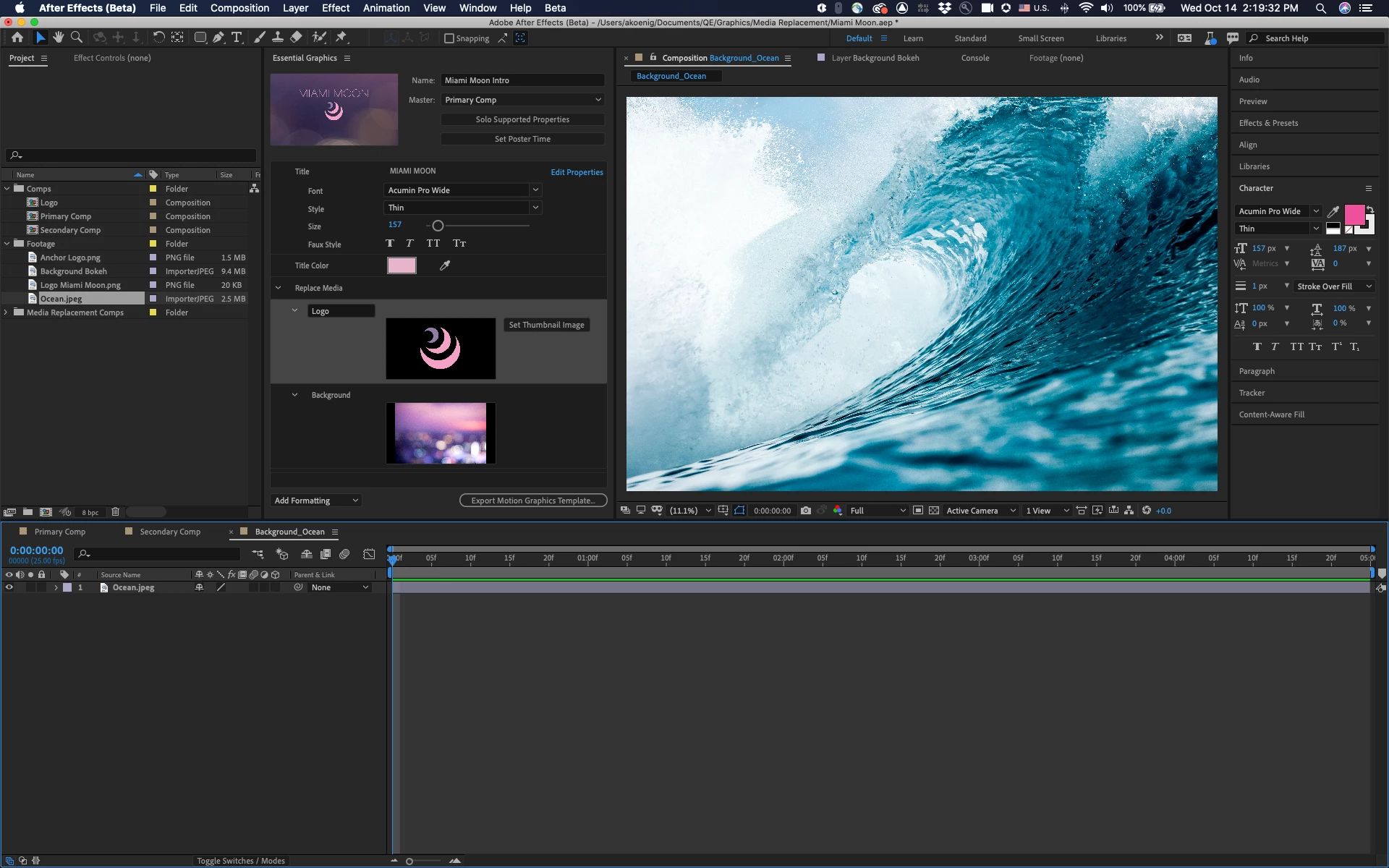
3. Drag and drop another piece of media from the project panel – an image, video or comp – on top. The thumbnails will now show a blue outline and the media is replaced. 
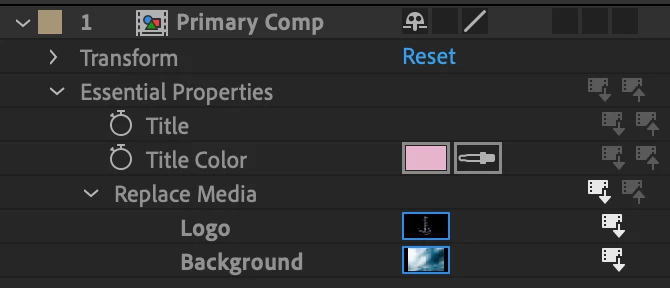
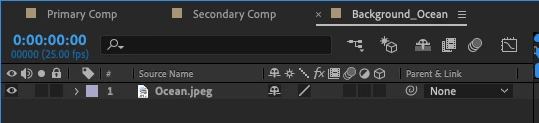
  1. Double-click on the media in the timeline to open a precomp to edit that instance of the media.


To use a Media Replacement MOGRT in Premiere Pro:
1. Use the Essential Graphics panel to choose the template and apply it to your timeline.
2. Select the template in the timeline and navigate to the media thumbnail in the Essential Graphics panel.
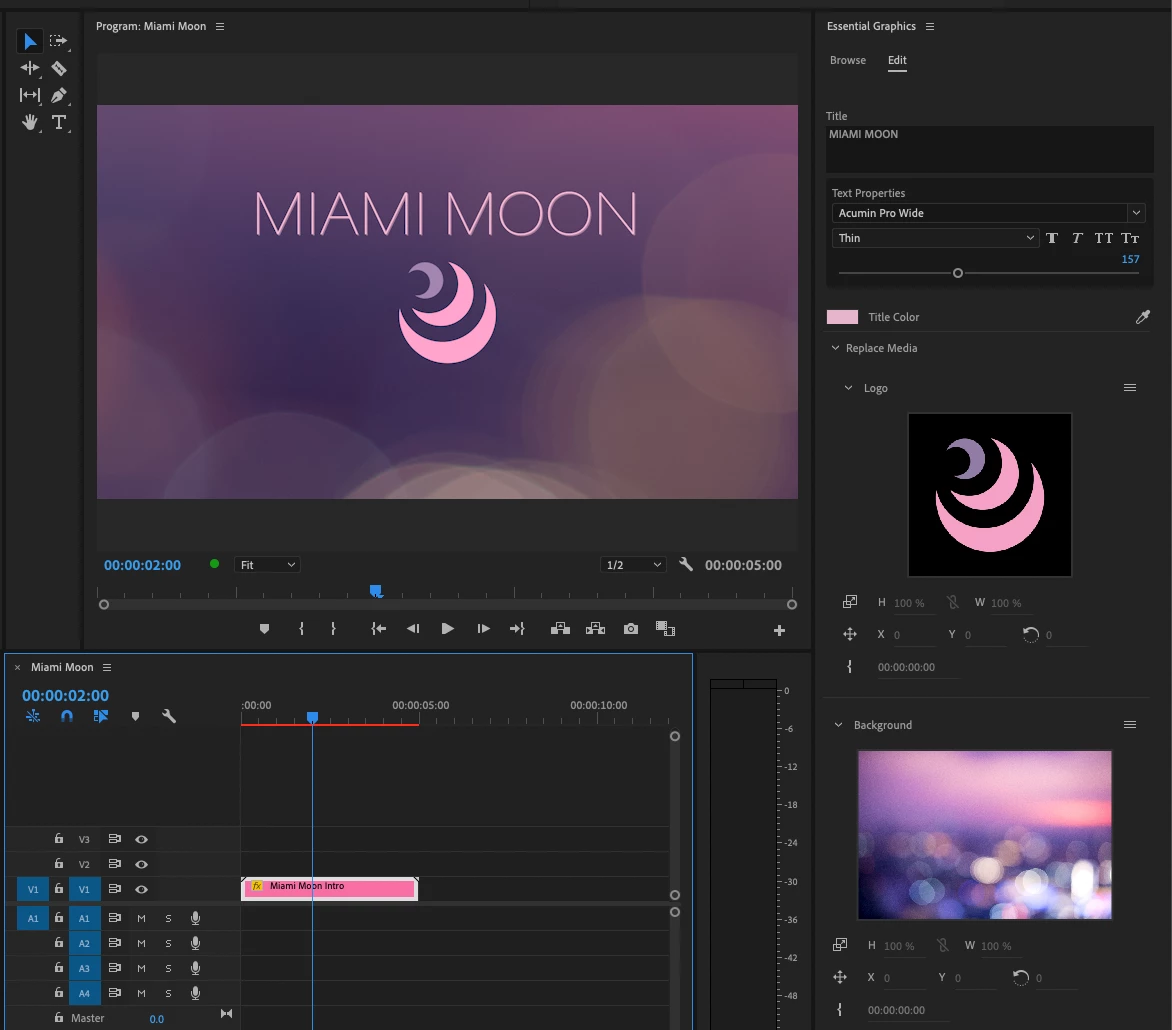
3. Drag your replacement media or sequence onto the thumbnail. For MOGRTs with multiple Media Replacement controls you can drag multiple clips at once.
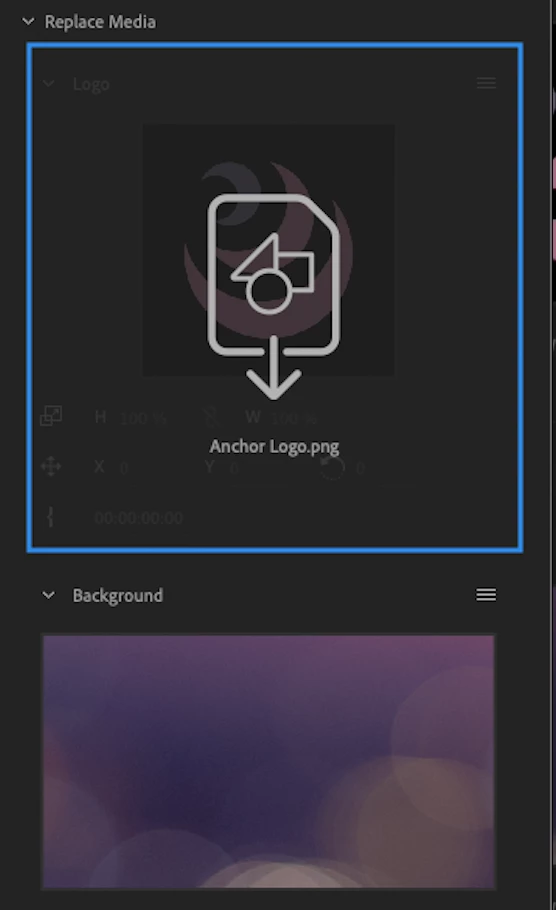
4. Use additional controls underneath the thumbnail in the Essential Graphics panel to adjust position, scale and rotation and to add an time offset to your media (e.g. to start your video used in the MOGRT a few seconds later).
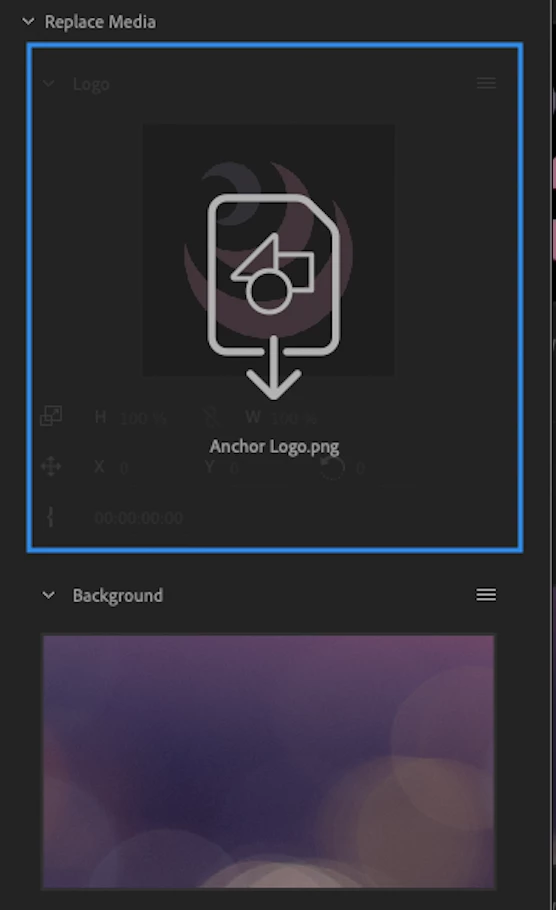
5. Swap the order of the media when there are multiple Media Replacement controls by dragging one thumbnail onto another.
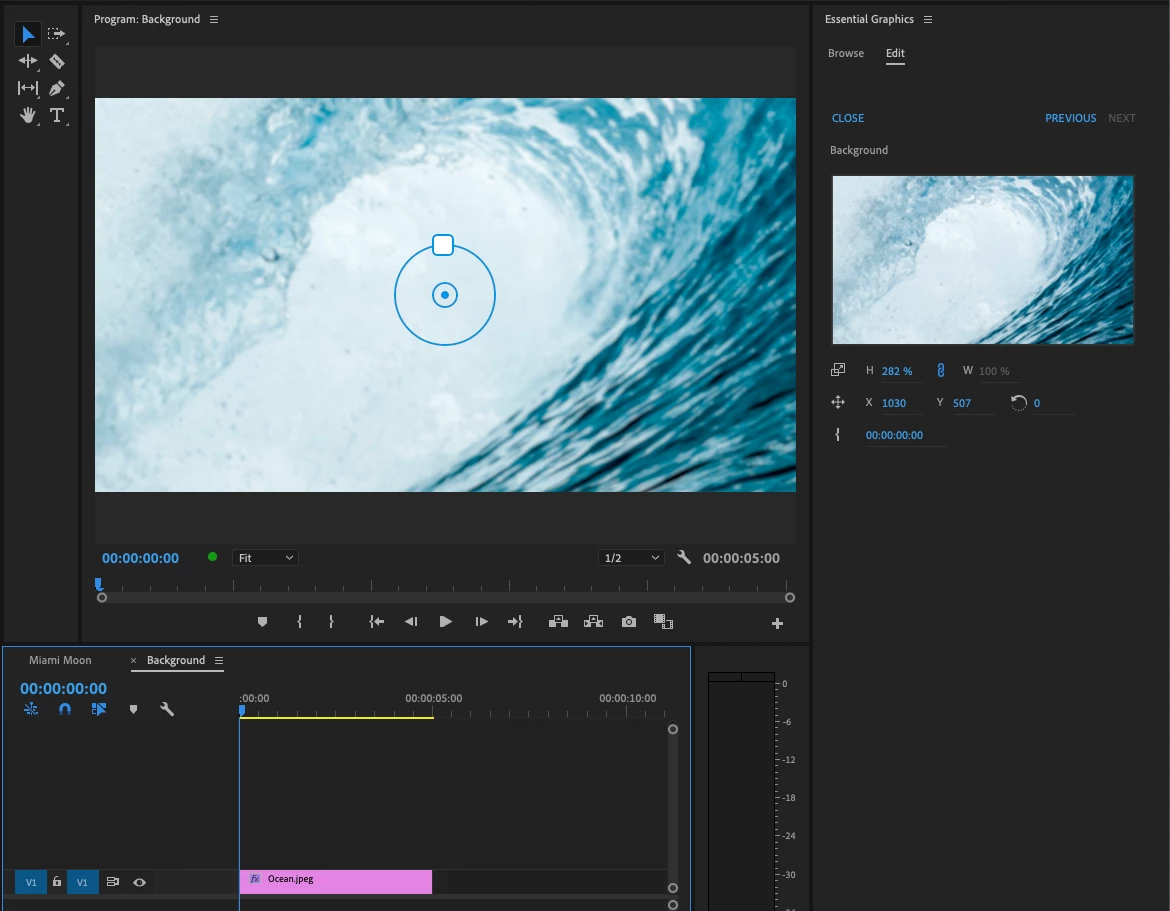
6. To apply more complex custom edits to your replaced media (such as applying effects), open the embedded sequence by double-clicking on the thumbnail or by clicking on “Open in Timeline” in the menu of the Media Replacement control (Hamburger Menu). When there is no track item selected, the Program Monitor will show a widget for direct manipulation of Position, Scale and Rotation. This will apply transforms to the entire sequence.


In seconds you can now change this MOGRT....

...to look like this:

Have fun and let us know what you think!

11 replies

Participant
August 26, 2021

Great job! May I ask you if there is any way to get a filename or path of replaced media?  I need it to be shown on screen using Source Text for text layer.


I tried many methods but non of them worked.

1. I tired to get filename of layer in comp by using thisComp.layer(2).source.name , this gave me filename of placeholder even after replacing it with other media. 

2. I tired to get filename of comp that will be replace by using comp("Media to replace").source.name. This also didn't worked. 


I need it because we use filename to provide copyright info about media source.


Thank you!

Participant
April 19, 2021

I've been testing this new feature and we see a lot of potential to use it in our workflow. Right now we do some replacement of media in Pre-comps via extendscript. We didn't find a way to trigger the mogrts media replacement in extendscript too. Do you have plans to add this feature to the existing extendscript API? Or is it the plan to add it to the future UPX?

Thank you

AnnikaKoenig
Community Manager
Community Manager
April 19, 2021

Hi Mateus! For the replacement in a Essential Properties workflow in After Effects we have added APIs in Ae 18.0.


Search for 2.3 After Effects 18.0 (March 2021) in this doc: https://buildmedia.readthedocs.org/media/pdf/after-effects-scripting-guide/latest/after-effects-scripting-guide.pdf

Scripting methods and attributes to support Media Replacement

Scripting support for a replacement in Premiere Pro is not currently supported. However, you could make it work with the current APIs if you used a sequence as the replacement.

Participant
May 3, 2022

Hi! It says:

          SORRY            /
         \                         /
          \    This page does     /
           ]   not exist yet.    


This is still not possible?

I'm trying to replace a png inside a mogrt with premiere scripting.

if not possible, can I replace the footage inside the exported mogrt when it is already imported into premiere? 

 app.project.activeSequence.videoTracks[0].clips[0].components[2].properties[0]; (that took me to the png file, but the only property method I found was "display Name" )

Thanks

coendeurloo10170505
Participant
April 7, 2021

I would really like the ability to have the audio be replaced as well, thanks!

Participant
January 21, 2021

One more request: Could you add replacable CSV-Files... This would be great for animated graphs etc. THIS WOULD REALLY BE AWESOME

AnnikaKoenig
Community Manager
Community Manager
January 21, 2021
Participant
January 21, 2021

hmm, i read again about it... while you seem to be able to change some properties, i din`t find a away to exchange a complete file.... so for example i work with a file styleguide-show1.csv and want to make a MoGrt so that i can choose the template to use styleguide-show2.csv, styleguide-show3.csv.... when i export a MOGRT-File there is only this file, no CSV to overwrite. Can´t find a way to (ex-)change the whole CSV?  Or do i miss something?

Participant
January 21, 2021

Wonderful feature... we really could use this for our company. But since we not can use Beta-Software, is there a planned release window that you can share for this feature? Would be great to get more info. THX

AnnikaKoenig
Community Manager
Community Manager
January 21, 2021

Since it is already in Beta it should not be for long, so much I can say:). It is always wise not to use beta software in production. Just so you know, the Beta apps install seperately to your regular builds. This also means that they do not share preferences. So you can install a beta build, try it out and continue to use your regular builds for your work on the same machine. Annika

Known Participant
December 7, 2020

Is it possible to have audio from a clip carry over when using the media replacement? We do a lot of PiP content and this would be immensely helpful. So far I've only been able to get Premiere to recognize that ive replaced the video layer.

Known Participant
December 7, 2020

More thoughts/requests: 


- Allow for audio from Replacement Source Media to be used in the mogrt. Adding a scratch audio track in the AE comp ends up actually no longer giving me protected regions, but also the audio is not replaceable when double clicking the Replace Media section in the Essential Graphics.


- When selecting clips from the timeline, do not require footage to be turned into subclip first. For example: I've finished working on my rough cut. The edit is approved, so we start working on the graphics. The footage is on V1, and we put our mogrt with media replacement on V2. I would like to be able to now drag the clip from my timeline into the Essential Graphics panel and fill the replaced media with the media that was timed out and cut in my timeline. The only way to currently do this is create a subclip, then drag the subclip from the Project panel. This has potential to get very messy if we are making changes later, or if there are tons of subclips generated throughout the edit.

SquareEyz
Inspiring
February 1, 2021

I agree- the ability to pull cut/timed material from the timeleine into the media replace would be grand.

..If not, performing a match frame from the timeline to pull up the instanced master clip in the source viewer, with the in and out marks selecting what is being used in the timeline, and then dragging that into the media replace...


All this just to say: getting media replace to regognise the in point set on a clip in the source viewer 🙂
David

Participant
November 24, 2020

This is a critical advancement of this super promising feature. Thank you! Couple of observations after using it a bunch last week on a project that would benefit from it's implementation. 

  • It seems odd to build a nice organized EG panel only to be forced to update dynamic content in a twirldown timeline format when you make an instance of the master comp in AE. This is particularly cumberson when editing source text elements. It would be preferable if we could edit instanced content is a unified EG panel layout in AE as you demonstrate is possible in PR.
  • When I duplicate a parent comp with a "master" comp that has Essential Properties the image references don't always show up. The referenced content seem to stick but you can't further update/replace things again. I need to replace the Master comp with Essential Properties for them to show up again which brings me back to square one and kinda defeats the power and efficiency of instancing at the moment.
  • When I add an illustrator file to the Essential graphics panel I loose the ability to contiuously rasterise that layer in the timeline which is the primary reason I use Illustrator files in AE. This currently can be remedied by embedding it into a comp but is an extra layer of complexity for something as simple as a company logo swap.
  • All my experimeting to date is simply working in AE Beta I have not tried exporting and using it in PR Beta as that is not my typical use case.  

Thanks again for your work on this important pending feature. 

Participant
February 9, 2021

Hi Ryan,  What do you mean by embedding it?  I am trying to create mogrts that editors can easily swap out the illustrator files and the files will stay rasterized - but am not having any luck so far.

tanzblume
Known Participant
October 30, 2020

I'm not glad with the feature.

It doesn't feel nice, that Premiere Pro is ignoring my expression.

 
//Scale to fit
x=thisLayer.width;
y=thisLayer.height;
cx=thisComp.width;
cy=thisComp.height;
if
(x/y<=cx/cy)
[(cx/x*100),(cx/x*100)] else
[(cy/y*100),(cy/y*100)];


This expression is fitting automaticlly my media to the comp in width and height.
It seams that the layer size depends on the original footage in the comp.
The new layer values will ignored.

AnnikaKoenig
Community Manager
Community Manager
November 4, 2020

Thanks, @tanzblume for letting us know were you feel you are limited. If we had the option in Premiere Pro to fit the media to fill, would that accomplish what you would need to do? Annika

tanzblume
Known Participant
November 5, 2020

Hello Annika,


thanks for your request. At the moment the problem is, the different feeling.

Replacing layers in After Effects has a different effect than in Premiere Pro.

A fit to in Premiere isn't realy helpful. If I'm using an linear(t,tmin,tmax,value1,value2) expression it wouldnt have an effect, because Premiere Pro ist overwriting all my calculations.

I understand your approach. You wanne keep it simple. But if I think who will use this feature, I think they will not like it. These people are journalists no editors or designers, everything they have to edit manually is difficult.

Thats why we want to creat Mogrt, where calculations by expressions support them.

I hope thats helpful for you.

Roland Kahlenberg
Legend
October 22, 2020

Good Job!

A couple of thingies -
1) Allow EGP Comments to be dropped into the Media Replacement Group
2) In AE, allow option to lock SourceFilename
3) I see an opportunity to use a Replaceable Media Asset to contain one or more sets of Brand Colors. So, I'm wondering if an elegant solution/workflow can be provided for this purpose.

I've not tried the feature with audio, from AE. Any  insights into dropping and using/replacing audio in the EGP, between AE and PPro?

Very Advanced After Effects Training | Adaptive &amp; Responsive Toolkits | Intelligent Design Assets (IDAs) | MoGraph Design System DEV
DaciaSaenz
Community Manager
Community Manager
November 4, 2020

Hi Roland, 


Thanks for the feedback! Would you mind elaborating on what you imagine for the sets of Brand Colors with Media Replacement? 


We're not supporting audio with this feature at this time, but we definitely have feature requests logged. 


Cheers,

Dacia

- Dacia Saenz, AE &amp; PR Engineering Teams
Participating Frequently
October 22, 2020

Gamechanger! This is such a cool feature! I haven't been able to import the MOGR into Premiere Beta though to test. Says Premiere needs updating (which it is). Anyone else have these issues? 
I just discovered Public Beta testing today, so apologies if I should be logging this somewhere else? 

Roland Kahlenberg
Legend
October 22, 2020

You have to complete TWO tasks in order to get the mechanics enabled to use this new feature with the MoGRT provided in the link above -–

1) Download the latest PPro Beta (or AE Beta if you want to test building a MoGRT)
2) In PPro-Beta, in the new Menu Item, "Beta", enable "Enable Media Replacement ..."

HTH

Very Advanced After Effects Training | Adaptive &amp; Responsive Toolkits | Intelligent Design Assets (IDAs) | MoGraph Design System DEV