



Fergus H
Community Manager
Community Manager
October 29, 2025
Question

New in Beta: Improvements to Relinking

  • October 29, 2025
  • 1 reply
  • 1006 views

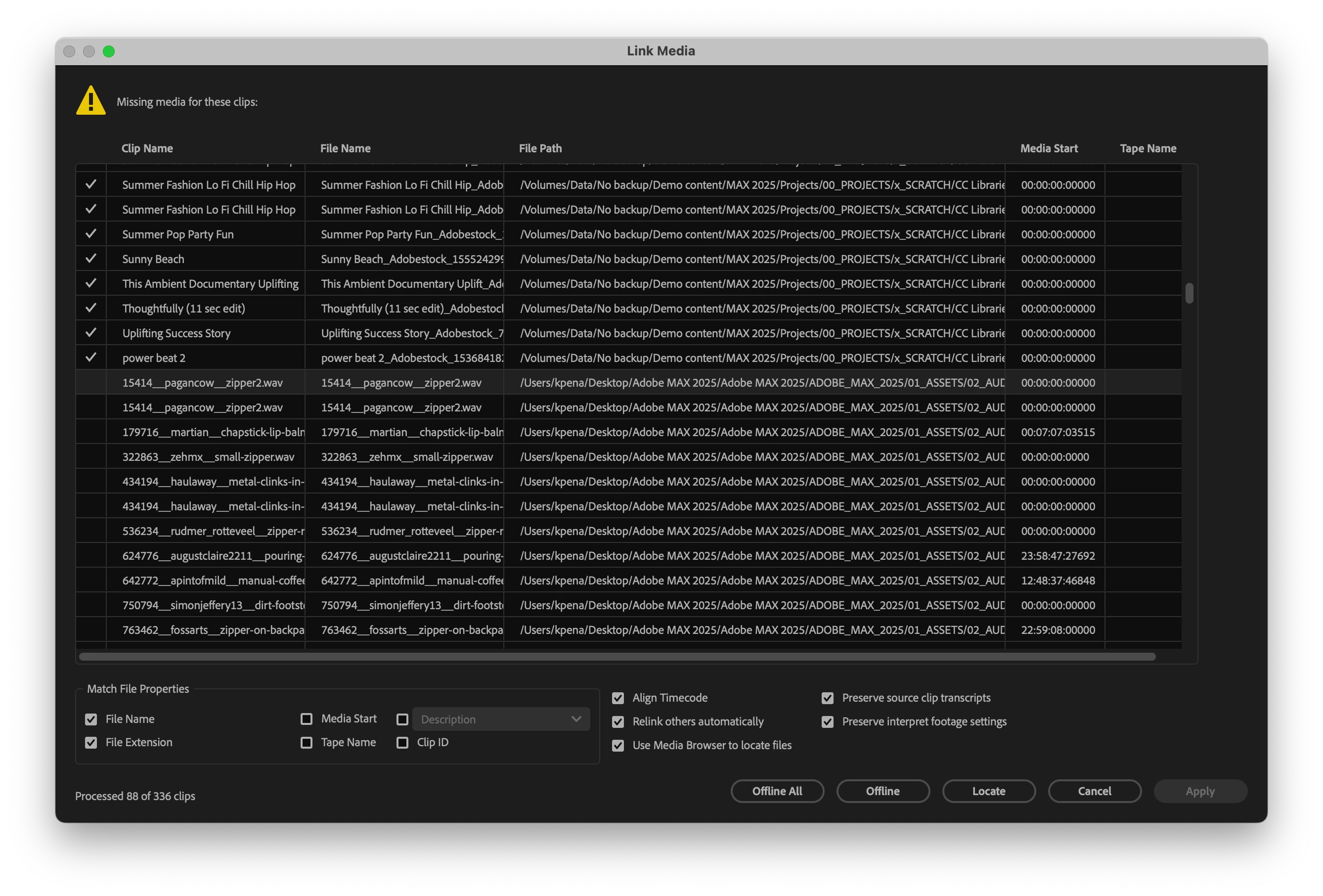
We’ve made several improvements to the Link Media process in Premiere Pro. You’ll typically see the Link Media dialog when you open a project and Premiere Pro can’t find some of your assets.
 

What’s new

  • New “Apply” button: You can now apply the changes you’ve made and continue opening your project — without having to relink every missing file or cancel your progress.

  • Right-click options: Right-click one or more files to access Locate, Offline, and Reset commands, giving you more granular control over relinking.

Bug fixes

We’ve also fixed several issues that could slow down relinking or force you to go through the locate process multiple times, even when all the missing files are in the same folder path.

Try it out

We’d love your feedback. If you have a project where relinking has been frustrating in the past, please test these updates and let us know if the experience has improved.


Thanks!

Fergus

1 reply

DJP2014
Inspiring
October 30, 2025

Hi Fergus.

If you’re revisiting relinking behavior, I’d like to suggest something.


Currently, Premiere automatically relinks any file that’s renamed or moved within the Project file folder or its subfolders. That’s useful, but limited - many editors (myself included) will store media separately like in the folder structure below.


What I'd like to see is Premiere also searching a level above the Project file folder to catch any changes made in these media folders. This would save having to use the dreaded Link Media dialog in the first place.


Of course, I understand if the level above the Project file folder contained an entire drive or system directory, that could be problematic. So perhaps turn this behavior off by default and make it an option in the Preferences?


Dan


Fergus H
Community Manager
Fergus HCommunity ManagerAuthor
Community Manager
October 30, 2025

@DJP2014 Thanks for the feedback! We actually used to search for media in the way you're describing. It worked well for people like you, who use a good folder structure, and it worked very badly for some people who do not, forcing Premiere to search an entire drive or, much worse, a network drive. 

We've got some ideas about how to get the best of both scenarios - while avoiding a preference. When we're further along, I'll reach out to you for your feedback. 


Thanks again!

Fergus