




Now in Beta: Ability to hide the on-clip fade handles
We added the ability to hide the on-clip fade/transition handles. Find this setting in the “timeline display settings” wrench menu. You have independent control over video and audio fade handles. If you find that turning them on an off is a common occurrence, keyboard shortcuts may be assigned as well.
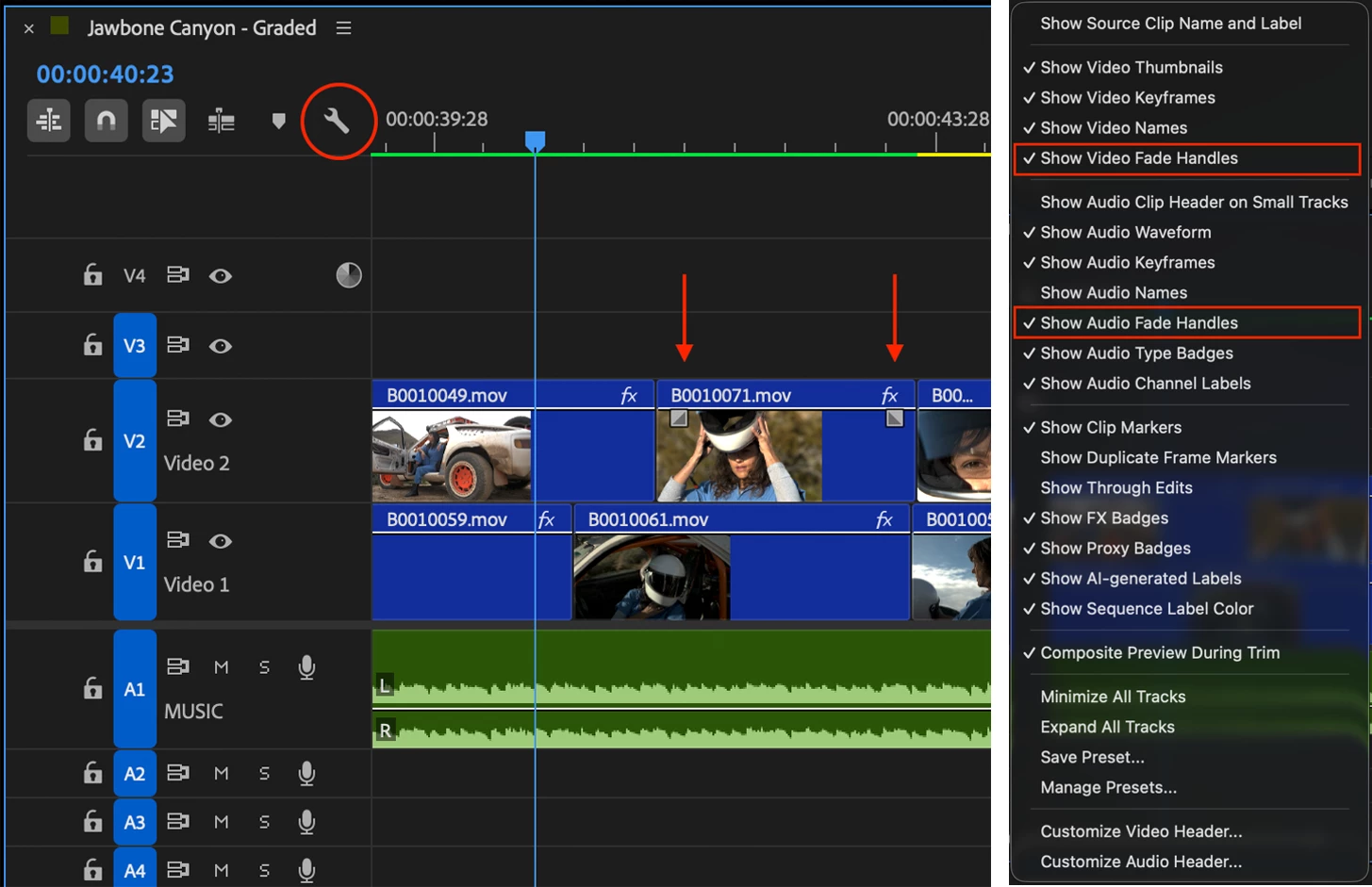
The on-clip fade handles make it easier to create audio fades and video cross-dissolves and can greatly speed up your editing. But for some users they get in the way of basic editing functions like trimming and moving clips. If you are one of these people for whom the fade handles are more of a hindrance than a help, we now allow you to turn them off. Just in case you didn’t know, you can customize the look and feel of your sequence in many ways in this menu.
We want to know what you think. Please join the conversation below.
 AdChoices