




Now in Beta: Advanced Filtering in the Search Panel
We’re excited to announce that Advanced Filtering is now available in the Premiere Pro Search Panel in public beta!
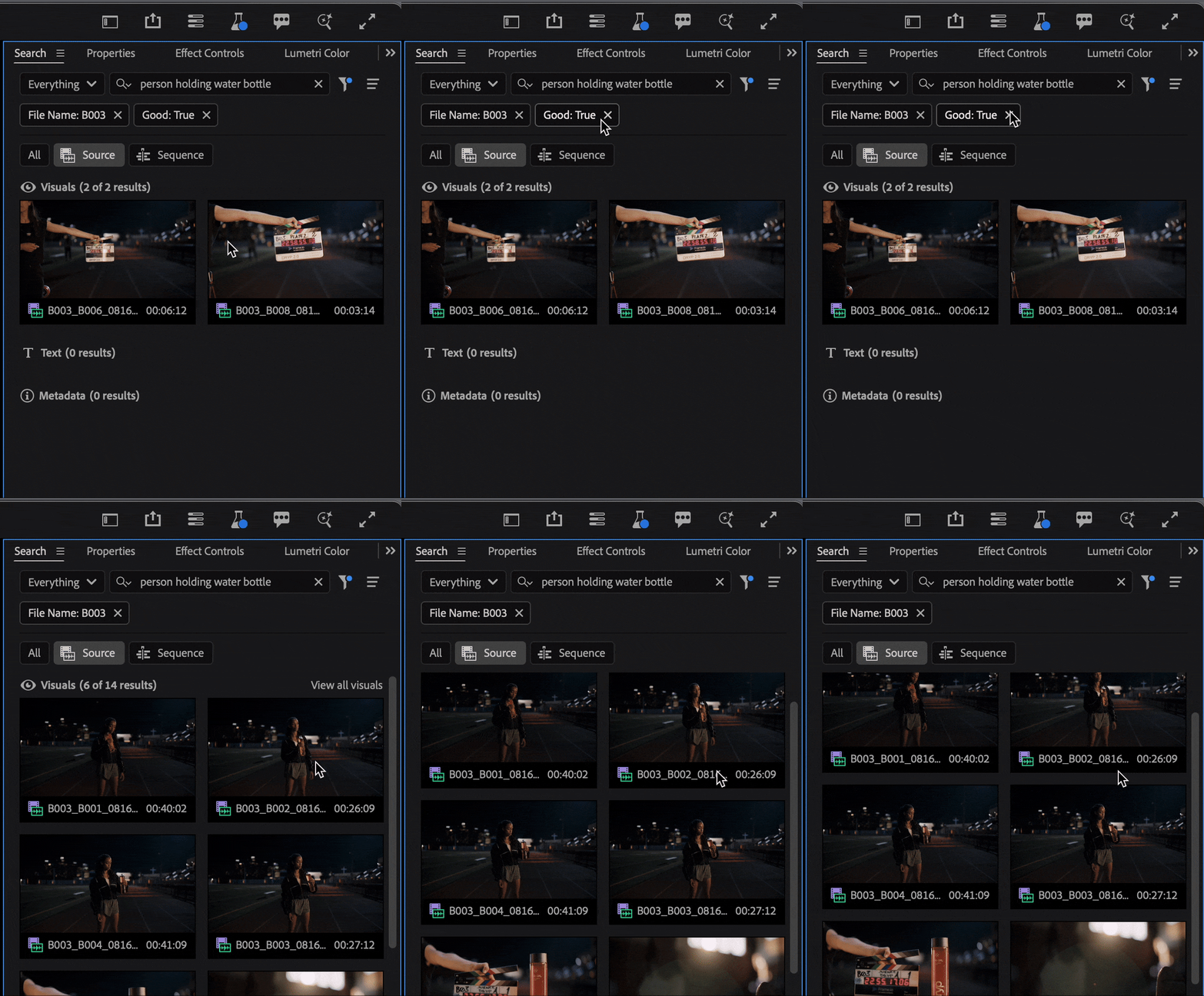
Advanced filtering allows you to refine your search results with precision by applying filters based on metadata. Whether you’re working with hundreds of clips or trying to track down that one perfect shot, Advanced Filtering helps you zero in faster.
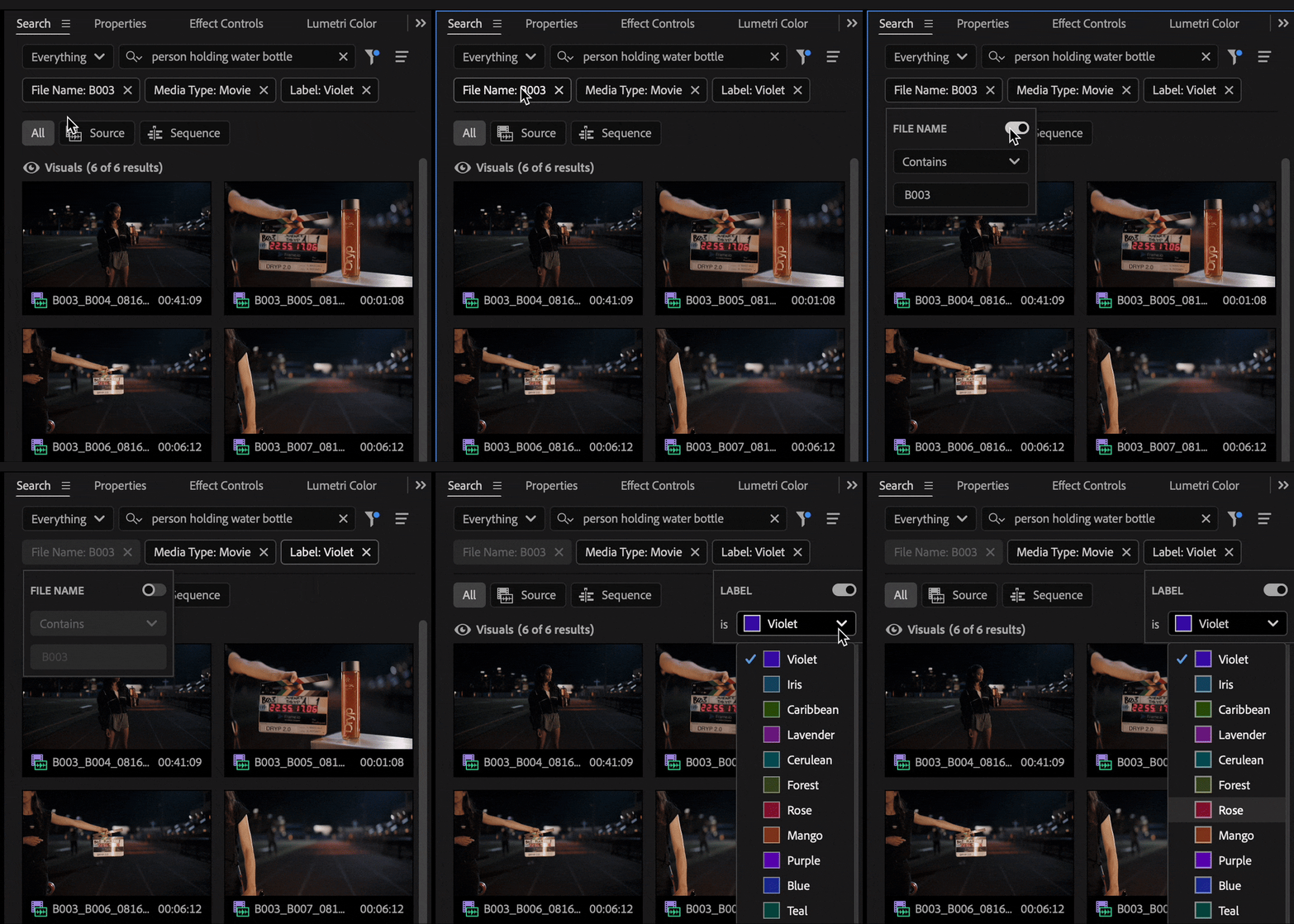
With Advanced Filtering, you can:
- Add metadata-based rules (e.g. File Type, Frame Rate, Status, Audio/Video, Label Color)
- Stack up to 8 different filters to combine search criteria
- Save time by surfacing only what’s relevant to your current task
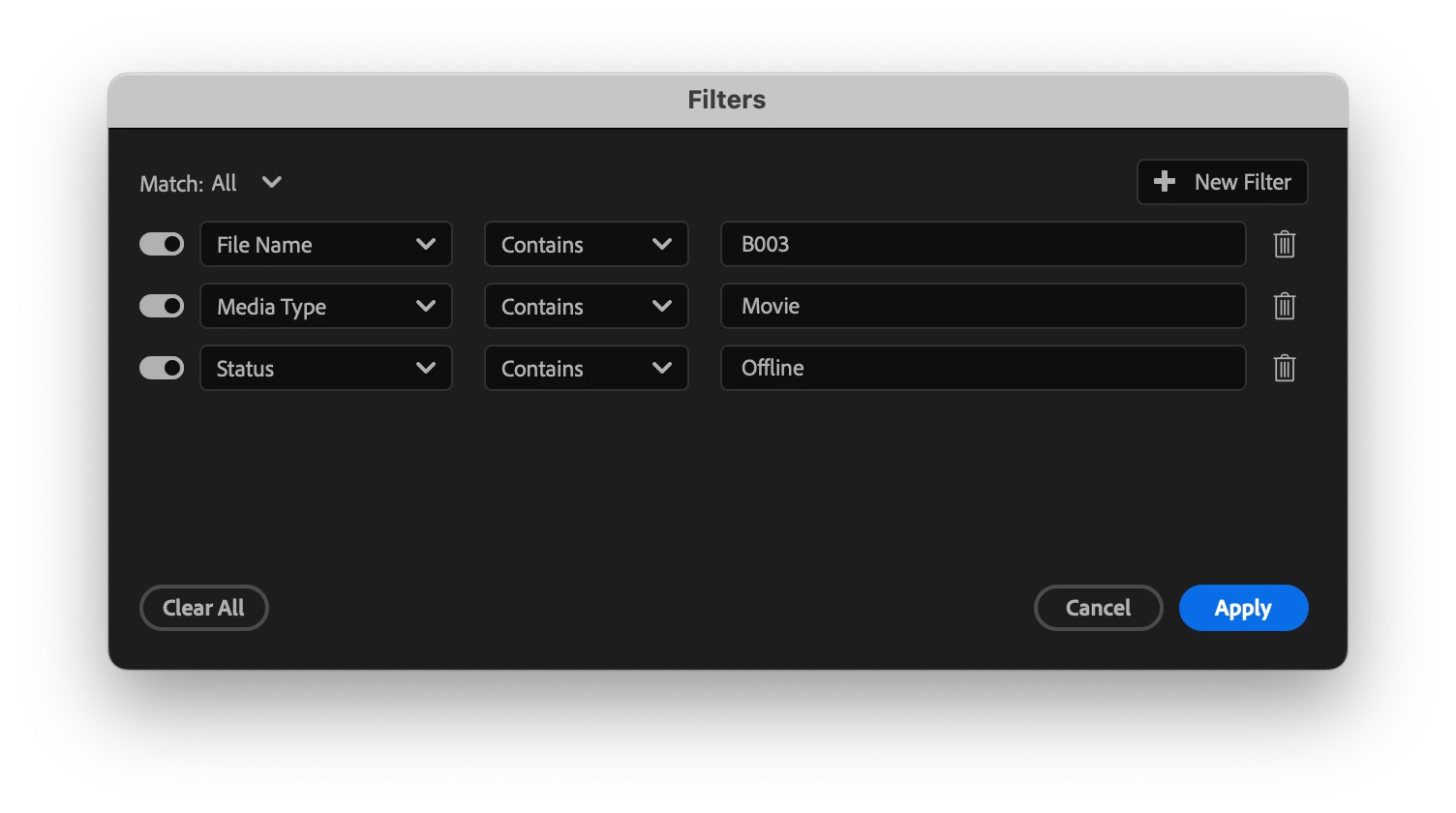
This builds on the core Search Panel by giving you even more control over how you navigate and organize your media—no more digging through bins or relying on naming conventions alone.
Example Use Cases:
- Search for all offline video clips with a green label
- Filter down to audio-only assets with a specific keyword in the name
- Refine results to clips shot at 30 fps to match your timeline settings
To access Advanced Filtering:
- Open the Search Panel in Premiere Pro (beta)
- Run a search
- Click the filter icon to the right of the search box and “Add Rule” to start stacking rule-based refinements.
💬 We’d Love Your Feedback
This is just the beginning. We’re building toward smarter, more intuitive media search in Premiere Pro—and your input shapes where we go next.
Let us know:
- What kinds of filters do you find most useful?
- Is the experience fast and intuitive?
- What would make it even better?
- Reply to this thread with your thoughts, feature requests, and bug reports.
Thanks for helping us shape the future of search in Premiere Pro!
—The Premiere Pro Team
 AdChoices