




Now in Beta: All NEW Frame.io panel
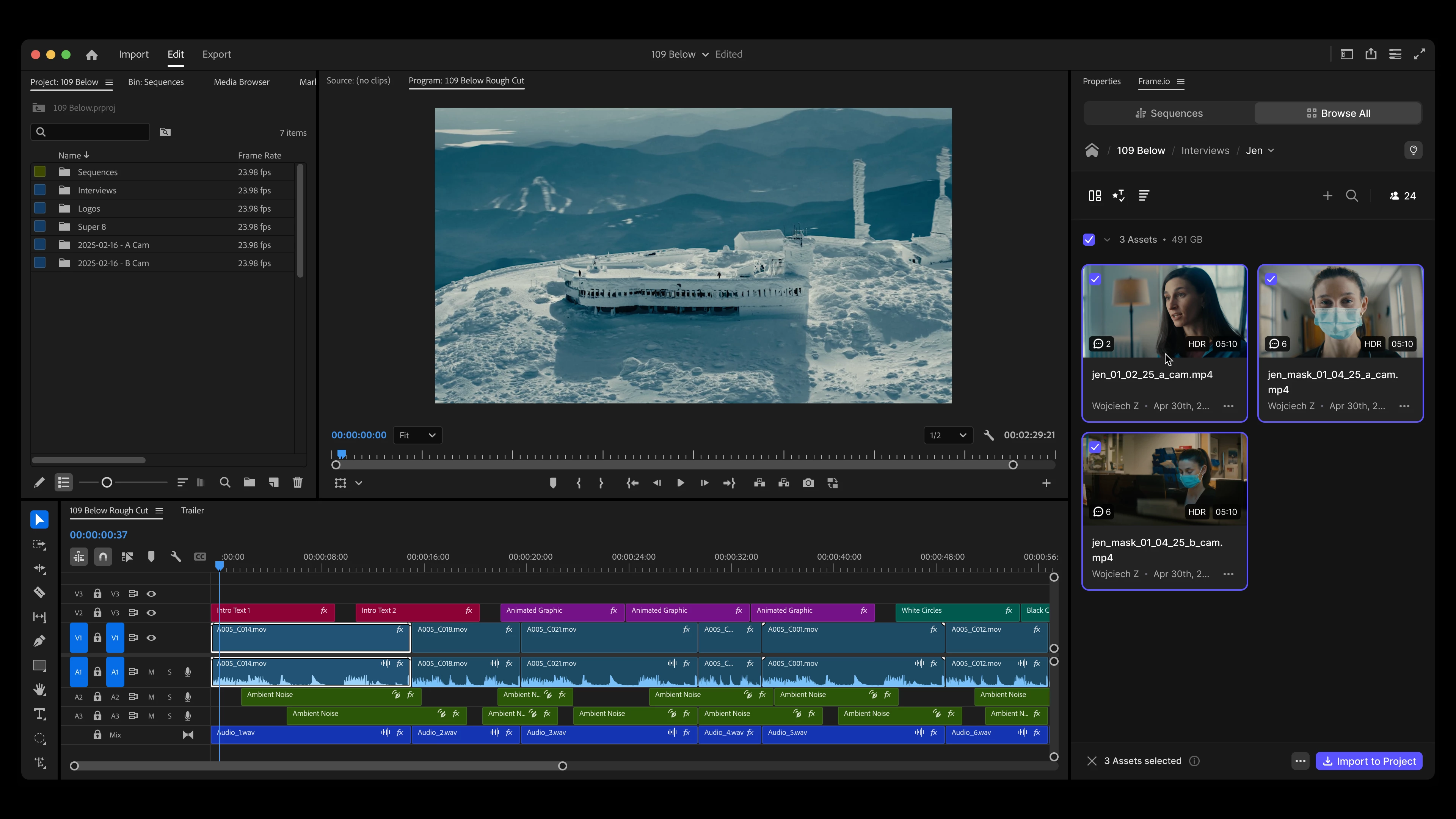
We just rebuilt the Frame.io V4 panel from the ground up, and it's is now in Premiere Pro (beta) 25.6. This is a significant update. Browse and import assets from Frame.io V4 accounts, export, upload, play, share and manage comments for your sequences, all from one panel.
What is it?
When we launched the Frame.io V4 Comments panel in Fall of 2024, we heard from many of you that you wanted more than just sharing and commenting on individual sequences. For those who needed more, this is for you. Many of you asked for an easy way to see all of your Frame.io Accounts, Projects, and Media, all in one place. You didn't just want to share edits with your producer, you wanted to import clips uploaded to Frame.io from your camera. Now, most of what you can do in Frame.io on the web, you can now do in Premiere Pro.
And if that wasn't enough, we've made syncing comments from Frame.io to your Premiere timeline better than ever. Comments in Frame.io are now tied to markers in your sequence, rather than the original timestamp. That means you can finally edit your sequence without losing track of what part of your sequence a comment was about.
How to access it?
- Update Premiere Pro (beta) to the latest build.
- Access the panel via 'Window>Frame.io V4 (Beta)'
- Sign into your Frame.io account.
What to expect
This is a beta build. We have new experiences coming in the next few weeks and months, like the fancy "Sequences" tab you may have spotted in the image above.
As you come across issues, we’d love to hear from you. To ensure we see your feedback, we’ve added a feedback button within the panel. Everything left via that dialogue goes straight to our team. You can also leave comments in the thread below.
 AdChoices