



Now in Beta: Audio Leveling in Premiere
Hey everyone! We're excited to share a new dialogue tool that just landed in Premiere Beta 27.0 Build 39: Audio Leveling. It analyzes a dialogue clip and automatically writes volume keyframes that even out the level, so your dialogue sits at a consistent, balanced loudness without you drawing automation by hand.
What's New?
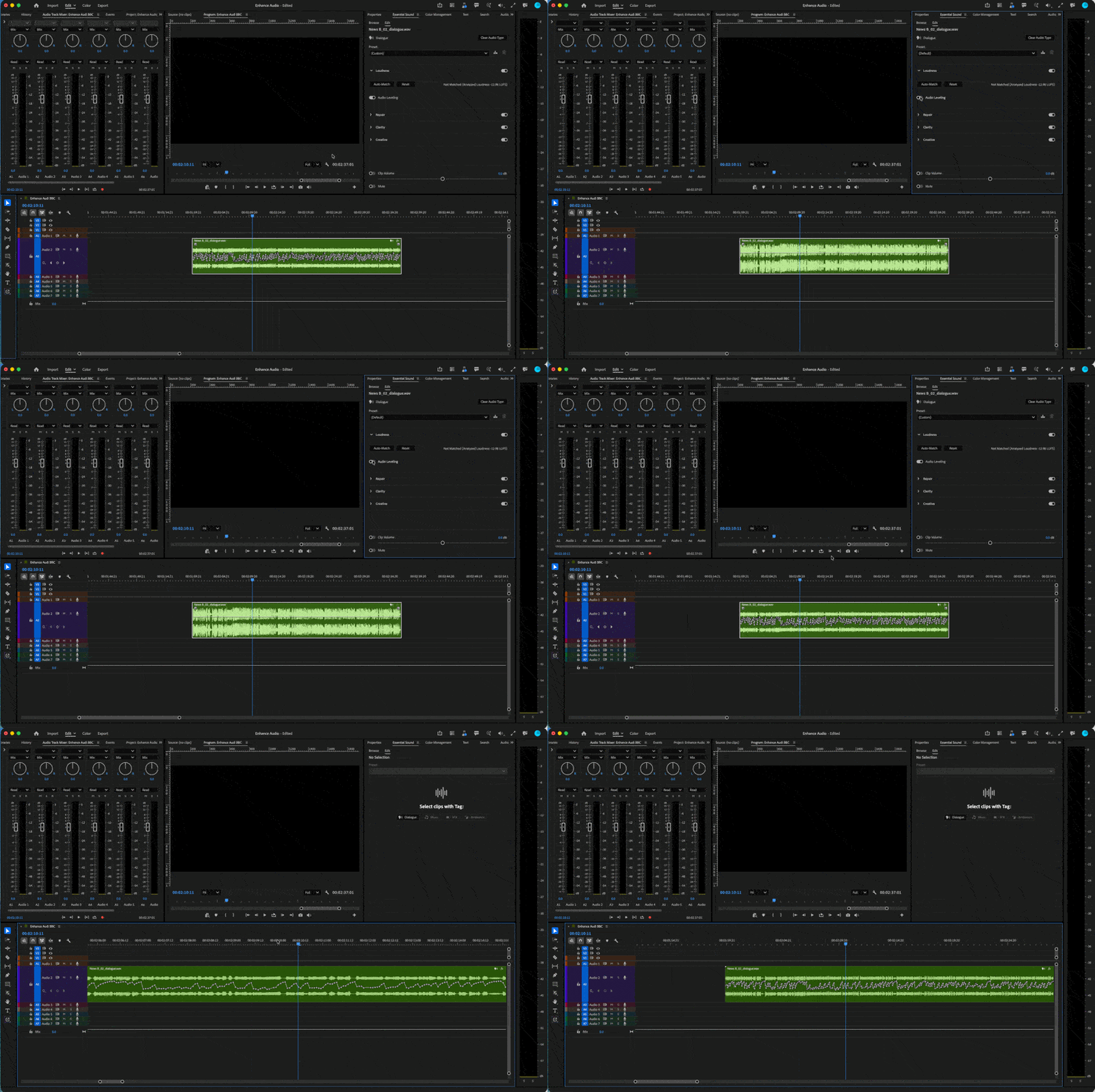
Audio Leveling listens to your dialogue clip and rides the volume keyframes for you. It detects where the level jumps too hot or drops too low, then lays down clip volume keyframes that attenuate the loud spots and lift the quiet ones toward a steady target. Instead of one static volume adjustment for the whole clip, you get moment-to-moment level balancing that follows the performance. And because the result is real keyframes on your clip, nothing is locked in. You can nudge, reshape, or remove any of them just like keyframes you drew yourself.
Where to find it
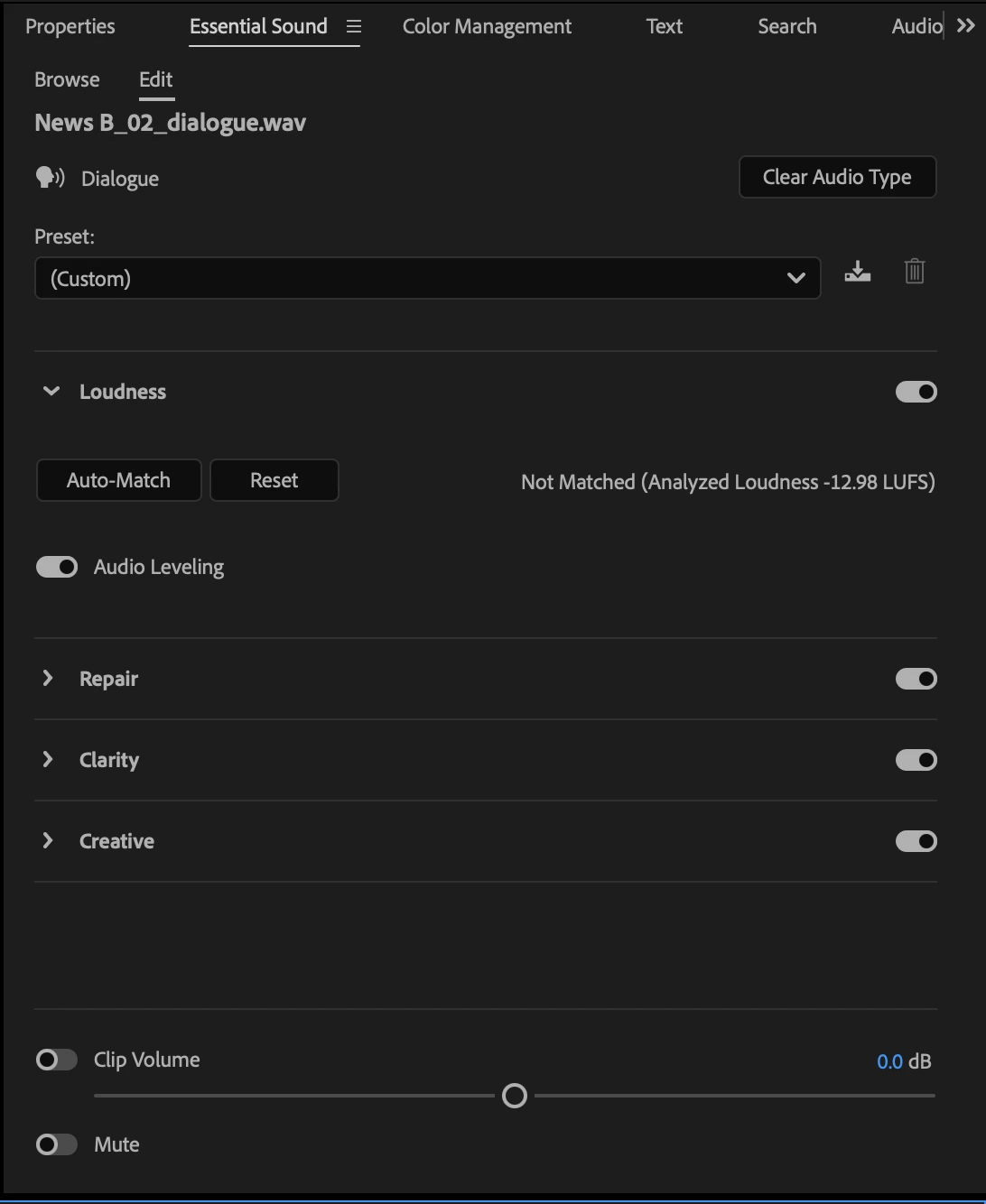
Select a dialogue clip and you'll find Audio Leveling inside the Loudness module of the Essential Sound panel. Trigger it on the selected clip, and Premiere analyzes the audio and writes the balancing keyframes for you. From there, the keyframes are fully editable on the clip if you want to fine-tune the result.
Why this matters
Dialogue is rarely recorded at one even level. A talent leans in and clips hot, then turns away and drops under the bed, and you end up hand-drawing volume keyframes clip by clip just to make the conversation sit evenly. Audio Leveling takes that pass off your plate and gives you a balanced starting point you can refine, all inside the timeline.
You can:
- Even out inconsistent dialogue levels in one pass instead of keyframing by hand.
- Tame hot peaks and lift quiet passages toward a consistent target.
- Start from automatic keyframes, then reshape or remove any of them.
- Keep dialogue sitting evenly across a scene before you mix.
Try It Out
Audio Leveling is available now in the latest Premiere Beta build 27.0 Build 39. Run it on your dialogue clips as part of your usual cleanup pass and let us know how the balancing feels. Your feedback shapes how Audio Leveling evolves.
Happy editing!
Note: We're still polishing some interactions, so expect to see improvements as we iterate.
 AdChoices