



eric escobar
Community Manager
Community Manager
October 16, 2023
Question

Now in Beta: Embedding Interpret Footage Input LUTs into a Project File

  • October 16, 2023
  • 2 replies
  • 2057 views

In Adobe Premiere Pro 24.1 beta, Interpret Footage Input LUTs are embedded directly into a project file to make collaboration and sharing easier.


Previously, Input LUTs assigned to footage in the Interpret Footage dialogue were not embedded into a Premiere Pro project file. When you shared this project with someone else, or moved to a different machine that didn’t have the LUT, Premiere declared it offline and wouldn’t render it.


This meant requiring the extra step of sharing any associated Input LUTs assigned in the project file. In Adobe Premiere Pro 24.1 beta, this is no longer necessary because Input LUTs assigned in the Interpret Footage dialogue are now embedded into the project and travel with it.


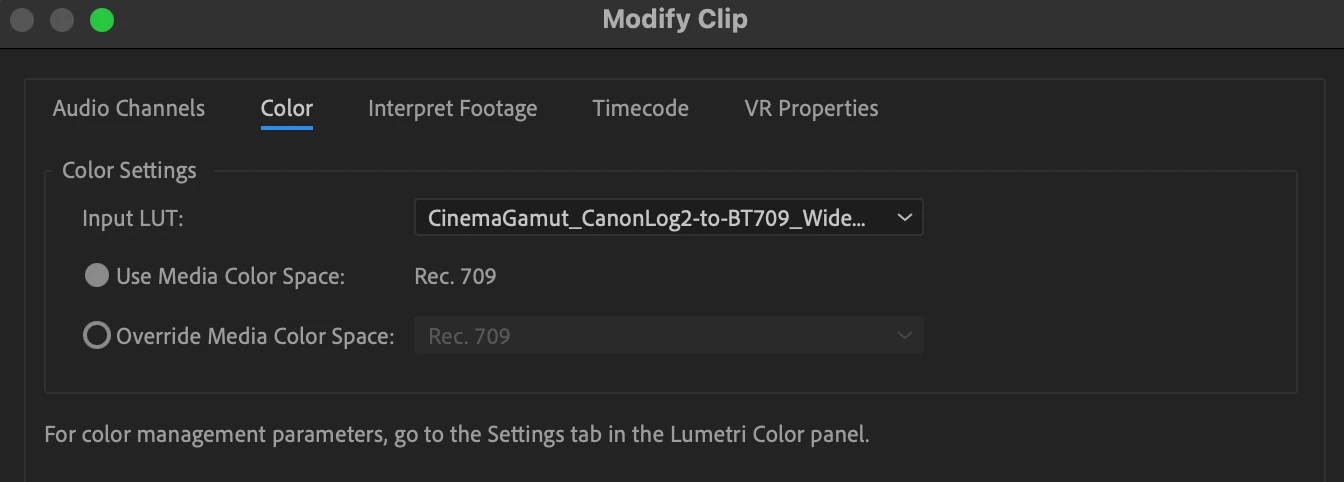
An Interpret Footage Input LUT can be assigned to a clip in two locations:


1) By Control-Clicking the video clip in the Project Browser and selecting Modify > Interpret Footage > Color Dialogue.


2) In the new Lumetri Color Settings Panel, under the Source Clip section.
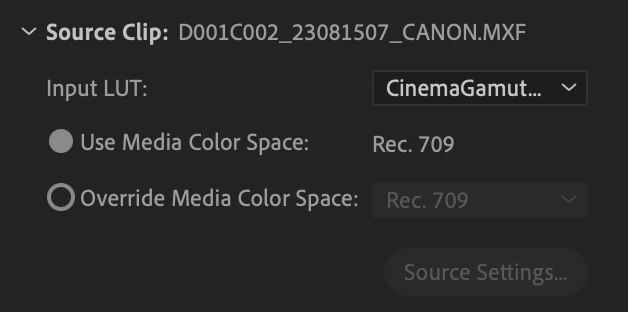


Assign the Input LUT and save your project.


That’s all you have to do, Premiere Pro has embedded a copy of this LUT into the project so you can easily share it.


This topic has been closed for replies.

2 replies

R Neil Haugen
Legend
October 25, 2023

Eric,


This actually highlights a bit of a terminology thing ... you have Input LUTs for clips in the Project settings, which seems to be a "Source" setting, and also "Input LUT" in the Basic tab  ... but they don't seem to pull from the same list, do they?


Very confusing.


Neil

Everyone's mileage always varies ...
Known Participant
October 18, 2023

Can this please be implemented for Red Footage please? 

eric escobar
Community Manager
Community Manager
October 18, 2023

Hi, can you explain more what you mean by this, what is your workflow?

Currently, RED footage can be transcoded and transformed from RED RAW to log or rec709 in the Effects Panel, not with the Interpret Footage Input LUT feature. 

Known Participant
October 18, 2023
Correct. The problem that occurs is you have to do this on a clip by clip
basis. This is obviously not great when you have 100s of clips. There is no
efficient way to have a rec 709 lut that you can turn on and off quickly on
all .r3d footage in a project. The only way now is to disable source
effects and this also disables all the RAW parameters. I don’t see why this
can be done with Arri, Canon, Sony , etc but not Red.