



Francis-Crossman17221443
Community Manager
Principal Product Manager
April 24, 2024
Question

Now in Beta: Free SFX and Music from Adobe Stock

  • April 24, 2024
  • 5 replies
  • 6429 views

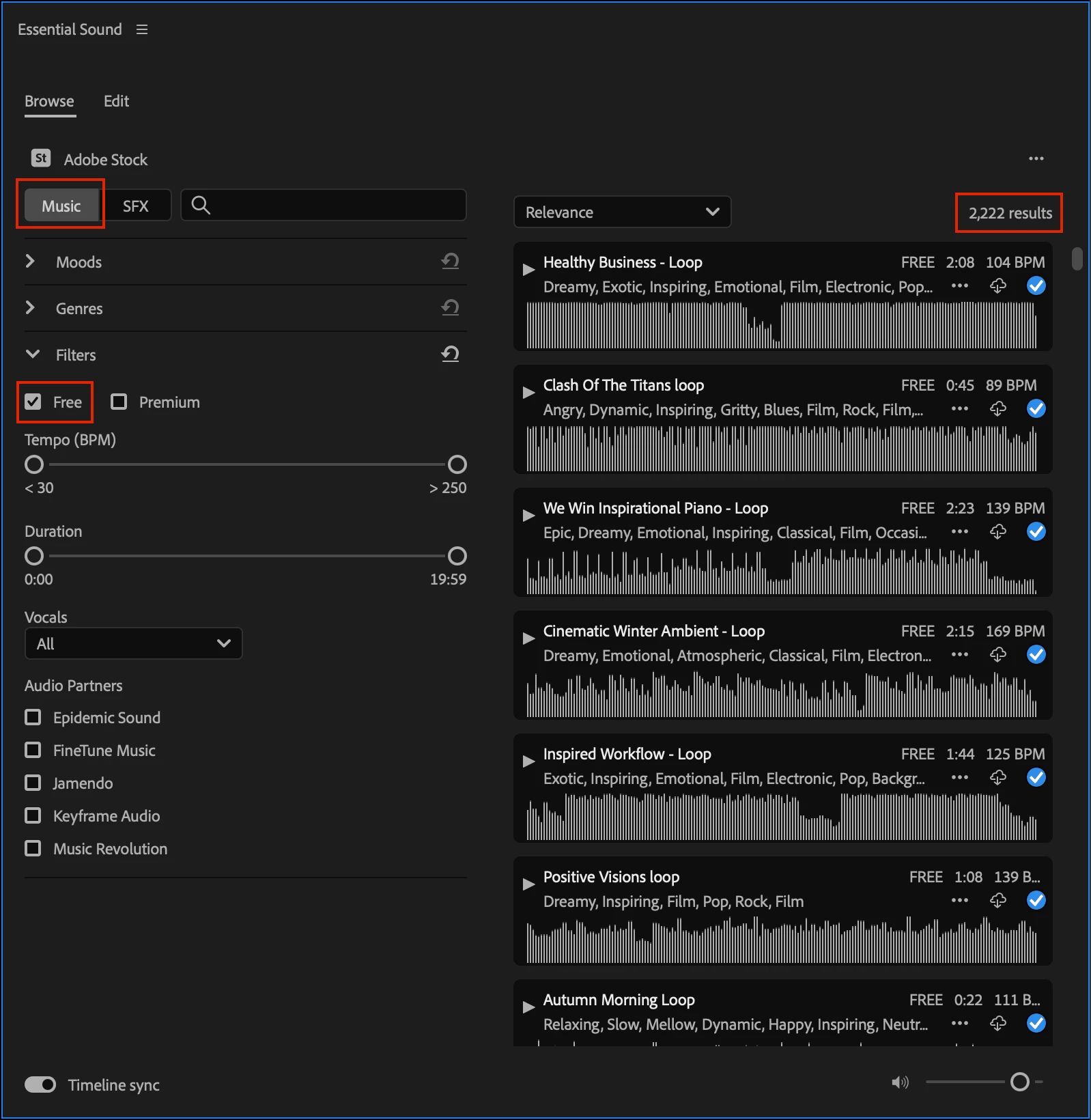
As of Premiere Pro (beta) version 24.5.0 build 18, you now have access to over 15,000 Sound Effects, ~11K of them being FREE!  We have also added the ability to filter between Free and Premium, exposing over 2K Free Music tracks.  These are all pulling from Adobe Stock.
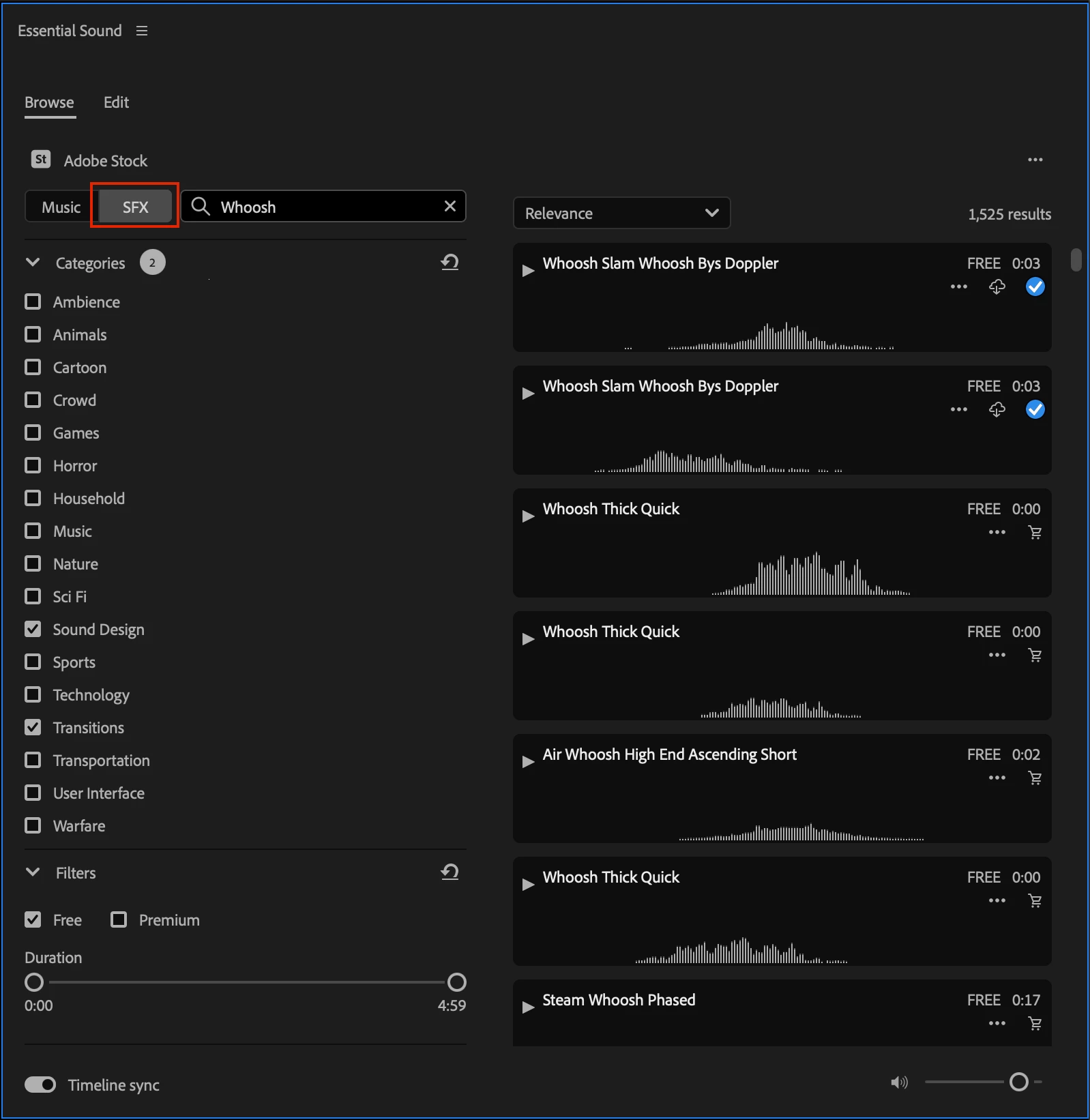


To access Stock Audio inside Premiere Pro

  1. Enter the Audio workspace (or just open Window > Essential Sound panel)
  2. In the Essential Sound panel, find the “Browse Tab”
  3. NEW – click on Music or SFX
  4. NEW – click Free in the Filters section


With Timeline Sync you can press play on a music track or Sound Effect in the Essential Sound panel which will start playback of the media on the timeline, allowing you to preview the cues in the context of your edit to truly give a sense of which track works best.


We want to know what you think.  Please join the conversation below.

This topic has been closed for replies.

5 replies

Participant
August 8, 2024

Hi, wondering why I don't have access to this, I cannot find either of the 'new' features:

MarkPicone
Participant
April 29, 2024

This works great. Also, being able to right-click and save the music to your desktop is awesome. Thanks.

Inspiring
April 26, 2024

This is cool.  I just dumped APM because they were too expensive, and Digital Juice is gone, so this gives me something to work with.  Many other platforms have free content, so this should help a lot in sales.


When clicking between Moods, I wasn't seeing the filtering much.  But when I filtered Generes, it started working.


So I brought a short clip in and threw it on a timeline. I noticed a shopping cart icon and clicked it, then it gave me a license code. I followed the link where it talked about licensing on YouTube.  We don't use YouTube, so is that license step necessary for free stuff?


Inspiring
April 26, 2024

BTW, I don't like the way it overlays existing content on the timeline when I'm simply auditioning clips. I think there should be a switch to enable that.


Also there seems to be no way to control level when auditioning against existing footage. Can't control preview volume in the track mixer. 

Adobe Employee
April 29, 2024

Are you referring to it playing simultaneously with the sequence you have open?

If so, you can disable this by turning off the "Timeline sync" switch on the bottom-left of the Essential Sound panel.


Inspiring
April 25, 2024

Would be cool if you could add your own local SFX library like Premiere Composer does. That Plug has become indespensible for quick sound design. 

Francis-Crossman17221443
Community Manager
Principal Product Manager
April 26, 2024

@Scott.C., this is a great idea that we've discussed a bunch inside the Premiere Pro team.

marliton
Community Expert
Community Expert
April 25, 2024

That sounds great! I'll give it a try. Tks.


Marlon Ceballos