


Now in Beta: Global and Contextual Audio Mute in Premiere
Hey everyone! We are excited to share that Global and Contextual Audio Mute is now available in Premiere Beta (Build 36). This has been a long standing request from many of you, and we are finally bringing it to life.
What’s New?
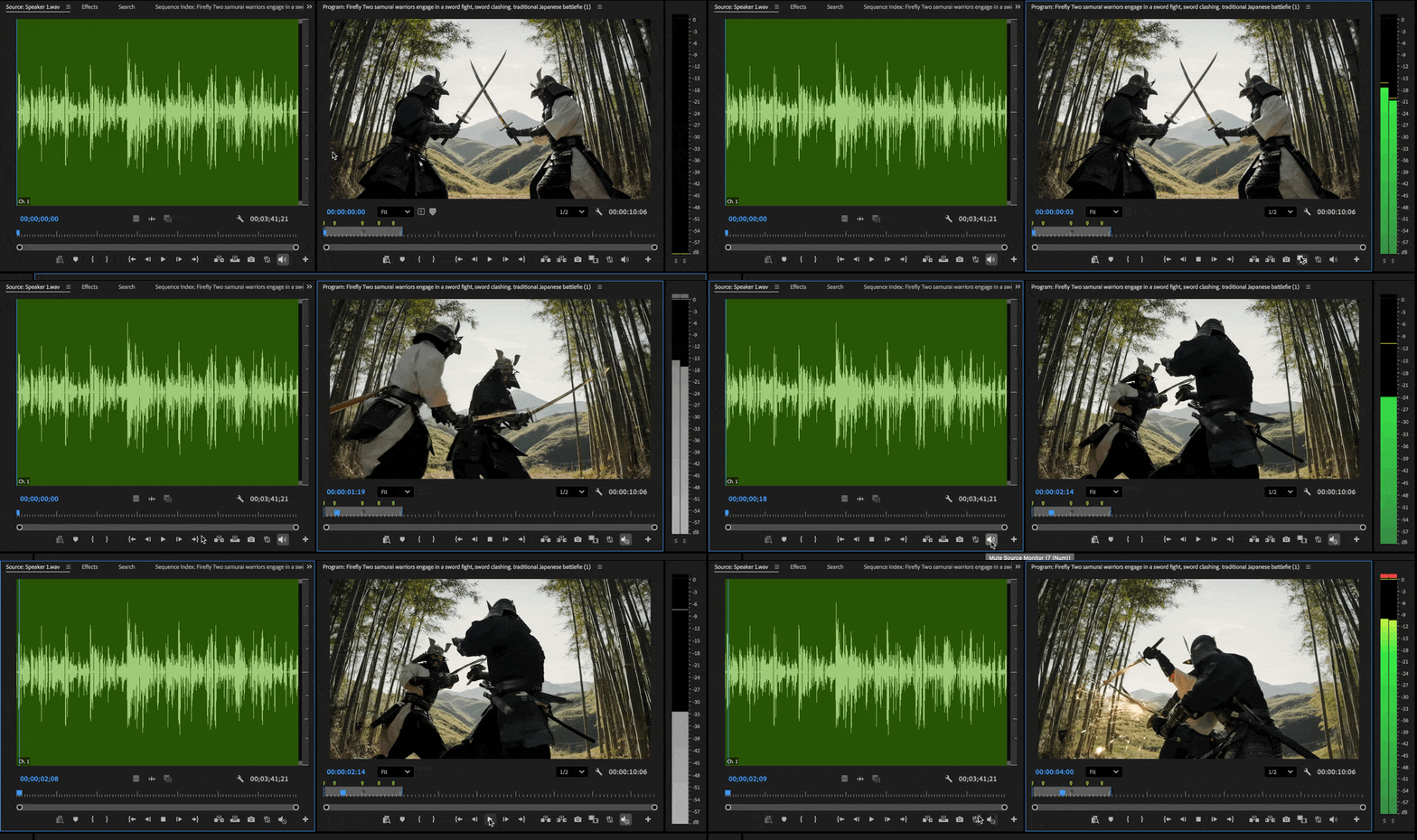
With Global Mute you now have full control over how and when Premiere plays audio. You can mute the entire application or mute only the Program Monitor or Source Monitor depending on your workflow.
Where to find it
There are multiple ways to access these new mute controls:
- Transport Controls
You will find a mute button directly in the transport bar of both the Program Monitor and the Source Monitor. The icon clearly shows mute and unmute states, and it works together with the contextual meters of your active sequence or clip. When mute is enabled, the contextual meters will gray out to give you an extra visual confirmation of the mute state.

- Universal Header Bar
We have also added a mute control in the Universal Header Bar. This one adapts to context and will continue to improve over the next few beta updates. Keep an eye on it as we add more functionality.

- Keyboard Shortcuts
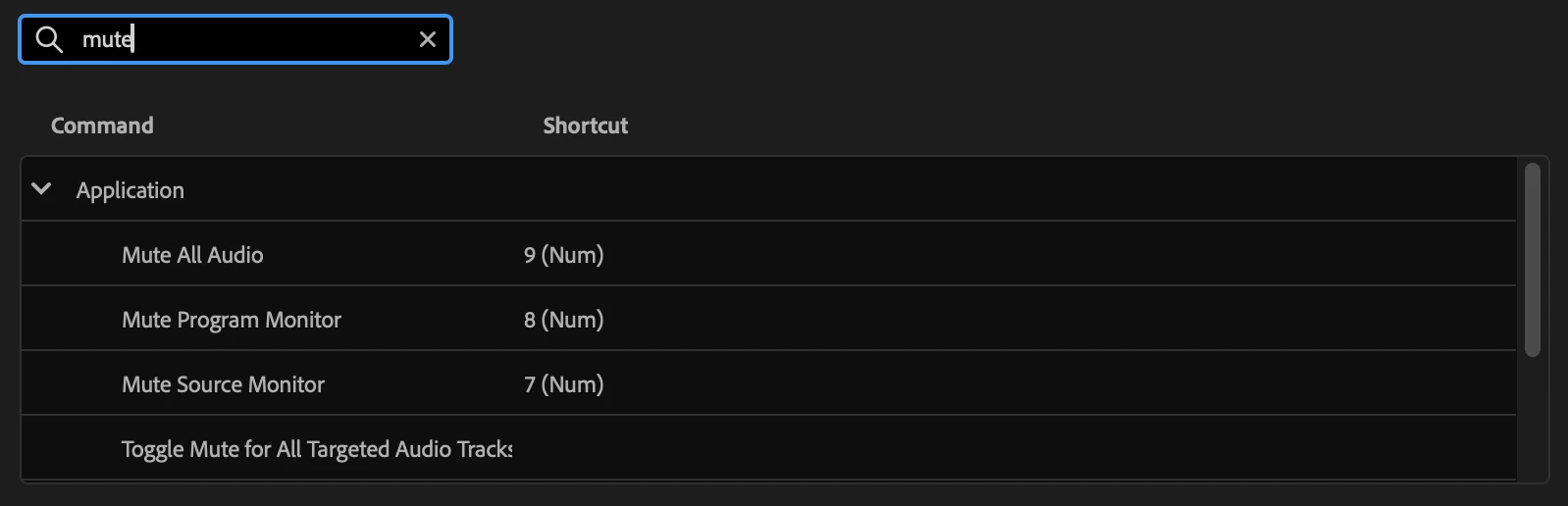
You can assign shortcuts to Global Mute and Contextual Mute actions. If you prefer to work from the keyboard, you can toggle these audio states instantly without needing to click on the UI.
- Right Click on Meters
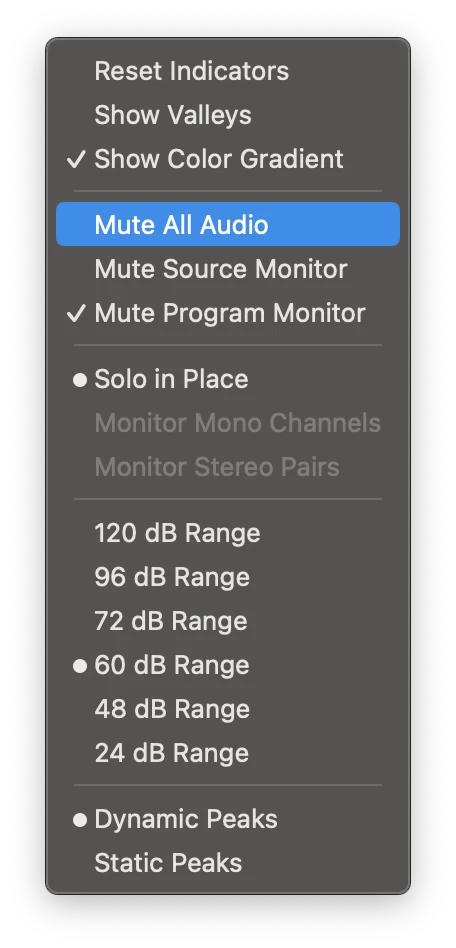
You can also access Global Mute by right clicking on any of the following meters:- Sequence contextual meters
- Audio Track Mixer
- Clip Mixer
Why this matters
Global Mute gives you the flexibility to keep working without unwanted audio getting in the way. You can:
- Browse B-roll or dailies in the Source Monitor without hearing the audio.
- Mute Premiere Pro entirely while doing color work or client reviews.
- Avoid workarounds like muting your whole system or silencing individual tracks.
- Quickly toggle audio states using UI controls or your own custom shortcuts.
- Clearly see when audio is muted thanks to the grayed out contextual meters.
Try It Out
We are looking forward to hearing your feedback as you try it out in the beta. This feature comes directly from your requests, and we hope it makes your daily editing experience smoother and more enjoyable.
Give it a try and let us know what you think!
Happy editing!
Note: We’re still polishing some interactions, so expect to see improvements as we iterate.
 AdChoices