




Now in Beta: Improved Sony X-OCN support
Beta versions of Premiere, After Effects, and Media Encoder now provide dramatically improved support for X-OCN, Sony’s compressed raw format. This update includes:
- Hardware acceleration of X-OCN for faster playback and export on macOS and Windows
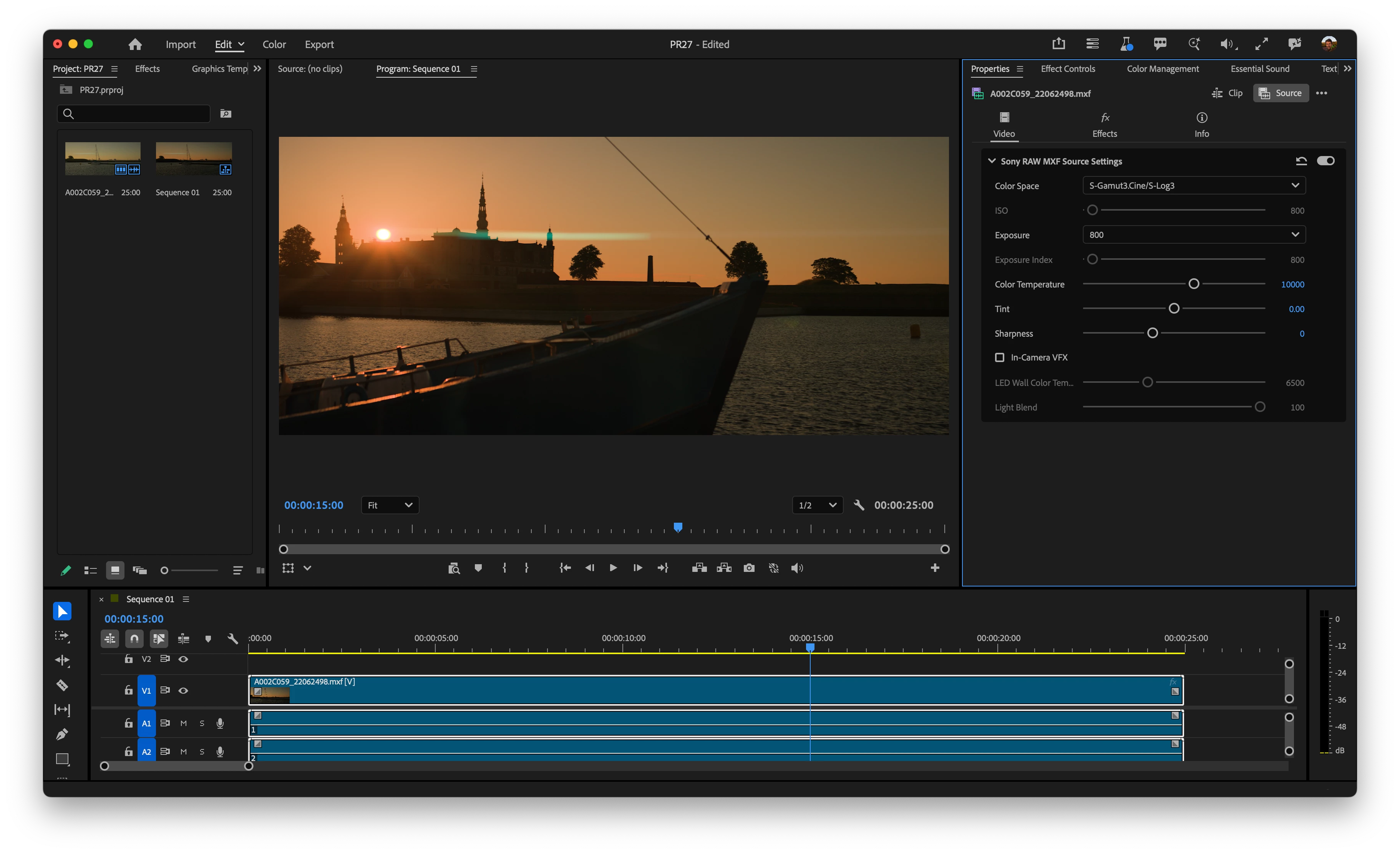
- Expanded source controls via Effect Controls > Source and the Properties panel, where you can now view and modify X-OCN attributes, including:
- Color Space
- ISO
- Exposure
- Exposure Index
- Color Temperature
- Tint
- Sharpness
- In-Camera VFX settings for customers using virtual production:
- LED Wall Color Temperature
- Light Blend
Already in beta is support for the new X-OCN variants for the Sony FX5: X-OCN C1 and X-OCN C2. (Adobe’s video applications already support the other X-OCN variants: XT, ST, and LT.)
Other things to be aware of:
- Rec. 709 has been removed from Source Settings > Color Space. In the current, shipping version of Premiere, there is an option in X-OCN Source Settings to convert X-OCN footage to Rec. 709. Using this option often resulted in clipped highlights and was rarely used by customers.
- Support for Sony RAW and Sony 16-bit linear F65 RAW has been removed. Sony RAW is a separate format from X-OCN, used by older cameras such as the PMW-F55/F5 and NEX-FS700. Sony 16-bit linear F65 RAW is the raw format that was used by the Sony CineAlta F65.
We’d love to get your feedback on X-OCN support! Please let us know if you have questions or comments, especially about performance, the new source controls, and any projects affected by the changes above.
 AdChoices