




News
Now in Beta: Improvements to Object Mask
TL;DR
We shipped three Beta improvements to Object Masking: Sharpness (Smooth Mask edge refinement) with two control modes, a Mask Expansion slider to nudge boundaries, and an in-session Mask Offline notification so you can locate or restore missing mask files while you work.
What’s included in this Beta
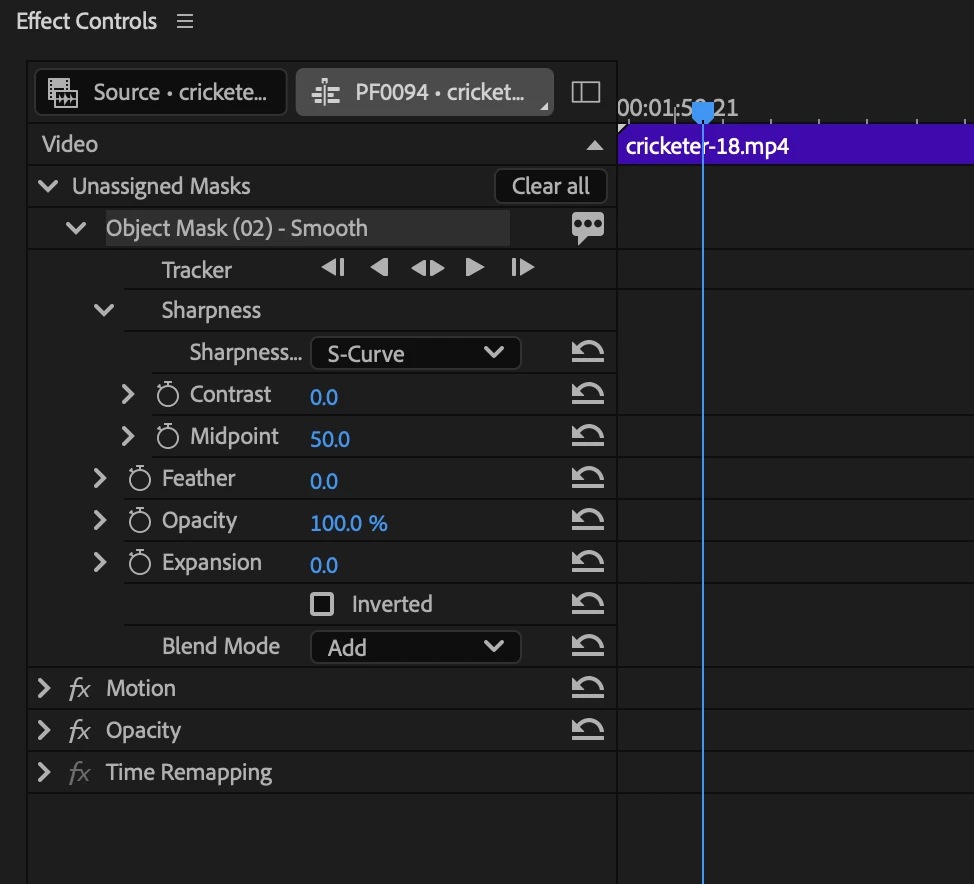
- Sharpness (Smooth Mask Edge Refinement) - A new control in Effect Controls for Smooth Masks that adjusts how much of the lower-confidence fringe around the confident mask core is included. That fringe is what gives Smooth Mask its soft, natural blend on hair and fine detail, Sharpness control lets you tune it.
- S-Curve (default) — Contrast and Midpoint sliders for quick, intuitive adjustments.
- Levels — Input Black, Input White, and Gamma for linear, granular control if you prefer level-style tweaks.
- Both modes operate on the same underlying mask data so you can switch between them to compare.
- Mask Expansion - A single slider centered at 0 that physically shifts a mask boundary inward or outward after creation, without re-tracking or touching the original selection.
- Negative values contract the mask (choke down halo artifacts).
- Positive values expand the mask (recover subject pixels missed at the edge).
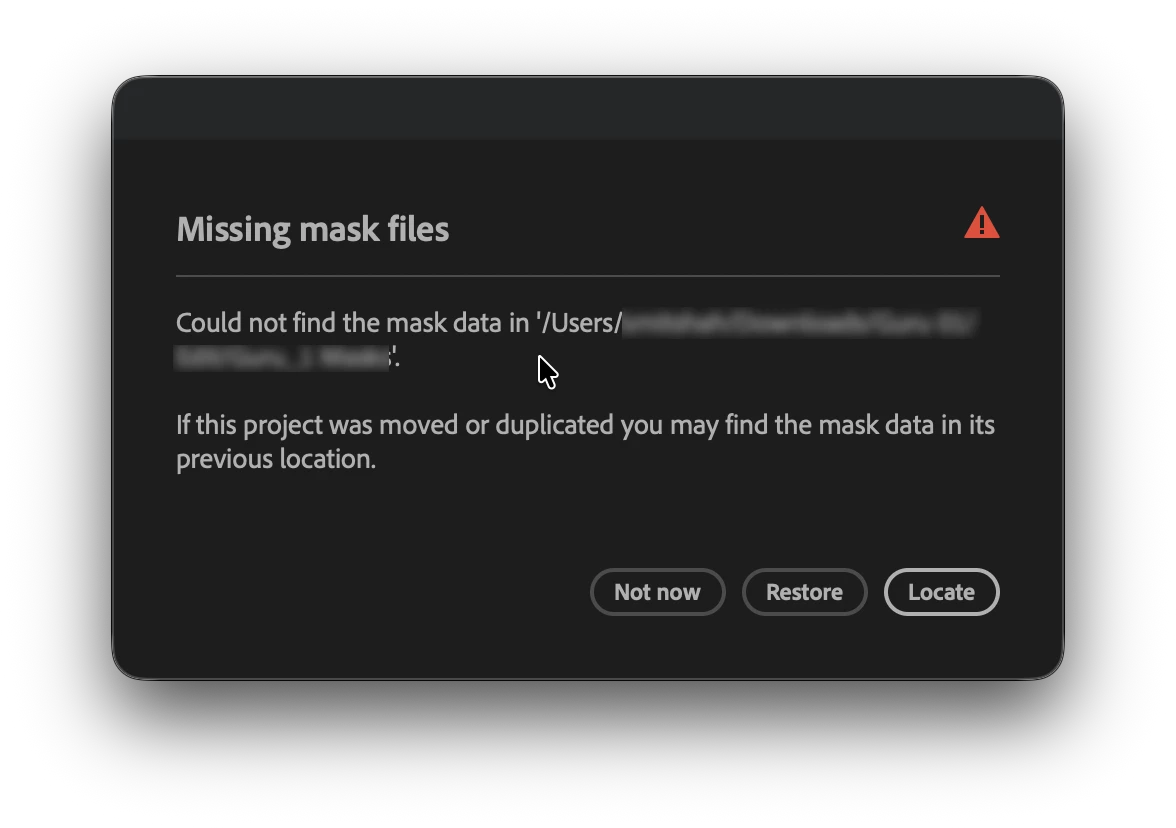
Mask Offline Notification - A live file-watcher detects when mask files become inaccessible while your project is open (drive unmounts, cloud eviction, rename/move).
- A banner appears within seconds: "Missing mask files — If this project was moved or duplicated you may find the mask data in its previous location."
- From the banner you can: Locate (point Premiere to the folder), Restore (regenerate eligible masks from source clips), or choose Later to dismiss and keep working.
- Affected masks are also flagged as missing data in Effect Controls so you can act on them individually.
How to try it (Beta)
- Update to the latest Beta build where these features are available.
- Open a sequence with Object Masks or create new Smooth Masks on your clips.
- In Effect Controls, locate the Smooth Mask section to find Sharpness and Expansion.
- To test Mask Offline Notification, create a mask folder on a removable or cloud-synced volume and then make that folder temporarily unavailable while the project is open.
Compatibility & rollout
- These changes are in Beta builds only. We plan to iterate based on feedback before wider release.
- Mask Restore (from 26.3) remains the fallback for missing mask folders on project open; the new notification covers mid-session disconnects.
How to send feedback
- Try the Beta and tell us how Sharpness, Expansion, and the Mask Offline Notification behave in your projects - screenshots, short videos, and exact steps to reproduce issues are hugely helpful. Thanks for helping shape these features.
- Post visual before/after examples and your workflow notes in the community thread so we can see real-world results.
- If a feature feels unclear, tell us which control or label you'd change - clarity is one of the primary goals in this Beta.
Like it? Share with a teammate. Need something else? Let us know.
 AdChoices