



Now in Beta: iXML Metadata in Clip Headers and Source Monitor in Premiere
Hey everyone! We're excited to share a new addition that just landed in Premiere Beta 26.5.0 Build 66: iXML metadata right in your audio clip headers and source monitor. Production sound carries a wealth of metadata, and now you can see it without leaving the timeline or the source monitor.
What's New?
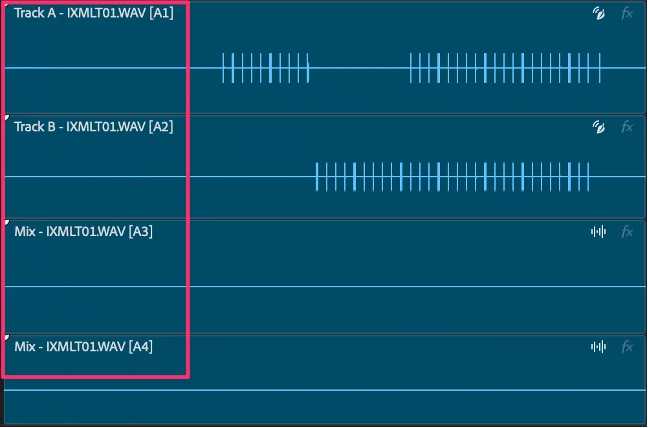
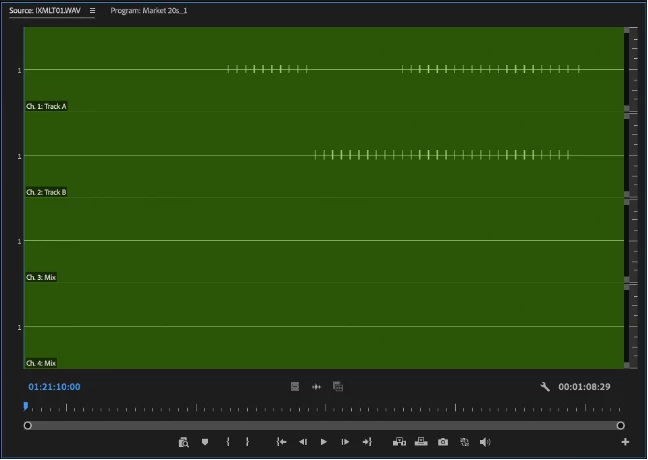
When your audio has iXML metadata, Premiere now surfaces it directly on the clip header. No more digging through panels or cross-referencing sound reports to know what you're looking at. The same metadata shows up in the source monitor too, displayed at the level of the channel labels, so you can make sorting and selection decisions before a clip ever hits your sequence. It's a global setting, so once you turn it on, it applies in the timeline and the source monitor.
Where to find it
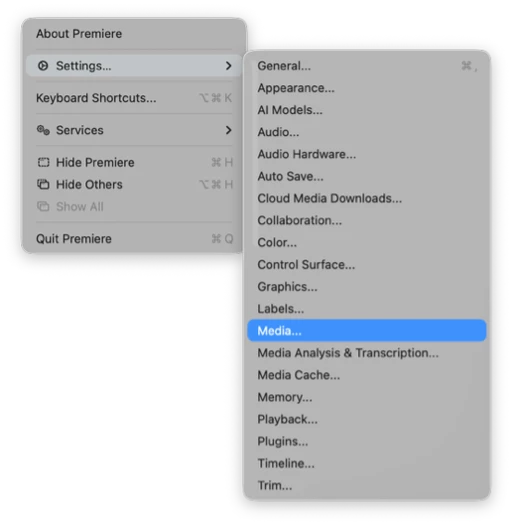
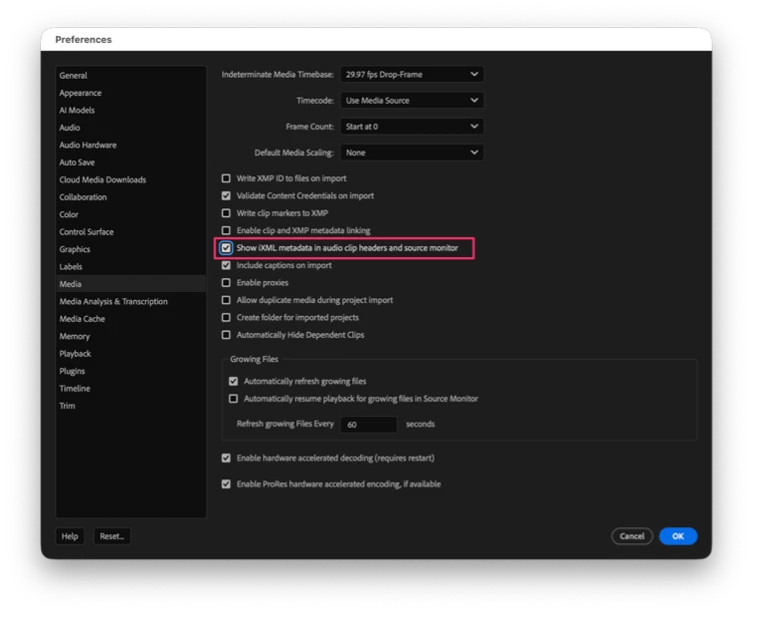
The control lives in Settings > Media, under a preference called Show iXML metadata in audio clip headers and source monitor. Flip it on to display the metadata across the timeline and source monitor and flip it off whenever you want a cleaner clip header. Because it's global, the toggle governs the behavior everywhere at once.
Why this matters
Production audio is only as useful as the context that travels with it. When you're working with multitrack field recordings, that context is baked into the iXML, but historically it stayed hidden while you edited. Bringing it onto the clip header and into the source monitor closes that gap.
You can:
- See iXML metadata on audio clips directly in the timeline as you cut.
- Read the same metadata in the source monitor at the channel label level before placing a clip.
- Make faster sorting and selection decisions without leaving your editing context.
- Keep the display global and consistent across your project.
- Toggle it off anytime for a cleaner clip header view.
Try It Out
This feature is available now in the latest Premiere Beta 26.5.0 Build 66. Load up some audio with iXML metadata, turn on the preference, and let us know how it fits into your workflow. Your feedback helps shape how we surface iXML metadata going forward.
Happy editing! 🎧🎥
Note: We're still polishing some interactions, so expect to see improvements as we iterate.
 AdChoices