



Now in Beta: Live Waveforms While Recording Voiceovers in Premiere
Hey everyone! We’re excited to share a new addition to the voiceover recording workflow that just landed in Premiere Beta 26.5.0 Build 59: Live waveforms while you record.
This feature is on by default and is designed to give you immediate visual feedback as you record. No more recording blind and waiting until you stop to see what you captured.
What’s New?
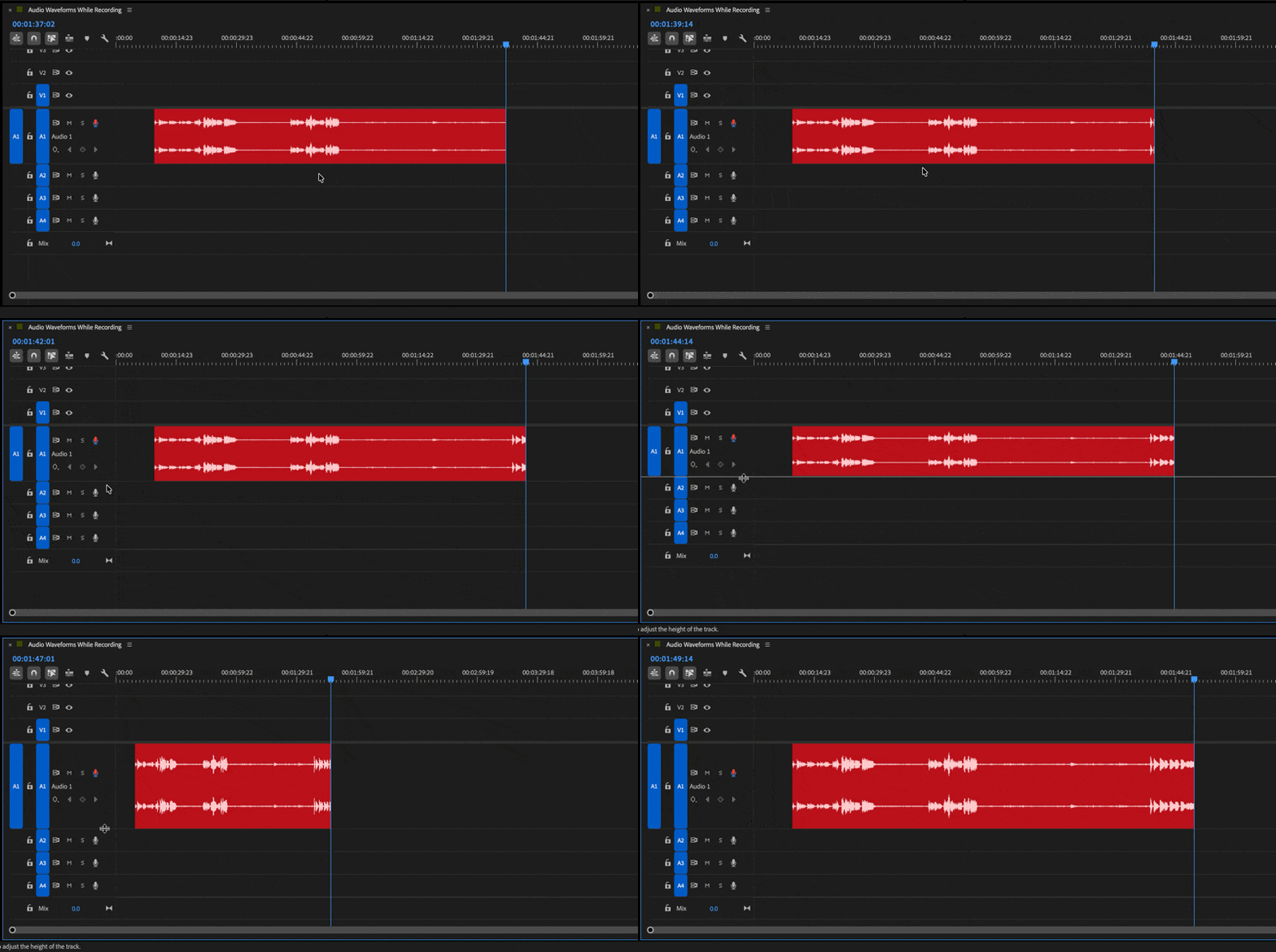
When you record a voiceover now, the audio draws onto the timeline in real time. As you speak into the mic, the waveform renders live in the clip, so you can see your levels, pacing, and pauses as they happen. Your recording takes shape in front of you instead of showing up only after you hit stop.
Where to find it
You’ll see the waveform render automatically in the target track the moment you start a voiceover recording. There’s nothing to turn on. As soon as you begin, the audio draws into the clip in real time so you can follow the take as it happens.
Why this matters
Recording voiceovers is a performance, and performances need feedback. Without a live waveform, you’re talking into a void and hoping the take landed. Live waveforms remove that guesswork by tying what you hear to what you see, the moment you record it.
You can:
- Watch your levels in real time and catch clipping or low input before the take is wasted
- See your pacing and pauses as you go, so you can adjust delivery on the fly
- Confirm the mic is actually capturing audio without stopping to check
- Spot the usable section of a take immediately, instead of scrubbing back after recording
Try It Out
This feature is available now in the latest Premiere Beta 26.5.0 Build 59. Record a few voiceover takes with your usual setup and let us know how it feels. Your feedback helps shape how voiceover recording keeps evolving.
Happy Recordings!
Note: We’re still polishing some interactions, so expect to see improvements as we iterate.
 AdChoices