



Now in Beta: Magenta label color for Generative AI clips
Premiere (Beta) now automatically sets the label color to Magenta for AI-Generated or AI-Edited clips in the project panel and timeline. The color is configurable in Preferences.
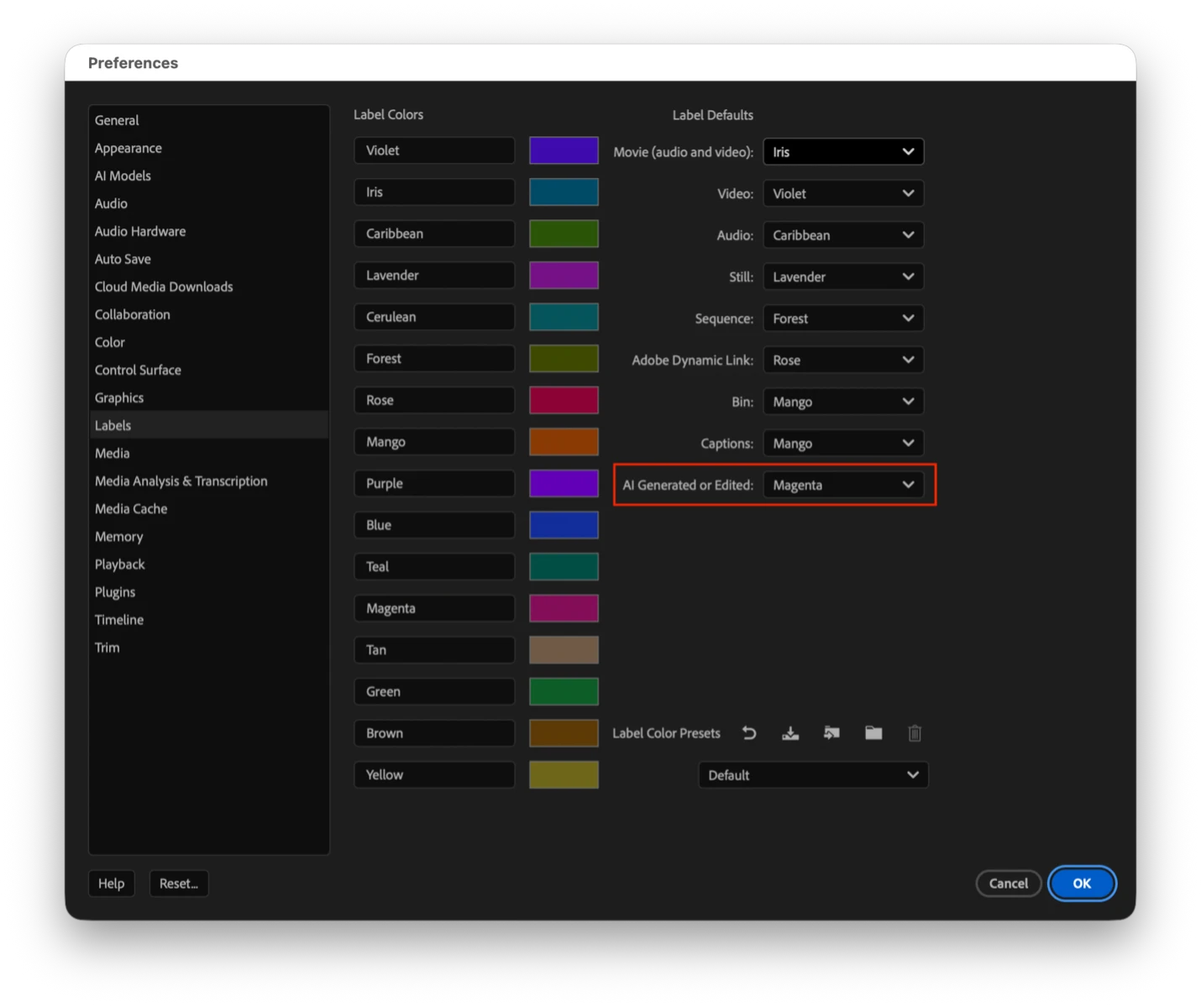
As more and more Generative AI tools become available, it can be increasingly difficult to keep track of the media in your project so you know what’s synthetic and real. Even if you didn’t generate it yourself, it could be provided by a colleague or client or even downloaded from a stock site and you don’t know there is AI content in your project until after you export. To help with this, we added an automatic function that changes the label color of AI-generated or AI-edited media in your project or timeline based on content credentials. Content credentials are durable metadata that carry information about where the media came from and how it was created. All the generative AI tools you use inside Premiere will apply content credentials and thus be labeled magenta. Any media that you bring in from outside Premiere that has valid content credentials, indicating generative AI, will also be labeled magenta. The magenta color, of course can be changed to any color you like in Preferences > Labels.
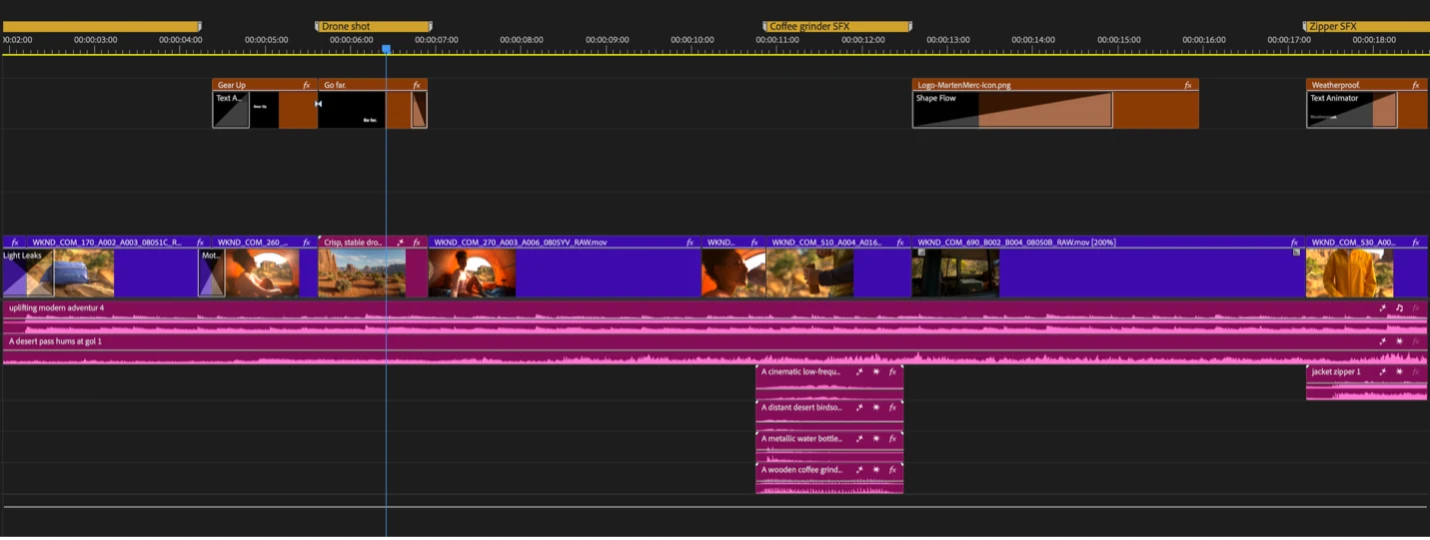
In the picture below, you can see one GenAI video clip and several GenAI audio clips. It’s easy to tell at a glance where the AI is.
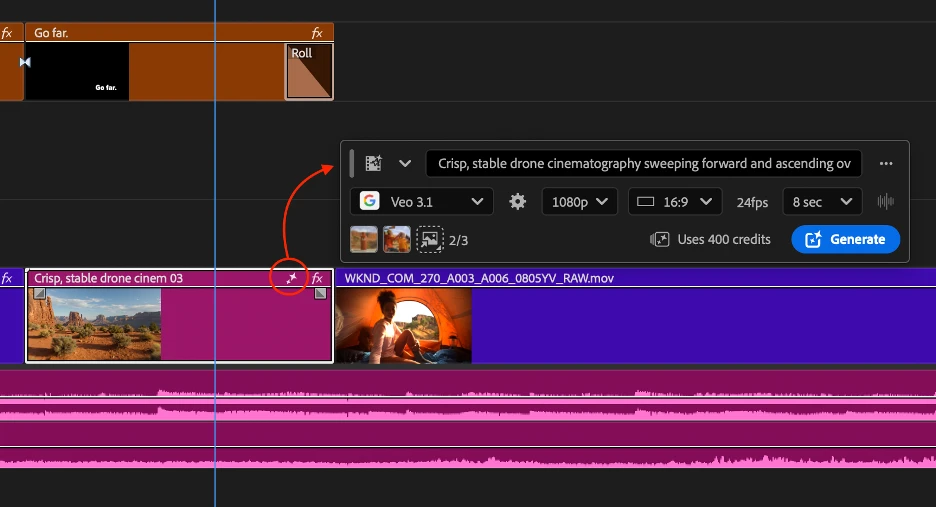
Although not new in beta, it’s worth mentioning that there are a few other ways to see if there is generative AI media in your project. Generative AI features that you use right inside Premiere like generative extend (shipped in 25.2 – April 2025) or the generative media tool (shipped in 26.5 – August 2026) will have a sparkle badge on the clip in the timeline. You can click on the sparkle badge to get more options.
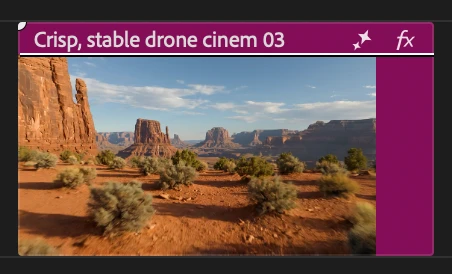
The sequence index (shipped in 26.2 – April 2026) also has a column for content credentials. If you see “AI-generated” or “AI-edited”, that means those clips were created or processed using generative AI models. Those clips will be labeled Magenta. No content credentials only means that there are no content credentials in the file and does not guarantee the absence of GenAI processing.
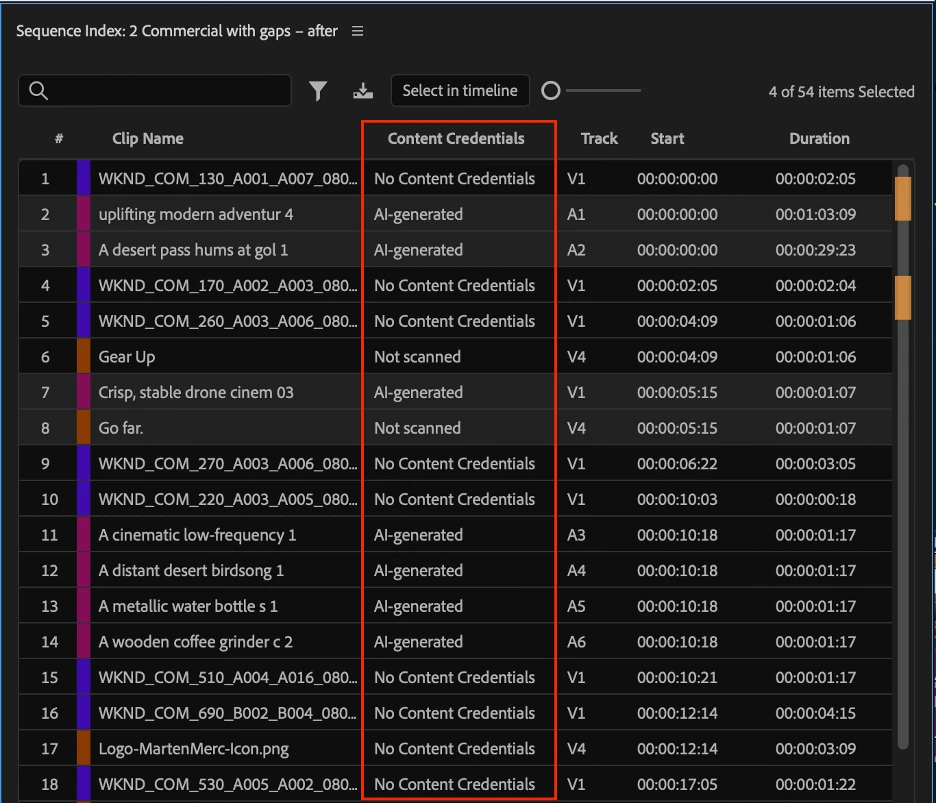
All of these methods together will help you know as you are editing whether you have generative AI content in your project, so you don’t get surprised after you export.
Media from these tools will trigger the AI label color
- AI-generated video, audio, or images from Firefly or partner tools like Google Veo, ChatGPT, Runway etc.
- Generative Extend
- Generative Media tool
- Generate Video
- Generate image
- Generate sound effect
- Generate music
- Generate soundscape
- Generative remove (currently in beta)
Will not add AI label color
- Object Mask
- Speech to Text / Auto Transcription
- Auto Captions
- Caption Translation
- Enhance Speech / Enhance Audio
- Remix
- Media Intelligence & Search
- Text-Based Editing
- Scene Edit Detection
- Auto Reframe
- Morph Cut
- Auto Color (Lumetri)
- Color Match (Lumetri)
We want to know what you think. Please join the conversation below.
 AdChoices