

Now in Beta: Markers Panel Improvements
We are pleased to announce some Markers Panel improvements for Pr 24.2 Beta, starting with build 016. Inside the Markers Panel menu, you will now see new filter options forShow All Markers, Show Sequence Markers and Show Clip Markers. Choose any one filter at a time to see the markers that are most relevant to in the Markers Panel. We have also added a setting to "Ignore selection in Timeline" if you want to filter markers without caring about what may be currently selected in the timeline.
Here is what those new menu items look like in the latest Pr 24.2 public beta build: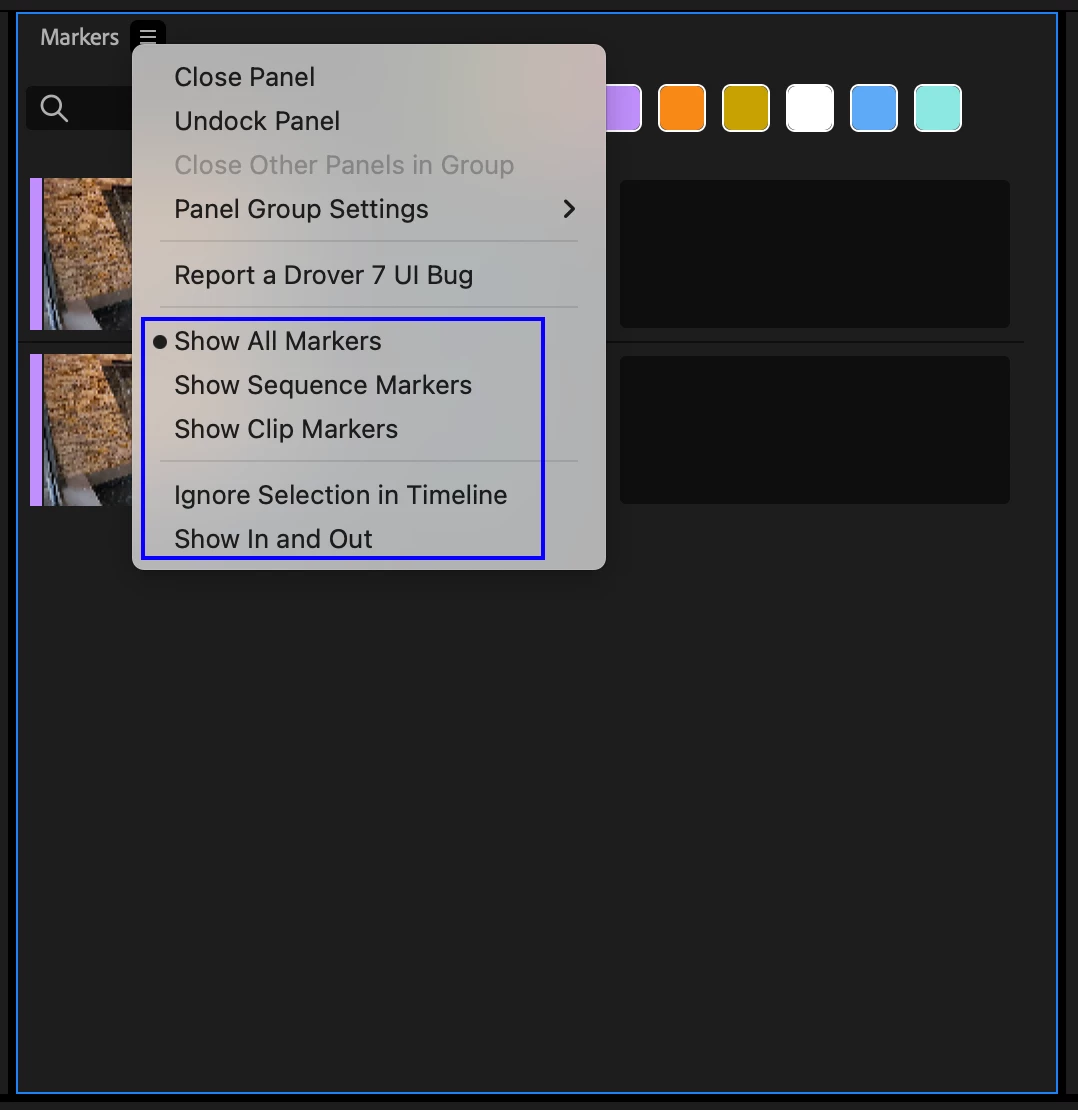
Along with these new viewing options, we have also enhanced the Markers Panel experience in other ways:
- If two or more track items (with Clip markers) are selected, you can now see all of their markers in the Markers Panel at the same time.
- Multiple markers can be selected at the same time in the Markers Panel and deleted together. This one was actually new for Pr 24.0 but we did not announce it broadly at that time, so please try it out now if you have not already done so.
- Sequence timecode is always shown in the Markers Panel whenever a track item with markers is selected. However, if you load a clip with markers into the Source Monitor, then the source timecode will be shown for those markers in the Markers Panel.
4. New user interface indicators have been added to the Markers Panel to show where Source/Sequence In and Out points have been placed amidst the markers displayed in the Markers Panel. These new UI elements include separate unique horizontal indicators for In and Out points that are displayed between markers, as well as a faint indication highlight applied to all markers included within the In-to-out range.
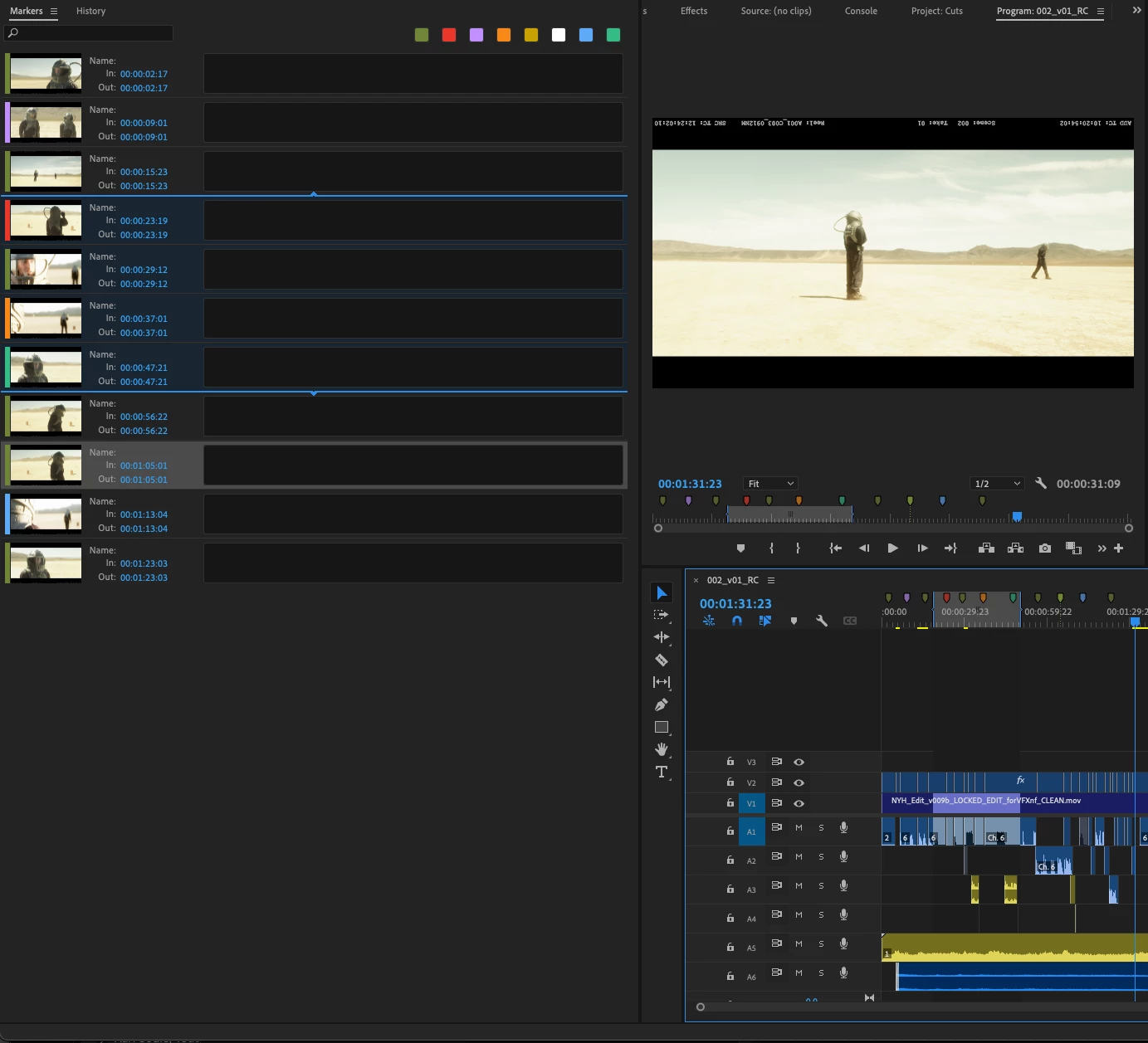
Note: The current tone of this in-range highlight is still in the design phase and may change slightly.


 AdChoices