


TeresaDemel
Community Manager
Community Manager
March 13, 2026
Premiere

Now in Beta: New Preference to Control Automatic Track Creation on the Timeline

  • March 13, 2026
  • 2 replies
  • 228 views

Editors have long expressed that automatic track creation can disrupt their editorial flow because it can upset intentional track setups, in particular when the source has more audio channels than the editing sequence. This new preference allows you to stay in control of your timeline and keep your tracks organized. 

Now you can go into Settings/Preferences → Timeline → Turn off “Add tracks automatically when editing source clips into the Timeline.” 

This update directly addresses the feature request here: 

Thanks to everyone who took the time to share feedback and use cases -- your input helped shape this improvement. Please try it out and let us know if you see any issues. 
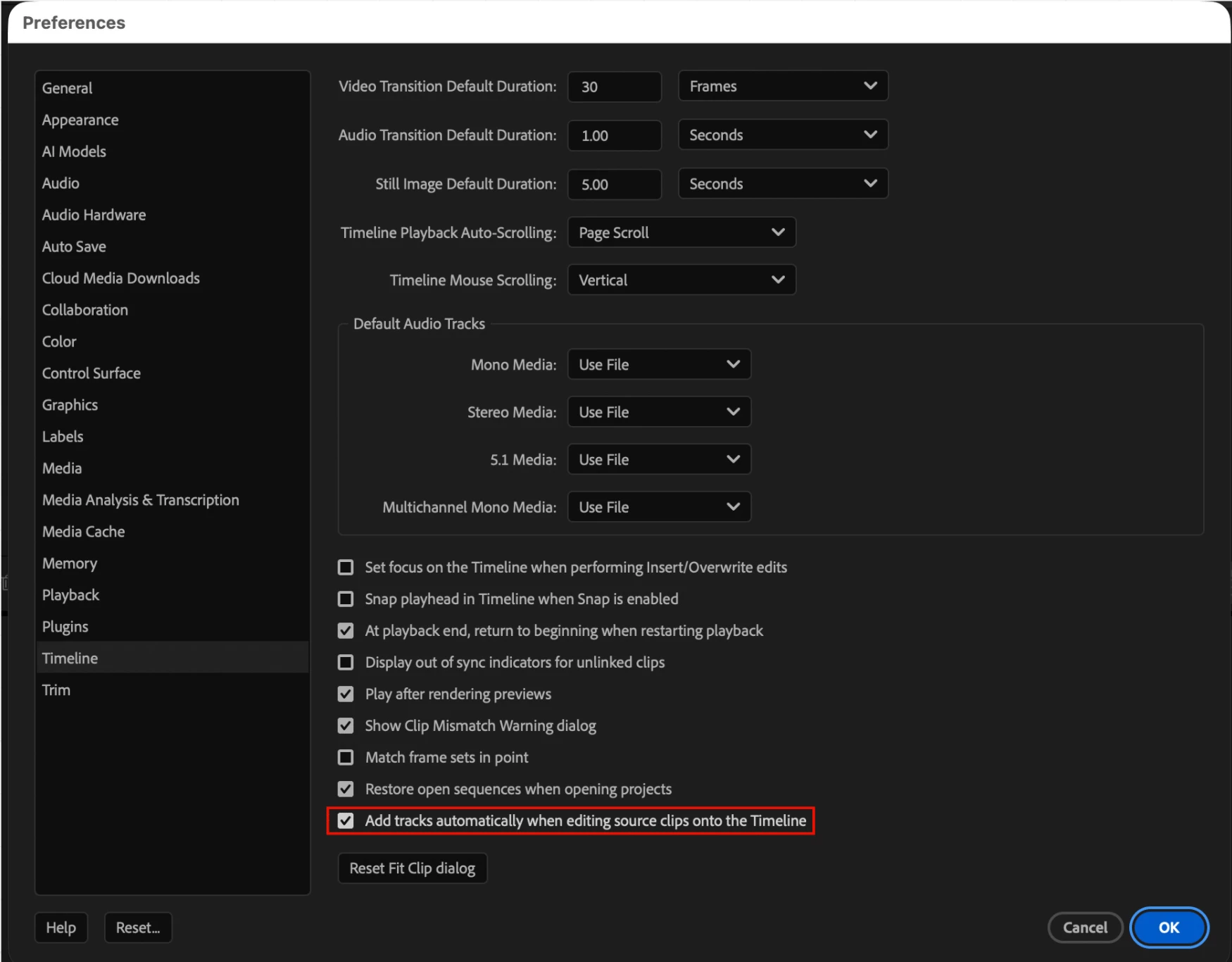
Settings: Uncheck “Add tracks automatically when editing source clips into the Timeline”

Preference on

This screenshot shows what happens when the preference is on. When you drag a track with ten audio channels into a sequence with four audio channels, it automatically creates them. 
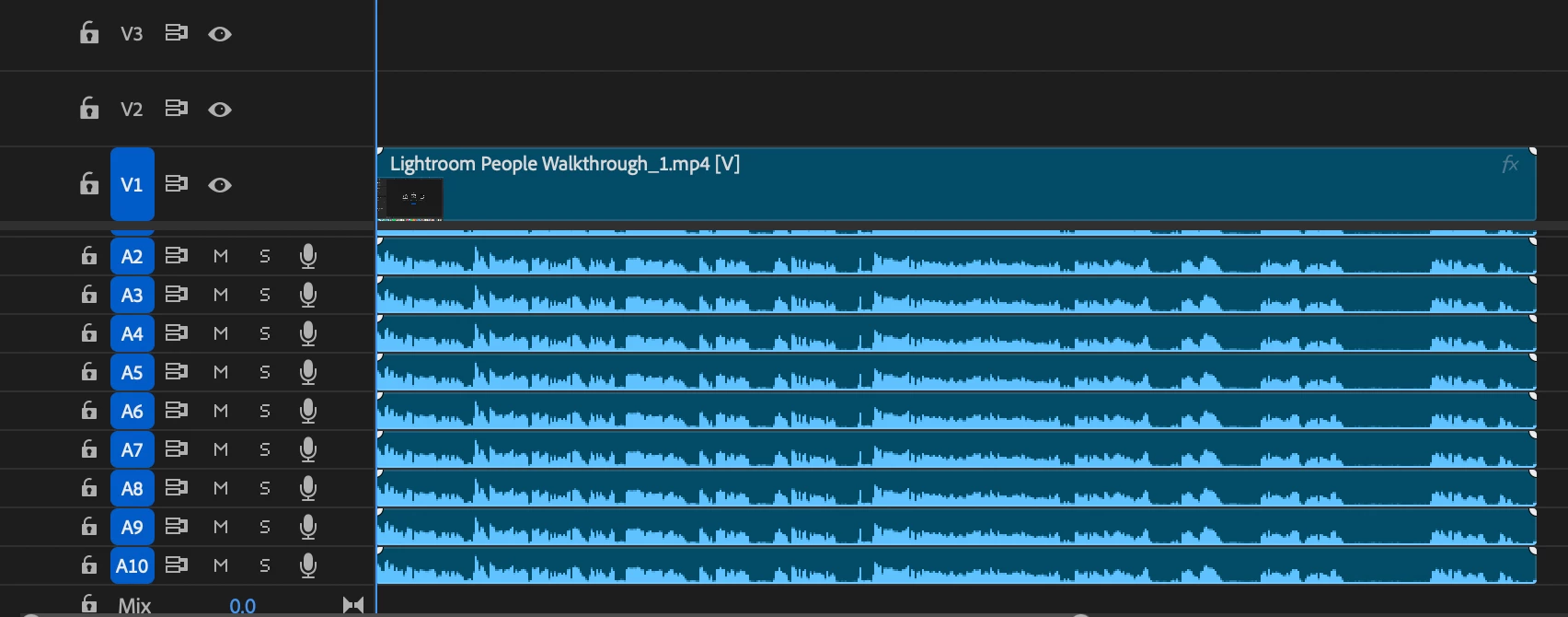
Preference On


Preference off (new)

This screenshot shows what happens when the preference is off. When you drag a track with ten audio channels into a sequence with four audio channels, it maintains the limit of four audio channels.
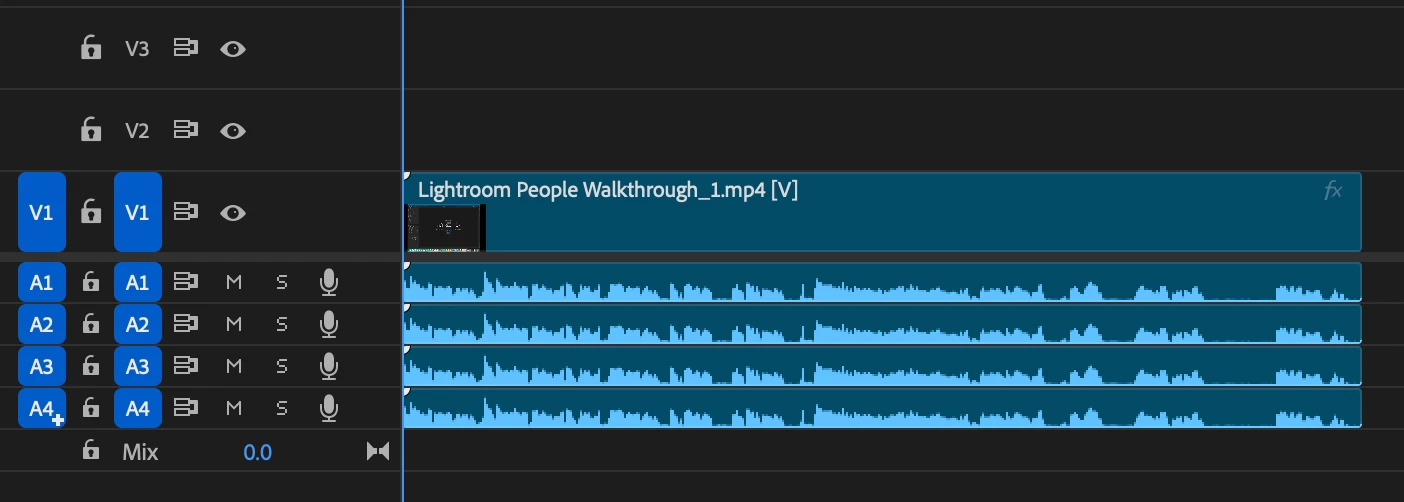
Preference off


    2 replies

    BrianLevin
    Known Participant
    March 13, 2026

    Yes but with a caveat! In addition to it being annoying that tracks are automatically, unwanted, created upon cutting into a timeline, it’s also ideal to see the tracks that are going to be added because we may desire to add channels A6, A8, A10 but not the others, despite the sequence only have tracks as high as A4. So seeing a ghosting of tracks that are going to be cut in would be a plus to add to this very helpful adjustment.

    Community Expert
    March 15, 2026

    Personally, I don’t care to see ghosted tracks or anything like that. While that is non-destructive that can still change the timeline, even if briefly, to show me the ghosting. But I do see how that can be useful. Honestly, at this point, it took so long to get this tiny update I’ll take the win and move on. 

    Community Expert
    March 19, 2026

    @Shebbe Very true, good point. It took so many years to get this I suppose I am just happy we got this much. 🙄

    Community Expert
    March 13, 2026

    Yaaayyyyyyyyyyyyyyyyyyyyyyyyyyyyyy!! 😀